The Google Ads help site defines the Google Display Network as “A group of more than 2 million websites, videos, and apps where your ads can appear.” This definition highlights that the Display Network encompasses more than just websites, extending to apps and videos, with YouTube videos being a key component. This guide aims to provide a comprehensive understanding of display ads on YouTube, equipping you with the knowledge to increase conversions. The guide covers various aspects including targeting ads on relevant video content, adhering to YouTube display ad guidelines, monitoring ad placements, and measuring ad value. Let’s begin.
Targeting YouTube Display Ads
When setting up a new YouTube ad group, navigate to the “Content” section during targeting selection. This allows you to specify where your ads are displayed. Within the content targeting options, you can refine your reach using keywords, topics, and placements.
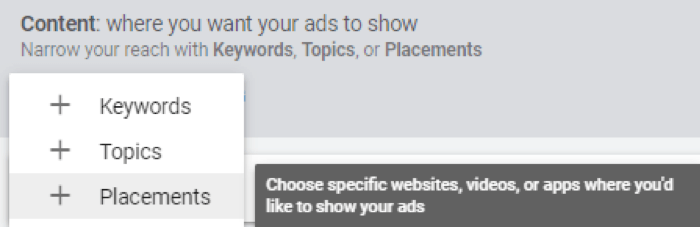
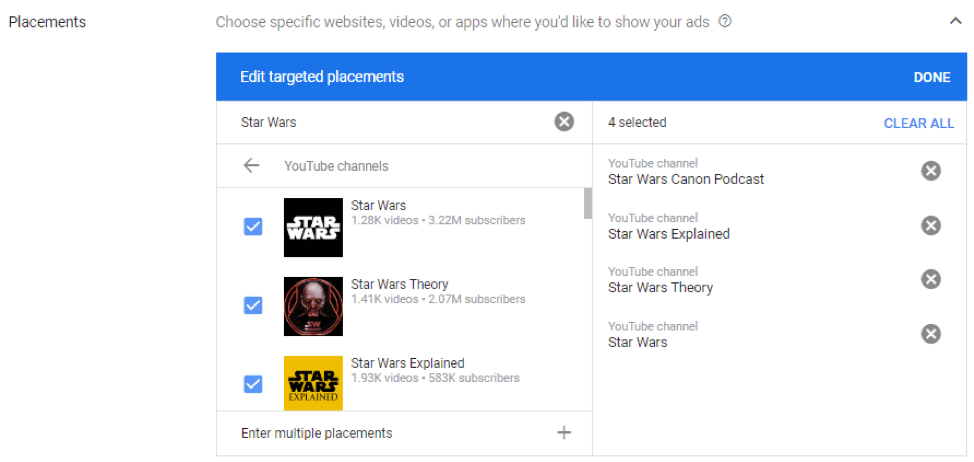
Once you’ve chosen “Placements,” you have several methods to explore specific YouTube placement opportunities. The first option is to select “YouTube Channels,” enabling you to search for specific channels or get suggestions for recommended channels related to the keywords you input.
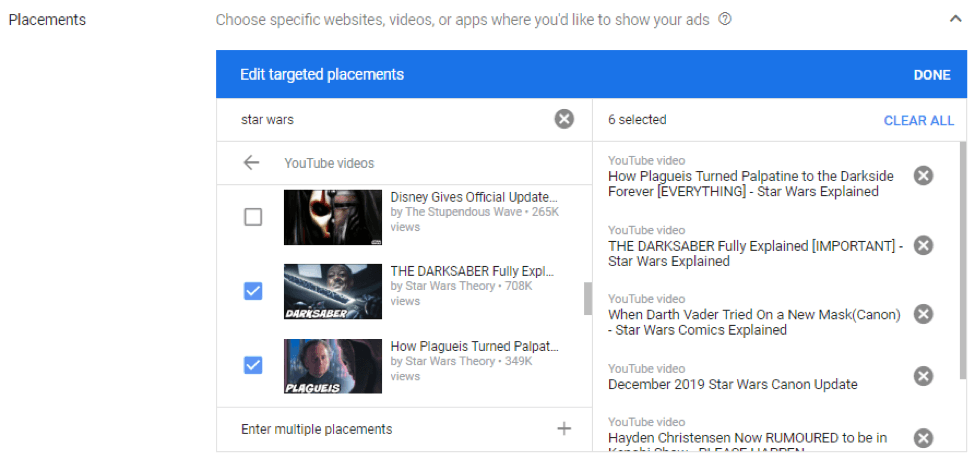
Similar to the first option, the second allows for YouTube placement selection but includes both “YouTube Channels” and “YouTube Videos.” This broader selection uses the same search functionality, allowing you to search for specific videos by title or explore videos related to your chosen keywords.
The final option involves entering a specific video ID. This ID is found on the video’s watch page URL, specifically after the “/watch?v=” segment. To illustrate, consider the following example.

Paste the video ID into the placement search to attempt targeting that specific video within your ad group. Note the use of “attempt” – not all videos are eligible for ad display. If your search for a specific video, whether by channel, video, or ID, doesn’t yield the desired result, those YouTube placements are likely ineligible for Display Network ads, requiring you to seek alternative options.
Note: YouTube display ad placements aren’t always precise
It’s important to remember that placement targeting, both on the Google Display Network and within Google Ads video campaigns, may not always be as accurate as desired. The image below highlights this with a disclaimer from Google:
Google states that your ads “can appear on any YouTube or Display Network placements that match your other targeting.” They advise adding specific placements to refine targeting and note that if your targeted website has a corresponding app, your ads may appear there as well.
Therefore, including additional layers of targeting like topics, keywords, and audiences, especially when your chosen YouTube placements are highly competitive, could lead to your display ads appearing on unintended placements. While not ideal, this is a reality of the system. We’ll address how to manage this when we discuss monitoring in a moment.
Formatting YouTube display ads
Before launching new ad groups, ensure you have prepared two key display ad formats. The first is your standard display ad. According to Google, this format typically appears “to the right of the feature video and above the video suggestions list,” potentially below the player for larger screens. The required ad sizes are 300×250 or 300×60. The second format is the overlay ad, illustrated in the example below.

Overlay ads are displayed directly over the playing video, covering the lower 20%. Viewers can click an “x” in the ad’s upper right corner to close it. These ads must be either image or text ads, with sizes of 468×60 or 728×90.
Pro tip: This means your responsive display ads are compatible with overlay ads.
Monitoring your YouTube display ads
Regularly monitoring your Placement report is crucial, whether you’re targeting audiences on YouTube or manually selecting placements. This Google Ads section helps identify placements to exclude from your campaigns, now streamlined with Google Ads dynamic exclusion lists. You might also discover new placement opportunities for targeting if your initial approach expands beyond managed placements.
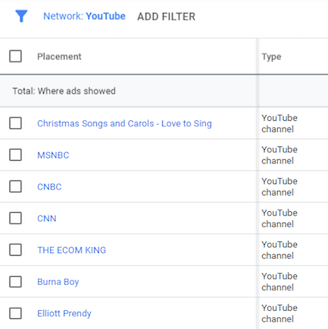
Within the Placements report, focus on the “Where Ads Showed” tab. This reflects where your ads were actually displayed, not necessarily your targeted placements. Even with solely managed placements, close monitoring is recommended. As discussed earlier, unintended placements may appear in your reports.
Measuring the Value of Your YouTube Display Ads
A frequent question I encounter is: “Why don’t our Display campaigns convert as well as our Search campaigns?”
This comparison needs reframing. While Display Network campaigns can and should strive for conversions, it’s crucial to recognize the contrasting user intent between Search and Display Networks. The Search Network often provides more precise answers to user queries, enabling advertisers to tailor text ads effectively.
Conversely, the Display Network disrupts user experiences to maintain brand visibility. Consider YouTube, where users primarily engage with specific videos. Here, running compelling display ads should aim to entice clicks and drive traffic to your site, serving as a reminder even without immediate conversion. Therefore, updating columns in Placement reports is essential for a holistic view.
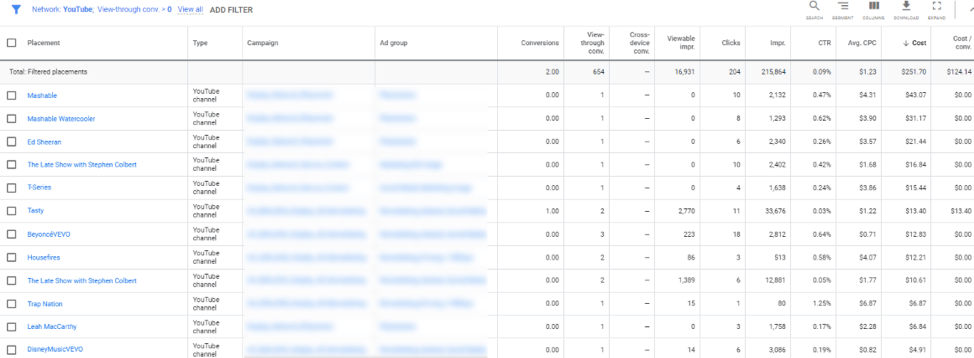
The example above uses a filter, not showcasing full totals. However, within the specified date range, total display spend on YouTube placements reached $36,000, with 203 conversions at a $180 CPA. Adding the “View-through Conversion” column reveals 654 viewers who saw but didn’t initially interact with the display ad on these placements later converted. These conversions exclude interactions with other campaign ads, focusing solely on visibility. This allows for calculating a “view-through rate CPA,” reaching $56, demonstrating the extended value of YouTube display ads beyond last-click conversions.
Besides view-through conversions, incorporating the “Viewable Impressions” column is beneficial. Growing viewable impressions contributes to increased view-through conversions. These “viewability” columns are also available when analyzing display creative. Understanding how many people see your ads, the conversions they generate, and the contributing YouTube placements empowers campaign optimization for greater success on YouTube.
Ensuring Effective YouTube Display Ad Setup
YouTube, the second-largest search engine globally, offers vast audience reach. Advertisers can engage this audience even without dedicated video assets. Experiment with managed placements on YouTube to raise awareness among users invested in particular channels or videos. Crucially, go beyond last-click conversions by examining Google Ads columns that provide a comprehensive perspective on display ad performance. This holistic approach paves the way for optimize your YouTube display ad campaigns.