In the realm of digital marketing, “conversion” is a multifaceted term whose meaning can vary significantly based on the context. This holds particularly true in Google Ads, where a wide array of user actions on your website can be tracked.
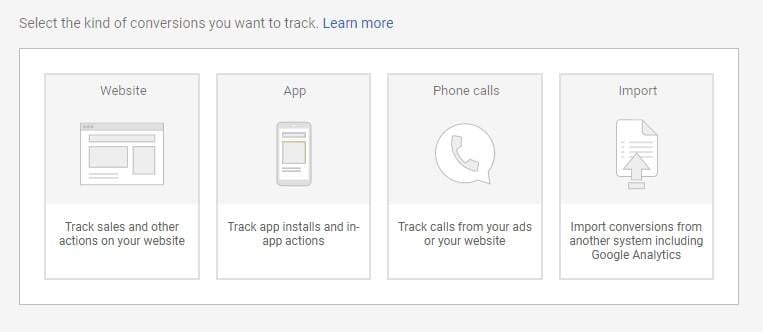
When dealing with a multi-layered marketing funnel, it’s crucial to recognize that not all conversions carry the same weight. Some conversions might hold less significance for your business objectives, while others, especially for e-commerce ventures, possess higher value and warrant focused reporting and optimization. This is where the concept of “conversion value” comes into play.
This comprehensive guide delves into the world of conversion values, covering:
- The definition and significance of conversion value.
- How conversion values can be leveraged to enhance your marketing approach.
- Techniques for optimizing your account using conversion values.
- The reasons behind the importance of conversion value.
Understanding Conversion Value
Conversion value refers to a numerical value assigned to specific conversions, reflecting their impact on your business.
The primary advantage of employing conversion values lies in their ability to facilitate tracking, optimization, and reporting of your return on ad spend (ROAS). Once conversion values are implemented, you can leverage the target ROAS bid strategy within your campaigns to maximize conversions. Moreover, conversion values provide deeper insights into your account, allowing you to pinpoint high-performing and underperforming keywords, ad groups, and campaigns based on actual ROI data rather than just conversion volume and costs.
Establishing Conversion Values
There are two methods for setting up conversion values, depending on the stage of implementation:
- During the creation of a conversion action.
- When attributing a value to an existing conversion action.
When setting up a new conversion, a “Value” section is available.
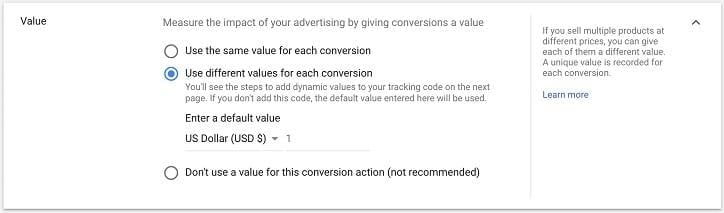
This section allows you to assign either a uniform “static value” for the conversion or “dynamic values” that differ for each transaction. Static values are suitable when all instances of the conversion hold equal value, while dynamic values are appropriate when each transaction carries a distinct value. It’s important to note that conversion values are always displayed in your Google Ads billing currency, even for international transactions. However, you can assign different currencies to individual conversion values.
Static Conversion Value: Setting up a static conversion value is straightforward; simply select “Use the same value for each conversion.”
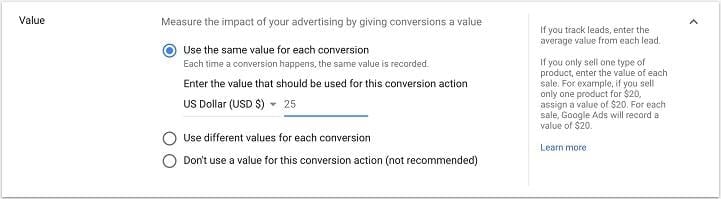
Each time this conversion is triggered by your ads, the assigned conversion value is recorded. As conversions increase, so does revenue, allowing you to calculate ROI by subtracting ad spend.
Dynamic Conversion Value: This method is slightly more intricate but offers greater sophistication. Choose “Use different values for each conversion” and specify a default value.
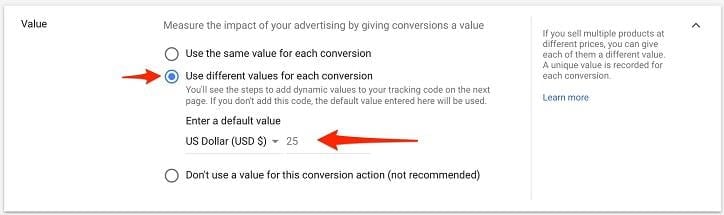
Next, modify the tag on your website’s code, ensuring that the code snippet is placed on the page displayed to customers after a conversion.
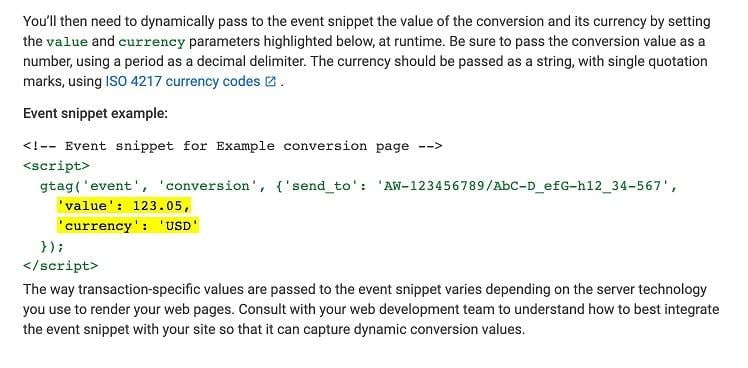
This process involves transmitting transaction data to the conversion, which is then relayed back to Google Ads, providing you with dynamically generated ROAS. If coding isn’t your forte, seeking assistance from a web developer is advisable. For detailed guidance, refer to Google’s explanation.
To add a value to an existing conversion, navigate to “Tools & Settings” and choose “Conversions.”
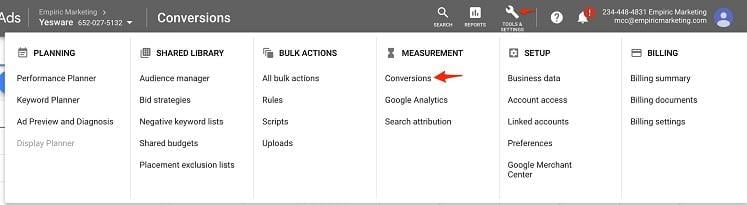
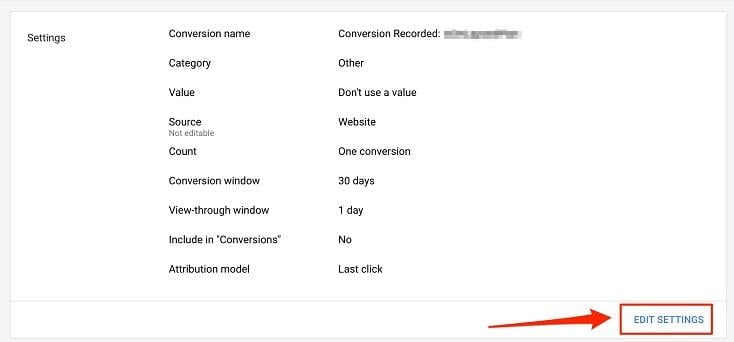
Select the desired conversion from the list and click “Edit Settings.”
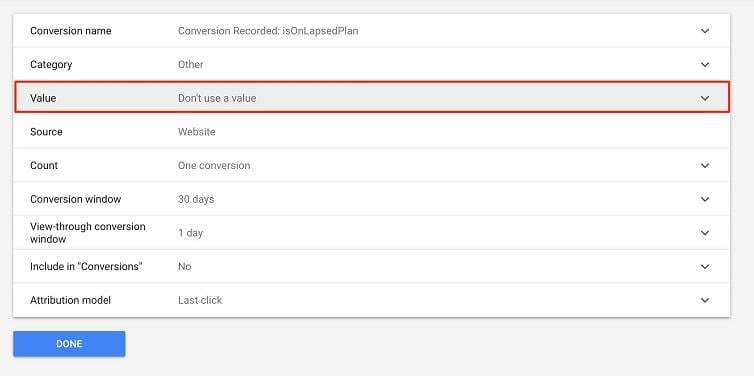
You can then assign a value using the same methods outlined earlier:
Optimizing Campaigns for Conversion Value
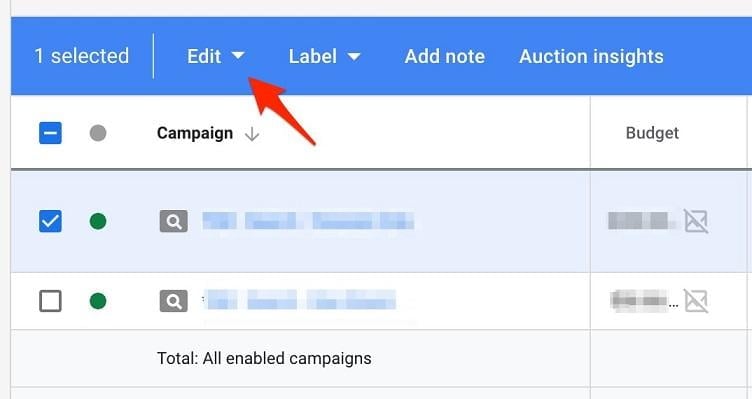
Once you’ve configured your conversion values, you can automate your bid strategy to target return on ad spend. By aligning your bid strategies with ROAS, you reinforce the achievement of your goals. Simply select the desired campaign and choose “Edit.”
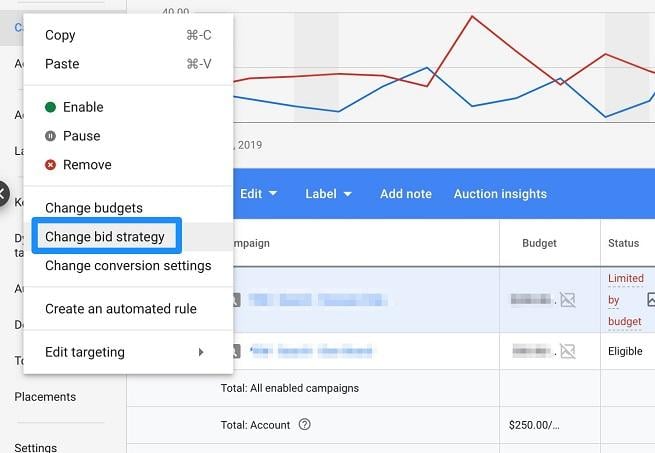
Then, select “Change bid strategy.”
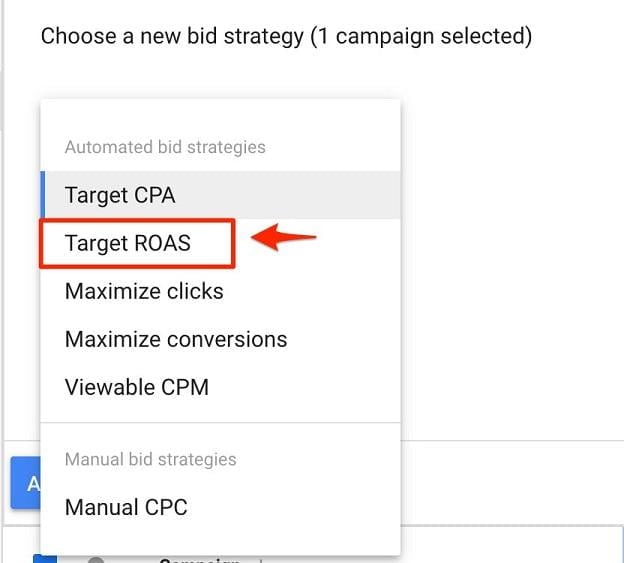
You’ll now have the option to select “Target ROAS.”
When to Utilize Conversion Values
The decision to use monetary conversion values hinges on your sales process and Google marketing strategy. Attributing a value to conversions like ebook downloads or lead generation form submissions might be challenging unless you have a robust marketing operations backend and insight into the average prospect-to-customer conversion rate. However, if your ads directly lead to sales or purchases, assigning values is highly recommended.
For instance, if you run an online store, a shopping cart conversion could be worth $25 or $500. In such cases, establishing dynamic, transaction-specific conversion values is crucial. When conversions have varying values, dynamic conversion values are essential for accurate account optimization.
Consider two keywords tracked by a generic, valueless conversion. Without conversion values, one might seem more effective based on volume: Keyword 1: 25 conversions Keyword 2: 5 conversions
However, this doesn’t reveal the true ROI of each keyword. It’s possible that the 25 conversions are worth $10 each (totaling $250 in ROAS), while the 5 conversions are worth $100 each (totaling $500). Dynamic conversion values provide this crucial information, preventing misinterpretations and guiding budget allocation effectively.
While other factors like cost per conversion exist, accurately recording conversion values provides invaluable clarity and transforms your approach to account management.
Static conversion values are suitable for scenarios where promotions lead to landing pages with fixed prices, such as individual products without a shopping cart. You would create static value conversions for each product or promotion and optimize based on individual ROAS, allowing you to prioritize high-performing offerings.
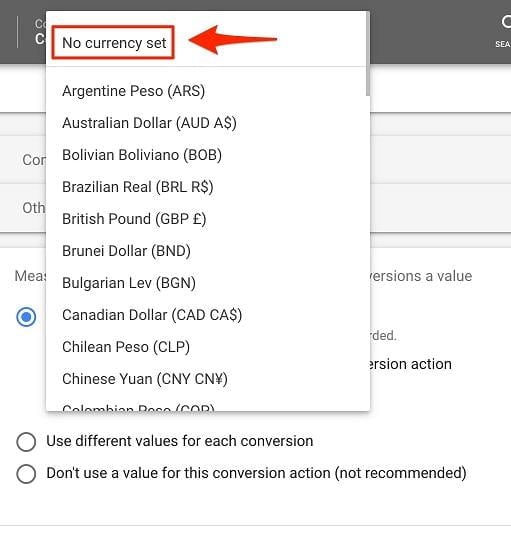
As previously mentioned, assigning conversion values to promotions that don’t directly generate revenue can be tricky. However, Google offers the option to assign value to non-monetary conversions using key performance indicators (KPIs). This allows you to assign numerical values to conversion types, with higher values for conversions further down the funnel. To set KPIs, select “no currency value” when choosing the currency type for your conversion value:
Conclusion: Conversion Value Optimization - The Key to Account Success
For numerous businesses, conversion values are the determining factor between profitability and losses in Google Ads. By defining these values and optimizing for profitability, you revolutionize your account management approach.
While implementing dynamic conversion values might seem daunting, the effort is worthwhile. If your ads don’t directly translate to monetary outcomes, assigning non-monetary conversion values can still shed light on your account’s profit potential. Ultimately, recognizing that not all conversions are equal and aligning your reporting, strategy, and optimizations accordingly is paramount.