Initially, employing emails as the primary method for error and exception reporting in applications appears promising. As Java developers, we envision instant notifications when issues arise.
However, it becomes evident that the volume of error emails can easily overwhelm your inbox, necessitating cleanup. While ignoring 404s is often acceptable and signup notifications are useful, managing the influx can be cumbersome.
Differentiating crucial emails from inconsequential notifications becomes increasingly challenging. Email rules and filters offer a partial solution but can quickly become unwieldy.
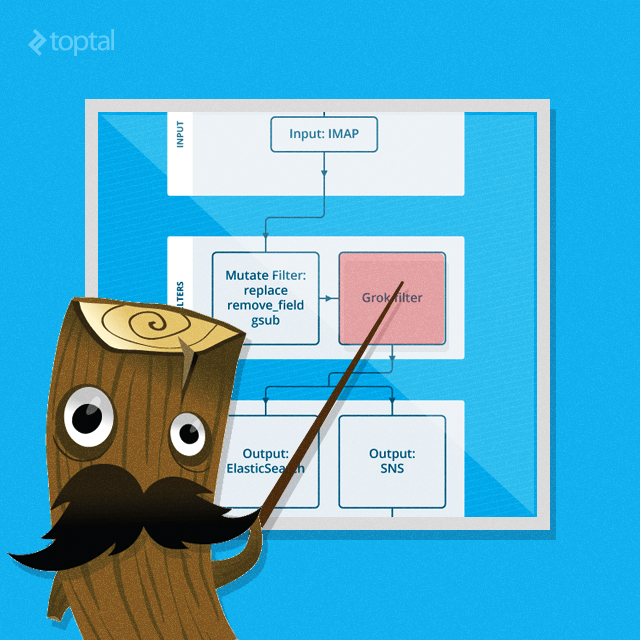
This Java tutorial explores leveraging Logstash to regain control, organize your inbox, and streamline error email management without modifying your application’s code.
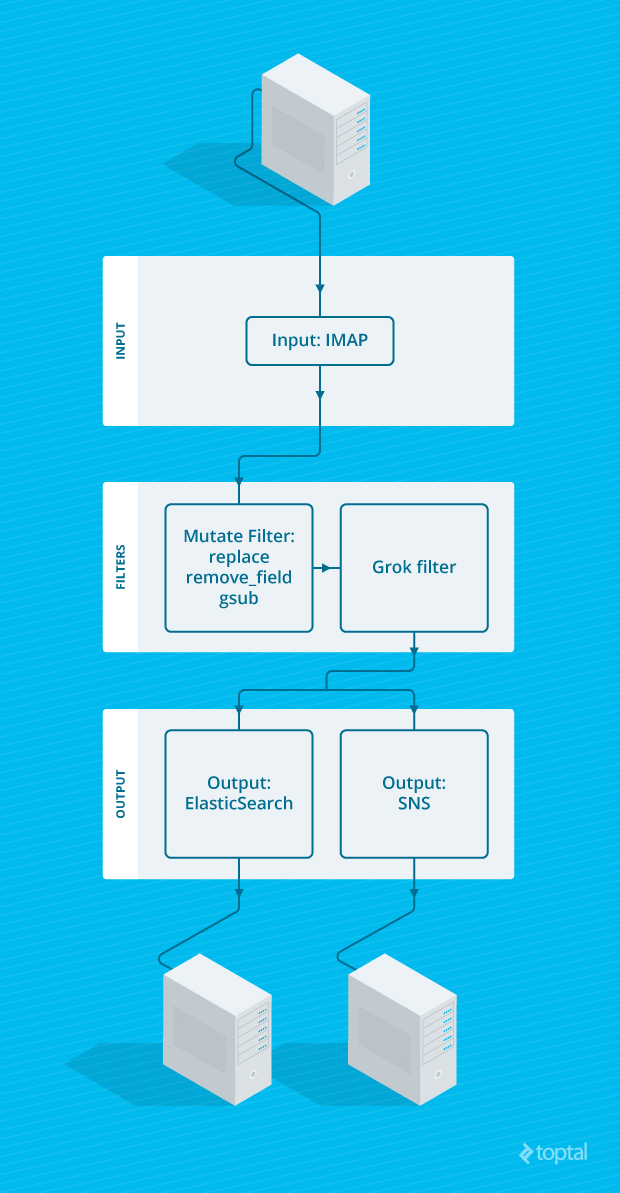
Configuring Logstash Input
The initial step involves centralizing all system-generated emails into a single folder. Since sorting and management are handled externally, maintaining separate folders is unnecessary. Simplify your setup by consolidating everything into one folder and one filter.
Direct all emails from “system@my-awesomeapp.com” to the folder “MyAwesomeAppEmails”. Utilizing a dedicated mailbox for these emails further simplifies the process.
Next, configure Logstash to retrieve emails from this folder and parse them using the IMAP plugin. While version 1.4.2 only supports fetching emails from the Inbox, a straightforward fix, implemented in version 1.5, enables polling a specific folder. If you lack a separate mailbox, apply the patch to the IMAP plugin within your Logstash instance before proceeding.
| |
This initiates the process of retrieving and parsing new emails into Logstash events.
Logstash Filter Configuration
Valuable data extracted from emails populates various event properties. Notably, the email timestamp becomes the event’s “@timestamp”. Furthermore, information like the error’s originating host can be derived from the headers:
| |
However, achieving comprehensive error management necessitates additional steps:
- Categorizing the error type
- Determining error severity
- Extracting detailed error information from the email
Assuming the error name (e.g., “Widget Failed”) and severity (“ERROR”) are embedded in the email subject, such as “ERROR: Widget Failed in /var/www/myapp/foobar.php 20”, we can use this data to populate specific event properties:
| |
Logstash provides several predefined predefined patterns commonly found in logs and other sources. Employ these patterns to simplify your Grok patterns. Here, we’ve used “WORD” (single word), “DATA” (non-greedy catchall), “PATH” (Unix or Windows file path), and “POSINT” (positive integer). The Grok Debugger aids in debugging Grok patterns. Messages that fail to match are tagged with “_grokparsefailure”.
This effectively captures the error’s type, severity, source file, and line number - essentially, all pertinent metadata. Now, let’s focus on extracting detailed information.
Refining Logstash Configuration
While courteous email signatures are appreciated, they hinder our objective. Removing them, along with trailing whitespace, facilitates parsing the error stack trace:
| |
The “gsub” mutation utilizes the standard Ruby Regexp object, granting access to its full functionality within Logstash.
Outputting Data via Elasticsearch and Amazon SNS
Let’s transfer this data to our Elasticsearch instance using the Logstash Elasticsearch output, enabling efficient searching and analysis:
| |
By excluding messages tagged with “_grokparsefailure”, we ensure only correctly parsed error emails are processed. The assumption is that solely emails adhering to the predefined subject format represent error notifications.
Given the diverse range of outputs provided by Logstash, let’s further enhance our setup. We’ll employ SNS output to receive notifications for critical errors through Amazon’s Simple Notification Service (SNS). For this example, we’ll assume errors categorized as “notifiable” require notifications. If you’re not operating on an EC2 instance, providing AWS credentials (key and secret) is necessary.
| |
Classifying errors as “notifiable” depends on your criteria, which could involve error severity or type.
You’ve now regained control over your inbox and can confidently manage crucial error emails without missing vital information. Moreover, you can make well-informed decisions regarding error prioritization based on frequency and last occurrence. Elasticsearch’s powerful search capabilities, highlighted in this Logstash tutorial, facilitate quick and efficient error investigation.