Imagine having the ability to forecast whether your chosen stock will go up or down in the coming month, or if your favorite football team will win or lose their next game. How can such predictions be made? Machine learning might hold a piece of the solution. For instance, Cortana, the digital personal assistant powered by Bing available in Windows Phone 8.1, accurately predicted 15 out of 16 matches during the 2014 FIFA World Cup.
This Azure tutorial delves into the features and capabilities of Azure Machine Learning by tackling a real-life problem.

From a machine learning developer’s perspective, problems can be categorized into two groups: solvable using standard methods and those requiring non-standard approaches. Unfortunately, the majority of real-world problems fall into the latter category. This is where machine learning comes into play. The fundamental concept is to utilize machines to identify significant patterns in historical data and leverage those patterns to solve the problem.
The Problem
Gas prices are a common budgetary concern for most people. Fluctuations in gas prices can impact the cost of other essential goods and services. Numerous factors influence gas prices, ranging from weather patterns and political choices to administrative costs and unforeseen events such as natural disasters or conflicts.
This Azure machine learning tutorial aims to examine readily available data, uncover correlations, and utilize these insights to construct a prediction model for gas prices.
Azure Machine Learning Studio
Azure Machine Learning Studio is a web-based integrated development environment (IDE) designed for creating data experiments. Its tight integration with other Azure cloud services streamlines the development and deployment of machine learning models and services.
Creating the Experiment
Developing a machine learning example involves five fundamental steps. We will explore each step by building our own gas price prediction model.
Obtaining the Data
Data collection is paramount in this process. The quality and relevance of the data directly impact the effectiveness of the prediction models. Azure Machine Learning Studio offers numerous sample datasets. Another excellent source for datasets is archive.ics.uci.edu/ml/datasets.html.
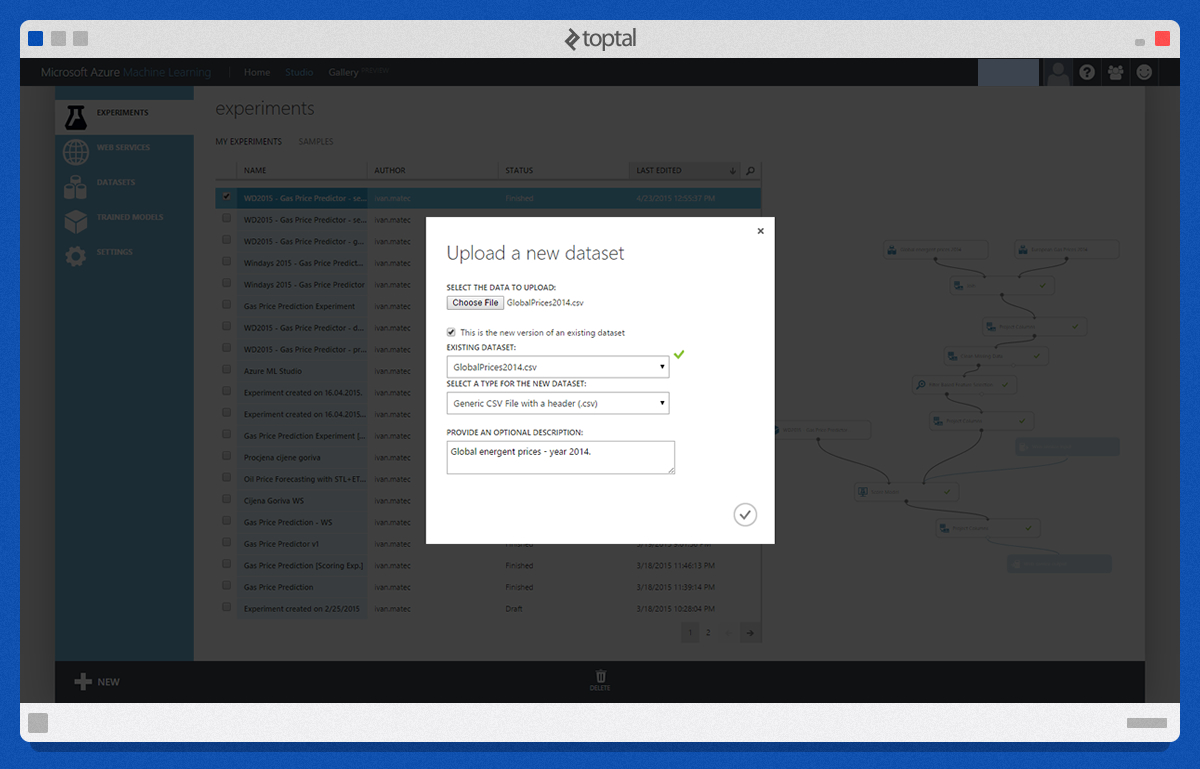
After compiling the data, we upload it to the Studio using its straightforward data upload tool:
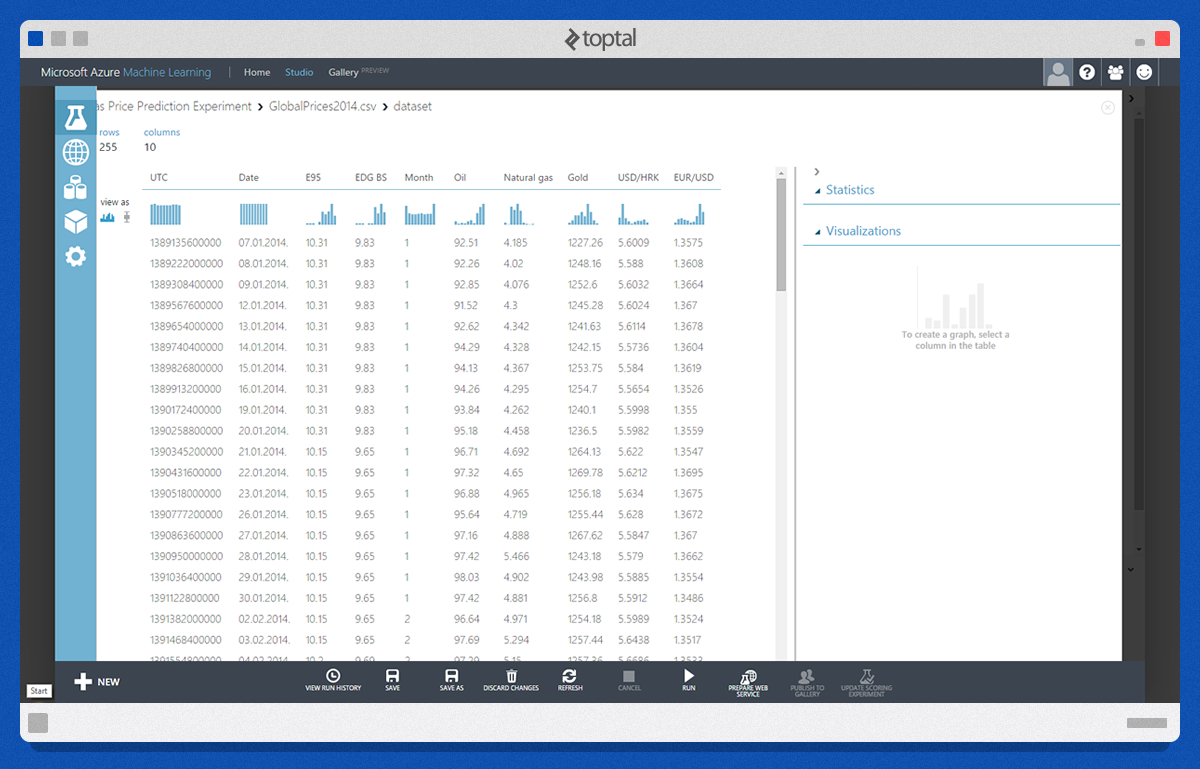
Once uploaded, we can preview the data. The image below displays a portion of the uploaded data. Our objective is to predict the price under the column labeled “E95.”
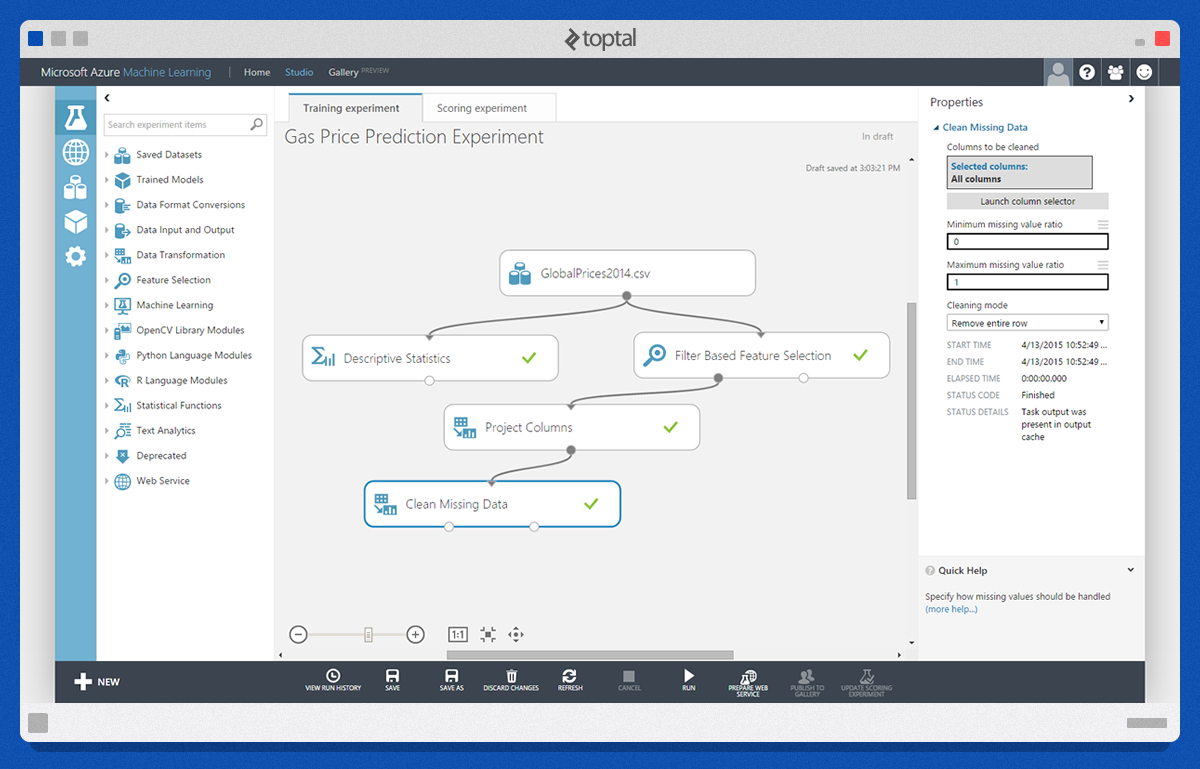
Next, we create a new experiment by dragging and dropping modules from the left panel into the workspace.
Preprocessing Data
Preprocessing involves tailoring the data to our needs. The initial module utilized is “Descriptive Statistics.” It calculates statistical measures from the data. Another commonly used module is “Clean Missing Data.” This step aims to address missing (null) values by either substituting them with other values or removing them entirely.
Defining Features
The “Filter Based Feature Selection” module is applied in this step. This module pinpoints the dataset features most pertinent to the outcomes we wish to predict. As depicted in the image below, the four most influential features for “E95” values are “EDG BS,” “Oil,” “USD/HRK,” and “EUR/USD.”
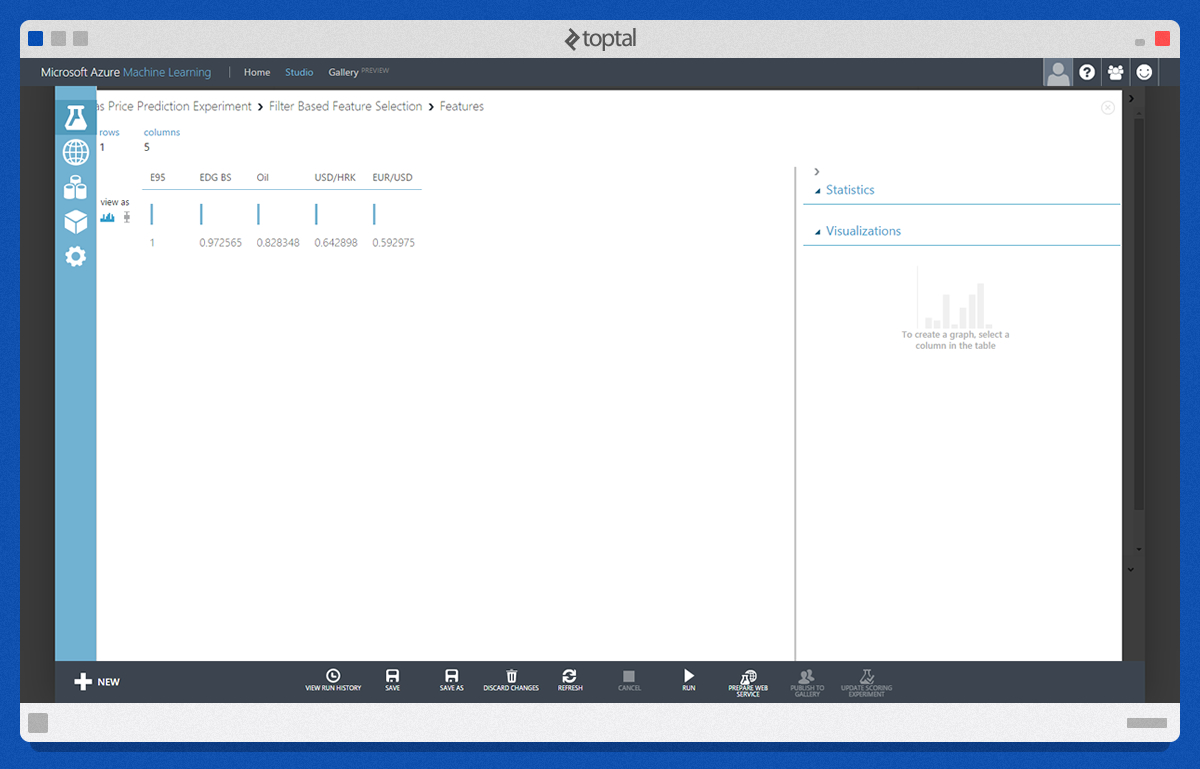
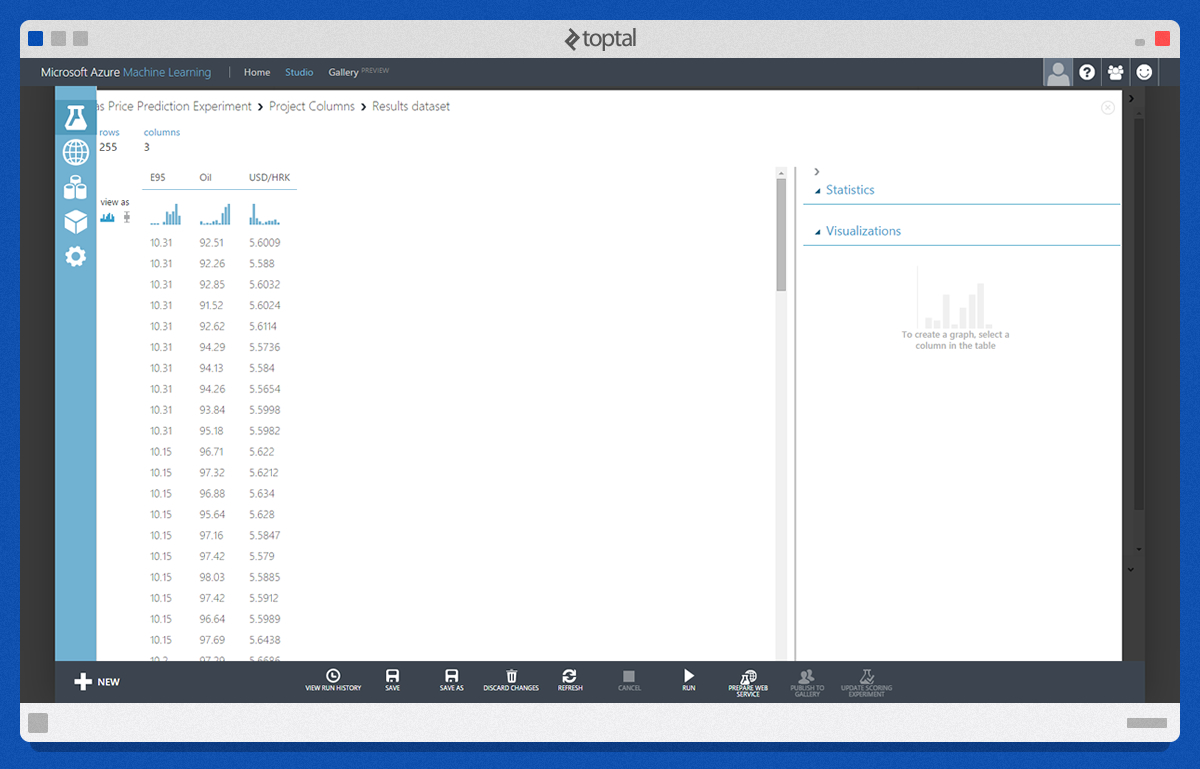
Given that “EDG BS” is another output value unsuitable for making predictions, we will focus on two of the remaining crucial features - oil prices and the “USD/HRK” exchange rate.
A sample of the processed dataset is shown below:
Choosing and Applying an Algorithm
Using the “Split” module, we partition the data. The majority (80% in our case) will train the model, while the remaining portion will evaluate its performance.
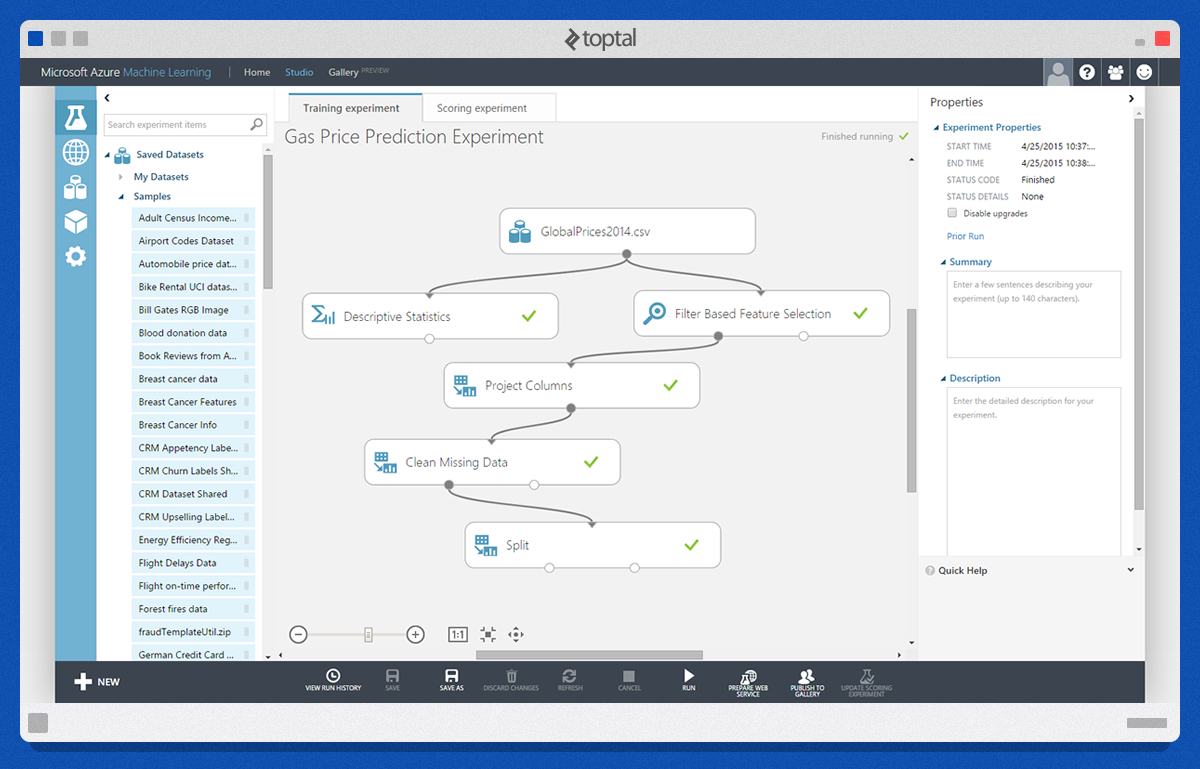
The subsequent steps are critical in the Azure machine learning process. The “Train Model” module requires two inputs: the raw training data and the learning algorithm. We will employ the “Linear Regression” algorithm. The output from “Train Model” feeds into the “Score Model” module, alongside the remaining data. “Score Model” appends a new column, “Scored Labels,” to our dataset. Values within this column closely align with their corresponding “E95” values when the chosen algorithm effectively interprets the data.

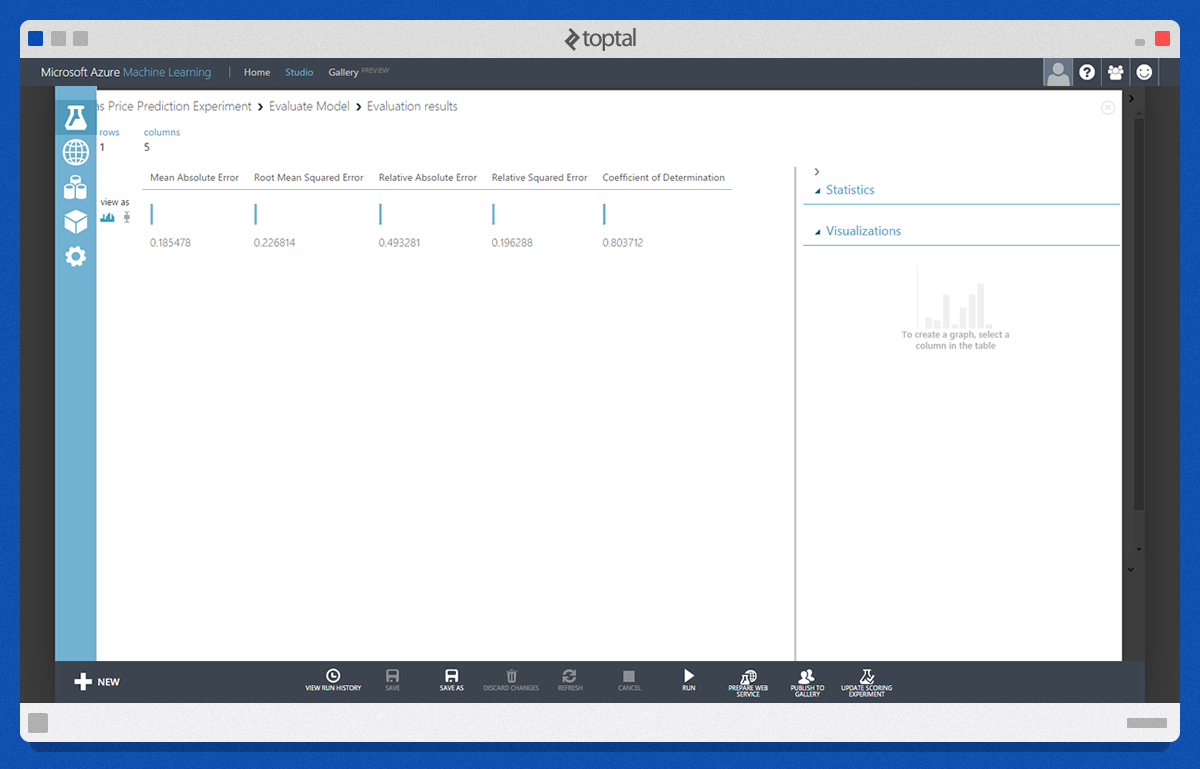
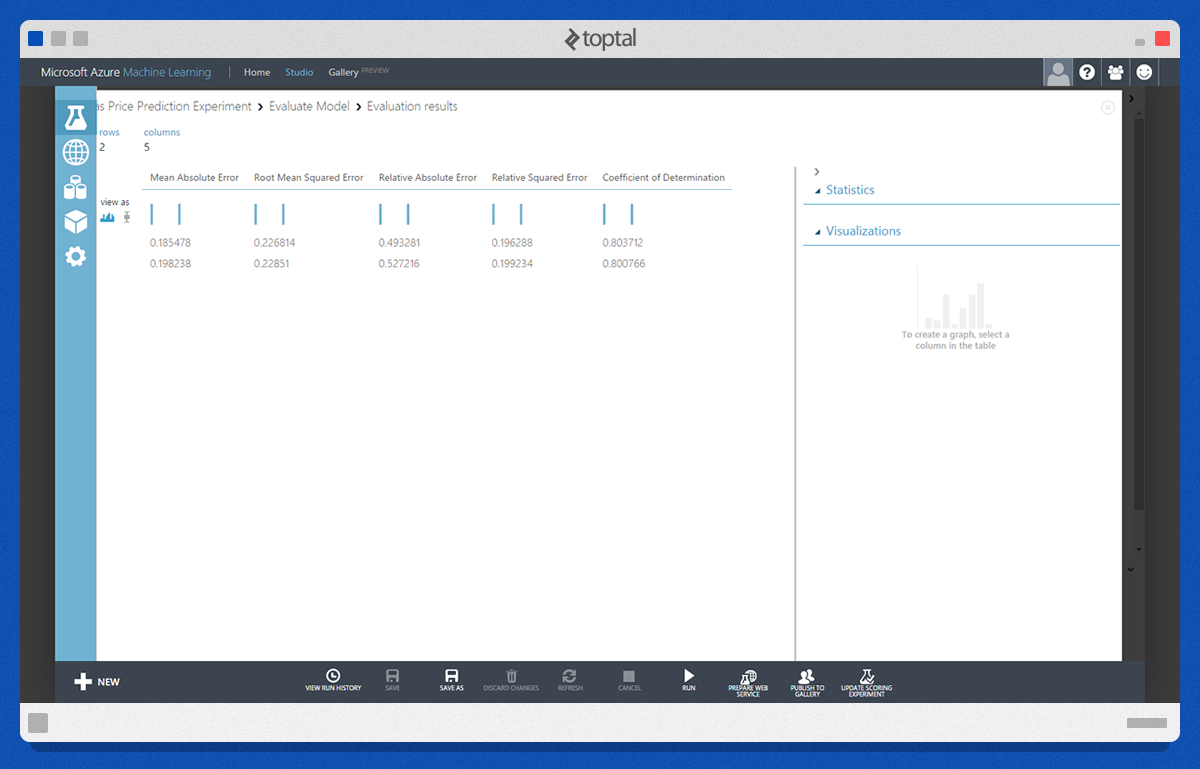
The “Evaluate Model” module assesses the trained model using statistical metrics. Observing the “Coefficient of Determination,” we deduce an 80% accuracy in predicting prices using this model.
Now, let’s experiment with the “Neural Network Regression” module. We’ll incorporate new “Train Model” and “Score Model” modules, linking their output to the existing “Evaluate Model.”
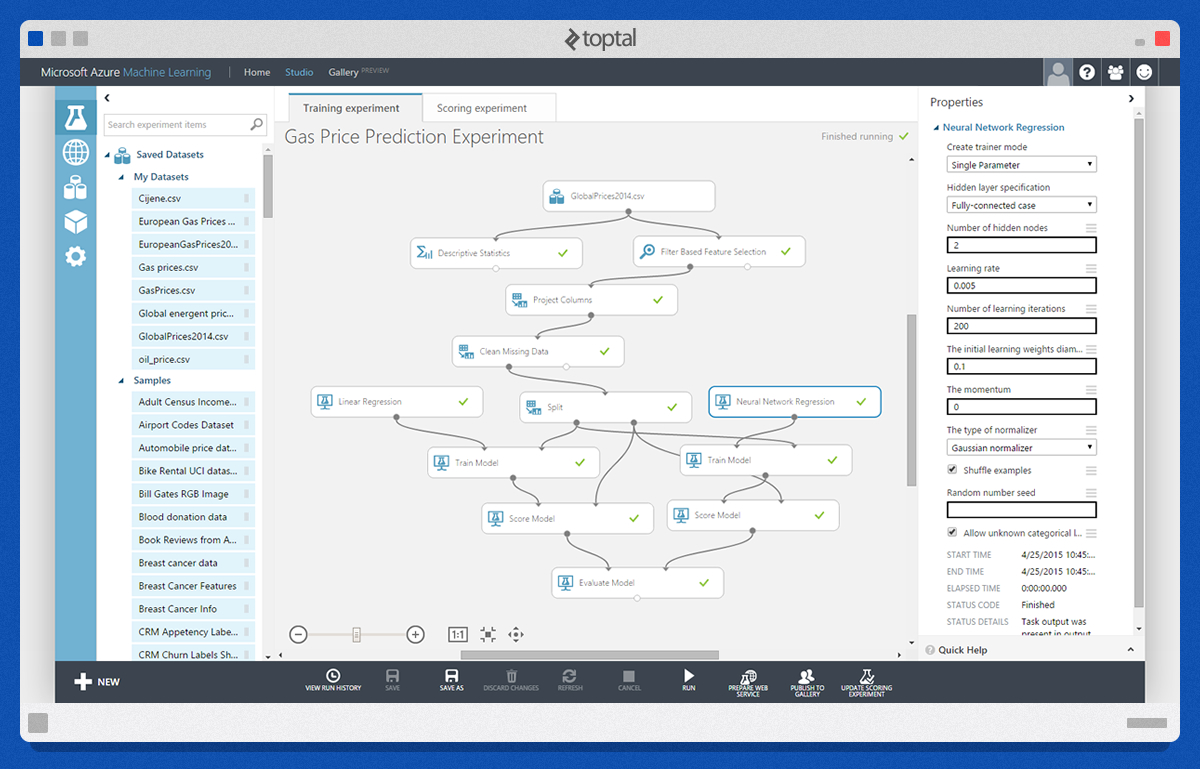
The “Neural Network Regression” module necessitates some configuration. As the experiment’s cornerstone, it demands meticulous tweaking, experimentation with settings, and selection of the most fitting learning algorithm.
In this instance, the “Evaluate” module compares our two trained models. Based on the “Coefficient of Determination,” Neural Networks yield marginally less accurate predictions.
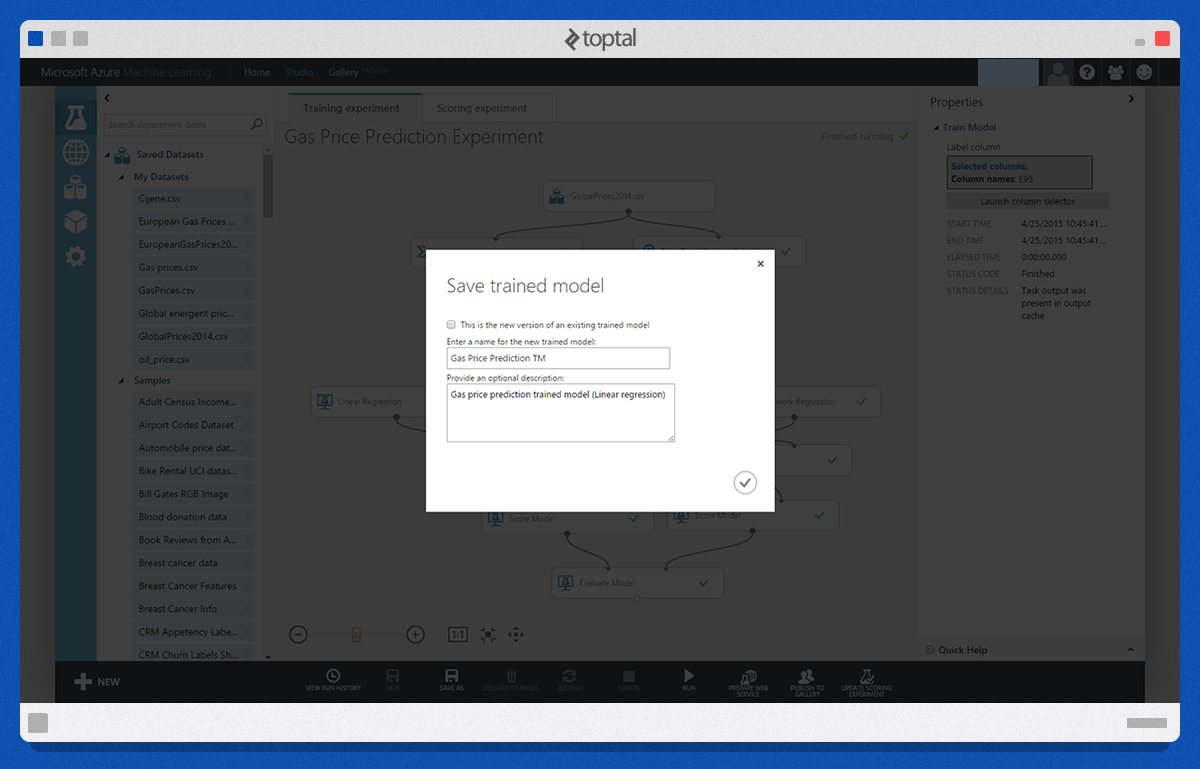
At this stage, we can save the selected trained models for future use.
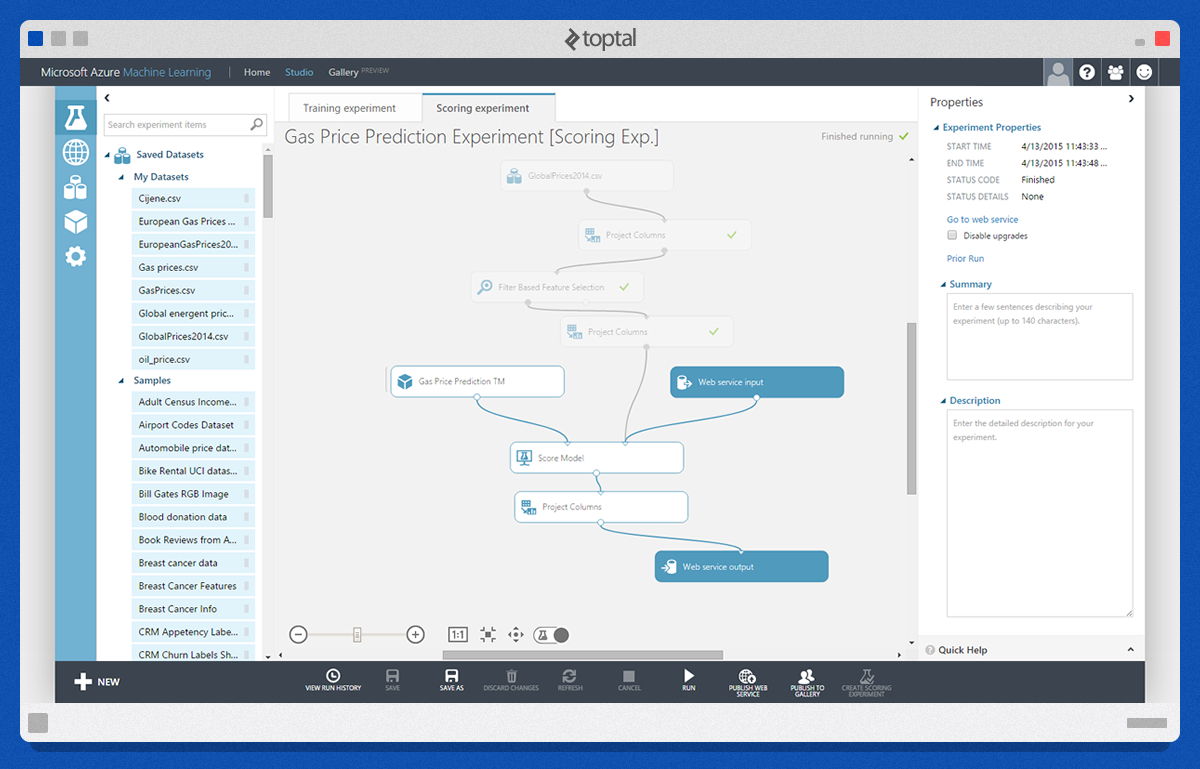
With a trained model, we create a “Scoring Experiment” either from scratch or using Azure Machine Learning Studio’s assistance. Selecting the trained model and clicking “Create Scoring Experiment” initiates this process. The required modules here are “Web service input,” “Web service output,” and “Project Columns” to define input and output values. Our input consists of “Oil” and “USD/HRK,” while the output is the predicted value under the “Scored Labels” column of the “Score Model.”
The image below illustrates our scoring experiment after adjustments and connecting the “Web service input” and “Web service output” modules.
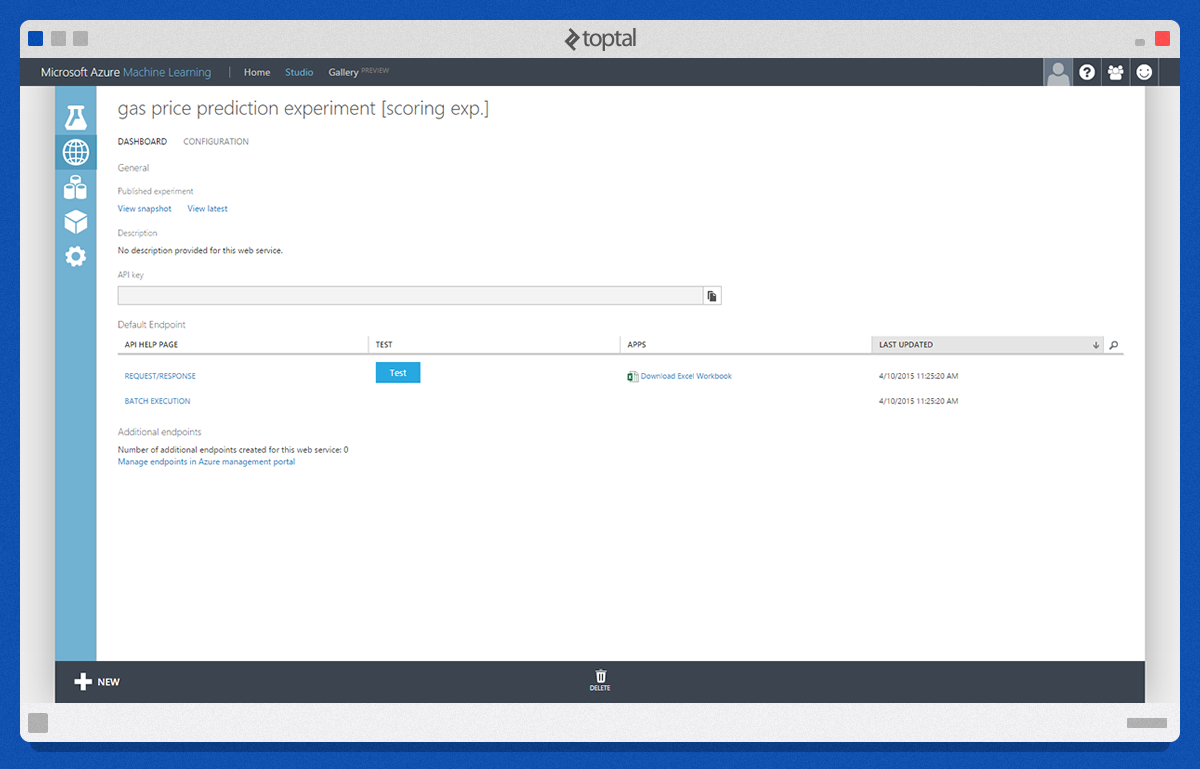
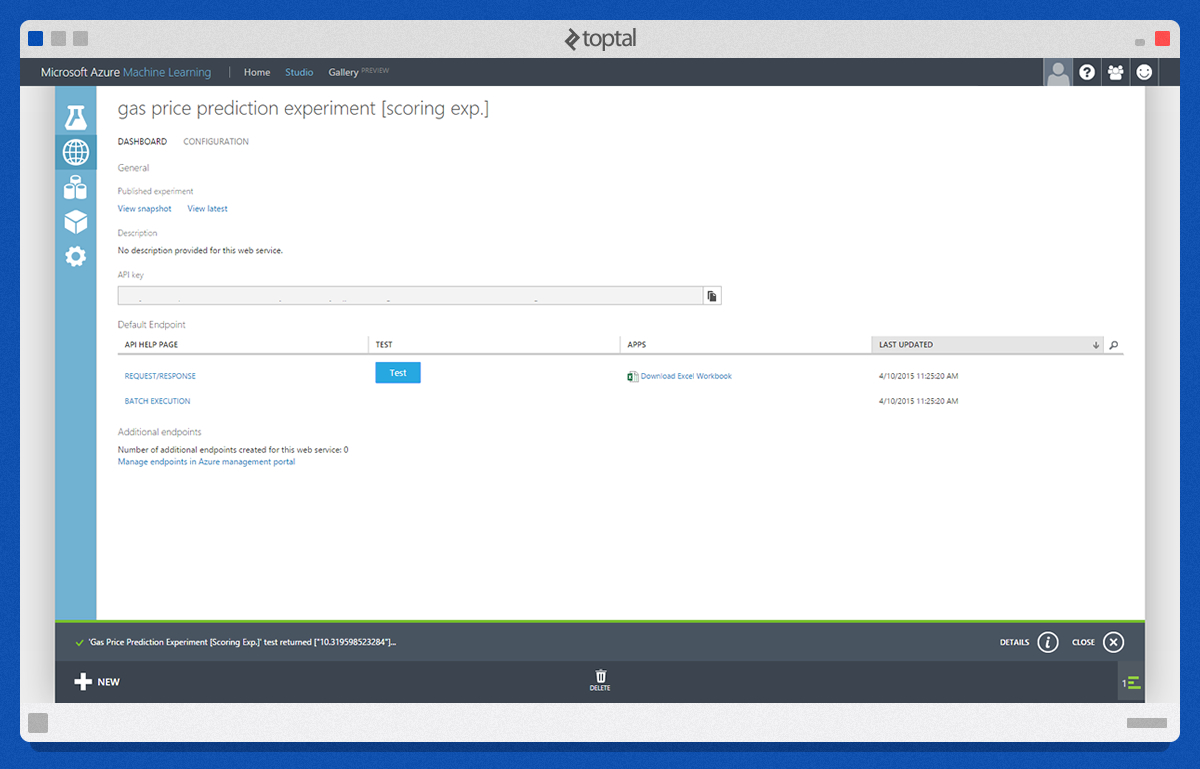
Another handy feature is the “Publish Web Service” option, which facilitates the creation of a simple web service hosted on Azure’s cloud infrastructure.
Predicting New Data
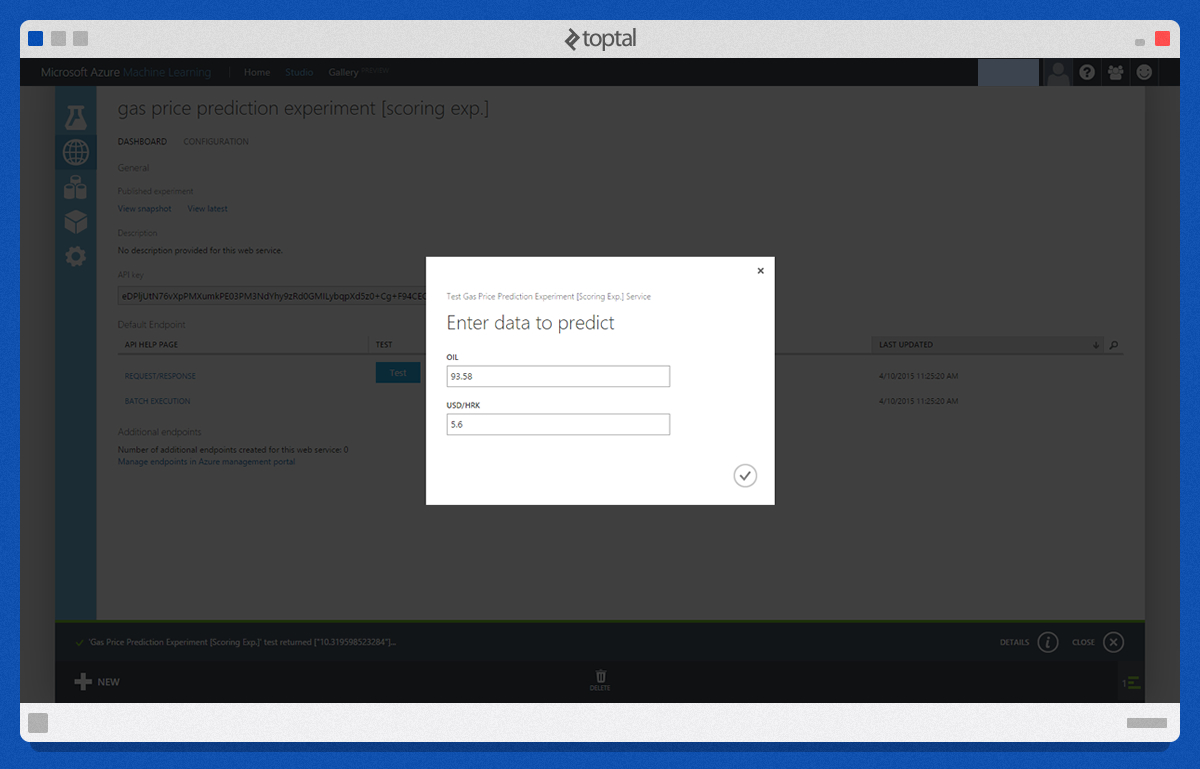
Finally, we can test our prediction web service using a simple test form.
Conclusion
Through this concise machine learning tutorial, we’ve demonstrated how to build a fully operational prediction web service. Azure Machine Learning Studio, integrated into the Azure platform, proves to be a powerful tool for conducting data experiments. Beyond Machine Learning Studio, other machine learning solutions like Orange and Tiberious exist. Whichever development environment you prefer, I encourage you to explore machine learning and discover your inner data scientist.