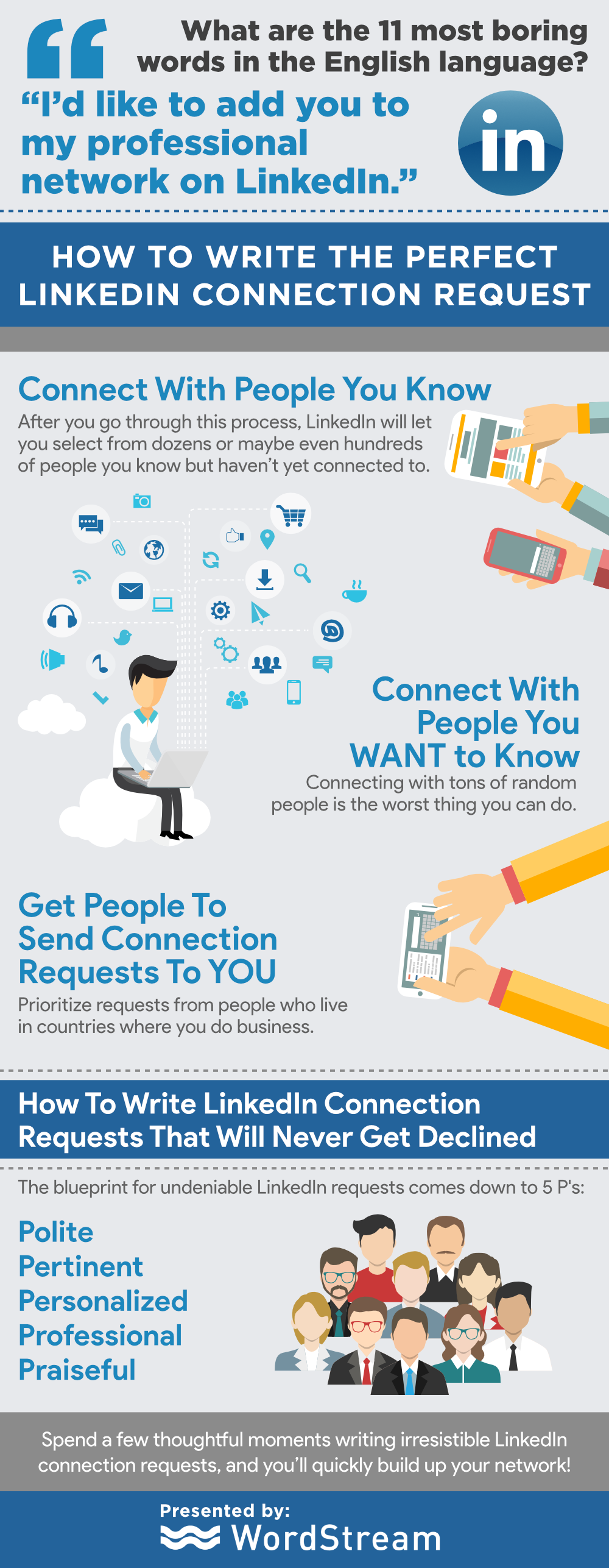
What are the eleven most uninteresting words in the English language? “I’d like to add you to my professional network on LinkedIn.” Besides having a terrible LinkedIn profile picture, using the default connection request message is one of the biggest errors you can make on LinkedIn. It significantly reduces the number of LinkedIn connections you can make. So how do you get people to connect with you and your brand on LinkedIn? In this article, I’ll explain the secret formula to writing a LinkedIn connection request that people won’t be able to resist.
First, let’s quickly discuss the three ways you can expand your LinkedIn network.
1. Connect With People You Already Know
Connecting with people you know is a great place to start. This step is incredibly simple. Many people you know use LinkedIn.
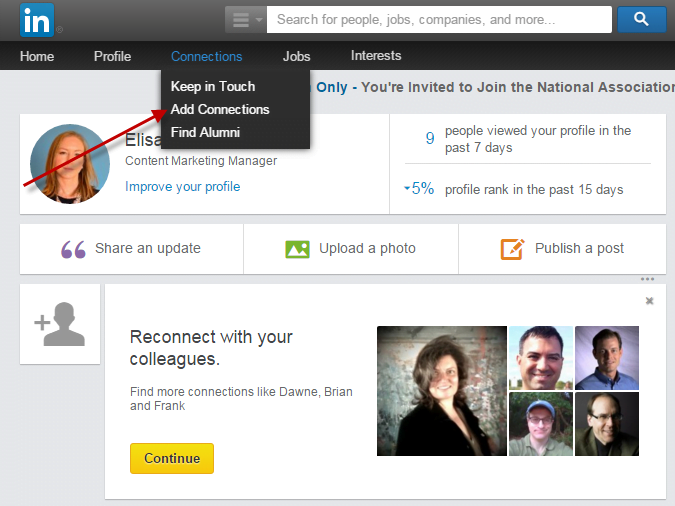
Go to LinkedIn’s Add Connections page. LinkedIn will ask for your email address and begin importing contacts from your personal email account. (You might find a surprising number of new contacts you haven’t connected with yet, even if you’ve done this before.) Afterward, LinkedIn will show you dozens, if not hundreds, of people you know but haven’t connected with on the platform. But wait! Don’t click the “Add X Selected connection(s)” button just yet. Why? Clicking that button sends LinkedIn’s dull, impersonal default invitation message. Read this whole post first so you can use my successful formula for LinkedIn requests. Will some people you know accept the basic LinkedIn message? Absolutely. However, you should write an enticing LinkedIn connection request for people you know but perhaps not well. If you’ve only emailed someone once or twice, they might not remember you or why they should connect with you on LinkedIn (haha). They might disregard or decline your request, or worse, flag it as spam.
2. Connect With People You WANT to Know
Connecting with a bunch of random people is the worst thing you can do. Repeatedly clicking the connect button on an algorithmically generated list of people LinkedIn thinks you might know is a recipe for disaster.

Additionally, sending generic requests to random people is risky. Your account could be banned if enough people who receive your connection request mark it as spam. LinkedIn hasn’t publicly stated the exact threshold, but there’s a real risk of suspension if you get too many spam reports. Networking is about contacting people you don’t know. Don’t be scared to contact people you’d like to know. Just have a plan. My connection request formula, which I’ll share shortly, will help you connect with people you want to know.
3. Get People To Send Connection Requests To You
If people send you connection requests, you can choose whether to accept or decline without worrying about being flagged as spam. At a minimum, you need a fantastic, visible LinkedIn profile. Ensure your profile clearly tells visitors who you are, what you do, and why they should connect with you. A more advanced trick for attracting connection requests is setting up an autoresponder. Below is a real example of an email you could send to people who share their email address with your company (e.g., to subscribe to a newsletter, download content, or attend a webinar):
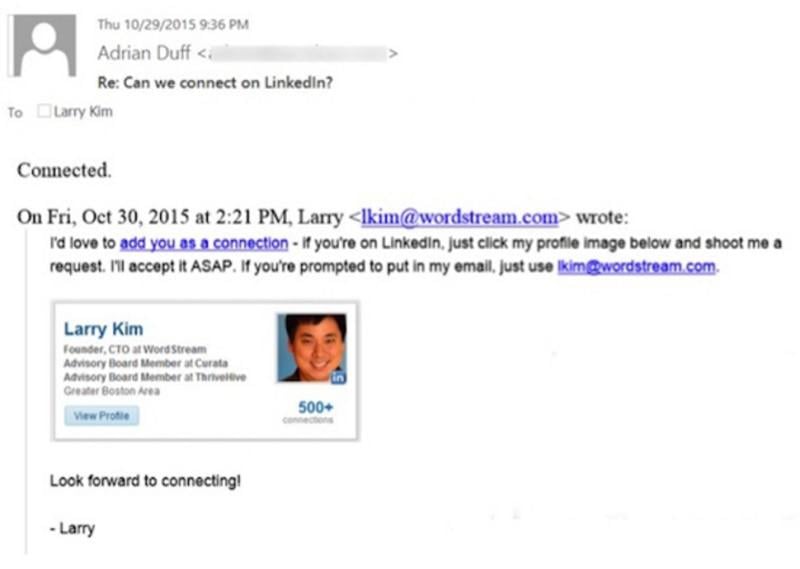
This approach lets you ask people to send you the connection request. Notice that it uses the same font and colors as LinkedIn, making it appear to be from LinkedIn. Although you’ll get many requests this way, you shouldn’t accept every connection. LinkedIn limits you to 40,000 connections. Prioritize requests from people who live in countries where you do business. Also, ensure the accounts are real before accepting anyone’s request. You don’t want to waste time with recruiters or people selling things you’re not interested in.
How To Write LinkedIn Connection Requests That Will Never Get Declined
Now, let’s discuss the formula for writing connection requests with nearly a 100 percent acceptance rate. The blueprint for writing thoughtful, irresistible LinkedIn connection requests comes down to five P’s. Your request must be:
- Polite
- Pertinent
- Personalized
- Professional
- Praiseful Here’s what I mean:
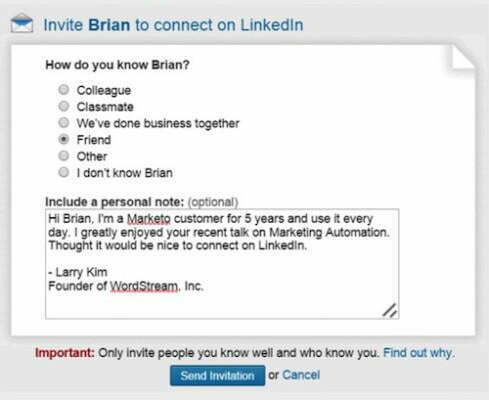
What makes this formula so successful? Consider this real-world scenario. You’re at a networking event, and someone you’ve never met introduces themselves politely, knows exactly who you are, compliments you or your business, and simply asks to shake your hand. Would you shake their hand? Of course! Your LinkedIn connection request is like a virtual handshake. Even if someone doesn’t accept your request, which is doubtful if you use this strategy, they won’t report you as spam.
In Summary…
LinkedIn provides an incredible opportunity to connect with a large professional audience. Don’t limit yourself. Spend a few minutes writing compelling LinkedIn connection requests, and you’ll quickly expand your network! This post originally appeared on Marketing Land_. It is republished with permission.