Transferring campaigns from Google Ads to Microsoft Ads is a breeze for advertisers. However, a frequent oversight is applying the same optimization strategies across both platforms. It’s crucial to acknowledge that these platforms have distinct features, demanding tailored optimization approaches for optimal campaign performance.
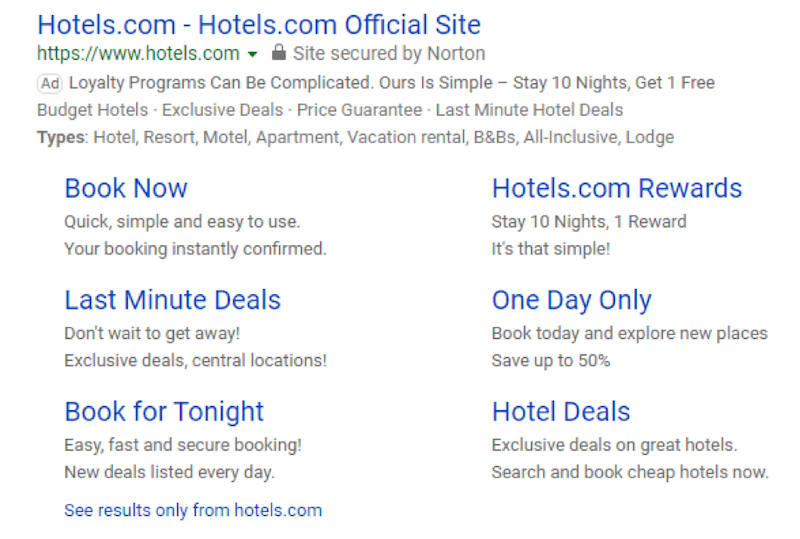
While Microsoft Advertising and Google Ads share a similar visual style, it’s important to remember their distinct characteristics. This article highlights three key differences between these advertising giants to guide your initial steps. Armed with this knowledge, you can confidently fine-tune these aspects of your campaigns, ensuring well-informed decisions.
Ad Scheduling
Advertisers can leverage ad scheduling to target their ads strategically, making bid adjustments based on the time of day and day of the week. However, it’s important to avoid mirroring the same ad schedule adjustments from Google Ads to Microsoft Ads. These are distinct platforms with unique ad scheduling mechanisms, requiring data analysis to determine the most effective approach for each.
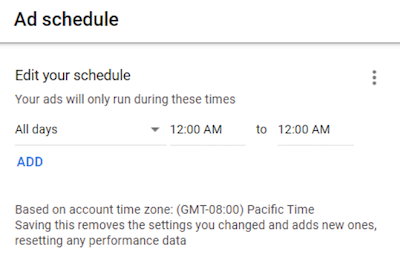
As shown above, when editing your ad schedule in Google Ads, the platform reminds you of the account’s time zone. This highlights that your Google Ads schedule is determined by the time zone chosen during account creation. In the image, the account operates in Pacific Time, targeting all days and hours. If targeting the United States with a desired schedule of 8:00 a.m. to 5:00 p.m., advertisers must account for the Eastern Time zone, where ads would be displayed from 11:00 a.m. to 8:00 p.m. If this discrepancy is undesirable, separate campaigns are necessary to maintain consistent hours across time zones.
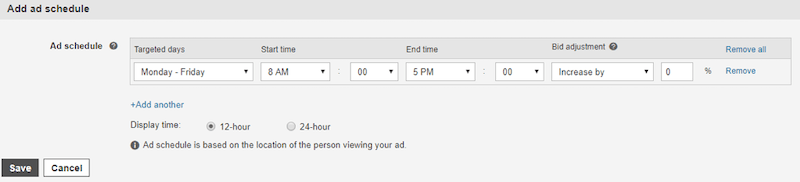
Microsoft Ads employs a different approach to ad scheduling. The image above demonstrates that Microsoft’s ad scheduling relies on the geographic location of the viewer. Consequently, advertisers targeting the entire United States can maintain a consistent 8:00 a.m. to 5:00 p.m. schedule without creating multiple campaigns.
Search Partner Targeting Options
Both Google Ads and Microsoft Ads offer search partner networks, extending the reach of search campaigns beyond Google.com and Bing.com. However, there are key differences in their search partner networks, targeting methods, and levels of control.
Google’s Search Partner Network encompasses numerous websites, such as ask.com, along with other Google properties like YouTube. By default, campaigns are automatically opted into Search Partners. If performance data reveals subpar results from search partners, disabling them is a straightforward process. However, Google’s approach to search partner targeting is binary—it’s either “all in” or “all out.” Targeting specific search partners within Google is not possible.
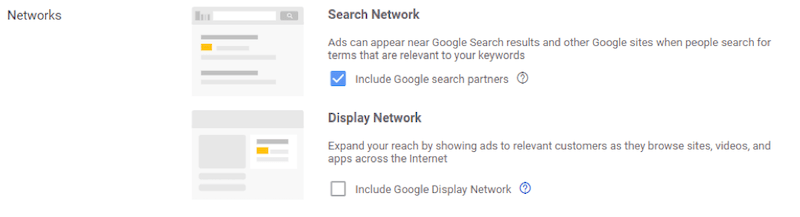
In Microsoft Ads, the ad distribution settings reveal that campaigns can appear on Bing, AOL, and Yahoo networks. Unlike Google, targeting Bing.com exclusively as a search network is not an option. Even when aiming for search network sites only, advertisers must select a combined option including Bing, AOL, and Yahoo.
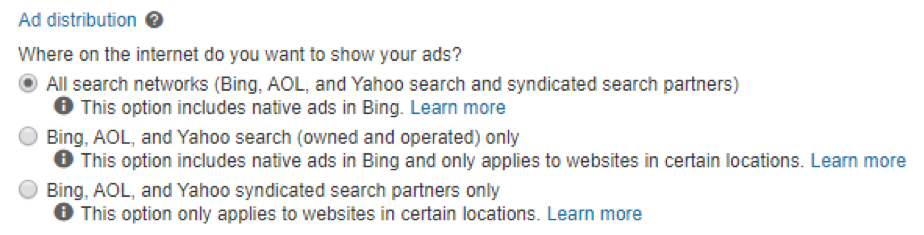
A notable advantage of Microsoft Ads’ ad distribution is the ability to distinguish between “owned and operated” and “syndicated search partners.” If performance data indicates a significant disparity between partner options, advertisers can employ a “target only” approach for specific ad groups. This granularity enables campaign optimization and performance maximization across channels.
In-Market Audiences for Search
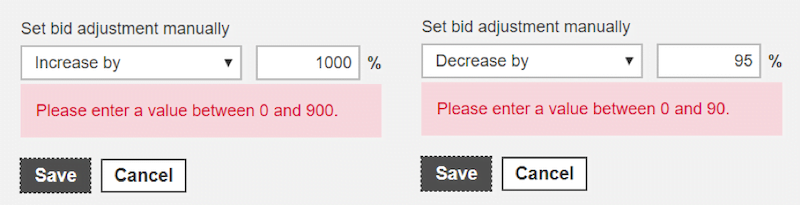
Both Google Ads and Microsoft Ads enable advertisers to target in-market audiences—users actively researching or poised to make purchases within specific product or service categories. These audiences can be leveraged for targeting, observation (bid only in Microsoft), and bid adjustments, with increases up to 900% and decreases up to 90%.
The main difference lies in the specific audience options each platform offers. For instance, Microsoft features a “Social” category with subcategories like “Romance & Relationships” or “Takeout & Delivery,” which are absent in Google. Conversely, Google offers unique categories and subcategories not found in Microsoft. It’s worth exploring these differences to ensure you’re not missing out on valuable audience targeting opportunities.
While I couldn’t find an exhaustive list of Google’s in-market audiences, you can refer to this comprehensive list of Microsoft in-market audiences, which is updated regularly.
Google Ads and Microsoft Advertising: Distinct Platforms
The ability to seamlessly transfer campaign data from Google Ads to Microsoft Advertising is undeniably convenient. However, this doesn’t imply a simple copy-and-paste approach. Traffic volume and spending might differ between the platforms, but optimizing for each individually is paramount for a successful cross-platform strategy.
Remember these key differences:
- Ad Scheduling
- Search Partner Targeting Options
- In-Market Audiences for Search Campaigns
The more proficient we become in leveraging each platform’s strengths, the more effective our optimization strategies will be. This is just a glimpse into the differences between Google Ads and Microsoft Advertising, and numerous other nuances exist. Feel free to share your insights and observations in the comments below.