Dynamic Search Ads (DSA) have been a powerful tool in Google Ads for a long time, and I’ve been a fan since 2017. Unlike regular search campaigns, DSA requires a different approach, and some users miss out on its benefits due to misconceptions about best practices. It’s unfortunate because DSA can yield impressive results when utilized correctly, especially alongside traditional search campaigns. However, adjustments are necessary to maximize the potential of both campaign types. Given my enthusiasm for DSA, this article aims to provide insights into maximizing results when using Dynamic Search Ads. We’ll delve into:
- What Dynamic Search Ads are
- How to set up Dynamic Search Ads
- 5 ways to make DSAs work for you Let’s get started.
What are Dynamic Search Ads, and how do they differ from regular search ads?
Unlike regular search ads, which are structured around specific keywords, Dynamic Search Ads utilize your website content to automatically generate targeting and ad copy. With Dynamic Search Ads, search engines match a user’s query with a suitable landing page from your website and create an ad with copy closely aligned with the search query.
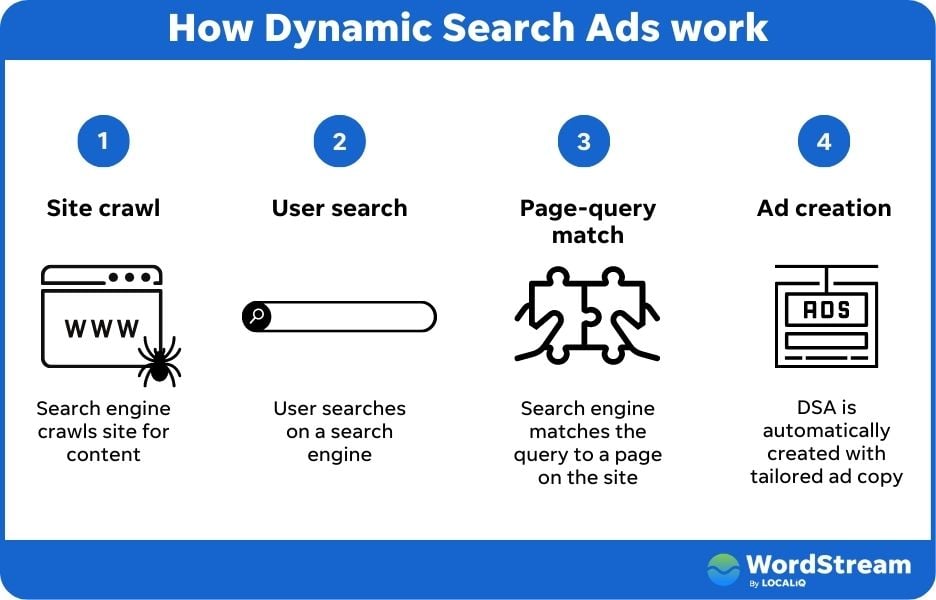 According to Google, this helps you uncover valuable searches that your regular campaigns might miss and ensures your ads stay relevant to user intent.
Setting Up Dynamic Search Ads
While preparing for this article, I noticed changes in the Dynamic Search Ads campaign setup process within Google Ads. Here’s how to set up Dynamic Search Ads in Google Ads: Begin by creating a new campaign and selecting your marketing goal.
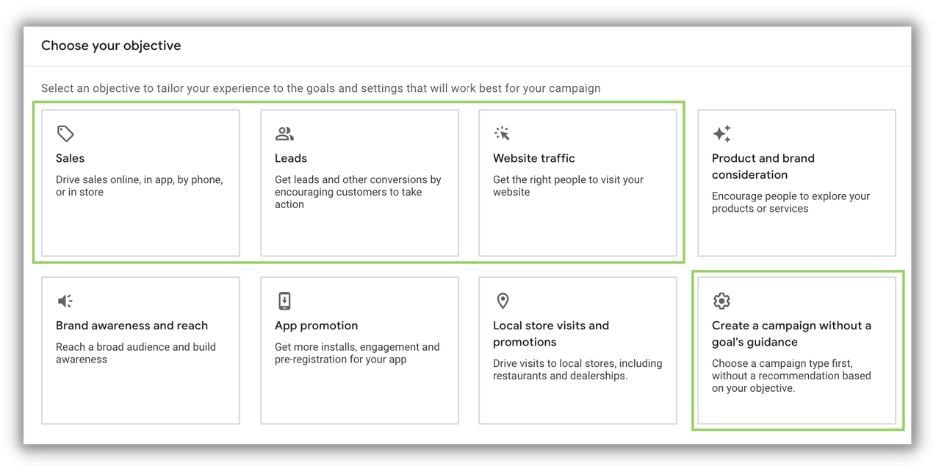 Dynamic Search Ads campaigns support all search-compatible campaign objectives, limiting you to the following goals in Google Ads:
- Sales
- Leads
- Website traffic
- Create a campaign without a specific goal Choose the search network and configure your campaign-level settings. This is where things get a little unusual. The guided setup lacks any obvious options for creating Dynamic Search Ads components like URLs or ad groups. Proceed through the remaining campaign setup, skip adding keywords or ads, and click next to publish your campaign.
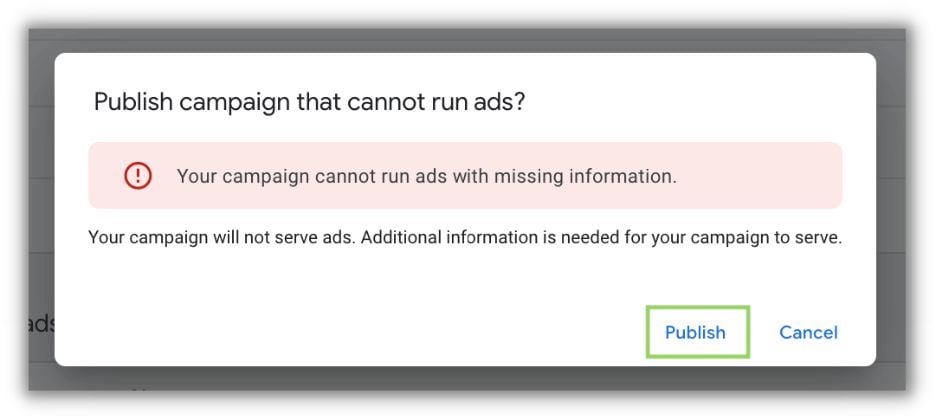 You might encounter an alert stating that publishing the campaign with errors is impossible. However, disregard this and proceed with publishing.
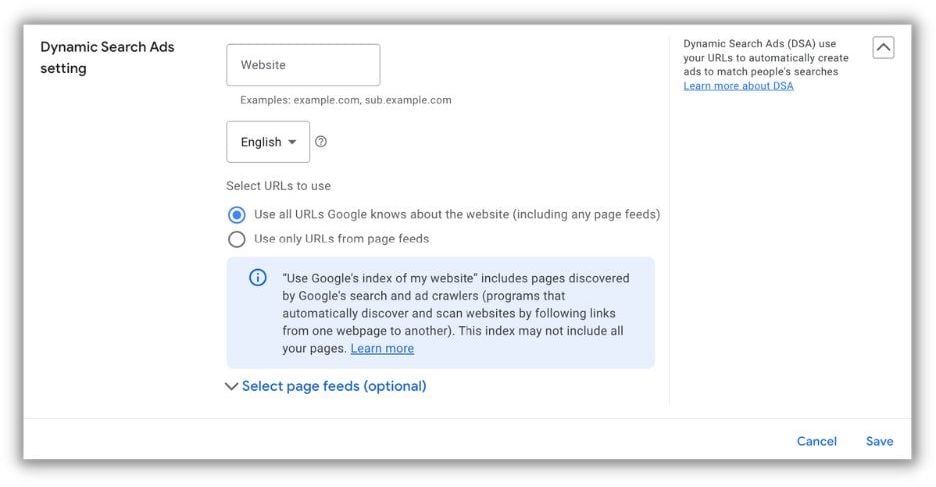 After publishing, go to the Settings tab, select Additional Options, locate the Dynamic Search Ads Settings section, and input your URL and targeting preferences. (We’ll explore these options shortly.)
There’s one more step before running Dynamic Search Ads. DSA controls are managed at the Ad Group level. The initial Ad Group created during publishing is set as Standard and can be kept or deleted.
After publishing, go to the Settings tab, select Additional Options, locate the Dynamic Search Ads Settings section, and input your URL and targeting preferences. (We’ll explore these options shortly.)
There’s one more step before running Dynamic Search Ads. DSA controls are managed at the Ad Group level. The initial Ad Group created during publishing is set as Standard and can be kept or deleted.
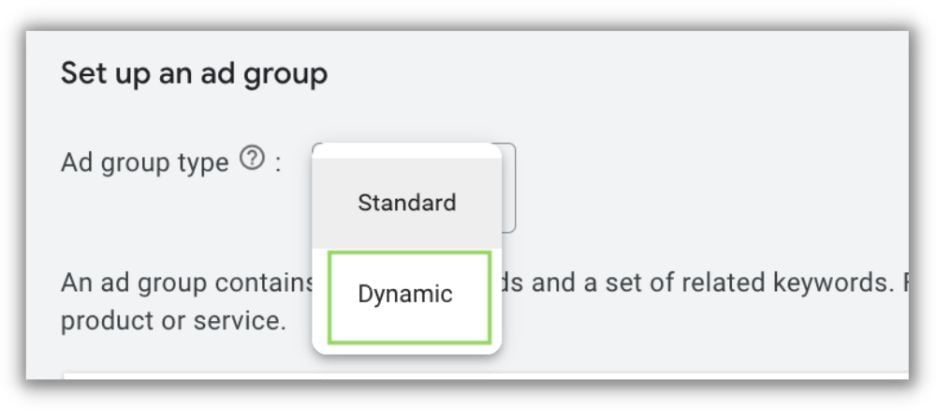 For any new Ad Group, switch the first setting from Standard to Dynamic to enable Dynamic Search Ads.
The reason behind Google’s decision to bury these settings remains a mystery. Now that you know the setup process, let’s move on to the next section.
For any new Ad Group, switch the first setting from Standard to Dynamic to enable Dynamic Search Ads.
The reason behind Google’s decision to bury these settings remains a mystery. Now that you know the setup process, let’s move on to the next section.
 Free guide:
 5 Ways to Optimize Google Dynamic Search Ads
Here are five essential tips for maximizing the effectiveness of Google Dynamic Search Ads:
1. Determine if DSA Campaigns Suit Your Website
Ensuring Dynamic Search Ads align with your website structure is crucial for success. In this regard, I agree with Google’s suggested best practices for DSA:
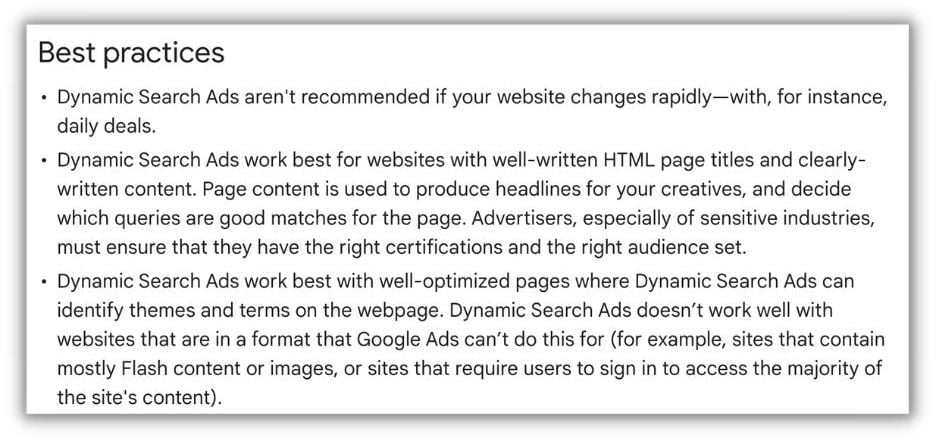 This highlights the importance of a content-rich website with clear and concise descriptions of your company, products, and services, easily understood by Google’s algorithms.
If your website has limited text, poorly written titles and meta descriptions, or heavily relies on images, reconsider using DSA.
This highlights the importance of a content-rich website with clear and concise descriptions of your company, products, and services, easily understood by Google’s algorithms.
If your website has limited text, poorly written titles and meta descriptions, or heavily relies on images, reconsider using DSA.
2. Understand How Google/Microsoft Selects Your URLs
Knowing how search platforms select URLs for your Dynamic Search Ads campaigns is crucial.
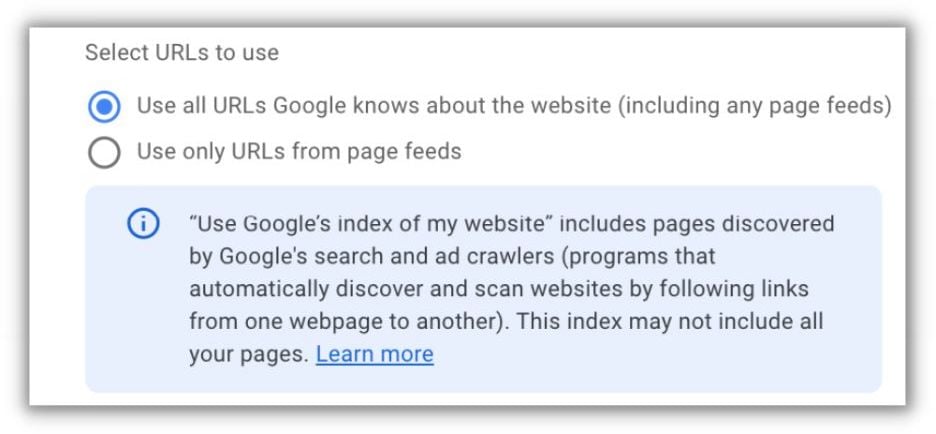 Recall that when you accessed the settings tab in your incomplete campaign, you had several options after providing your website URL.
Let’s examine each option in detail.
Recall that when you accessed the settings tab in your incomplete campaign, you had several options after providing your website URL.
Let’s examine each option in detail.
Utilize All URLs Known to Google, Including Page Feeds
This default option allows Google to use any discoverable page on your site for ads. While it may seem concerning, it’s generally a safe approach. However, when using this option, I prefer excluding specific pages within my Dynamic Targets:
- About Us
- Terms of Service
- Privacy Policy
- Client-Exclusive or Platform Pages on SaaS Sites
- Customer Service Pages
- Online Help Documentation
- Blog Pages This list is not exhaustive, but it encourages you to identify pages unsuitable for new potential customers. Excluding pages from your DSA campaigns is straightforward:
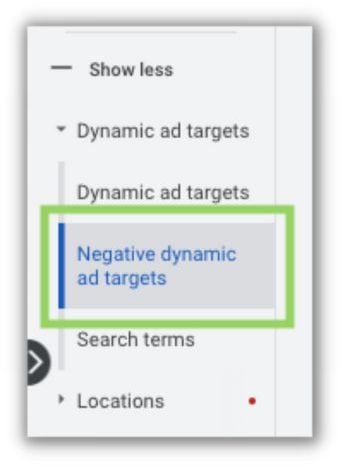 Under Dynamic Ad Targets, create a Negative Dynamic Ad Target, granting you the same control as a regular ad target but for exclusions instead of targeting.
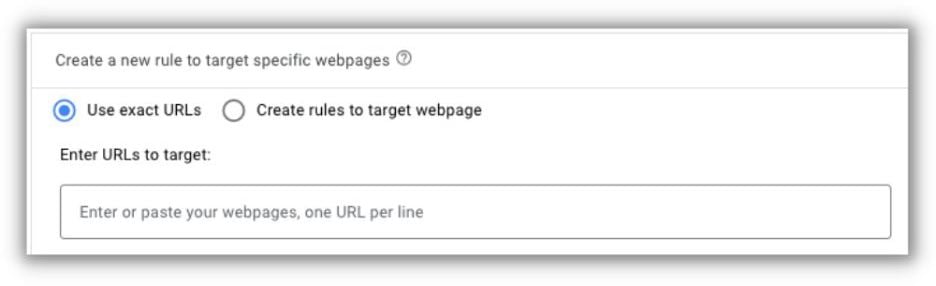 Utilize the controls that best suit your needs, whether it’s Exact URLs or rules, to efficiently exclude as many unsuitable pages as possible.
Use Only URLs from a Page Feed
The second option, and my preferred choice, involves using URLs solely from Page Feeds that you provide. A Page Feed is a CSV file containing a list of website URLs that you want to use for Dynamic Search Ads. You control the number of webpages included, and by selecting this targeting option, Google exclusively uses pages from your Page Feeds for DSA campaigns. Creating a Page Feed is simple. Start by obtaining your website’s sitemap and identifying URLs you want to exclude. (Depending on your website’s size, this might be challenging, and using all URLs with comprehensive exclusion filters might be more practical.)
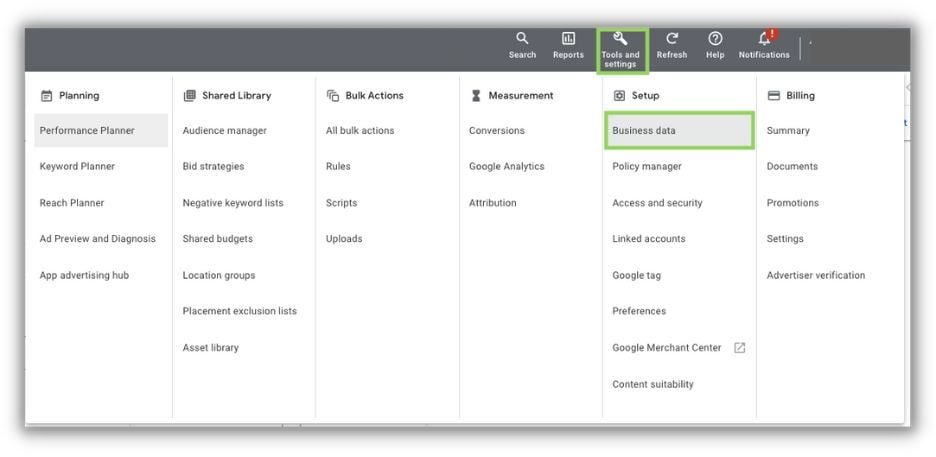 To upload your list, go to the top navigation menu, select Business Data under Setup, and ensure you’re on the Data Feeds page in the left-hand navigation.
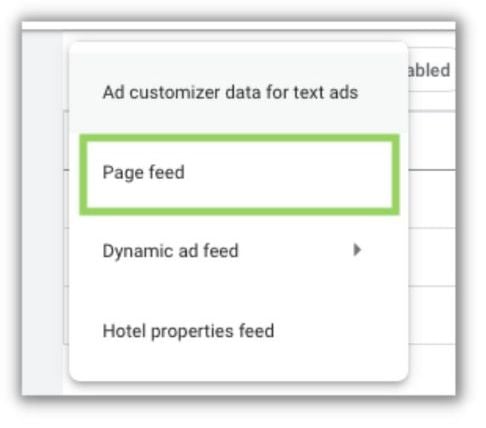 Click the blue “+” button, select Page Feed, and follow the upload instructions.
Remember that Google has the freedom to display any URL within the permission lists you provide.
Exclude any pages on your site unsuitable for DSA through Negative Dynamic Ad Targets or by switching to Page Feed targeting and omitting those URLs from the lists.
Click the blue “+” button, select Page Feed, and follow the upload instructions.
Remember that Google has the freedom to display any URL within the permission lists you provide.
Exclude any pages on your site unsuitable for DSA through Negative Dynamic Ad Targets or by switching to Page Feed targeting and omitting those URLs from the lists.
3. Understand How Ad Copy is Created for DSA Campaigns
Unlike traditional search ads, Dynamic Search Ads allow advertisers to control only a portion of the ad copy: the two description lines.
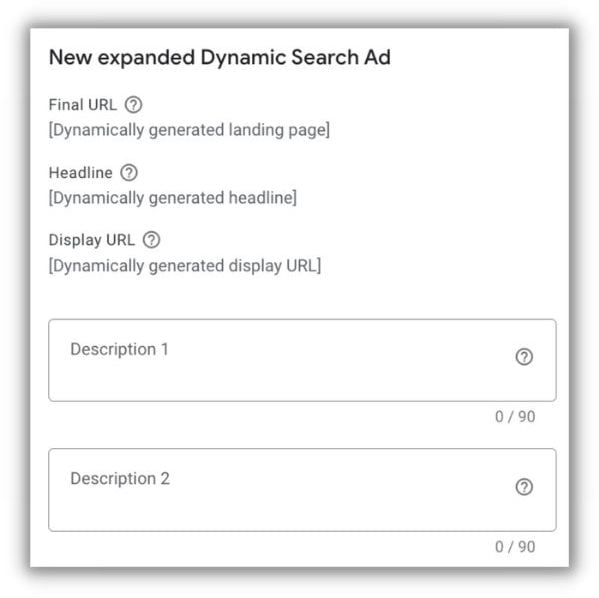 Focus on providing relevant, impactful, and engaging information to your potential customers, just like any other ad.
However, this means Google generates a part of your ad copy, specifically the headlines.
Focus on providing relevant, impactful, and engaging information to your potential customers, just like any other ad.
However, this means Google generates a part of your ad copy, specifically the headlines.
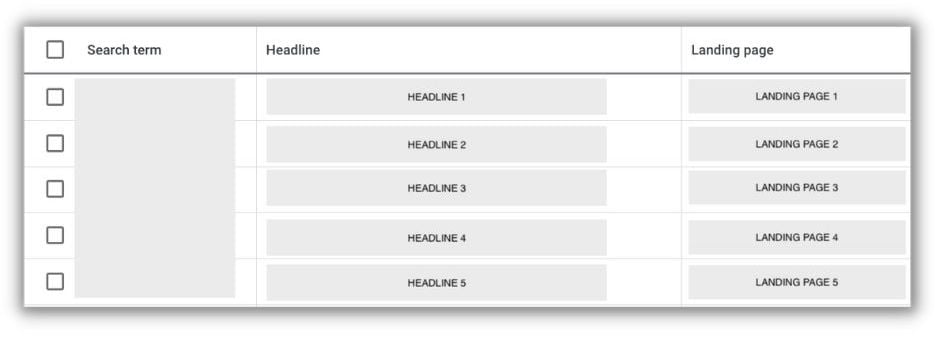 The good news is that you can review the headlines generated for your ads. Navigate to the Search Terms report under Dynamic Ad Targets. Although you can’t make direct edits, you can see the search terms, headlines, and landing pages used for your ads.
Unfortunately, the screenshot above, and the one below, are from a live client account and require blurring. However, they demonstrate where headlines used for DSA ads typically originate.
The good news is that you can review the headlines generated for your ads. Navigate to the Search Terms report under Dynamic Ad Targets. Although you can’t make direct edits, you can see the search terms, headlines, and landing pages used for your ads.
Unfortunately, the screenshot above, and the one below, are from a live client account and require blurring. However, they demonstrate where headlines used for DSA ads typically originate.
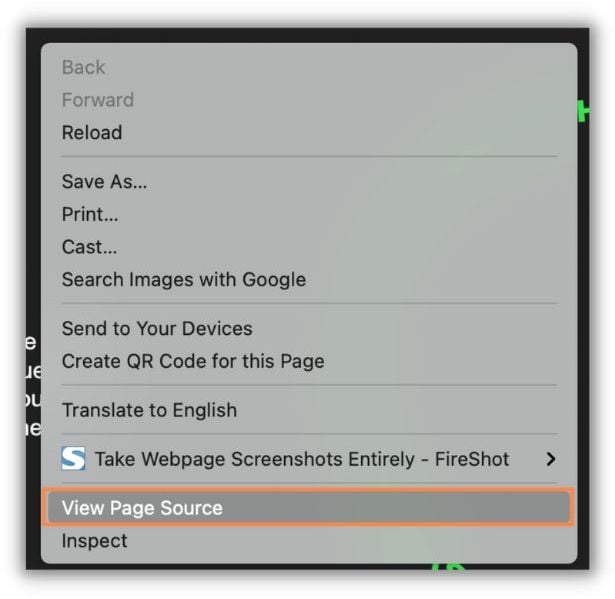 Right-clicking on the page associated with the search term and selecting “View Page Source” reveals the page’s code.
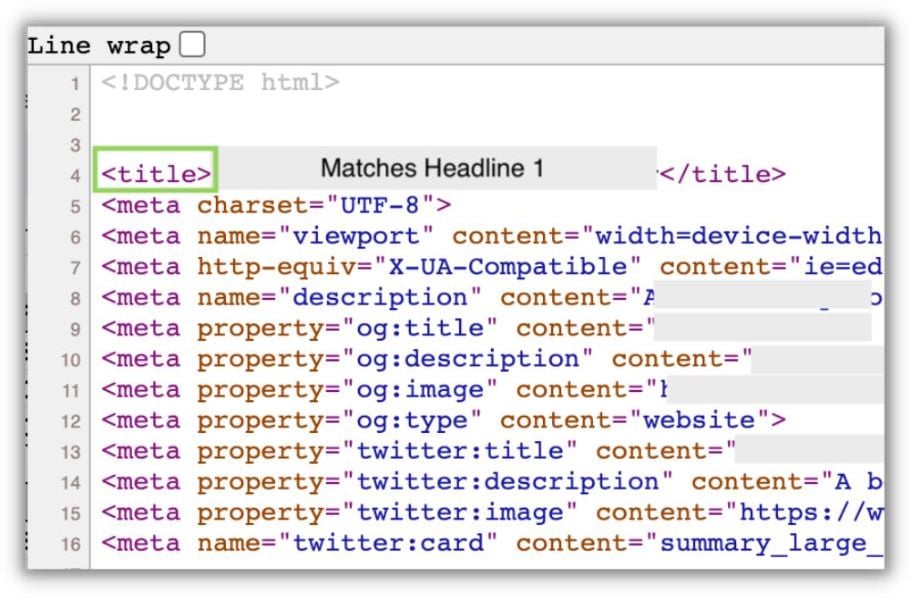 Within the code, you’ll find the page