yet he leaves nothing undone.
The ordinary man is always doing things,
yet many more are left to be done."
-- Tao Te Ching
Wouldn’t it be amazing to possess the efficiency of a vampire or the energy of a werewolf? Perhaps then, achieving that elusive work-life balance everyone talks about would be a breeze. However, I’m merely human, bound by the limitations of sleep and the constraints of 24 hours in a day.
Deducting the necessary six or more hours for sleep leaves me with a paltry 18 hours to juggle work and leisure. Sadly, this feels insufficient for an ambitious freelance software engineer like myself. Or is it?
Since transforming into supernatural beings or manipulating time is beyond our reach, maximizing our existing time becomes paramount. This is where the crucial role of time management comes in, and why I felt compelled to share my insights in this post.
This post will delve into the various strategies and tools that comprise my productivity arsenal:
- The significance of time management, especially for freelancers, and why it’s just as crucial as technical prowess.
- Essential criteria that every effective time management system should meet.
- Proven time management techniques tailored for freelancers.
- Tools that I personally find valuable and incorporate into my workflow.
Freelancers typically determine their earnings based on an hourly rate. However, we often fail to recognize that a higher hourly rate doesn’t automatically guarantee higher monthly or annual income.
Since freelancers predominantly bill by the hour, managing time effectively directly translates to managing finances effectively.
In the realm of freelancing, time can be categorized as billable or non-billable. From a control perspective, these can be viewed as productive versus distracting actions that consume our time. To truly grasp the value of our time, which directly translates to our income, we need a system for tracking, calculating, and analyzing it. This is where a robust time management system becomes indispensable.
While many freelancers prioritize optimizing their hourly billing rate, they often neglect the equally important aspect of optimizing the total hours billed. Remember, increasing the amount of time you spend on billable tasks is just as crucial as your hourly rate.
The 3 Pillars of Effective Time Management Systems
Irrespective of the specific time management system or tools you choose, three fundamental characteristics significantly influence the effectiveness of your time organization and task execution.
Trust in your system is non-negotiable.
When you schedule a task, absolute confidence in receiving timely reminders is crucial. A reminder to “bring printouts to the meeting" is rendered useless when you’re already standing at the podium.
Simplicity is key for effortless implementation.
A system demanding you to jump through hoops just to set a simple reminder like “Call Alice in an hour" is inherently flawed.
Inevitably, you’ll resort to scribbling it on a random scrap of paper, setting a phone alarm, or employing any method but your convoluted system.
Accessibility ensures your system is always within reach.
Our smartphones have become indispensable companions, rarely leaving our side.
Forget outdated day planners and physical notice boards. They offer no help when you’re at a cafe, awaiting your order, and struggling to recall who you need to contact.
Thanks to advancements in technology and lightning-fast mobile data, we can now carry an abundance of documents, reminders, notes, and sketches in the cloud, readily accessible with a simple swipe.
8 Tried-and-Tested Time Management Techniques
Plan Your Next Day
Since my early school days, my parents instilled in me the habit of creating a schedule for the following day.
This simple practice of listing daily tasks, much like a daily agenda, became my first foray into time management. While effective for managing a light workload, it presented a significant drawback: Postponing uncompleted tasks to the next day.
This approach often led to a snowball effect, with even a single unfinished task escalating into an overwhelming burden. Within days, the list would become so daunting, requiring a fresh start as more urgent tasks overshadowed less important ones. This cycle of ever-growing lists ultimately ending up in the trash was disheartening.
Leverage Your Calendar Effectively
The natural progression from daily task lists is utilizing a calendar. Instead of last-minute planning, adopt a proactive approach by scheduling tasks across multiple days and rescheduling them as needed.
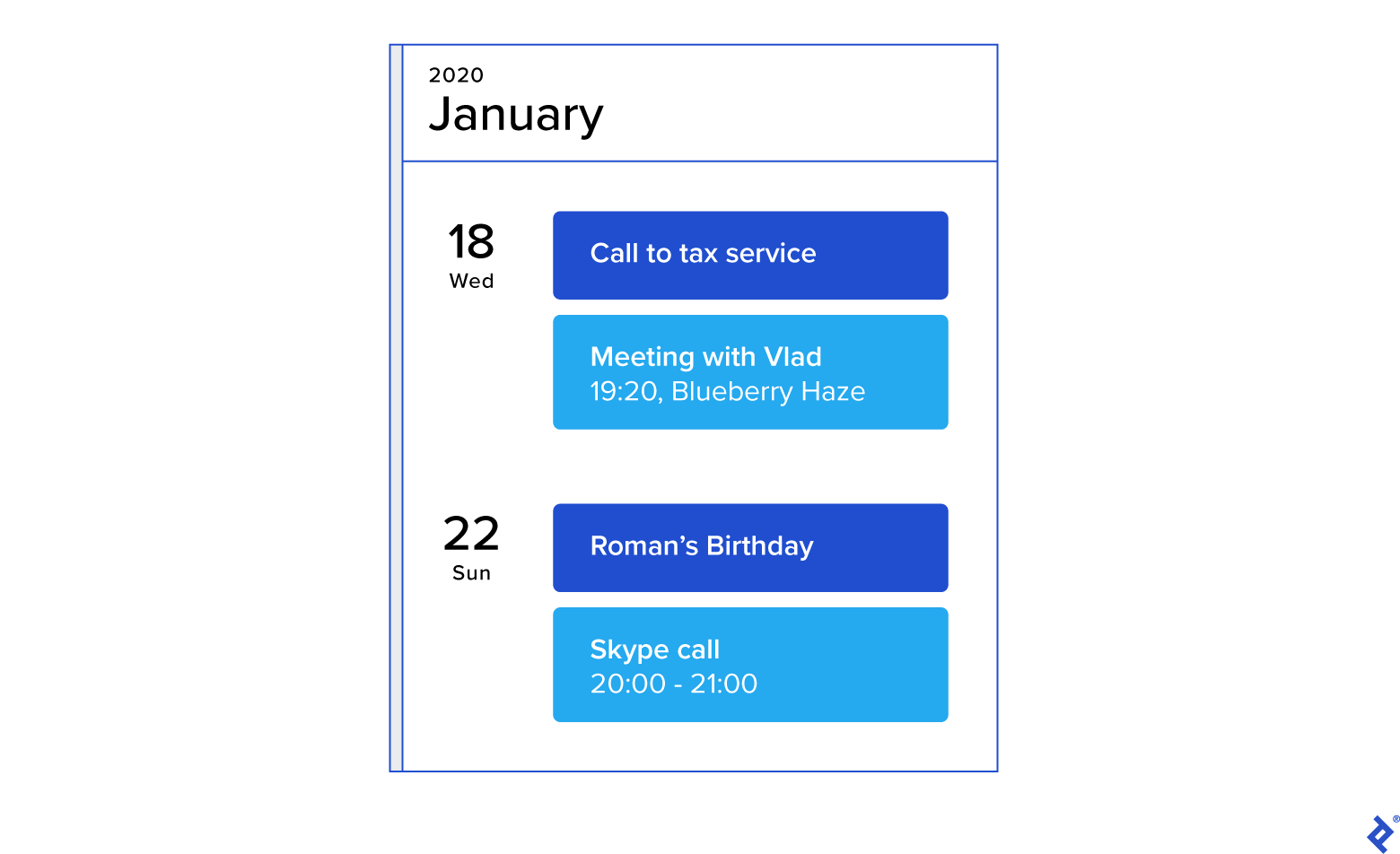
While a well-maintained calendar effectively schedules time-bound tasks, attempting to manage all types of tasks within it can lead to challenges that are difficult to address solely with a calendar:
- Some tasks lack a specific deadline.
- For instance, a reminder to “buy milk” isn’t bound by a specific time or location. You might purchase it on your way home, but the exact time and store remain uncertain.
- Different tasks have different contexts, like personal errands, work duties, urgent matters, less urgent issues, and so on. Trying to cram them all into a single calendar can create unnecessary complexity and hinder productivity.
In essence, while a calendar is a valuable time management tool, it’s best suited for tasks with fixed deadlines. Tasks with flexible timelines are better managed elsewhere.
Unscheduled Tasks Belong on Your To-Do Lists
What about tasks that don’t fit neatly into a calendar?
This is where to-do lists come in handy. They offer a date-independent system for managing tasks.
These lists can be customized with labels and tags like “work,” “home,” “important,” and “less important” to categorize tasks effectively. Their simplicity and lack of time constraints make them incredibly versatile.
Unlike calendar entries, tasks on to-do lists remain relevant even after you return from a vacation. You won’t need to revise and reschedule missed tasks.
Delegate Tasks You Dislike
While time management is about structuring tasks based on their urgency, importance, and complexity, it’s also about dedicating your time to problems you are best equipped to solve. This is where delegation plays a crucial role.
If a task fills you with dread and someone else can complete it efficiently, delegate it (excluding tasks assigned by your employer, of course).
You have the power to free yourself from work you don’t enjoy. This empowers you to focus on tasks that utilize your unique strengths while providing others with opportunities. Common excuses for avoiding delegation often sound like:
- “It’s easier to do it myself than to explain it” (even if it requires venturing into unfamiliar territory).
- “I don’t want to spend money on something I can handle” (overlooking the value of time).
- “I can do it better myself” (even if the outcome is subpar).
To overcome these mental blocks, I employ specific criteria when deciding whether to delegate a task:
- If it doesn’t spark my interest, I delegate.
- If it excites someone else, I delegate.
- If someone else can achieve at least 80% of my desired outcome, I delegate.
- If it saves me money compared to doing it myself, I delegate.
It’s crucial to remember that this isn’t about comparing hourly rates. It’s about the opportunity cost of your time. Someone else might already possess the necessary expertise, allowing them to start immediately, while you would need to invest time in acquiring the skill.
Not every situation needs to tick all the boxes. Trust your instincts and experience when making these decisions.
Here are some examples of tasks I frequently delegate:
Translations:
I’m writing this article in Russian, my native language, and delegating its translation to English.
While I’m capable of writing in English, expressing myself in my native language is far more efficient and enjoyable. This approach saves time and allows me to convey my thoughts more effectively. Writing it directly in English or translating it myself would be considerably more time-consuming.
Video Editing:
After a trip, I might have hours of video footage I wish to edit into a compelling clip. Depending on my mood, I might edit it myself or delegate it to a professional.
Household Chores:
Cleaning the apartment is another classic example. You can either dedicate your time and effort or hire a cleaning service.
Streamline and Automate Repetitive Tasks
While large, obvious tasks often come to mind when we think of time management, it’s easy to overlook the countless small tasks that also eat into our time.
If you find yourself repeating a task, no matter how insignificant, consider streamlining or automating it. Even shaving off three seconds from a task you perform 20 times daily (like switching tabs) can save you hours annually.
It might not seem like much, but these small gains accumulate over time!
For tasks that can’t be automated or streamlined, focus on optimizing your work environment and minimizing distractions to boost productivity. Invest your saved time in upgrading your workspace with an ergonomic chair or better hardware.
Here are some basic examples of how to optimize your daily routine:
- Maximize the use of hotkeys. Pressing a few keys is often quicker than navigating with a mouse.
- Minimize the number of tasks you juggle simultaneously, ideally focusing on one task at a time. Interruptions, especially during deep work, can cost you 15 minutes or more as you struggle to regain your focus.
- While my laptop is my primary work device, my desk setup includes peripherals like a desktop keyboard, large monitors, and headphones to maximize productivity. If you primarily work on a laptop, consider using a docking station to connect these peripherals easily. Thankfully, emerging technologies are rendering docking stations obsolete, paving the way for seamless wireless connectivity.
- My workspace consists of two large monitors and my laptop screen, all connected to a dock. This allows me to dedicate the main screen to the most important information while relocating other interface elements to separate but accessible displays. While multi-monitor setups aren’t for everyone, even those who prefer a single display have options. Large 4K/UHD monitors, once prohibitively expensive, are now affordable. Ultrawide monitors (21:9 aspect ratio) are another option worth exploring.
- I silence all non-essential notifications during work, especially from chat applications, as they can be highly distracting. You can designate specific contacts or channels for urgent messages.
However, avoid going overboard with simplification and automation, or you’ll end up designing a robot to make a cup of tea. The key is to strike a balance, optimizing only what yields maximum results with minimal effort.
Explore the Getting Things Done (GTD) Method
The GTD method, popularized by David Allen in his book, offers a comprehensive framework that integrates various tools into a well-structured and organized system.
Condensing such a detailed approach into a single point in a blog post is a tall order, as the author dedicates an entire his book to explaining it. However, the GTD Workflow Map provides a concise overview for those interested.
Here’s my interpretation of the core principles:
- When engaged in a task, or even taking a break, strive for complete immersion. To achieve this, offload everything else occupying your mind into a system – calendar, notes, to-do lists, notifications, etc.
- While understanding the “why” behind tackling a specific task at a given moment is crucial, it’s equally important to grasp why you’re not working on something else and what tasks await your attention.
- When deciding your next action, the system helps you choose the task best suited to your current circumstances and available time. If you feel like socializing, connect with someone from your contact list. Have a spare minute at your computer? Clear your inbox or make that online purchase.
- Capture everything within your system to avoid second-guessing its integrity and undermining your trust in it.
Master the Art of Saying “No.”
“The difference between successful people and very successful people is that very successful people say ’no’ to almost everything.” – Warren Buffet
Even the most sophisticated system cannot magically increase your capacity.
Therefore, as counterintuitive as it may sound, a vital aspect of time management is learning to decline requests.
If a friend, knowing you’re a programmer, asks for help building a simple website, carefully evaluate the time commitment, especially if web development isn’t your forte. Base your response on your system’s insights and your feelings towards the task.
Track Your Time Diligently
After establishing a system you trust, periodic reviews are crucial to assess its efficacy. Even if you’re completing tasks on schedule, there’s a chance you’re losing time to unproductive activities like browsing news websites or engaging in non-work-related chats.
These distractions can distort your perception of progress. Fortunately, technology can provide an unbiased assessment of our time allocation.
My Essential Productivity Tools
As promised, I’ll now share the tools I’ve incorporated into my workflow after experimenting with numerous options. Keep in mind that these are subjective preferences based on my needs, and you might find alternative tools that better suit your requirements.
Centralizing everything within a single account is a top priority for me. I strive to minimize the number of tools I use, adhering to the principle of simplicity.
Inbox by Google
My main principle is maintaining an “empty" Google Inbox. (Pinned emails for reference don’t count). I treat incoming emails as tasks that need attention. This could be a notification for a code review, a client request, or even a simple conversation that needs addressing.
Calendar
Since Android and Google are practically synonymous, Google Calendar is my go-to calendar app. It’s always with me, which is essential. Google excels at cross-platform compatibility, catering to users on various devices and operating systems. Google Calendar embodies this strength, seamlessly integrating across platforms.
Notifications
Google allows for actionable notifications on both web and mobile platforms. Since most users are familiar with these, especially those integrated with Google Calendar, I won’t delve into the specifics.
RescueTime
Since I primarily work on full-time projects that don’t require detailed time reports, I prefer tracking all my activities to ensure I’m not losing time to unproductive tasks.
RescueTime monitors your activity across apps and websites throughout the day. It categorizes each activity as productive or distracting and allows you to set goals, such as “Spend at least X hours on productive tasks.”
I’m assuming most readers are already acquainted with Toptal’s time tracker, TopTracker, so I’ll keep this brief. TopTracker is platform-agnostic, making it versatile for various workflows. It empowers users to capture screenshots, measure activity, generate reports, and, of course, track time.
Remember The Milk
Finding a suitable to-do list app was an adventure in itself, given the overwhelming number of options available.
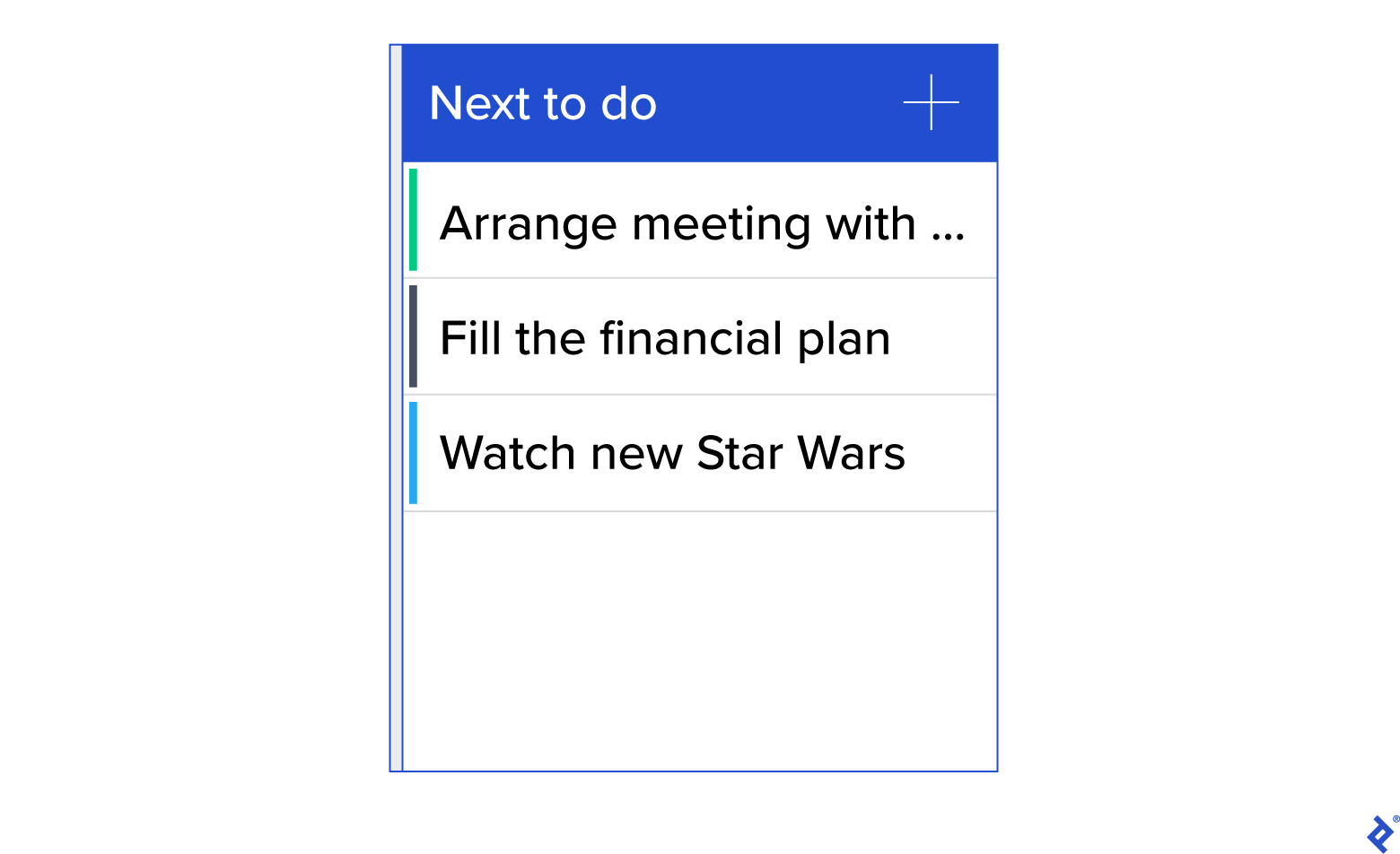
After much exploration, I chose Remember The Milk, as it fulfilled all my requirements:
- A simple and intuitive system for adding tasks, with support for priorities, tags, notifications, and more.
- Seamless cross-platform functionality across computers and mobile devices.
- The ability to organize tasks into lists and projects.
Smart lines are a game-changer.
These shortcuts allow you to create a task, assign it to a project, add tags (including new ones), set priorities, and even specify the location for completing the task — all using just your keyboard, no mouse clicks required.
Typical Task Stages
Finally, let’s examine the various stages a task goes through within my system.
Here’s how I handle incoming tasks.
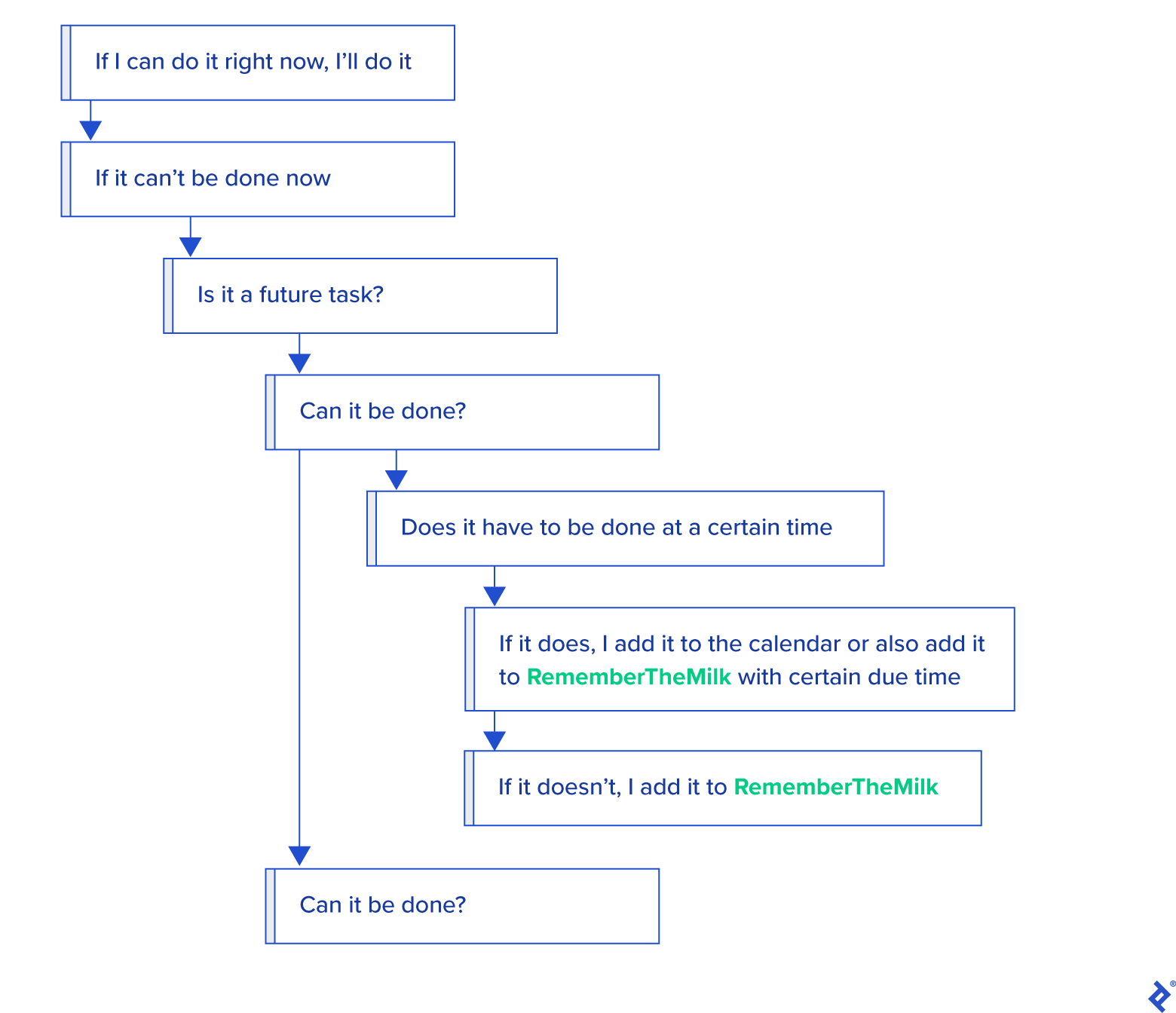
This simple algorithm ensures that every task, regardless of its complexity, ends up either in my calendar (if it has a specific deadline, like “Call Dad in two hours”) or on a to-do list, awaiting its turn.
I further divide my to-do list into different projects and tag tasks accordingly.
Here are some examples:
- wait: Tasks awaiting external input or action.
- next: Tasks I can tackle when time allows or when I feel like it.
- shop: Tasks to be completed during shopping trips, like picking up groceries.
- pc: Tasks requiring a computer.
- contact: Tasks involving phone calls.
This system ensures that all time-sensitive tasks are completed promptly, while other tasks are organized by context and priority, allowing me to tackle them based on my availability and energy levels.
Let Your System Guide You
Each individual has unique tasks, preferences, and habits. Time management systems should be treated as adaptable frameworks, continuously tested and tweaked to suit your evolving needs.
Beyond efficient task organization, a well-implemented time management system promotes mindful awareness of your commitments, allowing you to track progress and stay focused on your goals.
With a reliable system in place, you’ll no longer waste energy struggling to remember deadlines or deciding what to tackle next. It becomes your trusted guide.
While numerous reasons justify adopting a robust time management system, the core benefit can be distilled to this: It’s a sound investment, especially for freelancers.