This week, Google sparked controversy among SEMs managing accounts with GDN campaigns. The cause? A long-standing trick to block mobile apps—excluding the adsenseformobileapps.com placement—will be removed in September.
Case in point…here’s a reaction from Linkedin:
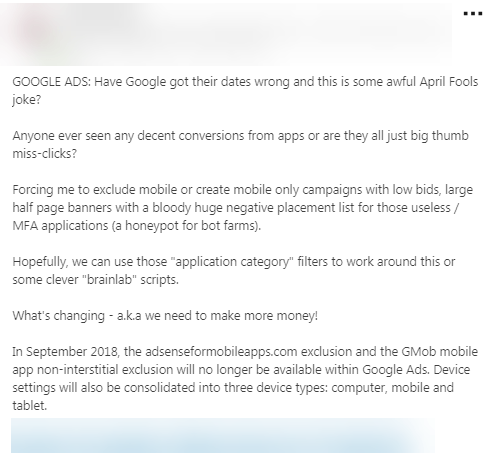
As you can see, reactions are strong. Many view Google’s email, especially the line, “you may see a significant increase in mobile apps or mobile web traffic,” as a setup for squeezing more money from advertisers. Let’s break down why this is happening.
What’s Going On?
Per Google, “In September 2018, the adsenseformobileapps.com exclusion and the GMob mobile app non-interstitial exclusion will no longer be available within Google Ads.” Other exclusions like Embedded videos, In-video, and Below-the-fold will remain, and you can still opt in/out of devices on GDN without resorting to -100% bid adjustments like in Search campaigns.
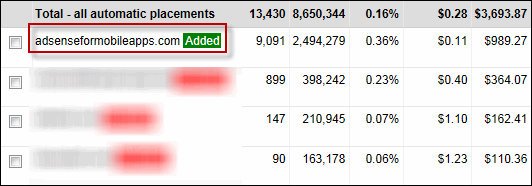
Why would Google remove a widely used workaround? Their answer: “Simplicity.” This makes it simpler to display ads to the expanding population browsing the web on mobile. However, it could lead to more irrelevant clicks on your Display campaigns. Many advertisers weren’t aware of the adsenseformobileapps.com placement, unknowingly wasting money by showing Display ads to app users. Even those aware of managing placements still waste money on ineffective ones; it’s an unavoidable risk when advertising beyond search intent, and it’s why clicks are so inexpensive. Remember: managing placements—excluding them based on performance or aspects like brand suitability—is crucial. It’s similar to using negative keywords in Search campaigns. Is this a minor inconvenience? For some, yes. But with countless websites and apps on the GDN, success relies on diligence, strong creatives, and smart audience targeting—not a single exclusion. The removal of adsenseformobileapps.com won’t change that! It will, however, make avoiding low-quality placements tougher. That said, here’s how to block all mobile apps in Google Ads (at least for the next month).
Blocking Mobile App Placements in Google Ads
There are two straightforward steps. First, navigate to the placements tab, then exclusions:
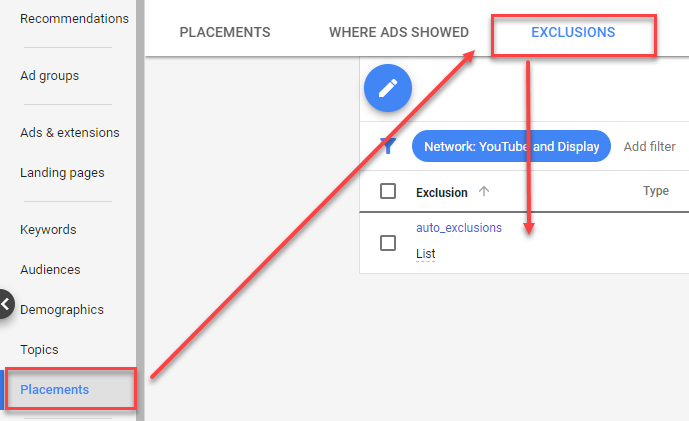
Check the box beside adsenseformobileapps.com, and click “remove.” (If the placement is part of an exclusion list, remove it from there, not at the campaign level). Then, go to your campaign settings and choose “additional settings.”
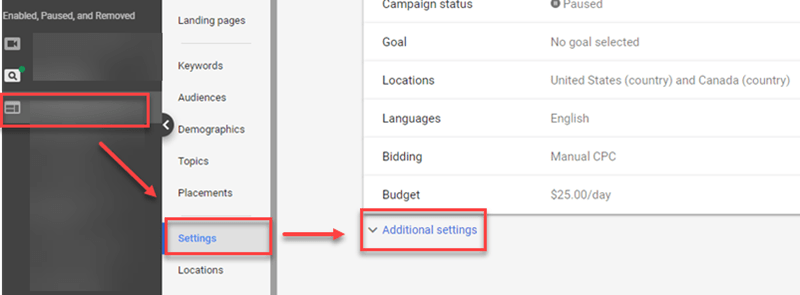
Find and select “Devices.” If it displays “Show on All Devices,” your Display ads will appear on mobile apps. To fix this, select the option next to “set specific targeting for devices”

This expands a menu dividing devices into computers, mobile, and tablet.
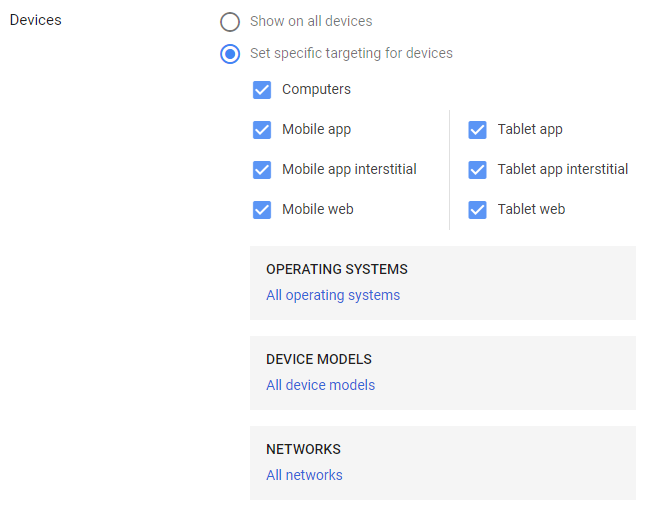
To display ads only on mobile web, uncheck “mobile app” and “mobile app interstitial.” Do the same for tablet.
You’re Done (for Now)
Initially perceived as a positive change, this update may actually complicate things and make mobile apps harder to avoid [cue my own LinkedIn rant]. We’ll provide updates as we receive more information from Google.
UPDATE (February 2019)
A commenter pointed out that Kirk Williams of ZATO Marketing discovered a workaround using Google Ads Editor. Have you tried Kirk’s solution? We’d love to hear if it’s effective!