Despite all the proof that says otherwise, programmers are still people. And, like everyone else, we enjoy having the freedom to make our own choices. Whether it’s about taking the red pill or the blue pill, deciding between a dress or pants, or even picking one development environment over another, the decisions we make define which group we belong to. Of course, choices are made after we’ve weighed our options. And once we’ve made a choice, we tend to think anyone who chose differently messed up.
Just search online, and you’ll find countless arguments about Emacs versus Vim. You could read them all and still not have a clear winner. But does someone’s choice of development environment reveal anything about their work quality? Absolutely not!
A talented developer could code in Notepad and still deliver amazing results.
Naturally, professionals in any field carefully consider the tools they use, and software development is no different. However, these choices are often driven by personal taste rather than something easily measured.
Since programmers spend the majority of their time in their development environment, it’s only natural to want something visually appealing and functional. Every development environment has its advantages and disadvantages. As a whole, they are a major force in the software development industry.

So, what factors should developers consider when selecting programming tools, like a code editor? It’s not as straightforward as it seems. Software development is a bit of an art, and there are many subtle differences between a masterpiece and an overpriced collectible.
Each programming language, like Java, C#, PHP, Python, Ruby, JavaScript, etc., has its own development practices for project structure, debugging, and deployment. However, they all share one common element: writing code. This article will examine various development platforms through the lens of this fundamental task.
IDE vs General Purpose Text Editor
An integrated development environment (IDE) (short for integrated development environment) is a software application specifically designed to help programmers develop software. It usually includes a source code editor, build automation tools, a debugger, and often supports many plugins and extensions.
Text editors are simpler tools. Unlike IDEs, they usually only cover the code editor part. However, their functionality often extends beyond that. While IDEs are made for software development, text editors can be used by non-developers too.
Static-typed languages benefit greatly from IDEs. The strict typing rules allow IDEs to identify bugs and naming inconsistencies across classes, modules, and even files, directly in the editor, before compilation. This feature is standard in many IDEs, making them popular for static-typed languages.
However, the same can’t be done for dynamically typed languages. In these languages, method names might be generated by the code itself, making it impossible to detect naming errors without running the program. Since this major IDE advantage doesn’t apply to dynamic languages, programmers using them tend to prefer text editors like Sublime. This is also a key reason why test-driven development is more prevalent in dynamic language communities.
What Makes a Great Programming Editor?
Besides language-specific features, a great programming editor needs a well-organized and clean user interface. Aesthetics matter too. It’s not just about looking nice; a well-designed editor with the right font and colors reduces eye strain and boosts productivity.
Today, a steep learning curve is a disadvantage, no matter the feature set. Time is precious, so a good editor should be easy to learn and use. Ideally, programmers should start working immediately without jumping through hoops. A Swiss army knife is practical, but anyone can master it in minutes. Simplicity is key for programming editors too.
User Interface, Features, and Workflow
Let’s examine the UI, features, and essential tools that any good programming editor should have.
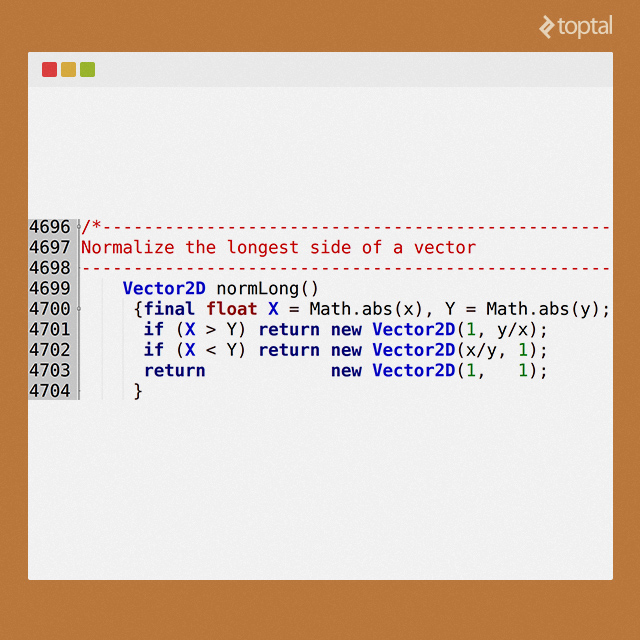
Line numbers should be enabled by default and easy to toggle.
Snippets help insert standardized text blocks quickly. But use them cautiously, as they can make code harder to maintain if overused.
Linting (syntax-checking) and the ability to run the current file are essential features. Without them, you’d have to switch to a command line, find and execute the right command, and then decipher error messages. However, linting should be under the programmer’s control, as delays caused by it can interrupt workflow.
Inline documentation is helpful as long as it doesn’t obstruct the code. Sometimes, having a browser window open with class definitions is better, especially when dealing with many related classes. Since it’s easy to copy-paste code from documentation, inline documentation can become more of a nuisance as you become more familiar with it.
Word completion is a valuable feature because it’s fast and almost as reliable as inline documentation, while being less intrusive. It’s satisfying to type a few characters and hit enter to complete a word, avoiding excessive typing. Word completion also enforces consistent naming conventions.
Renaming variables and functions across a program is helpful, but requires careful review to avoid breaking the code. Word completion offers a good middle ground here. It works for all languages and allows for using descriptive, unique names for long-lived items without the typing overhead. You can then use shorter references locally to simplify expressions.
Large source files are common, and code-folding helps make navigating them easier.
Find/change with scope limitation (local, incremental, global) and support for meta characters and regular expressions are standard requirements these days, as is syntax highlighting.
Overview of Popular Programming Editors
Over the years, I’ve used many editors, and here’s what I think about them:
Emacs: One of the most popular editors globally. Emacs’s strength is its extensibility (you can even play Tetris in it with
M-x tetris), even if its extension language can be complex. Emacs enthusiasts love its terminal-based interface, while others might disagree. Personally, I found it overwhelming. If you master Emacs, you might never need another editor. However, its popularity proves that it’s far from outdated and will likely remain relevant for years to come.Vi/Vim: Another powerful terminal-based editor, standard in most xNIX systems. My opinion on Vim is similar to Emacs: If you grew up with it, you’re probably set. Knowing Vi is incredibly useful when working remotely via SSH, and its speed is unmatched once you learn the keystrokes. While not as challenging to learn as Emacs, it still has a steep learning curve and could benefit from some windowed-editor features.
SublimeText: Living up to its name, SublimeText is a visually appealing and feature-rich editor. However, it’s closed source, limiting low-level modifications. It combines the simplicity of traditional editors with a clean and fast UI. Many developers find it easier to use than Vim, especially beginners. The learning curve is gentler. Despite its minimal UI, SublimeText offers cool features like a mini-map display for easy code navigation. While not completely free, a feature-limited demo is available, with the full version costing $70.
Atom is a GitHub project aiming to create an editor for modern developers. Still in development, Atom is already quite capable, boasting a vibrant community contributing extensions and JavaScript libraries. Downsides include some UI quirks, potential issues with add-ons, and reported performance problems with very large files. But being actively developed, these are likely to be addressed. It’s open source and easily customizable.
Nano: Great in a pinch, but lacks features, leaving you yearning for a faster way to do things like indenting code blocks while keeping comments aligned. It doesn’t even have syntax highlighting and should only be used for minor tasks like config file edits.
TextMate2: Its biggest limitation is that it’s Mac-only. It combines the best of UNIX and GUI, catering to both experienced scripters and new users. It’s popular amongst Ruby, Python, and JavaScript developers, with strong support for Bash and Markdown. Though still in beta at the time of writing, TextMate 2 has a mature plugin ecosystem that could rival even Emacs’s extensibility.
jEdit: This Java-based editor might seem slow initially, but with proper configuration, it can be incredibly fast and visually appealing.
Eclipse: This widely used IDE is especially popular among Java developers, but it has been adapted to various platforms. Some argue that its architecture might hold it back, but it remains one of the most popular platforms among developers.
Aptana Studio](http://www.aptana.com/index.html): This is a fully featured, open-source IDE for web development. Available as an Eclipse plugin, it’s well-regarded by some Java developers. The standalone version is even more streamlined, offering various themes and customization options. Aptana’s project management features can be beneficial for those familiar with Eclipse. Past performance issues have been addressed in Aptana Studio 3 and shouldn’t be a concern.
NetBeans: This popular open-source, cross-platform IDE has a slower startup compared to editors like SublimeText, and its add-on selection is limited. However, many Java developers appreciate NetBeans for its seamless version control integration and strong HTML5 and PHP support.
JetBrains: This offers a suite of IDEs for Java, Ruby, Python, and PHP, all built on the same core engine. They are powerful and gaining popularity. While not open-source, a 30-day trial and reasonable pricing are available.
Komodo Edit: Despite its potential, Komodo Edit is plagued by annoying quirks and inconsistencies, making it feel cluttered. It seems like a missed opportunity considering its capabilities. Every time I revisit it, hoping to find some hidden organization principle, I’m overwhelmed by its disorganized functionality.
Geany: Unlike the other heavy hitters on this list, Geany is defined by what it lacks rather than what it offers. It’s not slow, doesn’t carry baggage from older editors, and lacks advanced macro or multi-window features. However, it performs its core functions well. It’s perhaps the least demanding editor I’ve tried while still offering 90% of what programmers need. Its decent appearance on Ubuntu is one reason it’s my editor of choice.
My Conclusion
It would be unfair to declare a single winner from these excellent tools. I haven’t even tried every editor out there. There’s no single solution for everyone, which is why I explored various options. For those interested in an editor’s history, I recommend reading Roben Kleene’s evaluation of code editors.
I currently use Geany because it suits my needs. With Geany and help from Perl/Gimp/Audacity/Sox, I develop and maintain the Java codebase for the Android apps I create. I use it to prepare builds for different distributors, manage source code, lint, compile, dex, generate .apk files, and distribute these apps globally.
Your development workflow might require something else entirely. I hope this overview saves you time when researching the best programming editors for your needs.