Search engine optimization, or SEO, can seem like a complex topic. But here’s a simple way to think about it: Everything on the internet is either a piece of content or a link (between pieces of content). The pages that attract the most links from high-quality websites tend to rank higher in search results. This principle forms the foundation of Google.
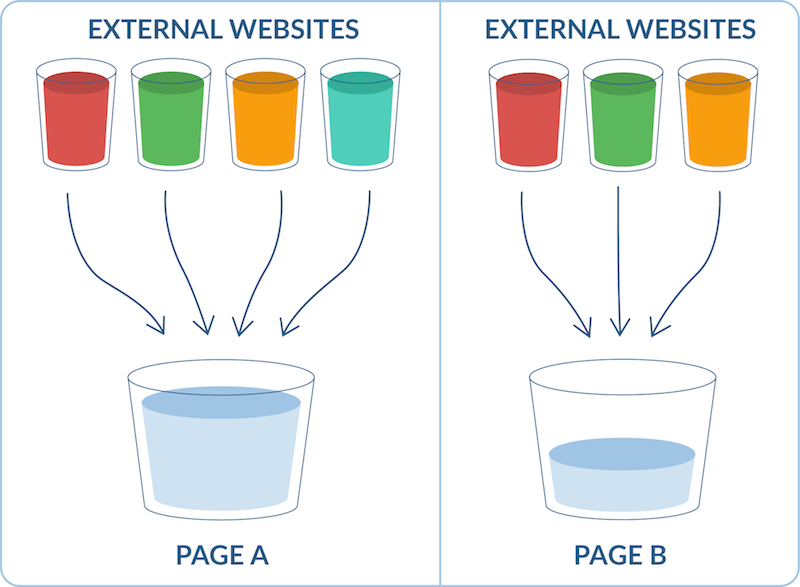
For instance, if Page A has more backlinks from reputable sites compared to Page B, it will generally have higher authority in search rankings.
The quantity and quality of these incoming links are a key aspect of “off-page” SEO. However, “on-page” SEO is equally important, encompassing factors like image optimization, which is what we’ll explore in this article.
What is Image SEO?
Image SEO involves making the images on your website easily discoverable by search engines. This process aims to improve your content’s visibility and rankings on platforms like Google. Key elements of image SEO include image format, size, loading speed, and the optimization of alt text and keywords within image file names.
While often overlooked, image SEO is a crucial aspect of on-page optimization. Neglecting it can negatively impact your website’s ability to attract backlinks, rank higher, and ultimately, drive valuable organic traffic.
The good news is that you can significantly improve your image SEO with a few straightforward steps:
- Reduce image sizes using a compressor.
- Utilize recommended, next-generation image formats.
- Scale images appropriately for your website.
- Create unique, linkable image content.
- Optimize image titles, captions, and alt text.
- Make images easily shareable on social media.
- Consider implementing lazy loading for images.
Let’s delve into these points in more detail. Here are seven essential image SEO tips to ensure your images are fully optimized for search:
1. Compress Images for Smaller File Sizes
Website speed is paramount for image SEO and significantly impacts a page’s ability to rank well and attract visitors. It affects user experience by influencing how quickly they can navigate your website and is a direct ranking factor for Google. Slow-loading pages are penalized by search engines. This is where image compression comes in.
You might be familiar with PageSpeed Insights, a very helpful tool. When you input any URL from your site, it provides a detailed analysis of factors that might be slowing down that page. If you conduct a few of these tests, you’ll likely notice a recurring theme.
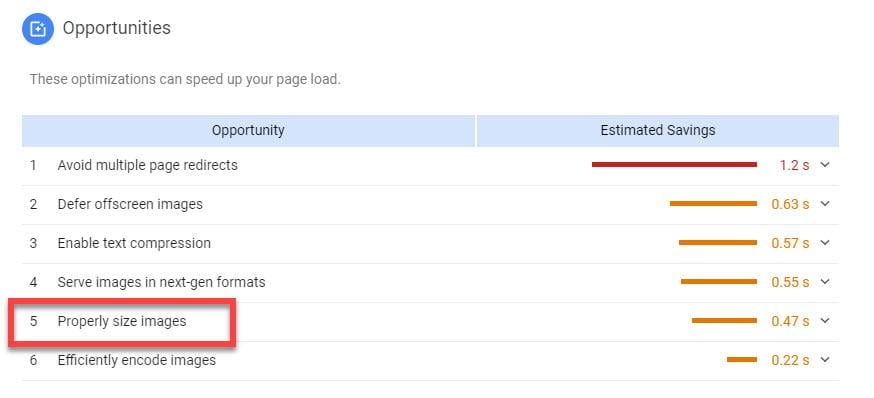
Large images are often the main culprit behind slow page speeds. Since image SEO and page speed are closely intertwined, image compression is crucial.
Within the PageSpeed Insights report, expand the relevant sections to identify the images that are significantly impacting your page’s loading time. You’ll also see how much space you can save by compressing them. Tools like TinyPNG can help you quickly compress individual images. Depending on your Content Management System (CMS), plugins or tools like Smush for WordPress can bulk-compress images on your website.
2. Use Next-Gen Image Formats
Another common recommendation you might encounter in your PageSpeed Insights report is to “Serve images in next-gen formats.”
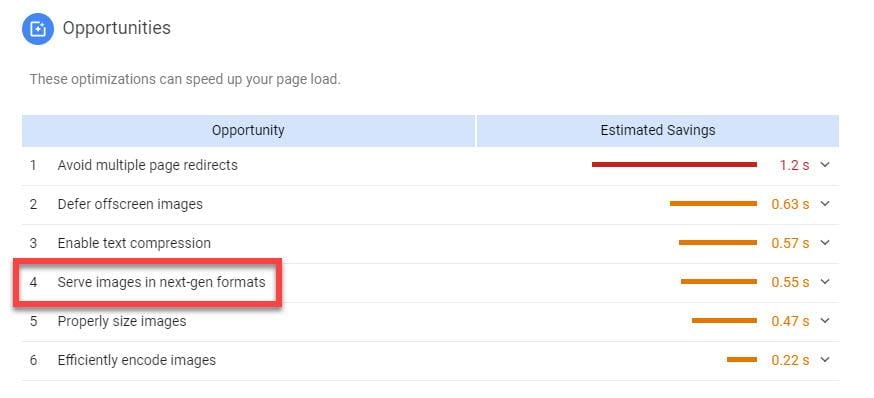
These formats include JPEG 2000, JPG XR, and WebP. Don’t worry if you’re not familiar with these as they are not as widely used as JPG or PNG. While JPG and PNG remain popular, next-generation formats like JPEG 2000 offer superior quality and performance. Encoding images using these formats instead of older ones leads to faster load times and reduced data consumption on mobile devices.
If you’re looking to transition to next-generation image formats, there are numerous free online converters available to help you do so.
3. Scale Images to Fit Your Website
Determining the appropriate image size (referring to dimensions, not file size) depends on your CMS and the layout of the page where you’re uploading the image. It’s essential to research the recommended dimensions for your CMS. For instance, Shopify suggests using 2048 x 2048 pixels for square product photos before uploading your images. An image that appears to fit well with your content…

…might have been automatically resized by your CMS to fit the available space. However, resizing only adjusts the display dimensions and does not reduce the actual file size. In most cases, images with more pixels have larger file sizes.
Therefore, the best way to ensure you are using the right image sizes is to determine your site’s ideal image size and crop images accordingly before uploading. This might seem like a lot of work, especially if you source images from various websites. However, if you download stock images or work with a designer for product images, it’s best to establish a standard size that aligns with your website’s requirements.
4. Create Original Image Content
Stock photos offer convenience in terms of sizing, as most images downloaded from platforms like Adobe Stock or Shutterstock come in sizes suitable for various websites. However, stock photos may not always be as impactful as original, branded visuals. On the other hand, custom-designed graphs showcasing internal data or high-quality images of your product in use are more likely to be shared on social media and searched for using reverse image searches.
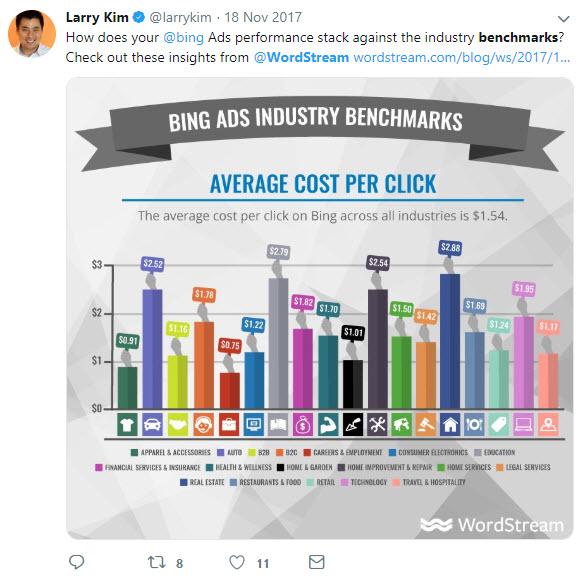
Most importantly, unique and compelling images contribute to making your page original and valuable to your audience. When Google experts are asked for advice on improving SEO or addressing ranking drops caused by algorithm updates, they consistently emphasize creating content that is valuable to the target audience. This includes using images that enhance the user experience on your pages.
5. Utilize Titles, Captions, and Alt Text
Google relies on limited information when determining which image to display for a specific image search query. For image SEO, this means you need to provide Google with as much information as possible about your image within the available space. The three primary areas for doing so are:
- Alt text: From a user experience perspective, alt text is helpful for individuals using screen readers and when images fail to load (alt text will display instead).
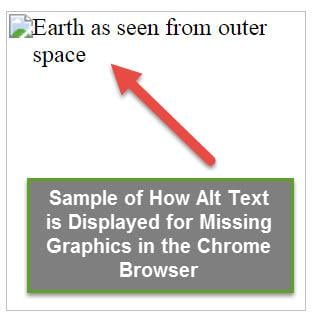
However, when it comes to ranking, alt text is crucial as it helps Google understand the content of your image. It’s recommended to include the page’s target keyword and any relevant secondary keywords specific to the image. Avoid using non-descriptive language.
Titles: While there’s debate about the necessity of image titles alongside alt text, they are considered ranking factors because Google considers them when determining image search result rankings.
Captions: Google has to say has stated: “Google extracts information about the image’s subject matter from the page content, including captions and image titles.” Therefore, placing your image near relevant text helps Google understand its context. Using captions is a reliable way to ensure your image has an adequate and contextual description.
6. Optimize for Social Media Sharing
Let’s talk about Open Graph tags and Twitter Cards. These HTML tags on your webpage ensure that when someone shares your content on Facebook or Twitter, the images and descriptions display correctly. This is crucial for increasing your images’ visibility on social media and driving traffic and social signals back to your website.
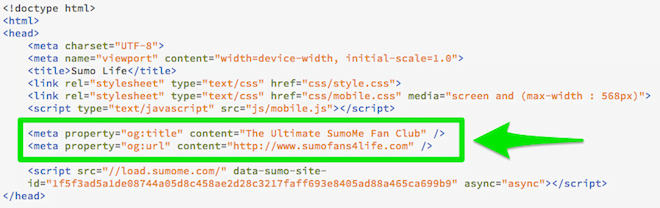
You can check your source code for these elements if you’re unsure if they are present. Alternatively, try sharing your page on Twitter or Facebook to see how the post is formatted. It’s the difference between your followers seeing a simple link and a visually appealing, clickable image card with a description of your page.
Implementing Open Graph tags depends on your CMS. For instance, platforms like BigCommerce have designated fields for Open Graph tags within the product listing backend (although not on the home page).
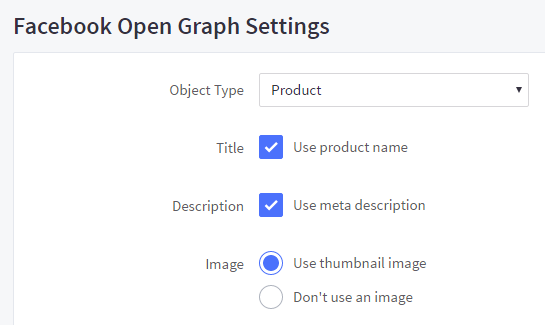
WordPress users can utilize plugins like Yoast (a highly recommended SEO plugin) to manage these fields. It’s advisable to review your high-traffic and important pages to ensure they are optimized for social media sharing.
7. Consider Lazy Loading
Apart from its catchy name, lazy loading is a valuable technique for improving page speed by delaying the loading of images below the fold until the user scrolls down to them. According to Google: Lazy loading can significantly improve loading speeds on pages with numerous images below the fold by loading them only when needed or after the primary content has finished loading and rendering. That’s a strong endorsement.
Google also supports lazy loading, recommending it in its PageSpeed Insights tool. When you analyze your website’s page speed, you might come across this recommendation.

This indicates that in this particular scenario, lazy loading could be beneficial. Several lazy loading plugins are worth exploring for WordPress users. For other platforms, Google provides detailed guidelines on here.
Image SEO: A Worthy Investment
We’ve outlined seven actionable image SEO strategies you can implement on your website. While you don’t have to use all of them, strive to implement as many as possible based on your resources and expertise. For instance, you might not be comfortable directly coding Open Graph tags, but adding descriptive alt text and using free tools for image compression are manageable steps. Prioritize the techniques that align with your overall strategy and feasibility.