Let’s imagine you’re browsing a website and decide to open a navigation link in a new window using the right-click menu. You’d naturally expect the new page to be identical to what you’d see by clicking the link directly, just in a separate window. However, things might get strange with single-page applications (SPAs) if this scenario isn’t handled carefully.
Remember that SPAs often employ fragment identifiers (those starting with “#”) for navigation instead of reloading the entire page. This keeps all JavaScript variables intact. However, opening a link in a new tab or window triggers a full page reload, resetting all JavaScript variables and potentially causing display issues for HTML elements linked to them, unless measures are taken to preserve this data.
A similar issue arises when manually reloading the page (like pressing F5). Even with automatic server-side updates, users still refresh pages for various reasons, such as fixing display glitches or ensuring they have the most up-to-date information.
Human Interaction: Stateful, Unlike Stateless APIs
Unlike internal communication through RESTful APIs, user interaction with a website is stateful. Users perceive their visit as a continuous session, much like a phone call where they expect the representative to recall previous interactions. Similarly, users anticipate the browser to retain session data.

Login status is a prime example. Once logged in, users should navigate user-specific pages seamlessly. Encountering repeated login prompts when opening links in new tabs disrupts this flow.
Another example is the shopping cart in an e-commerce platform. A disappearing cart upon refreshing the page is bound to frustrate users.
Traditional multi-page applications (e.g., PHP) store session data server-side (like in PHP’s $_SESSION). However, SPAs need client-side storage. Four primary options exist for SPAs:
- Cookies
- Fragment identifier
- Web storage
- IndexedDB
Cookies: Four Kilobytes at Your Disposal
Cookies, a longstanding browser storage method, were initially designed to store server-sent data from one request and send it back in subsequent ones. However, JavaScript allows using cookies to store various data types, capped at 4 KB per cookie. AngularJS offers the ngCookies module, and a framework-agnostic js-cookies package exists for managing cookies.
It’s crucial to remember that every request, be it a page reload or an Ajax request, sends all created cookies to the server. However, if the primary session data is the logged-in user’s access token, this automatic transmission becomes advantageous. Using cookies for this purpose feels natural, as it inherently includes the access token in each request.
One might argue that this contradicts RESTful principles. However, in this scenario, it’s acceptable since each API request remains stateless, possessing inputs and outputs. The access token is merely an input delivered through a cookie. If the login API is designed to return the access token via a cookie, client-side code barely interacts with cookies directly—it becomes just another output in an unconventional format.
Cookies offer an edge over web storage: the “keep me logged in” checkbox functionality. Leaving it unchecked should maintain the login session across reloads and new tabs but ensure logout upon browser closure, crucial for shared computer security. Web storage, as we’ll see, lacks this capability.
Let’s illustrate this with LoopBack. Imagine a Person model (extending the User model) storing user-specific data, exposed via REST. To achieve the desired cookie behavior, tweak the server/server.js (originally generated by slc loopback) as highlighted:
| |
Firstly, configure the cookie parser to use “secret” for signing cookies, enabling signed cookies. This is necessary because LoopBack, while checking for access tokens in “authorization” or “access_token” cookies, mandates signed cookies. While signing aims to prevent modification, it’s irrelevant for access tokens as you wouldn’t tamper with them. Therefore, the signing secret’s complexity is inconsequential unless used for other purposes.
Secondly, add post-processing to Person.login and Person.logout. For Person.login, send the access token as a signed “authorization” cookie to the client. The client can include an optional “rememberme” parameter (defaulting to true) in the credentials, indicating a persistent (2 weeks) cookie. This property is ignored by the login but checked by the post-processor. For Person.logout, clear this cookie.
Observe the effects in StrongLoop API Explorer. Typically, after Person.login, you’d manually copy-paste the access token. These changes automate that; the “authorization” cookie stores the access token, sent with subsequent requests. Although hidden in response headers for security, the cookie is present.
On the client side, during page reload, check for the “authorization” cookie. If found, update the current userId. Storing the userId in a separate cookie upon successful login simplifies retrieval upon reload.
Fragment Identifier: A Potential Data Carrier
While navigating an SPA, the address bar might display something like “https://example.com/#/my-photos/37". The fragment identifier (”#/my-photos/37") already embodies state information, acting as session data. In this case, it indicates viewing a specific photo (ID 37).
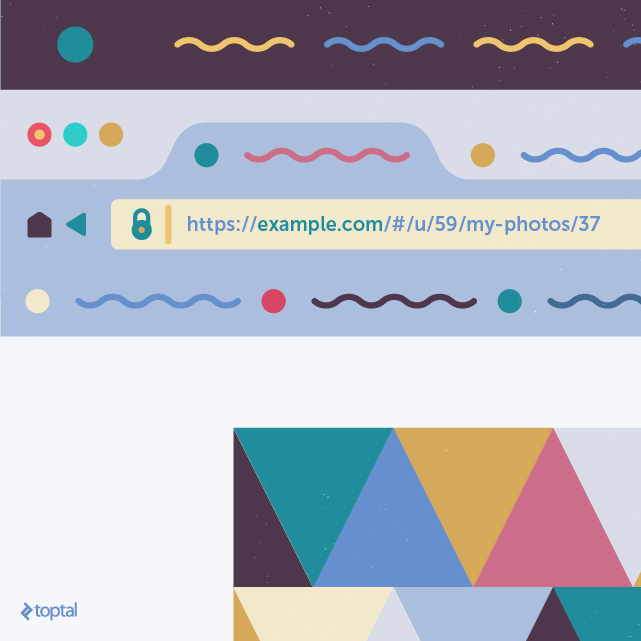
You can embed additional session data within the fragment identifier. In the previous example, we needed to track the userId alongside the cookie-stored access token. Embedding it in the fragment identifier is an alternative. For instance, during a logged-in session, all URLs could start with “#/u/XXX” (XXX being the userId), resulting in “#/u/59/my-photos/37” for userId 59.
Technically, even the access token could be embedded, eliminating cookies or web storage. However, this is highly discouraged due to the security risk of exposing it in the address bar, making it vulnerable to shoulder surfing.
It’s worth noting that SPAs can be configured to function without fragment identifiers, using standard URLs like “http://example.com/app/dashboard" and “http://example.com/app/my-photos/37". The server would be configured to return the SPA’s main HTML for these URLs. Routing would then rely on the path ("/app/dashboard”, “/app/my-photos/37”) instead of the fragment identifier. Clicks on navigation links would be intercepted, using History.pushState() to update the URL without a full reload. Similarly, popstate events (triggered by the back button) would be handled for routing. While explaining this technique is outside this article’s scope, it highlights that session data storage can shift to the path when not using fragment identifiers.
Web Storage: Ample and Secure Storage
Web storage empowers JavaScript to store data within the browser. Like cookies, it’s origin-specific, storing string-based key-value pairs. However, it remains hidden from the server and boasts significantly larger storage capacity. Two types exist: local and session storage.

Local storage persists data across all tabs and windows, even after browser closure, resembling a cookie with a distant expiration date. It’s suitable for storing access tokens with “keep me logged in” enabled.
Session storage, on the other hand, limits data visibility to the originating tab, disappearing upon closure. This behavior differs significantly from session cookies, which are accessible across all tabs.
The AngularJS SDK for LoopBack leverages web storage by default to store both the access token and userId using the LoopBackAuth service (js/services/lb-services.js). It utilizes local storage unless rememberMe is false (usually indicating an unchecked “keep me logged in” box), in which case it opts for session storage.
Consequently, logging in without “keep me logged in” and opening a new tab or window won’t carry over the login session, likely prompting a fresh login. Whether this behavior is acceptable is subjective. Some might appreciate the ability to have separate user sessions in different tabs. Others, considering the decline of shared computer usage, might omit the “keep me logged in” feature altogether.
How would session data management look with the AngularJS SDK for LoopBack? Assume the same server-side setup as before: a Person model extending User, exposed via REST. Since we’re not using cookies, the previous server-side modifications are unnecessary.
On the client side, within your outermost controller, you’d typically have a variable like $scope.currentUserId storing the logged-in user’s ID (or null if not logged in). To manage page reloads gracefully, simply add this statement to that controller’s constructor:
| |
Ensure your controller lists ‘Person’ as a dependency if it isn’t already. That’s all it takes!
IndexedDB: Power and Complexity
IndexedDB allows storing substantial amounts of data within the browser. It accommodates any JavaScript data type (objects, arrays, etc.) without requiring serialization. All database interactions are asynchronous, relying on callbacks upon completion.
IndexedDB is suitable for storing structured data unrelated to the server, essentially turning your web application into a local one. Examples include calendars, to-do lists, or saved game states.
However, IndexedDB support isn’t universal. While major browsers fully support it, Internet Explorer and Safari offer partial support. A significant limitation is Firefox completely disabling it in private browsing mode.
Let’s demonstrate IndexedDB usage by modifying Pavol Daniš’s sliding puzzle application to persist the first puzzle’s state (a basic 3x3 sliding puzzle) after each move, restoring it upon page reload.
A fork with these changes (all within app/js/puzzle/slidingPuzzle.js) is available. As you’ll notice, even rudimentary IndexedDB usage can be quite involved. We’ll focus on the key aspects. During page load, the restore function is called to open the IndexedDB database:
| |
The request.onupgradeneeded event handles the database creation scenario, setting up the object store.
Upon successful database opening, restore2 is invoked, searching for a record with a specific key (in this case, the constant ‘Basic’):
| |
If found, the record’s value replaces the puzzle’s grid array. Any errors during restoration default to shuffling the tiles. Note that the grid, a 3x3 array of complex tile objects, is stored and retrieved directly thanks to IndexedDB’s ability to handle complex data types.
We use $apply to notify AngularJS about the model change, triggering a view update. This is crucial because the update occurs within a DOM event handler, which AngularJS wouldn’t detect otherwise. Any AngularJS application utilizing IndexedDB likely needs $apply for similar reasons.
After every grid-altering action (e.g., user move), the save function is called, adding or updating the corresponding record with the new grid state:
| |
The remaining changes involve strategically calling these functions. Refer to the commit for the complete picture. Note that restoration is limited to the basic puzzle, not the three advanced ones, by leveraging the presence of the api attribute in advanced puzzles to trigger normal shuffling.
Extending saving and restoration to advanced puzzles would necessitate restructuring. Since users can modify image sources and puzzle dimensions in advanced puzzles, the stored data would need enhancement. Moreover, a mechanism for applying these changes during restoration would be required, exceeding the scope of this example.
Wrapping Up: Choosing the Right Tool
Web storage often emerges as the optimal choice for storing session data. It boasts excellent browser support and ample storage capacity compared to cookies.
Cookies are suitable if your server relies on them or if you require data accessibility across all tabs while ensuring deletion upon browser closure.
Fragment identifiers inherently store page-specific session data, like the viewed photo’s ID. While other session data can be embedded, it doesn’t offer significant advantages over web storage or cookies.
IndexedDB often entails more coding effort but proves valuable when dealing with complex, hard-to-serialize JavaScript objects or when a transactional model is necessary.