Google has a vision for Android’s future, extending its reach beyond phones and watches to encompass cars and smart TVs. Now, I’ll admit, I’m not a huge fan of current smart TV platforms – they just seem clunky and inefficient to me. However, Google believes it can crack the code and create a truly superior experience. As both a consumer and a tech enthusiast, I’m hopeful that they’re right.
What exactly is Android TV? It’s easy to confuse it with Google TV, which debuted in 2010 but never gained traction. Android TV, launched in mid-2014, is a significant leap forward, offering a more robust and exciting platform for consumers and developers.
Unlike its predecessor, Android TV closely mirrors standard Android, running on Android 5.0. Its versatility allows it to be incorporated into new TVs or operate as a standalone device on Android TV boxes and sticks. This means older TVs can also join the party, experiencing the same user-friendly interface. In fact, the first device to showcase Android TV wasn’t a TV at all, but Google’s Nexus Player. This strategic move aims to address a major criticism of past smart TV platforms: inconsistency. Android TV promises a unified user experience across compatible devices.
Forget Traditional Broadcasting, Streaming is King
Android TV introduces groundbreaking features, including support for Google Cast. If you’ve used a Chromecast stick, you’re already familiar with Google Cast and its vast library of supported apps and services. With Google Cast, Android TV devices can effortlessly receive streamed content from a variety of sources. Implementation is a breeze thanks to the Google Cast API, with all the necessary information readily available on the Google Cast dev site.
Does this signify Google’s ambition to relegate cable companies to mere bandwidth providers? While that’s not their explicit goal, it’s certainly within the realm of possibility as smart TV platforms gain momentum.
However, streaming is just one aspect of Google’s master plan.
Android TV opens up a world of possibilities for communication, gaming, home automation, and more. Imagine controlling your smart home devices, from checking who’s at the door to adjusting your thermostat, all from your TV. You could even synchronize your RGB LED lightbulbs with your TV for the ultimate immersive experience while enjoying your favorite movies.
While some of these features might sound like gimmicks, Android TV is here to stay. It’s not a niche platform like Android Wear or Android Auto. Smart TVs and smartphones were once the domain of tech enthusiasts, but times have changed. Android TV is poised to become a ubiquitous presence in millions of homes worldwide.
This widespread adoption translates into a rapidly expanding user base for Android developers, making the prospect of developing for Android TV much less risky.
Under the Hood of Android TV
In terms of hardware, Android TV will primarily feature standard FHD (1080p) and UHD (3840x2160) screens. While curved 21:9 units might emerge down the line, the immediate focus will be on 16:9 panels, which is crucial for UI designers to bear in mind.
Being based on Android 5.0 (API level 21) and utilizing ART, most Android TV hardware will be powered by 64-bit processors. While the Nexus Player uses an Intel Atom processor, many upcoming models will incorporate MediaTek’s MT5595 processor. Nvidia’s Shield console, on the other hand, utilizes the Tegra X1 processor. Intel’s and Nvidia’s System-on-Chip (SoC) offerings are based on 64-bit CPU cores, while MediaTek employs 32-bit Cortex-A17 and Cortex-A7 cores.
All Android TV hardware will require support for HEVC and VP9 decoding, enabling them to handle multiple non-UHD streams simultaneously. Delivering UHD content at 60 frames per second shouldn’t be an issue either, thanks to the inclusion of fast, dual-band wireless connectivity.
Android TV hardware platforms will rely on a robust middleware layer and adhere to various broadcasting standards to cater to a global market.
The hardware itself is fairly standard, so developers don’t have to reinvent the wheel. The familiar Android 5.0 DNA ensures a relatively smooth transition on the software front. However, there are a few key considerations to keep in mind.
Android on the Big Screen
What does this mean for developers? While Android TV development appears relatively straightforward at first glance, there’s more to it than meets the eye. While the platform will feel familiar to many developers and designers, they need to prioritize the user experience and ensure that users feel comfortable navigating the world of Android TV, designed specifically for the living room.
On the plus side, most Android TV devices will utilize 16:9 panels in just two resolutions, simplifying development and testing.
- Developers can work with a single aspect ratio, 16:9 (although 21:9 devices may emerge).
- Designing for two resolutions, FHD and UHD, is simplified, as only the density changes based on screen size.
- Many standardized UI elements are available.
- Touch input is not a consideration.
- Limited sensor integration simplifies development.
- Power efficiency is not a major concern.
However, Android TV app development presents its own set of hurdles. The absence of touch input on TVs (though tablets and phones could be used) necessitates alternative input methods like remote controls, airmouse units, keyboards, and game controllers. Legacy Android elements, like portrait mode, become irrelevant. Pixel density variations are more pronounced, and the lack of touch input might pose challenges for some developers.
Here are some of the challenges:
- Supporting multiple controllers simultaneously.
- Accommodating different controller types, such as standard remotes and game controllers.
- Limited sensor availability.
- Potential overscan issues on certain devices.
- Significant pixel density variations, even within the same resolution, due to the range of TV sizes.
- Eliminating unnecessary elements from mobile interfaces.
Let’s delve into some of these challenges. As Android TVs evolve into media hubs, users are likely to demand support for multiple controllers. Some may prefer a Bluetooth keyboard, while others might opt for two game controllers for multiplayer gaming. The good news is that implementing support for additional controller inputs shouldn’t require extensive custom code, as standard Android game controller input can be used for both the UI and apps. However, you’ll need to manage multiple input devices, and some tweaking might be necessary to support less conventional controllers.
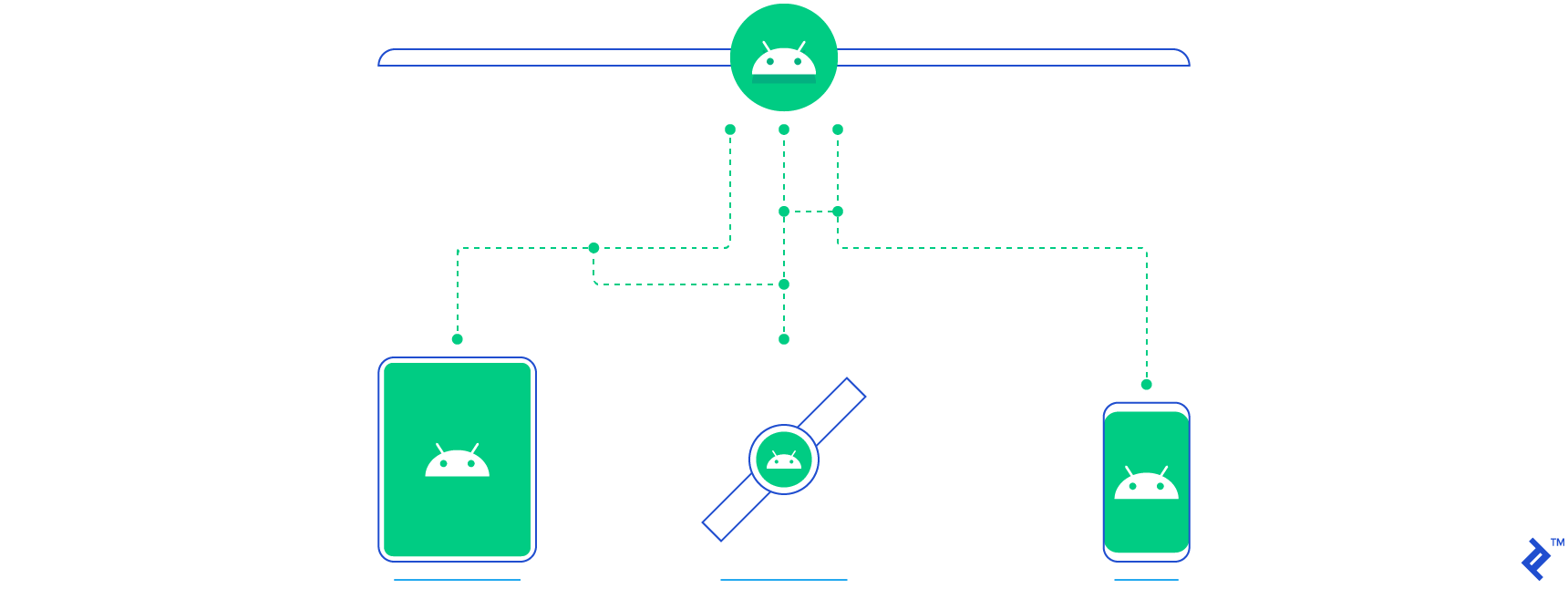
Most Android TVs will have a limited set of sensors. After all, you wouldn’t need GPS on your TV. That’s why it’s crucial to disable support for hardware features that aren’t available on TV devices. There’s ample documentation on how to handle this; essentially, you flag unsupported sensors as false.
Carefully review your Android app manifest to ensure it doesn’t inadvertently exclude Android TV devices due to missing features.
For instance, the standard ACCESS_FINE_LOCATION permission relies on GPS. Since TVs lack GPS, your app manifest should include the following:
| |
Therefore, you’ll need to replace ACCESS_FINE_LOCATION with ACCESS_COARSE_LOCATION. This principle extends to other aspects of the platform and details are available on Google. Another valuable resource is Nvidia’s Android TV Developer Guide.
If you’re planning to repurpose elements from existing Android projects, keep these differences in mind. You don’t want your app attempting to open a menu in portrait mode on a TV screen. This brings us to our next point:
The 10-Foot UI for Android TV
While Android TV is fundamentally based on Android 5.0, its user interface deviates significantly from what we’re accustomed to on smartphones and tablets. Smart TV platforms embrace a “10-foot” UI design philosophy, meaning the user experience is optimized for viewing from approximately 10 feet away, roughly ten times the distance of a smartphone or tablet.
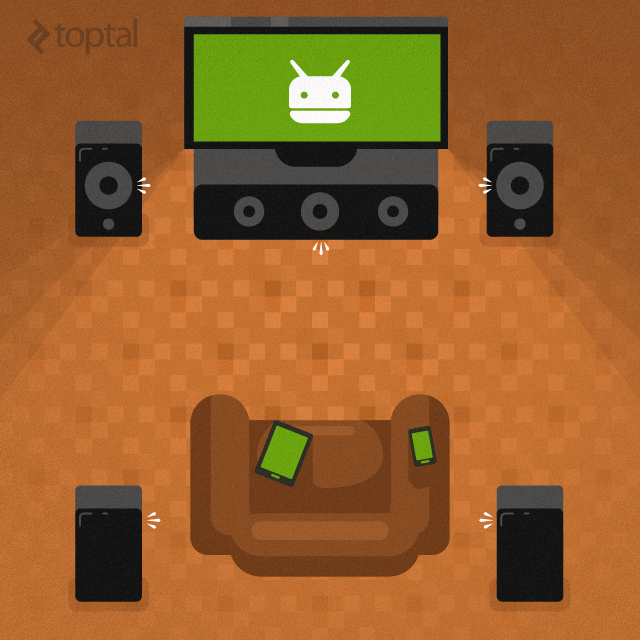
The “10-foot” UI concept isn’t new. It has roots in on-screen-display (OSD) design, game console dashboards, and traditional 5.1 surround systems. So, what does this mean for user experience and UI design on Android TV?
Designers must ensure that everything looks right on a wide range of panels, from budget-friendly 37-inch 1080p TVs to massive 65-inch or 75-inch UHD displays. The UI needs to function seamlessly in both FHD and UHD, regardless of screen size. While we’re only dealing with two resolutions, pixel density (pixels per inch or ppi) can vary greatly.
Here are a few examples:
- 42-inch UHD panel – 105ppi
- 42-inch FHD panel – 52ppi
- 50-inch UHD panel – 88ppi
- 50-inch FHD panel – 44ppi
- 55-inch UHD panel – 80ppi
- 65-inch UHD panel – 67ppi
- 32-inch FHD panel – 69ppi
It’s unlikely that we’ll see UHD panels on Android TVs smaller than 40 inches, but we can expect plenty of FHD devices in that size range. Many consumers will opt for new Android TV boxes rather than replacing their existing 1080p TVs. While TV manufacturers are increasingly adopting 4K panels for larger models, developers still need to consider legacy support.
Overscan is another potential issue, especially with older TVs connected to Android TV set-top boxes. This can result in some screen real estate being lost near the edges. Seasoned video professionals are familiar with safe frames (action safe and title safe) – a concept dating back to the days of standard definition CRT TVs. It’s wise to err on the side of caution and avoid placing crucial UI elements too close to the edge. Aim to keep at least 5 percent of the screen area free from critical content. For important UI elements, use an even safer margin of 10 percent or more.
Fortunately, overscan isn’t a concern for tablets or smartphones. Google has addressed this in Android TV (and later versions of Android post 4.2.x) with built-in overscan support. If you’re working with OpenGL, you’ll need to factor this in as well.
While overscan is unlikely to be a problem on dedicated Android TVs, it could be a significant issue for aftermarket Android TV solutions. Not everyone upgrades their TV frequently, and many will choose a more affordable Android TV HDMI dongle. Therefore, it’s best practice to incorporate overscan configuration options into your Android TV app.
Another recommendation is to review Google’s best practices covering multiple screen support. It’s a straightforward but crucial step that ensures your app supports the appropriate screen sizes.
Crafting a Superior Android TV User Experience
User experience has consistently been a stumbling block for smart TV platforms. Android TV represents a significant improvement over Google TV, but a seamless UX won’t materialize overnight. Developers will play a pivotal role in shaping this experience.
On the bright side, TVs generally don’t demand extensive user interaction, as any seasoned couch potato can attest! TV manufacturers have invested heavily in refining their smart TV interfaces, resulting in faster, more intuitive UIs and innovative hardware like sensor-laden remotes. Progress was already being made, but Android TV introduces a world of new possibilities.
Even as a smart TV skeptic, I acknowledge the significant strides made in recent years. However, Android TV’s mission isn’t just about refining how people consume TV content; it’s about transforming the entire experience.
For those who primarily watch sports and news (like my dad), UX might be secondary. The same goes for those who prefer background noise, much like the days of traditional radio. However, the way many, particularly younger generations, consume video content has undergone a dramatic shift in the past 15 years, driven by DVRs and now streaming. Today’s teens, surrounded by connected devices, have come to expect more from their TVs.
The holy grail of any smart TV platform, which remains elusive, is to seamlessly blend traditional TV with on-demand video and other forms of content. Personally, I haven’t encountered a platform that nails it yet. Google has the potential, but only time will tell. Third-party developers will be instrumental in this endeavor. They need to adhere to guidelines to ensure a consistent and enjoyable UX across all Android TV devices, from budget-friendly dongles to high-end TVs.
While it would be presumptuous of me to dictate the recipe for the perfect user experience, given my skepticism towards current smart TV platforms, there are some universally acknowledged principles:
- Smart TVs are still TVs at their core. Their primary function is to display video content, not to replicate the multitude of tasks we perform on our mobile devices.
- Input methods need to improve. While remotes have evolved, they’re still not ideal for navigating complex UIs. Using smartphones and tablets as alternative input devices is still considered too techy and needs to become more user-friendly.
- Gesture control holds some promise, but its impact might be limited in a passive viewing experience.
- Multiple user accounts aren’t practical for TVs, which are generally shared devices in most households. Forcing users to log in will only create frustration.
- Don’t reinvent the wheel if it’s not broken. Traditional radio and TV still provide a satisfying user experience due to their simplicity and convenience.
- Simplicity is key. Minimize user interaction and aim for as few clicks as possible.
- Embrace a clean, minimalist UI. Having ample screen real estate doesn’t mean you need to clutter it with unnecessary elements.
Ultimately, Android TV developers can only do so much. The onus of creating an exceptional user experience lies with Google and its Android TV partners. Third-party developers will then build upon this foundation, expanding functionality while maintaining consistency across a diverse range of devices. If the underlying platform suffers from shortcomings or inconsistencies, developers will be forced to work their magic with one hand tied behind their backs.