A recent update to Toptal’s design system meant we had to overhaul almost every component in Picasso, our internal component library. This presented a significant hurdle for our team: ensuring that no regressions slipped through the cracks.
The solution, perhaps unsurprisingly, lies in rigorous testing.
This article won’t delve into the theory of testing, different test types, or why testing is crucial. We’ll focus on the practicalities of our testing approach at Toptal, using real-world examples from our public repository.
Our Testing Approach
While we don’t strictly adhere to a testing pyramid, our priorities would look something like this:
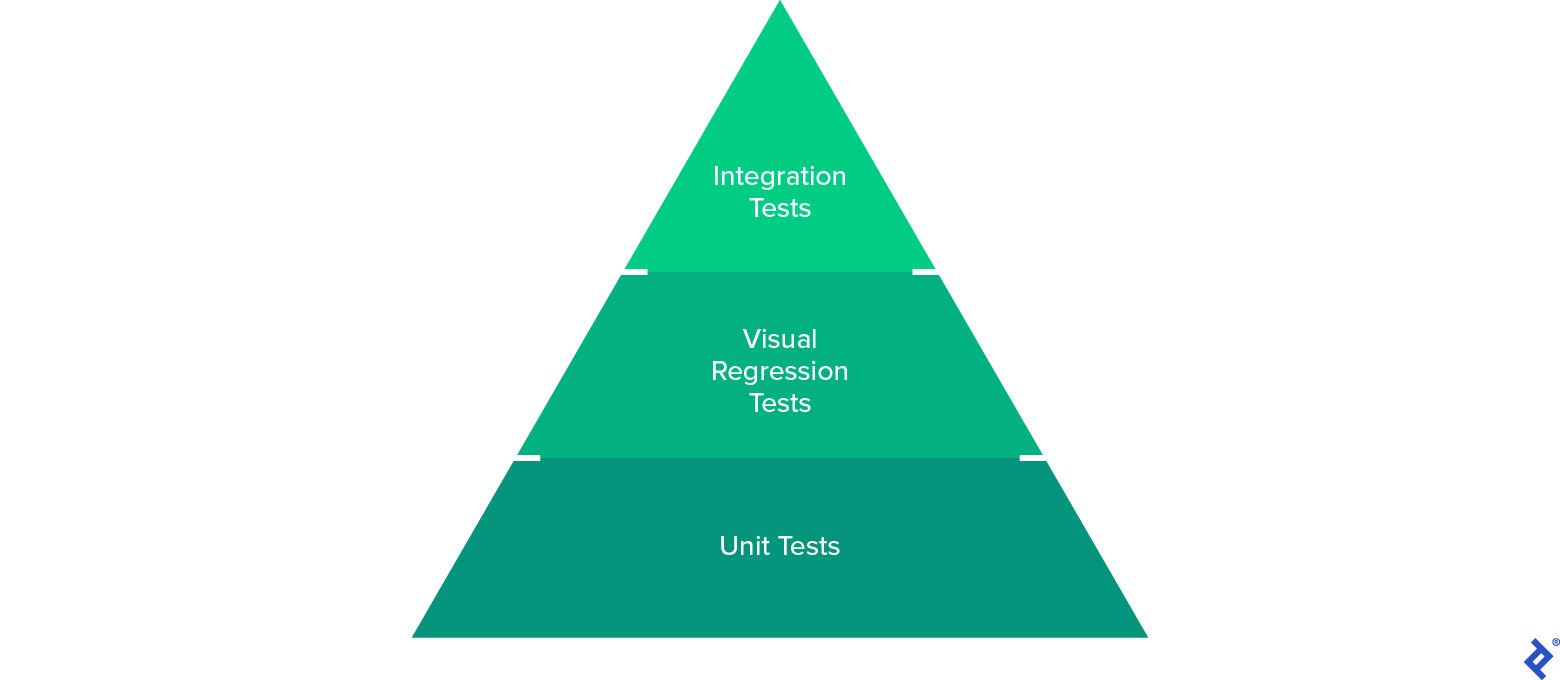
This visualizes the types of tests we prioritize.
Unit Tests
Unit tests are simple to write and execute, making them the go-to choice when time is limited.
However, they can’t catch everything. Testing libraries like Jest and React Testing Library (RTL), which we use, lack a real DOM and can’t check cross-browser functionality. Their strength lies in isolating and testing the fundamental units of your library.
Beyond verifying code behavior, unit tests also highlight code testability. Difficulty in writing unit tests often signals poorly structured code.
Visual Regression Tests
100% unit test coverage doesn’t guarantee consistent visuals across different browsers and devices.
Manual testing struggles to catch subtle visual discrepancies. Would a QA engineer spot a button label shifted by a single pixel? Fortunately, tools exist to address this. Enterprise solutions like LambdaTest or Mabl, plugins like Percy for existing tests, and DIY options from Loki or Storybook (our previous solution) all offer ways to automate visual testing. But they come with trade-offs: high costs, steep learning curves, or demanding maintenance.
Enter Happo. This Percy competitor is more affordable, supports a wider range of browsers, and is easier to use. Its Cypress integration was another deciding factor for us, as we wanted to move away from Storybook for visual testing. Creating stories solely for visual tests cluttered our documentation and obscured its purpose. We needed to separate visual testing from documentation.
Integration Tests
Unit and visual tests don’t guarantee seamless component interaction. For example, we encountered a bug where a tooltip wouldn’t open within a dropdown item despite working correctly in isolation.
To address this, we turned to Cypress’s experimental component testing feature. We initially found the poor performance lacking but managed to enhance it using a custom webpack configuration. This allowed us to leverage Cypress’s powerful API to create efficient tests, ensuring our components play nicely together.
Testing in Action: The Accordion Component
Let’s demonstrate our approach by testing the Accordion component.
Resist the urge to jump into coding immediately. Instead, invest time in understanding the component’s features and outlining the test cases.
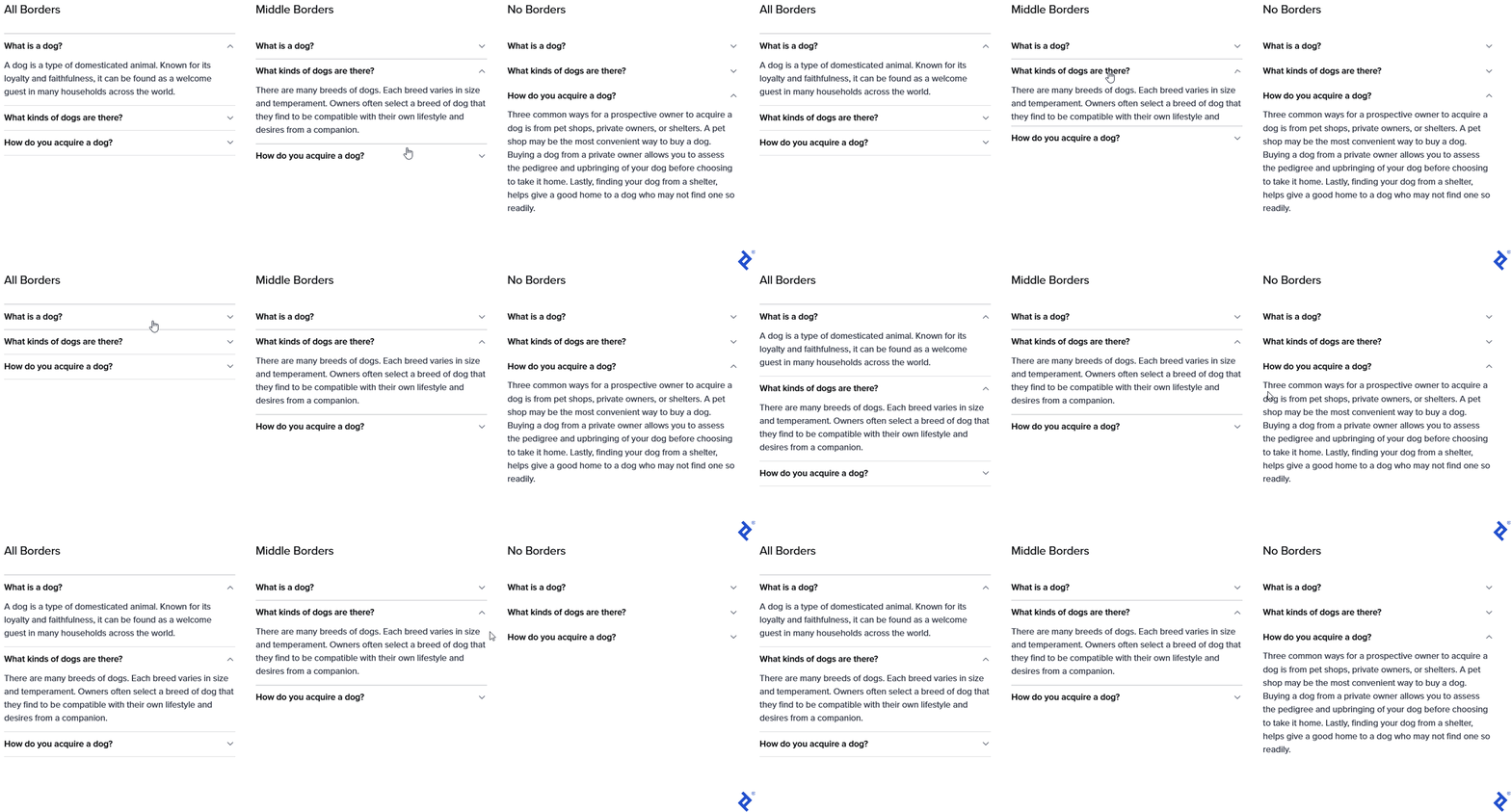
Defining Test Cases
Our tests should encompass:
- States: Accordions can be expanded, collapsed, have configurable default states, and can be disabled.
- Styles: Accordions support various border styles.
- Content: They can integrate with other library components.
- Customization: Styles can be overridden, and custom expand icons are supported.
- Callbacks: Callbacks can be triggered on state changes.

Choosing the Right Testing Approach
With our test cases defined, we need to determine the most effective testing method from our pyramid, maximizing coverage while minimizing overlap.
- States: Unit tests can verify state changes, while visual tests ensure correct rendering for each state.
- Styles: Visual tests are sufficient to detect regressions in different variants.
- Content: A combination of visual and integration tests is ideal, as accordions often interact with other components.
- Customization: Unit tests can check for correct class name application, but visual tests are needed to confirm visual integration with custom styles.
- Callbacks: Unit tests are the perfect fit for verifying callback invocation.
The Accordion Testing Pyramid in Practice
Unit Tests
Our comprehensive suite of unit tests is available here. It covers all state changes, customization options, and callback functionality:
| |
Visual Regression Tests
Visual tests are located in this Cypress describe block, with screenshots available in Happo’s dashboard.
These capture all component states, variants, and customizations. With every pull request, CI compares the screenshots stored by Happo with those from your branch:
| |
Integration Tests
We created a “bad path” test in this Cypress describe block to ensure the Accordion remains functional and interactive even with custom components. We’ve also incorporated added visual assertions for added confidence:
| |
Continuous Integration
Our QA process relies heavily on GitHub Actions integrated with Picasso. We’ve also added Git hooks to perform code quality checks on staged files. Our recent migration from Jenkins to GitHub Actions means our setup is still in its early stages.
The workflow runs sequentially for every remote branch change, with integration and visual tests as the final (and most resource-intensive) stage. Successful completion of all tests is mandatory for pull request merging.
Here are the GitHub Actions stages:
- Dependency installation
- Version control: Validates commit message and PR title formatting against conventional commits
- Lint: ESlint enforces code quality.
- TypeScript compilation: Catches type errors.
- Package compilation: Ensures successful package building, as Cypress tests depend on compiled code.
- Unit tests
- Integration and visual tests
The complete workflow can be found here. It currently takes under 12 minutes to execute.
Improving Testability
Like many component libraries, Picasso has a root component that wraps all others, enabling global rule setting. This poses two testing challenges: inconsistent results depending on wrapper props and increased boilerplate:
| |
To solve the first issue, we introduced a TestingPicasso to standardize global rules for testing. However, declaring it for each test remained cumbersome. So, we created a custom render function to automatically wrap tested components in a TestingPicasso, returning everything from RTL’s render function.
This makes our tests more readable and easier to write:
| |
Final Thoughts
Our current testing setup is not flawless, but it offers a solid foundation for those embarking on component library creation. Practical implementation often differs from theoretical testing pyramids, so we encourage you to examine our codebase and learn from our journey.
Component libraries cater to both end users interacting with the UI and developers integrating the code. A robust testing framework benefits everyone. Investing in testability improvements benefits both maintainers and developers using (and testing) the library.
While we haven’t touched upon code coverage, end-to-end tests, versioning, or release policies here, our general advice is to release frequently, follow semantic versioning, maintain process transparency, and set clear expectations for developers using your library. We might explore these topics in future posts.