Want to gain insights into your audience, understand their challenges, identify their preferences, and boost engagement with your Instagram Ads? As a business or ad manager, these goals are likely top of mind! Now, you can achieve this by incorporating interactive polling stickers into your Instagram Story ads.
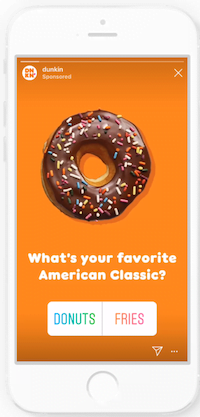
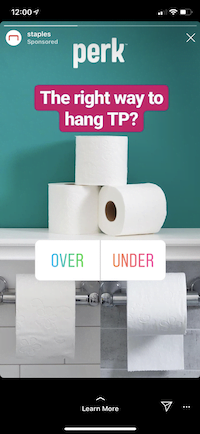
This article will guide you on how to effortlessly integrate polls into your Instagram Ads campaigns. We’ll explore how various brands are successfully using them (and how you can too!), uncover the somewhat hidden poll results within Ads Manager, and demonstrate how to leverage this data to elevate your overall business objectives.
Setting Up Instagram Story Ads Polls
Instagram consistently introduces engaging and interactive Stories features for its users. Finally, we, as advertisers, can utilize these features and reap the benefits for our social media advertising endeavors! Instagram Stories polling stickers in ads are not only effective for boosting engagement but also provide valuable insights into your target audience and their preferences.
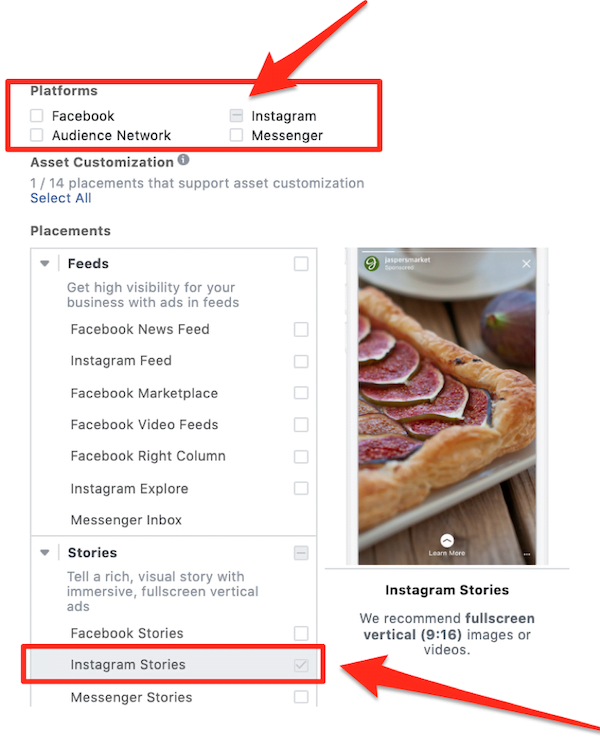
When starting out, create a separate ad set specifically for testing. The polling sticker feature is only compatible if Instagram Stories is the exclusive placement selected for your ad set. It won’t work if automatic placements or any other placements are included.
After setting up your campaign and ad set with the necessary objective, budget, audience, and placement, navigate to the ad level to incorporate the poll. Create your ad as usual, including your connected business Instagram account, ad copy, creative assets, and landing page. Next, under the call to action section, select “Add an interactive poll.”
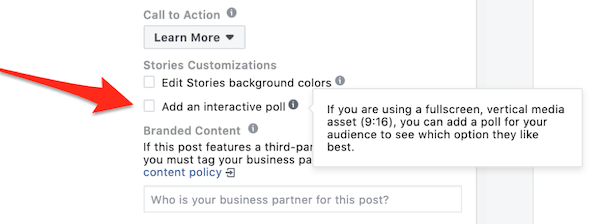
Once you choose the poll option, the box will expand, allowing you to formulate your question and two poll options for user interaction. While a question can be beneficial, it’s optional. Feel free to leave it blank and rely on the existing text within your ad. Ensure your question is straightforward and relevant to your target audience. Here, you can also modify the position of the sticker poll within your ad.
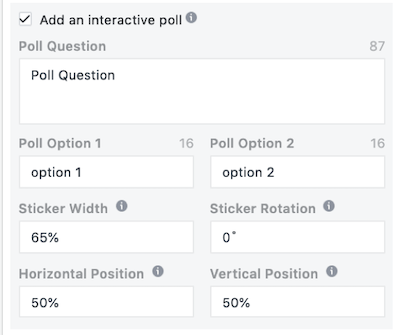
Before publishing, preview your ad to ensure that the poll sticker doesn’t obscure any essential visuals or text. Once you’ve finalized the setup and published your polling sticker Instagram Stories Ad, it will start appearing in your selected audience’s Instagram Stories placements (pending approval). As users cast their votes, the poll sticker will dynamically display the percentage distribution for each option.
Maximizing the Impact of Instagram Polls
Now that we understand how to do a poll on Instagram, let’s explore innovative and effective methods for incorporating polls into your Instagram Stories advertising campaigns. Interactive polls in your Instagram Story ads can be instrumental for:
- Determining the popularity of one product over another (considering factors like styles, colors, flavors, features, design, etc.).
- Gathering valuable data for future product development and advertising strategies.
- Identifying audience pain points that your product/service can address.
- Driving audience engagement.
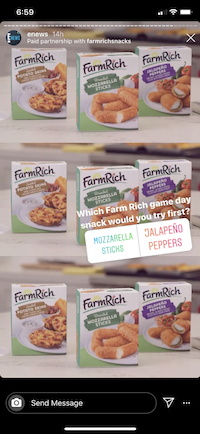
- Initiating conversations surrounding your brand and campaign. What better way to understand your target audience’s preferences than by presenting them with a choice between two products or variations? For instance, if you’re introducing a new product line, polls can help gauge what resonates most with your audience. When contemplating a redesign of your core offering, polls can provide early insights into potential market reception. This can even offer a glimpse into potential bestsellers for your business. A prime example is Farm Rich’s campaign leading up to this year’s Super Bowl. Perfectly timed for the weekend, the campaign allowed people to engage with the brand and potentially influence their snack purchases.
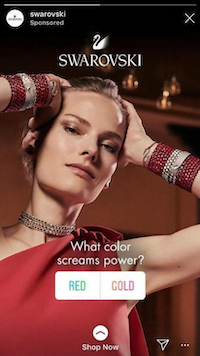
Want to determine the popularity of two options and utilize that information for product development or other marketing initiatives? Take a cue from Swarovski Jewelry’s poll below. Their straightforward question about color preference could offer valuable insights for incorporating specific colors into other marketing efforts, such as email marketing or organic posts.
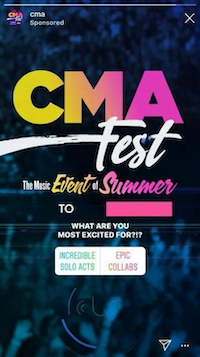
The Country Music Awards (CMAs) exemplify how polls can achieve dual objectives: engagement and sparking conversations. Their Instagram Stories poll ad aimed to understand audience preferences regarding performance types. This approach is fantastic for generating excitement around an event, whether it’s an awards show, a concert, or a conference. The paper airplane icon in the bottom right corner of the ad (a standard feature in Instagram Stories) enables users to share the ad with friends. To view share data, navigate to the engagement report within Ads Manager and look under “Shares.”
Accessing Insights and Results
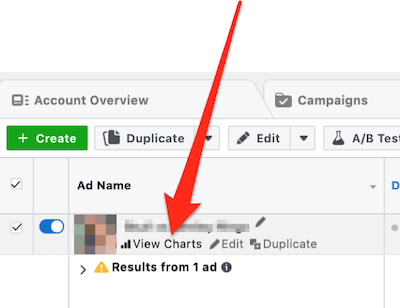
With your ad running, let’s delve into analyzing the results. Within the ad level, choose the desired performance date range and hover over the ad until the “View Charts” option emerges. Click on it, as depicted below.
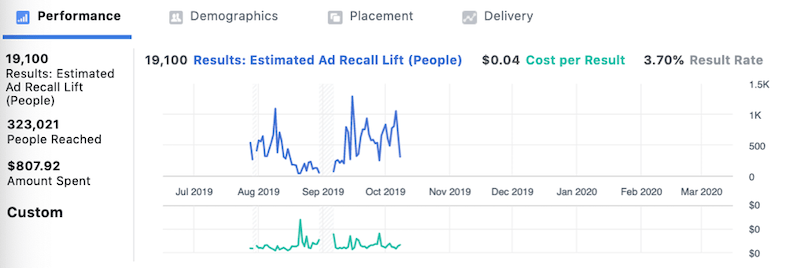
A separate window will appear, presenting various graphs and data points encompassing overall performance, demographics, placement (even though it defaults to Instagram Stories when using polling stickers), and delivery.
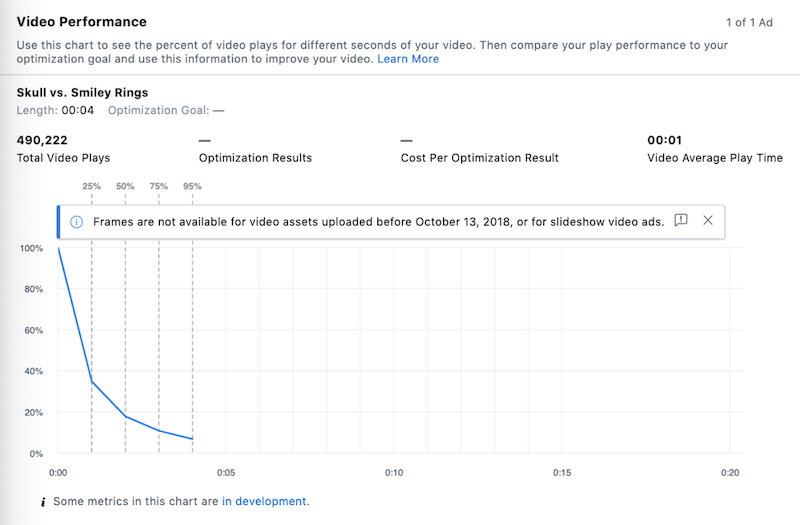
As you scroll, you’ll uncover insightful charts, data, and results, including the ad preview and any associated comments. Since commenting isn’t supported for Stories placements yet, this section will likely be empty. For other ad types supporting comments, you’ll find the relevant information in this section. If your ad utilizes video, you can review video performance statistics and a chart illustrating video play percentages. This data can pinpoint potential drop-off points in viewership, enabling you to optimize future videos and understand viewer behavior.
Finally, let’s examine the poll results. Scroll to the bottom to access the interactivity results of your Instagram Stories Ad polling sticker. This section displays your question, total reach, the number of poll responses, and a breakdown of the results for each poll option.
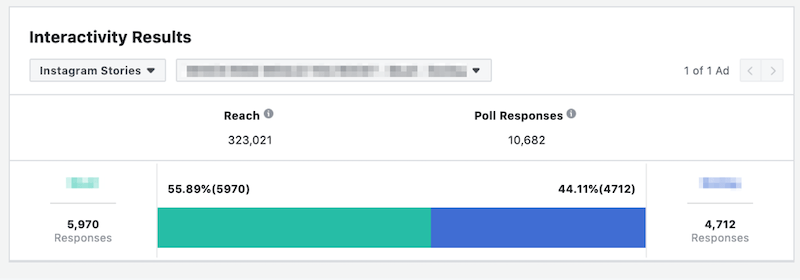
With the results in hand, leverage the insights gained about specific products, services, features, and test alternative ad variations to resonate with your audience and drive conversions. For example, when launching a new spring shoe line, utilize a poll ad to gauge preference between two styles. Then, retarget those who haven’t made a purchase with a different ad type and campaign objective, encouraging them to complete the purchase. Furthermore, incorporate these insights into your broader marketing and advertising strategies. Using the shoe example, leverage the winning style in organic social media posts and email newsletters promoting new spring arrivals.
Implementing Instagram Story Ads Poll Stickers
Though seemingly simple, Instagram Story ads polling stickers are a potent interactive tool. They engage your audience in a novel way while providing invaluable insights into their interests, pain points, and preferences regarding your offerings. If you haven’t already, experiment with polling stickers and use the data to refine your marketing and advertising campaigns.