Hello! My name is Ivan, and I’ve been developing Android apps for a long time now. It feels like forever! Back in 2009, Android was just a baby, and I’ve watched the Little Green Man mature since then. I fear that at some point, Android surpassed me.
These days, you can find Android on much more than just tens of thousands](http://www.droid-life.com/2014/08/21/opensignal-releases-android-fragmentation-report-counts-almost-19000-different-devices/) of phones and tablets. It’s on your wrist, in your living room, in your car, and soon, as we begin connecting everyday objects to the internet, it will be practically everywhere. That’s a lot to handle, even for a seasoned Android developer!
Moreover, there are over a million apps](http://www.phonearena.com/news/Androids-Google-Play-beats-App-Store-with-over-1-million-apps-now-officially-largest_id45680) available on Google Play alone, not to mention the Amazon AppStore or other markets like China’s that don’t usually grab our attention. And let’s not forget the countless [mobile app development companies generating billions of dollars annually.
So, how can an indie developer like myself achieve success in this vast market dominated by major players? Honestly, I don’t have the answer – I haven’t created a smash hit app yet! But I have created a charming one, and I want to tell you all about it.
Lesson 1: Making Connections
Success rarely happens overnight, and this isn’t my first app rodeo. My creations range from surprise over-the-weekend development hits like Macedonian Orthodox Calendar, which boasts over 30,000 users despite being in a language spoken by fewer than 4 million people, to more successful failures such as TweetsPie. This app had solid media coverage but a disappointing user base of just over 600 active users. There were definitely lessons learned!
While these apps helped me grasp the mind of the “ever-elusive User”, the one that sparked my inspiration was a simple two-hour project. The Dollar App, initially designed to propel me to millionaire status once 1,428,571 users bought it (after Google took its 30% cut), was actually built to test my merchant account.
Little did I know that years later, I’d receive an email from a joyful mother proclaiming it was the best dollar she’d ever spent because my app brought a smile to her son’s face every time it gave him a virtual hug.
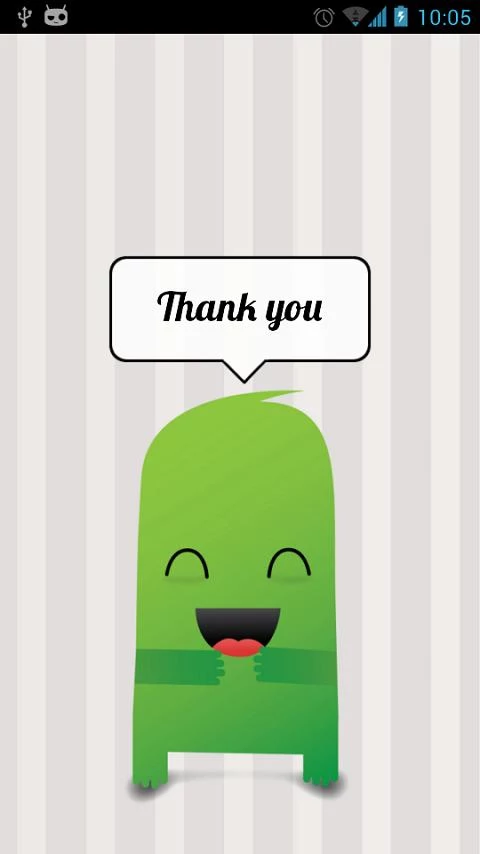
And that’s the story of how an idea was born! Why not take the universal human need for a hug and make it visually appealing? I wanted to create something tailored for a specific audience, something interactive, challenging, and enjoyable to use and even more fun to share.
Lesson 2: Decoding the Android Market
All these factors led to the creation of a live wallpaper app. The fundamental market dynamics aren’t hard to grasp. Android enjoys a larger market share than iOS, but iOS users tend to spend more. Messaging apps are incredibly popular, but freemium games dominate the revenue charts. Emerging markets like China, India, Brazil, and Russia show promise but lack established spending habits. You can delve into the App Annie Index for deeper insights.
So, where does a live wallpaper app fit into all of this? Firstly, it narrows down the platforms significantly, as live wallpapers are exclusive to Android. Secondly, this particular feature was introduced in Android 2.1, giving it a large user base and a wealth of beautiful examples. Notable mentions include Paperland and the Roman Nurik’s open-source Muzei, arguably the gold standard for Android development.
While the market offers a plethora of live wallpapers, most fall into the scenic/weather category, with very few venturing into the realm of cuteness overload. We wanted to change that and create something that brings a smile to your face every time you unlock your phone, even if you had something else in mind. We aimed to give users a delightful little bundle of joy to hug them before bed or when they switch off their alarm in the morning. And to make it even better, we wanted to make it personal and customizable.
So, without further ado, and before we dive into the technical nitty-gritty, I proudly present to you: Ooshies - The Live Wallpaper
Here’s what it offers:
- A free live wallpaper app that gives you hugs
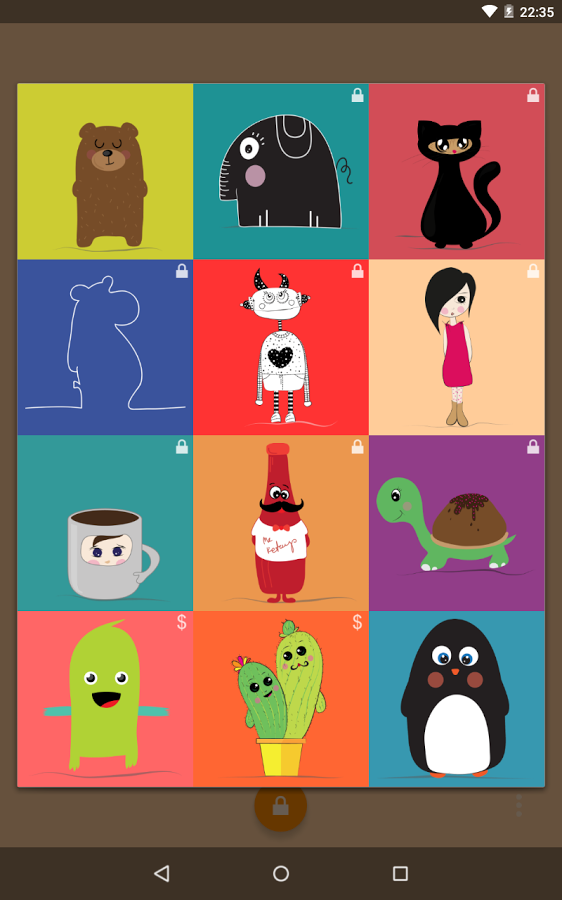
- 12 unique ooshies to choose from
- Free, unlockable, and purchasable content
- Real-time weather updates
- Social login and data synchronization
- Seasonal greetings
- Plenty of surprises
- A stealthy ninja cat
- Did I mention hugs?
Lesson 3: Bringing the Vision to Life
Ooshies seemed like a pretty straightforward Android app idea. Just paint a background, sprinkle in some clouds and stars, add a bear holding a balloon, and voila! But alas, this is Android we’re talking about! What appears simple often turns out to be quite tricky, and we tend to stumble upon the same pitfalls repeatedly. Here’s a glimpse into the challenges I encountered:
Hardware acceleration: Why rely on the CPU for drawing when the GPU is far superior? Well, it turns out that drawing bitmaps on a canvas can be problematic cannot be hardware accelerated. At least for the time being.
OpenGL: To leverage hardware acceleration, we need to utilize OpenGL ES or, even better, a framework that handles most of the heavy lifting for us.
Bitmap loading: A notorious memory hog. Each pixel requires 1 byte of memory allocation [0-255] of memory, for each channel in the #ARGB, to display a single pixel. Also the images we use often have higher resolutions than the device’s display. Loading them all will quickly result in OutOfMemroyException.
Home launchers: The live wallpaper operates within the home launcher process, and different launchers tend to provide varying callbacks to the live wallpaper service (particularly Nova and TouchWiz).
Battery life: If not implemented carefully, live wallpapers and widgets can be major battery drainers. With all the hype surrounding the Lollipop (Android 5.0) terrible battery life, the live wallpaper might be the first app to get axed.
So, you might think that overlaying a bitmap, painting it onto a canvas, and then switching frames on touch to simulate a hug isn’t a big deal, even if it’s done using the CPU. And you’d be right – it’s not insurmountable. But who wants a static live wallpaper? That defeats the whole purpose. The wallpaper needs to be interactive, responding to your touches, moving as you navigate your home screens, and performing random acts of kindness to lift your spirits.
Luckily, there’s an Android development trick for that. It’s called the parallax effect, a technique for simulating depth in a 2D environment. Think about driving a car. The houses closer to you seem to move faster than the mountains in the distance. This same effect can be achieved by manipulating the speed of objects moving on a canvas. Even though they all exist on the same plane, your brain perceives the faster-moving objects as being closer. Similar to adding drop shadows, the parallax effect introduces a simulated z-axis.
And this is where things get really interesting! On many devices, moving the Ooshie, the weather overlay, and the background at different speeds results in a noticeable drop in frame rate. Here’s a breakdown of how a single frame is drawn:
| |
The offset represents a percentage of the distance the user has scrolled. It’s a callback provided by the wallpaper engine:
| |
It’s worth noting that I could avoid all of this if I knew my way around OpenGL! It’s on my TODO list because anything more complex than our current setup will demand hardware acceleration. However, for now, I have to work harder, not smarter (I welcome any suggestions in the comments). So, here’s our approach:
Lesson 4: Making the Most of What You Have
As staunch advocates for the minSdk=15 initiative, we decided to discontinue support for all 2.x devices right from the start. We believe that the effort required to maintain backward compatibility outweighs the potential revenue from users who are unable or unwilling to upgrade their phones. Therefore, in most cases, we can achieve a smooth user experience with the added option to disable the parallax effect if needed.
Another significant optimization lies in our handling of bitmaps. A very similar parallax effect can be achieved by drawing two bitmaps instead of three:
Ooshie overlay: A carefully scaled and trimmed Ooshie bitmap (with optional accessories)
Combined overlay: A single bitmap that merges the background and weather elements and moves at a fraction of the Ooshie’s speed.
This Android development trick reduces memory consumption and speeds up the drawing process, albeit with a slight sacrifice in parallax effect fidelity.
When users scroll through their home screens, frames are drawn quite frequently (ideally more than 30 times per second). It’s crucial to avoid drawing frames when the home screen is not visible (such as during lock screen display, app drawer usage, app opening/switching, etc.) to minimize CPU usage.
This ties in directly with the weather updates. Initially, a recurring task was set to synchronize the weather every hour or two, but this proved excessive. When the user can’t see the wallpaper, the weather information becomes irrelevant. So, we’ve adjusted the app to update the weather only when the wallpaper is visible.
| |
To summarize, here’s our checklist for achieving smooth software bitmap drawing with optimal memory usage:
- Combine bitmaps whenever possible.
- Minimize the number of bitmaps being drawn.
- Redraw only when necessary.
- Avoid unnecessary background tasks.
- Give users some control over the process.
Lesson 5: The Importance of Rigorous Testing
I cannot overstate the importance of this! Never, and I mean NEVER, release your app without thoroughly testing it! And I’m not suggesting that YOU should be the one doing the testing. You wrote the code, you understand how it works, and you inherently influence the results due to your preconceived expectations. I’m not referring to JUnit testing (although it is recommended) but rather to staged rollouts, such as alpha and beta testing.
These terms are self-explanatory if you’re familiar with Android software development, but here’s a quick rundown:
Alpha testers: A small, controlled group comprising your team members and individuals from the industry, preferably Android developers. They are likely to have high-end devices and will thoroughly explore the developers options of your app. Expect detailed stack traces, comprehensive bug reports, and even valuable code/UI optimization tips and tricks. Ideal for early releases with incomplete or missing features.
Beta testers: A much larger and more diverse group representing a wider range of demographics. This is where you should release stable builds of your app. Remember, even if your ninja skills are legendary, it’s impossible to predict, let alone account for, the sheer variety of Android distributions and user behaviors out there.
Initially, I assumed we were home free once we passed the alpha testing phase. Oh, how wrong I was! It turns out that not everyone enjoys the luxury of owning a Nexus device with the latest software! Who knew? :)
Here are some Android development insights I gained from this eye-opening experience:
Different launchers have different default home screens – typically the first or the middle one, and as far as I’m aware, there’s no reliable way to determine its position programmatically.
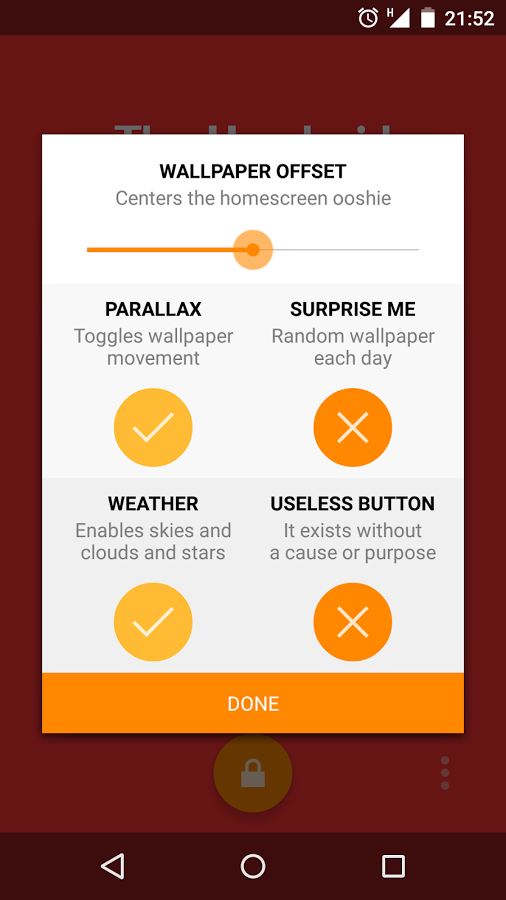
Centering the Ooshie without knowing the default home screen position is a challenge, hence the inclusion of a settings slider to fine-tune the parallax offset.
The average user doesn’t necessarily grasp the concept of “parallax offset” – simpler terminology is crucial on the settings page.
Sometimes, a random user will provide the inspiration for your next killer feature.
I extend my sincere gratitude to all our dedicated beta testers for their invaluable contributions. I hope that early access to all the latest features serves as adequate compensation for their time and effort. If you’re interested, you too can join our Google+ Beta Community.
Lesson 6: Letting the Data Guide Your Decisions
Creating a standout Android app today is a tad more challenging than whipping up a calculator app back in 2009 when they were a novelty. Achieving app perfection is a tall order. Mostly because perfection is subjective. What resonates with me might not resonate with you. That’s why it’s crucial to allow your app to evolve organically. Our roadmap for new features suggests we have our work cut out for us throughout 2015. Here’s a sneak peek at what we have planned:
- Sound effects
- Seasonal background themes
- Enhanced customization options (background colors, weather packs, ooshie skins, etc.)
- Region-specific ooshies (e.g., babushkas)
- A plethora of new ooshies and creative ways to unlock them
While we could have kept the app in beta until all these features were implemented, that would mean discarding valuable user data. Not every beta tester will dedicate a significant portion of their day to providing feedback. This is where data analytics tools come in handy. Leverage the power of Google Analytics, Flurry, Mixpanel, Crashalytics, ACRA, or similar tools to gather insightful usage data.
For instance, our data analysis revealed that users weren’t interacting with the settings button as much as we anticipated. So, we made it more prominent and incorporated a quick tutorial on how to tweak the settings.
While data analytics might seem like a background process, it can be incredibly effective in enhancing the user experience. Why not showcase to the user how many times:
- they’ve received a virtual hug
- a smile has brightened up a rainy day
- they’ve unlocked an Ooshie by playing a mini-game
- their friends have installed the app thanks to their recommendation
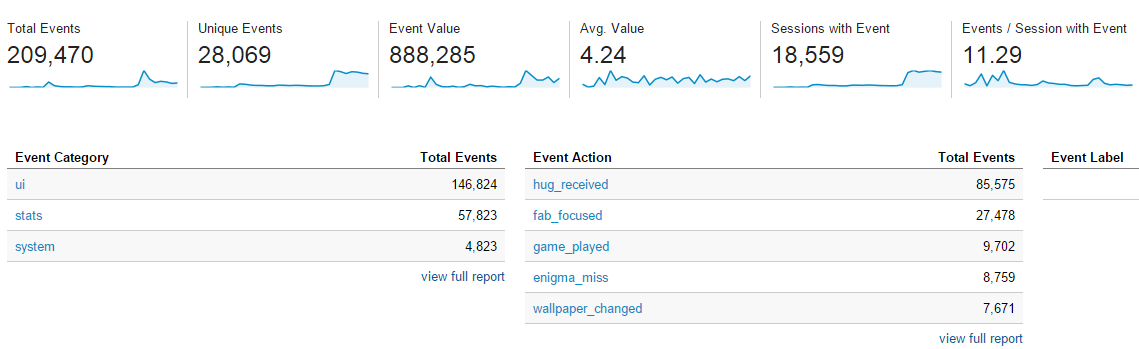
This is crucial because it provides tangible consequences for their actions. Don’t make the same mistake as our education system by relegating users to passive content consumers. Empower them. Give them the ability to personalize their experience and take control of their devices. If you can package all of this into an adorable package that elicits a smile from the very first splash screen, it’s not unreasonable to ask users for seemingly “spammy” favors in exchange for unlocking content.
Ultimately, you need to leverage this data as a compass to guide the evolution of your Android app. While our target audience was initially moms and kids, the app might gain traction among other demographics. It might deviate from our original vision, but meeting the needs of our users is paramount. If we don’t, someone else will.
Conclusion
Let’s circle back to my most successful failure, TweetsPie. Despite garnering awards and significant media attention, the app struggled to retain its users (the reasons for which are beyond the scope of this article).
Success can be elusive. However, I gained invaluable experience from the entire journey. I’ve given over a dozen lectures on “How (Not) to Fail as a Startup” at various events and hackathons and have even secured clients through Toptal.
More importantly, I’m committed to avoiding the same Android development pitfalls with Ooshies by adhering to the tips and tricks outlined in this guide.
To wrap up this extensive guide, it’s important to remember that what we define as success is intrinsically linked to the goals we set at the outset. The most common metric for success is, of course, financial gain. But regardless of whether your app achieves financial success or not, the pursuit of making it happen is a transformative experience. It will undoubtedly shape you into a better person (and hopefully, one who finally conquers OpenGL). You’ll forge new friendships, encounter a few adversaries, and if luck and ingenuity are on your side, you’ll bring joy to countless users.
Feel free to visit our website or download Ooshies to experience it firsthand.