The Ionic project is experiencing a surge in popularity. With over 27,000 stars on GitHub, it has climbed to become one of the top 50 most favored open-source projects globally.
Since the stable release of Ionic 2 was just recently announced, now is a great opportunity for developers to explore the differences between Ionic 2 and Ionic 1.
In essence, Ionic 2 is a complete overhaul of the Ionic 1 project using Angular >= 2.x. Drawing on my 2+ years of experience with Ionic 1, I’ll explain what this means from a practical standpoint.
Enhanced Change Detection Performance
Ionic 1 is built on Angular 1.x, whereas Ionic 2 uses Angular >= 2.x. The performance gains from using Angular >= 2.x alone are substantial.
Achieving high-performance applications with Angular 1.x often required in-depth knowledge of the framework’s inner workings, including concepts like $watch and one-time binding. With Angular >= 2.x, applications are performant out of the box.
This newer Angular version has discarded the notorious digest cycle, which tracked and tested every application variable with each change. Instead, Angular >= 2.x relies on Zone.js to monitor application changes (both synchronous and asynchronous).
It’s beneficial to explore Change Detection in Angular >= 2.x for a deeper understanding of how this mechanism operates. In Angular >= 2.x, change detection consistently follows a top-to-bottom approach. Employing the right change detection strategy (OnPush or Default) within your components is crucial for managing your application’s performance.
All Ionic 2 components leverage the OnPush strategy, meaning change detection isn’t continuous but triggered only when inputs change. This strategy prevents unnecessary rendering of component subtrees, effectively optimizing performance by default.
For insights into optimizing Ionic 1 application performance, I recommend referring to this Ultimate AngularJS and Ionic performance cheat sheet.
Faster DOM Performance
Angular’s Document Object Model (DOM) manipulation has undergone significant advancements. Efficient DOM manipulation and JavaScript performance are vital for a responsive User Interface (UI).
| Angular v1.5.8 | Angular v2.2.1 | React v15.4.0 | VanillaJS | |
|---|---|---|---|---|
| Creating 1k rows | 264.96 | 177.07 | 177.58 | 126.05 |
| Updating 10k rows | 251.32 | 178.76 | 187.73 | 54.23 |
| Removing a row | 54.13 | 50.59 | 50.57 | 36.93 |
| Creating 10k rows | 2247.40 | 1776.01 | 1839.46 | 1217.30 |
| Adding 1k rows to a 10k-row table | 388.07 | 278.94 | 311.43 | 233.57 |
| Clearing a 10k-row table | 650.28 | 320.76 | 383.62 | 199.67 |
As an illustration, creating 1,000 table rows takes 126 milliseconds with vanilla JavaScript. Angular 1.x completes this task in 264ms (110% longer), while Angular >= 2.x accomplishes it in 177ms (only 40% longer). As demonstrated, Angular >= 2.x exhibits superior performance compared to Angular 1.x, approaching the performance levels of React.
Ionic 2, once more, effortlessly benefits from this performance enhancement.
Leveraging the Web Animations API
Both Ionic 1 and Ionic 2 still utilize CSS animations for internal transitions and animations. However, since Ionic 2 is built on Angular >= 2.x, developers gain access to the new Web Animations (W3C) API through the Angular animation system.
The Web Animations API, a JavaScript API, provides developers direct access to the browser’s animation engine. Although not yet not supported in all the browsers, a polyfill allows for its immediate use, granting access to a high-performance and promising approach to web animation.

The Angular >= 2.x animation API facilitates the description of intricate animations, including transitions between different states and grouped animations. Additionally, it provides access to animation lifecycle hooks via callbacks.
| |
Integrated Native Scrolling
Native scrolling empowers Ionic 2 to listen to scrolling events within supported WebViews. This enables features such as Pull to Refresh, List Reordering, and Infinite Scroll without relying on JavaScript scrolling emulation.
| Native Scrolling | |
|---|---|
| Ionic 1 | Ionic 2 |
| ✔️ Android | ✔️ Android |
| ❌ iOS | ✔️ iOS |
| ❌ Windows Phone | ✔️ Windows Phone |
Previously, JavaScript scrolling was essential. However, advancements in Chromium (Android) and WKWebView (iOS) WebViews now incorporate native scrolling support. While initially enabled by default only on Android with Ionic 1 (since December 2015), Ionic 2 activates this feature across all platforms.
Native scrolling support yields enhanced performance and a smoother user experience through asynchronous event handling.
Improvements to the Component API
Ionic 2 grants access to all the well-regarded components from Ionic 1, now enhanced and based on Angular >= 2.x. Here’s a selection of frequently used components:
- Button
- Card
- Icon
- List
- Menu
- Modal
- Toolbar
There are some differences in the component API between Ionic 1 and Ionic 2. For instance, Ionic 1’s ion-spinner component utilizes the icon attribute to specify the spinner type:
| |
Conversely, Ionic 2 employs the name attribute:
| |
As you can see, developers familiar with the Ionic 1 component API will find transitioning to Ionic 2 components straightforward. It’s simply a matter of adjusting to these minor discrepancies.
With its comprehensive range of components, Ionic 2 empowers developers to accomplish everything achievable in Ionic 1 and beyond.
Introducing Web Workers
Web Workers enable applications to execute scripts in background JavaScript threads, delegating resource-intensive tasks and HTTP requests away from the main application context (i.e., without impacting the user interface). Today, Web Workers are supported by all major browsers.
Traditionally, frameworks relied heavily on the window and document objects. However, these objects are inaccessible within workers. Angular >=2’s innovative architecture, which decoupled the renderer, simplifies the process of running applications within Web Workers or other platforms.
Ionic 2 is beginning to explore the utilization of Web Workers through its new ion-img component. Currently, ion-img is limited to use within a VirtualScroll list. This component delegates image HTTP calls to Web Workers and incorporates lazy loading, retrieving and rendering images only when they enter the viewport. Consequently, your web application can prioritize UI rendering while workers handle background tasks.
Below is an example demonstrating its implementation:
| |
It’s important to note that this is just the initial step, and we can anticipate further more usage or Web Workers in the future.
Benefits of TypeScript
If you’ve worked with Ionic 2, you’re likely aware of its use of TypeScript. TypeScript, a superset of JavaScript ES2015, compiles down to plain JavaScript. It grants access to its distinctive features like interfaces and mixins, alongside ES2015 features such as arrow functions, generators, and multiline strings.
Let’s examine an example of an Angular >= 2.x component that displays the name of a US president:
| |
We utilize an interface (IPresident) to define the structure of the president object. Interfaces are particularly helpful for maintaining consistency, especially in collaborative projects, by clearly outlining data structures. If an error occurs, such as using a boolean for the president’s name, your IDE will flag the issue before compilation even begins.
Most modern IDEs, including Visual Studio Code, Atom, and WebStorm, offer plugins that provide autocomplete, type checking, and linting capabilities.
TypeScript significantly benefits Ionic 2 by enhancing code readability, preventing type errors, and boosting productivity through features like autocomplete, automatic module imports, tooltip definitions on hover, and CTRL + Click for navigating to definitions.
The All-New CLI v2
Ionic CLI v2 introduces a streamlined method for generating Pages, Components, Pipes, and Directives directly from the command line.
For example, to create a new page named MyPage, you can execute the following command:
| |
This command adheres to established conventions and generates three files:
- An HTML file for your template.
- A SASS file for component styling.
- A TypeScript file for component logic.
Here’s an example of the generated my-page.ts file:
| |
Enforcing conventions through the CLI is particularly advantageous for team projects. Both Angular 2.x and Ionic 2 prioritize a clear and consistent Angular application architecture. While you retain the flexibility to deviate from these conventions, adhering to them generally leads to more maintainable code.
Streamlined Packaging
Ionic 1 relies on the Gulp ecosystem for application bundling. In contrast, Ionic 2 grants developers the freedom to choose their preferred tools. It accomplishes this through a separate project called ionic-app-scripts, which provides its own set of tools.
The philosophy behind ionic-app-scripts is to relieve developers from the burden of configuring packaging. Your project’s sole packaging dependency with Ionic 2 is @ionic/app-scripts. While it defaults to using Webpack, you can opt for Rollup as well.
In Ionic 2 and CLI v2, both assets and TypeScript files reside in the src folder. Importantly, the www directory is now generated during each build and should be excluded from version control tracking.
Introducing an Error Reporting Tool
The latest CLI also introduces a powerful Error Reporting tool. To access this tool, ensure you have Ionic version >= 2.1 installed:
| |
Now, when errors occur, a modal will appear, providing valuable information about the issue. For instance:
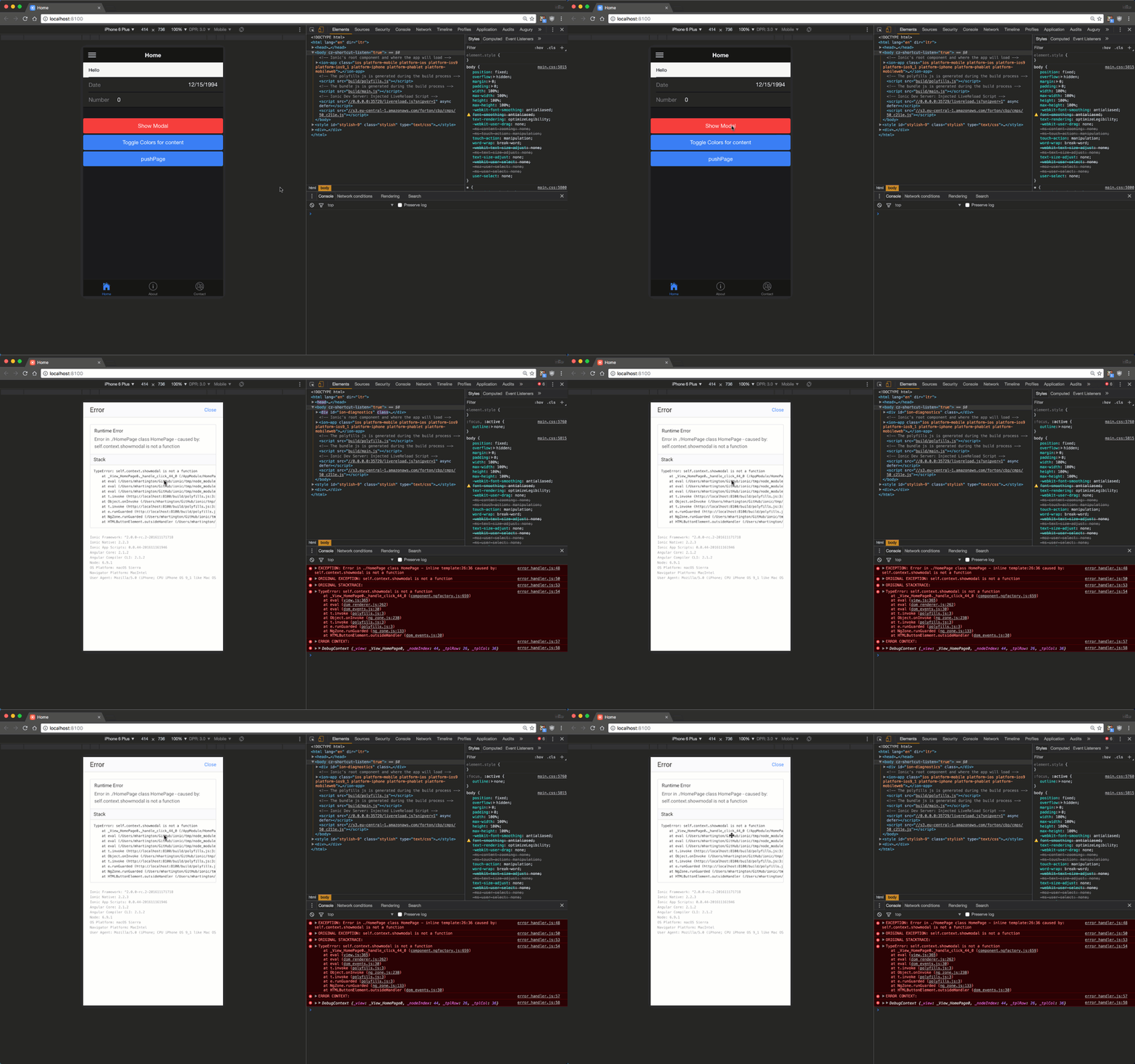
Immediate notification of runtime errors during development is invaluable, and Ionic 2 excels in this area.
Advantages of Ahead-of-Time Compilation (AoT)
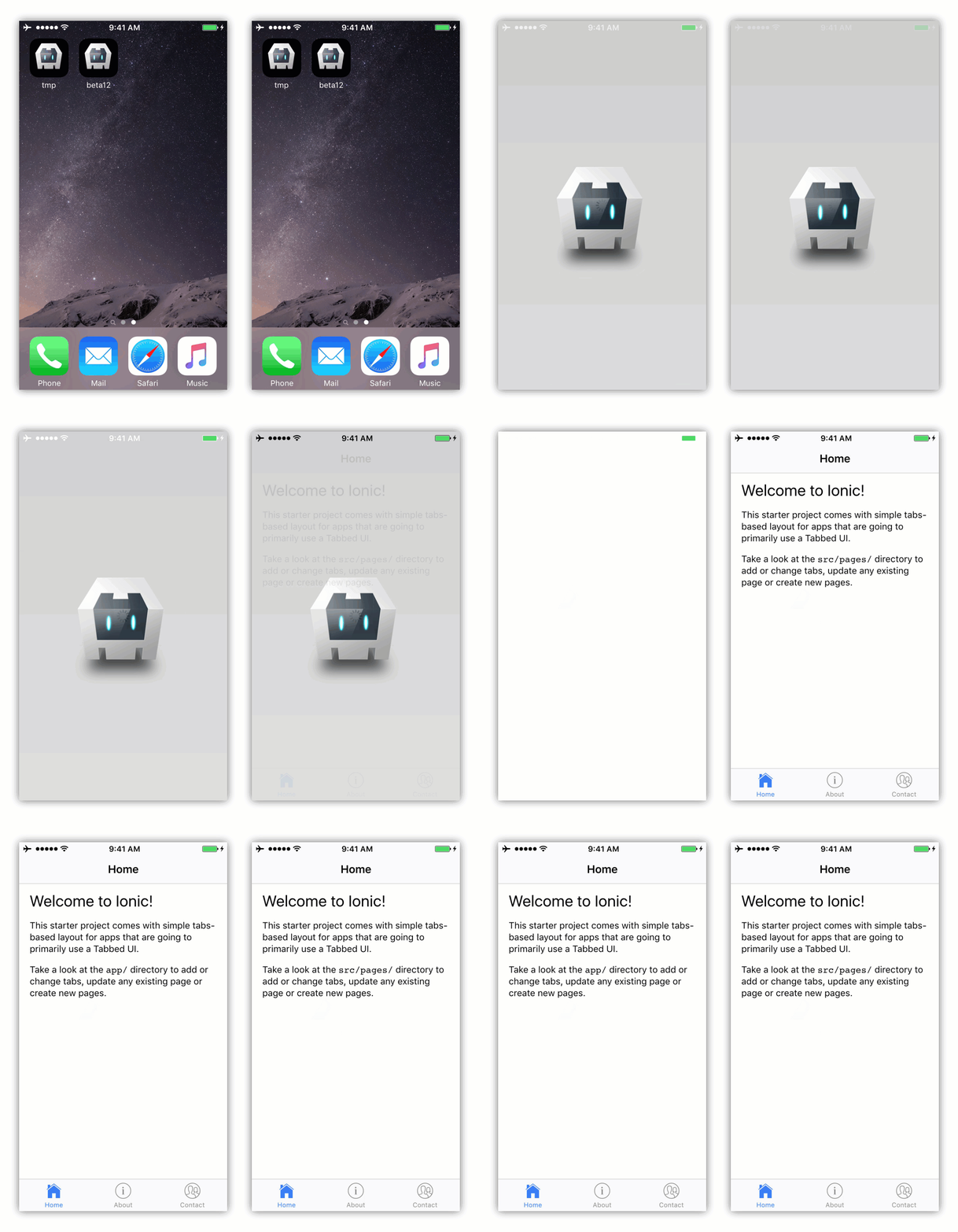
Ahead-of-Time Compilation (AoT) represents a significant advancement in the Angular ecosystem. Introduced with Angular 2.x, AoT enables template pre-compilation during the build process, eliminating the need for on-the-fly compilation by the browser.
While this might appear subtle, its implications are substantial. With AoT, shipping the template compiler along with the application is no longer necessary, resulting in two key advantages:
- Smaller Bundle Size: This directly translates to faster application downloads due to reduced network transfer times.
- Faster Bootstrapping: Eliminating on-the-fly template compilation speeds up application initialization.
Ionic 2 fully leverages Angular 2.x AoT to optimize application size and loading times effortlessly.
Ionic 2: A Major Leap Forward
In conclusion, Ionic 2 marks a significant stride for hybrid mobile development. While the set of Ionic 2 components mirrors that of Ionic 1, Ionic 2 introduces a wealth of tools and performance enhancements.
Tools such as TypeScript, ionic-app-scripts, and the Ionic CLI empower developers to enhance productivity, write cleaner and more maintainable code, and receive immediate feedback on runtime errors.
Ionic 2 also provides a substantial performance boost compared to Ionic 1, primarily by addressing or mitigating bottlenecks related to change detection, animations, and loading times.
With Ionic 2, your applications will feel more native than ever before. Give it a try—you won’t be disappointed.