The primary function of any static page generator is to create a static HTML file along with its associated assets.
Serving static HTML files offers numerous advantages, including improved caching, reduced loading times, and a generally more secure environment. However, each static page generator employs a different method to generate its HTML output.
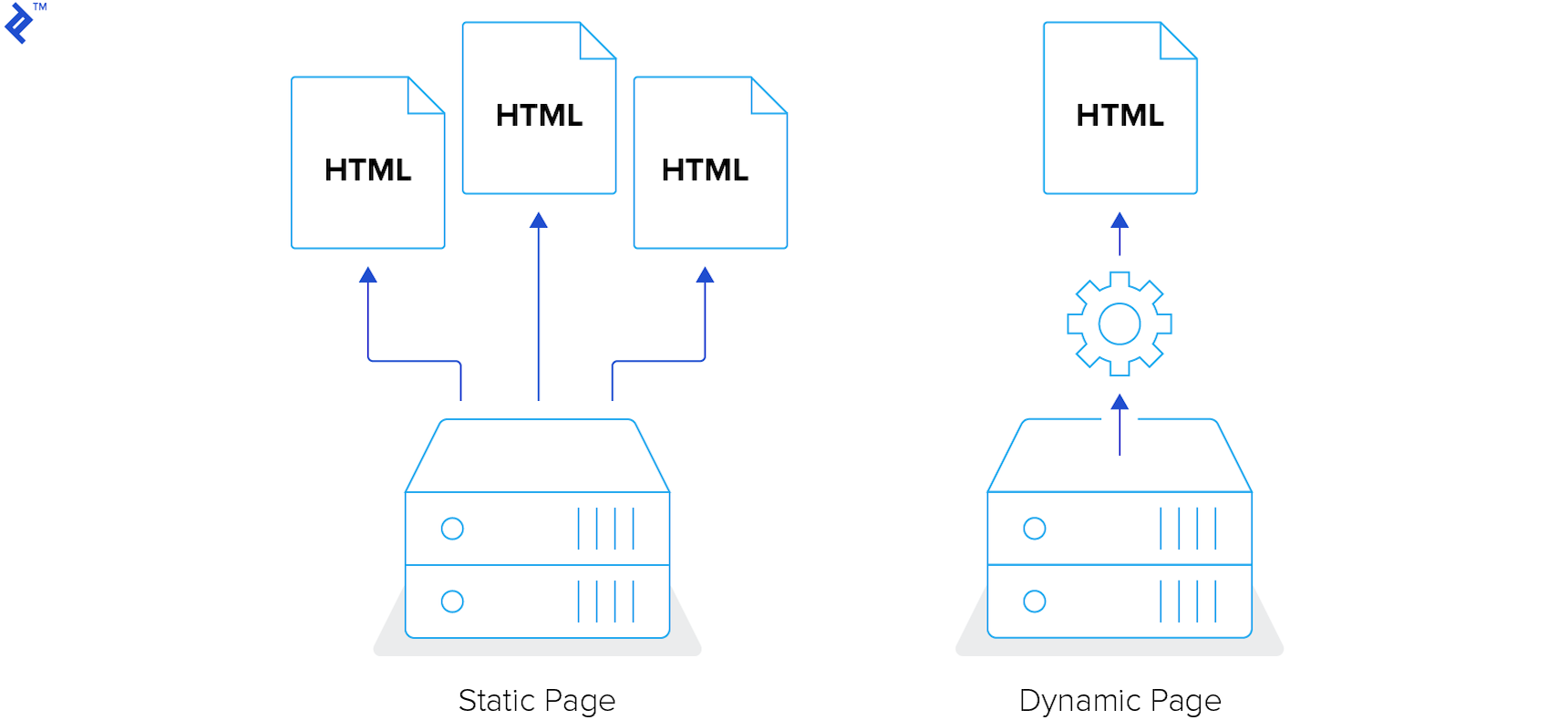
This article, however, aims to provide a comparative analysis of the features offered by different frameworks, emphasizing their unique aspects, rather than delving into the complexities of their internal mechanisms.
Popular Static Page Frameworks: An Overview
This post will focus on the following static page frameworks: Jekyll, Middleman, Hugo, and Hexo. These represent some of the most widely used generators, supported by active communities and a wealth of resources, though they are not the only options available.
Let’s delve into each of these frameworks and compare their fundamental features:
- Jekyll
- Built with Ruby
- Offers native support for the Liquid template engine;
- Middleman
- Also built with Ruby
- Provides out-of-the-box support for ERB and Haml template engines;
- Hugo
- Written in Go
- Natively supports the Go template engine;
- Hexo
- Based on JavaScript
- Comes with built-in support for EJS and Pug.
Important: Remember that these static page generators can be customized and extended with plugins and extensions, enabling you to address a wide range of requirements.
Getting Started with Static Site Generators
The documentation for each framework is excellent and very detailed. You can access them here:
By simply following the installation instructions, you can set up your development environment in just a few minutes. Once installed, a new project can be initiated by running commands in the terminal.
Here’s how you would start a new project in each framework:
Jekyll
jekyll new my_website
Middleman
middleman init my_website
Hugo
hugo new my_website
Hexo
hexo init my_website
Configuration
Typically, configuration settings are stored in a single file. While each static website generator has its own particularities, many settings are common across all four.
You can specify the location of source files, the output directory for built sources, and use the exclude or skip_render options to ignore data not required for the build process. The config file can also be used to define global settings such as the project title and author.
Transitioning to a Static Generator
Migrating an existing Wordpress project to a static page generator is relatively straightforward.
For Jekyll, you can utilize the Jekyll Exporter plugin](https://wordpress.org/plugins/jekyll-exporter/). Middleman users can leverage a command-line tool known as wp2middleman. Wordpress to Hugo Exporter facilitates migration for Hugo, and for Hexo, you can refer to this [guide on migrating from Wordpress to Hexo, which I authored last year.
The underlying principle is consistent and simple: export all content in an appropriate format and place it in the correct directory.
Content Creation
Static page generators primarily rely on Markdown for content creation. Markdown is a powerful and easy-to-learn language. Its simple syntax makes writing content feel natural, resulting in clean and well-structured documents.

Articles should be placed in a folder specified within the global configuration file, with article names adhering to the generator’s specific conventions.
For instance, in Jekyll, articles reside in the _posts directory. Article names must follow the format: YEAR-MONTH-DAY-title.MARKUP. Similar rules apply to other generators, which also provide commands for generating new articles.
Here are the commands for creating a new article in Middleman, Hugo, and Hexo:
Middleman
middleman article my_article
Hugo
hugo new posts/my_article.md
Hexo
hexo new post my_article
Markdown’s syntax, while powerful, is limited. Fortunately, all generators can process raw HTML. For instance, to include an anchor tag with a specific class, you can write it as you would in a regular HTML file:
This is a text with <a class="my-class" href="#">a link</a>.
Front Matter
Front matter is a block of data located at the top of a Markdown file. It allows you to set custom variables for storing data relevant to your content. Instead of cluttering your Markdown document with HTML, you can define variables within the front matter.
For example, you can add tags to your article using front matter:
| |
Working with Templates
Static page generators employ templating languages to process templates. Data insertion into templates is achieved through tags. For instance, in Jekyll, you would display the page title using:
{{ page.title }}
Let’s attempt to display a list of tags from the front matter in a Jekyll post. You need to check if the variable is available and then loop through the tags to display them in an unordered list.
| |
Middleman:
| |
Hugo:
| |
Hexo:
| |
Important: Always verify if a variable exists before using it to prevent potential build process failures, saving you valuable debugging and testing time.
Utilizing Variables
Static page generators provide access to global variables within templates. Different variable types hold different information. For example, in Hexo, the global variable site contains data about posts, pages, categories, and tags.
Understanding the available variables and their usage can simplify development. Hugo leverages Go’s template libraries for templating. Working with variables in Hugo, particularly the context, often referred to as “the dot,” can be challenging for those unfamiliar with it.
Middleman does not have global variables. However, you can enable the middleman-blog extension to access certain variables like a list of articles. Adding global variables is possible by extracting data to data files.
Data Files
Data files come into play when you need to store data not found in Markdown files. For instance, storing a list of social media links for display in the site’s footer. All static page generators support YAML and JSON data files. Additionally, Jekyll supports CSV files, while Hugo supports TOML files.
Let’s store those social media links in a data file. Since all generators support YAML, we’ll use a file named social.yml:
| |
Jekyll stores data files in the _data directory by default. Middleman and Hugo utilize the data directory, while Hexo uses source/_data.
To output this data, you would use the following code:
Jekyll
| |
Middleman
| |
Hugo
| |
Hexo
| |
Helpers for Data Manipulation
Templates often provide data filtering capabilities. For instance, to convert a title to uppercase:
{{ page.title | upcase }}
Middleman employs similar syntax:
<%= current_page.data.title.upcase %>
Hugo accomplishes this using:
{{ .Title | upper }}
Hexo, while using different syntax, achieves the same result:
<%= page.title.toUpperCase() %>
Asset Management in Static Page Generators
Asset management varies across different static page generators. Jekyll compiles asset files regardless of their location. Middleman only handles assets placed within the source folder. Hugo defaults to the assets directory for assets, while Hexo recommends storing assets in the global source directory.
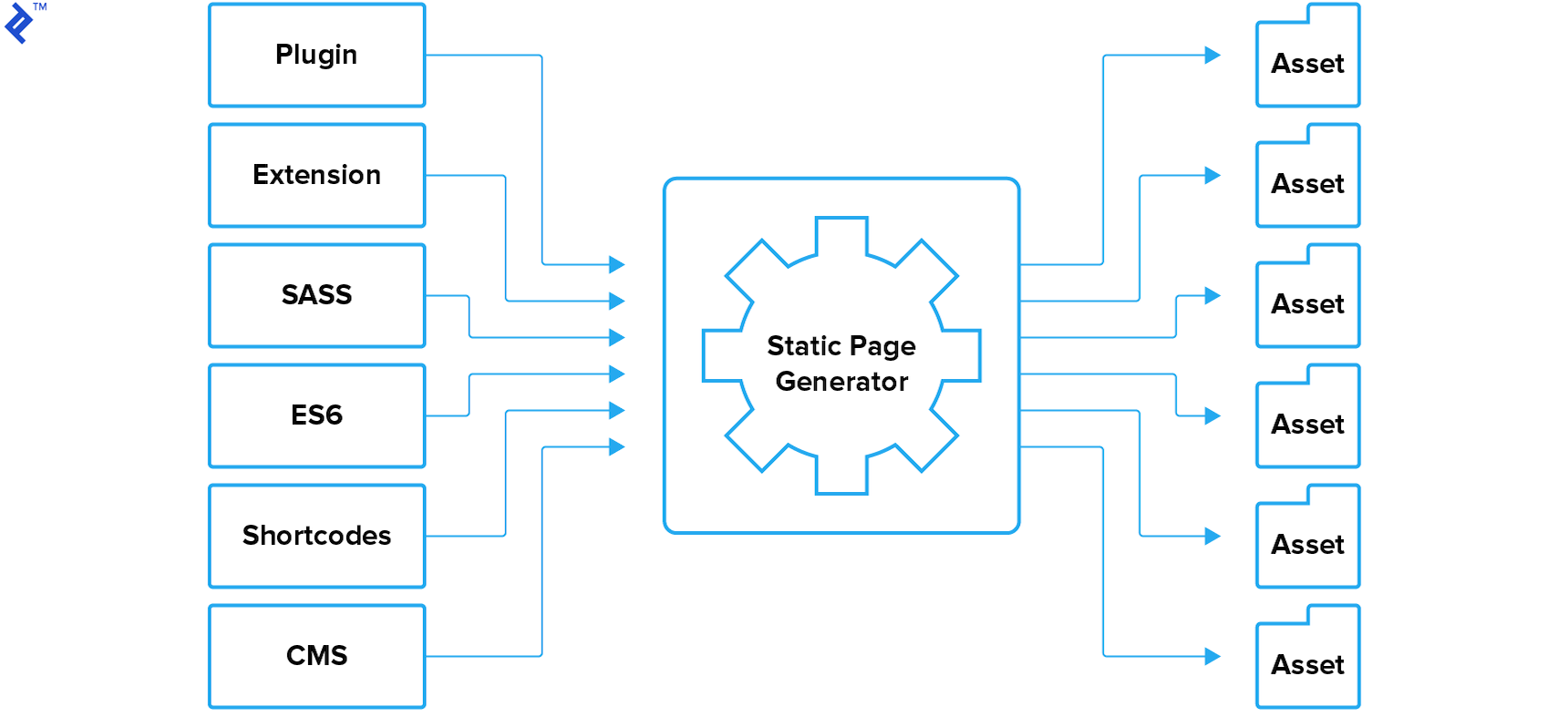
Working with SASS
Jekyll natively supports Sass; however, it’s essential to adhere to some rules. Middleman also offers out-of-the-box Sass support. Hugo compiles Sass using its LibSass transpiler, while Hexo relies on plugin.
Utilizing ES6 Features
To leverage the modern JavaScript features of ES6, you’ll need to install a plugin. Multiple versions of similar plugins may exist. It’s recommended to review the code, open issues, or the latest commits to identify the best option.
Optimizing Images
Image optimization is not a default feature. Similar to ES6 plugins, various plugins exist for image optimization. Thorough research is crucial to select the optimal plugin. Alternatively, third-party solutions can be employed. For instance, my blog built with Hexo utilizes Cloudinary’s free plan. I developed a cloudinary tag to deliver responsive and optimized images via Cloudinary transformations.
Plugins and Extensions for Customization
Static page generators offer powerful libraries for website customization. Each plugin serves a distinct purpose. You can find plugins for various tasks, from LiveReload for improved development workflow to Sitemap or RSS feed generation.
Creating your own plugins or extensions is also possible. However, it’s always advisable to check for existing similar plugins before doing so. You can explore resources like Jekyll plugin list, Middleman extensions, and Hexo plugins. While Hugo doesn’t have traditional plugins or extensions, it supports custom shortcodes.
Shortcodes in Markdown
Shortcodes are code snippets embedded within Markdown documents, which are then rendered as HTML code. Both Hugo and Hexo support shortcodes.
Built-in shortcodes, like the figure shortcode in Hugo:

My image
Or the youtube shortcode in Hexo:
{% youtube video_id %}
If a suitable shortcode isn’t available, you can create your own. For instance, to address the lack of CanIUse embed support in Hexo, I developed a new tag, which enables CanIUse embedding. Sharing your creations on npm or the official generator site is encouraged to benefit the community.
Content Management Systems (CMS)
Static page generators might be challenging for non-technical users. Learning commands or Markdown syntax is not always easy. In such cases, a Content Management System for JAMstack sites can be beneficial. Consider your requirements when selecting a CMS that best fits your needs. While configuring a CMS might require some effort, it can enhance content publishing efficiency for both you and other users in the long run.
Bonus: Leveraging JAMstack Templates
JAMstack templates can save you time if you prefer not to spend too much effort on project configuration. Some templates come pre-configured with a CMS, further streamlining the process.
Examining the code of these templates can be a valuable learning experience. Install different templates, compare them, and choose the one that best suits your requirements.
In Conclusion
Static page generators offer a fast and reliable approach to website development. Modern generators allow you to create sophisticated and highly customized websites.
For example, Smashing Magazine’s transition to JAMstack last year resulted in significant site speed improvements. Many other successful static websites follow the same principle: generate static resources and deliver them via Content Delivery Networks for optimal loading times and enhanced user experience.
Static websites offer numerous possibilities, from utilizing the Wordpress REST API as a backend to integrating Lambda functions. Even simple websites can benefit from solutions like HTTPS out of the box or handling form submissions.
This overview of static page frameworks aims to highlight their potential and encourage you to consider them for your next project.