In case you’re unfamiliar with Hoodie, it’s definitely worth exploring.

Hoodie](https://en.wikipedia.org/wiki/Hoodie_(software)) is a cutting-edge library designed for [front-end developers. It introduces innovative approaches that have the potential to revolutionize both app development and user experience. Hoodie empowers front-end developers and user-experience specialists by giving them complete control over the entire development stack. This frees them from relying on back-end teams, which can sometimes present challenging technical hurdles. Moreover, Hoodie apps liberate users from the need for constant internet connectivity, enabling seamless usage on the move, whether in flight or even underwater.
Despite being in its early stages, the platform already provides powerful tools worth exploring for any forward-thinking front-end developer. The team behind Hoodie boasts a strong track record, having contributed to successful projects like CouchDB, Async, Mustache.js, and many more.
Intrigued by the potential of the Hoodie full-stack development library, I decided to give it a try. Allow me to elaborate on Hoodie and highlight its potential for crafting exceptional applications.
Understanding Hoodie
Let’s begin with the fundamentals: what exactly is Hoodie, and what makes it so compelling? Hoodie is an open-source, JavaScript-based platform and API that seamlessly integrates several powerful paradigms into a comprehensive full-stack development package, benefiting both developers and end-users. Key among these concepts are the “noBackend” and “Offline First” movements, coupled with a vibrant community-driven process called “Dreamcode” for API development.
The noBackend Approach
Hoodie posits that exceptional front-end app development hinges on empowering user-experience experts and developers. These individuals possess the skills to create visually appealing and user-friendly applications but are often constrained by back-end technicalities beyond their control. Essential server interactions like user registration, data management, and email handling typically demand time-consuming custom implementations for every new app. This forces front-end developers to grapple with new back-end intricacies repeatedly.
Hoodie addresses this by abstracting away the back-end entirely, putting control back in the hands of front-end designers and developers. With Hoodie, instead of grappling with server-side complexities, you can focus on the straightforward, easily learnable front-end API it provides. For instance, registering a new user can be achieved with a single line of code:
| |
This exemplifies the noBackend initiative, to which Hoodie is fully dedicated. noBackend translates to eliminating the need for a dedicated back-end developer! Simply deploy the Hoodie back-end to your server, and let it run in the background.
Built entirely in JavaScript, Hoodie’s self-contained back-end utilizes Node.JS with Apache CouchDB as its database. Currently, Hoodie’s core features encompass user registration, administration, data loading, storage, and email handling. These core features are readily extensible through additional Node.js plugins.
Dreamcode: API Design by Community
Hoodie prioritizes its API, making the noBackend approach feasible. While Hoodie’s implementation may evolve, the developer-facing interface remains consistent, providing peace of mind.
Hoodie is rapidly evolving, continuously incorporating new features. Similar to other noBackend projects, Hoodie employs a community-driven approach for API design called Dreamcode. This entails envisioning your ideal code and, with sufficient community support, Hoodie will bring it to life.
This API-first, crowdsourced methodology makes Hoodie code remarkably concise and readable – truly the code of your dreams!
Embracing Offline First
Beyond the noBackend, Dreamcode-driven API, Hoodie addresses a significant user pain point: the often-crippling reliance on constant internet connectivity.
As we transition towards mobile devices and applications, the outdated desktop assumption of uninterrupted connectivity persists. The promise of ubiquitous internet access remains unfulfilled. Connectivity loss is still treated as an exception, hindering user productivity until they regain online access. Yet, as we know, network reliability falls short. Connectivity disappears on flights, in subways, on remote roads, and countless other scenarios, particularly in developing regions where stable internet access is a rare exception to the rule.
The Offline First movement promotes a pragmatic approach to this reality. Offline First considers lack of connectivity as a normal application state – the default, in fact. Hoodie embraces this philosophy wholeheartedly. Its API is backed by full front-end temporary local storage and seamless, automatic synchronization upon reconnection.
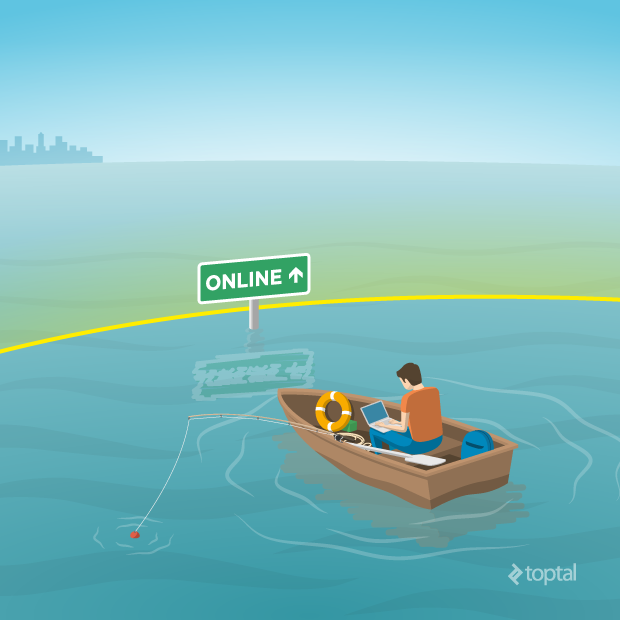
Hoodie enables activities like posting comments, sending emails, managing accounts, and more, regardless of internet availability. The entire storage and sync system can be interrupted without data loss concerns.
While this model presents its own set of unique design challenges and approaches, the Hoodie team is developing innovative solutions.
Offline First is an exciting, emerging app development paradigm. Much work remains in refining the required techniques. Refer to here to see Hoodie’s implementation.
Building a Simple App with Hoodie
To showcase Hoodie’s capabilities, I created a basic app enabling community members to schedule and share events with fellow engineers. Note that the primary goal is to demonstrate Hoodie, not to deliver a production-ready application. The code can be found on my GitHub page.
At its core, Hoodie combines a Node.js server-side component with a client-side JavaScript library. Beyond simple installation and deployment, developers focus solely on client-side code. The built-in library handles server communication transparently.
For custom server-side logic, Hoodie plugins come to the rescue. Here is some more information on plugins.
Starting Your Hoodie App
Initiating a Hoodie app begins with the Hoodie command-line tool:
| |
This sets up an initialized Hoodie app with pre-existing code, ready to run! Executing:
| |
launches a sample Hoodie app in your browser:
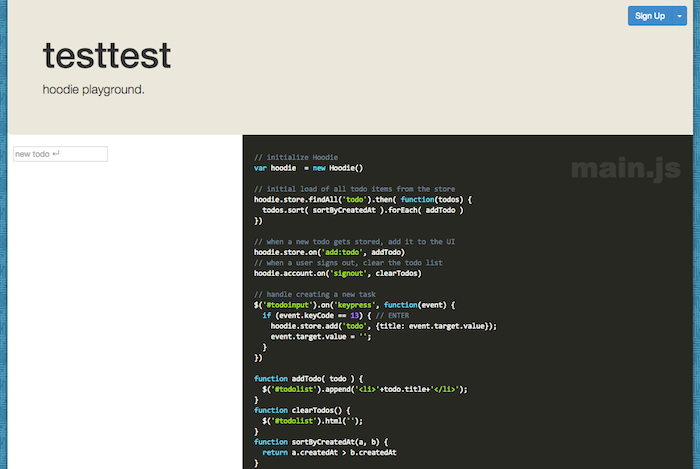
I made minor adjustments at this stage. Hoodie apps typically include Bootstrap and Prism. I removed the provided versions, opting for my preferred Bootstrap version for custom fonts and JavaScript. I also tweaked main.css during development to personalize the styling and accommodate my basic Bootstrap template. I utilized jQuery solely for DOM manipulation and events; Hoodie handled the rest.
Hoodie and the Power of Dreamcode
Developing this sample app highlighted the advantages of Hoodie. Many common project startup concerns were non-existent. Hoodie allowed me to focus on coding and observing the app come to life.
User account management? Solved by the Hoodie account plugin. Back-end data storage? Hoodie’s straightforward storage API, with built-in Offline First functionality, took care of it effortlessly.
Let’s delve into some implementation details:
Effortless User Account Management
Hoodie provides the hoodie-plugin-users plugin for streamlined account management. The API is incredibly intuitive.
Adding a new user?
| |
Logging in a user?
| |
Checking for an active user session?
| |
It couldn’t be simpler. And how does your UI respond to these actions? Hoodie leverages events:
Reacting to user login:
| |
Simplified Data Storage
Our app allows users to create private events and publish them for others to join.
Hoodie enables data storage even before login. How does it associate data with the correct user? It remains local and syncs with the server only upon user login, ensuring data privacy.
Here’s how it works:
| |
Creating an event is that easy! To share it, the global share plugin plugin comes in handy. Since it’s not included by default, we install it:
| |
With the plugin in place, we can publish user-specific event data to the global store:
| |
This marks all user events as public, making them accessible via global store queries.
| |
On the My Events page, users directly publish events to the global store:
| |
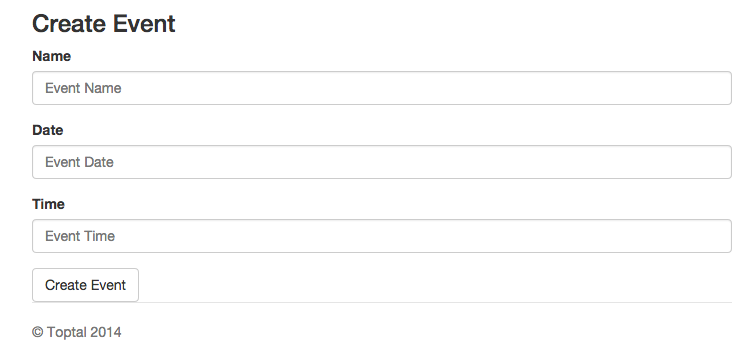
Published events are visible to all, allowing any user to view them on the Events page:
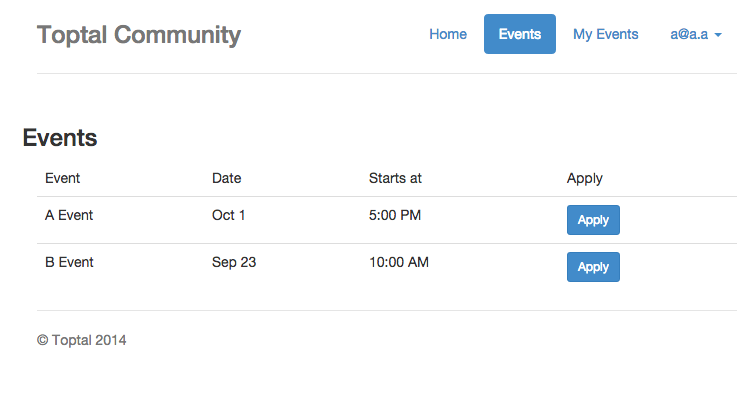
What about private data? We store a user’s joined events for display on the Events page. Clicking the “apply” button triggers:
| |
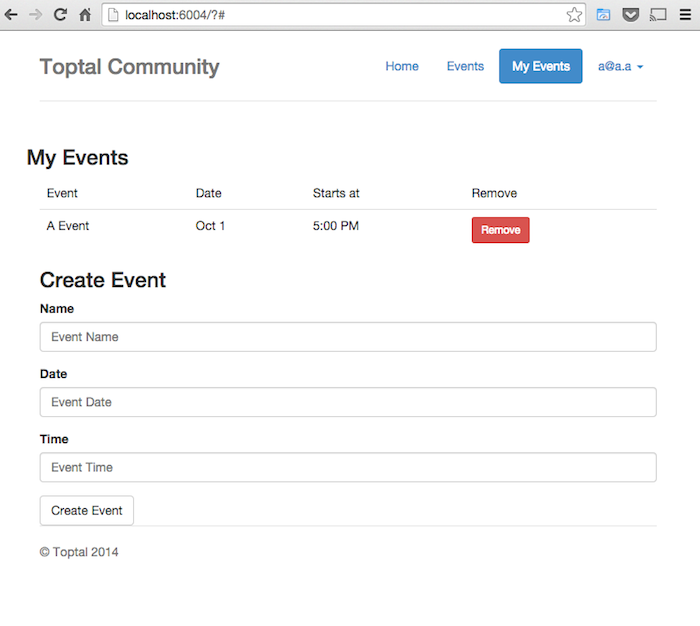
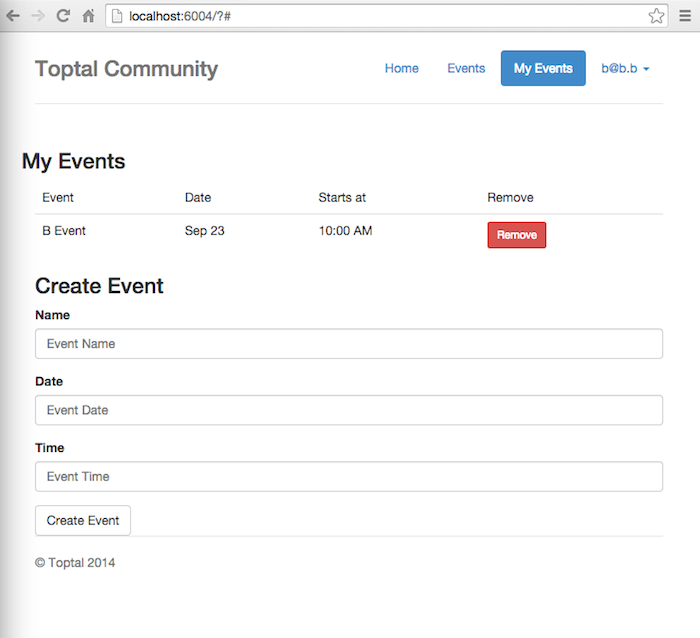
The following screenshots depict two concurrent browser windows. The first shows user a@a.a, who joined the A Event. The second displays user b@b.b, who joined the B Event.
Seamless Long Polling
Subscribing to Hoodie events allows for transparent implementation of techniques like long polling, enabling real-time updates as users interact.
This is remarkably simple to achieve. In our app, a single line sufficed:
| |
This line enables long polling, checking for new events added by other users and updating the My Events page accordingly.
Points to Consider
While impressed with Hoodie’s front-end development capabilities, I encountered a few noteworthy concerns.
Hoodie’s ease of server communication could potentially allow unauthorized database access via the console, raising security and data integrity issues.
The library also lacks certain features essential for production-ready applications, such as data validation, linkable URLs, a testing framework, and private data sharing (though progress is being made on this last one). Using Hoodie in production currently would require pairing it with frameworks like AngularJS or Ember for structured and maintainable JavaScript code, somewhat negating Hoodie’s simplicity.
Looking Ahead: The Future of Hoodie
Hoodie is actively addressing these issues, with the team continuously implementing new features and refining existing ones. Achieving mass-market readiness takes time. For complex applications requiring immediate development, exploring alternative platforms might be prudent.
However, it’s not too early to experiment with Hoodie for front-end development. Its innovative concepts are likely to gain traction. Familiarizing yourself with these technologies could be advantageous.
If the Hoodie team maintains its momentum, the API should soon be production-ready. Their milestone tracker provides progress updates.
Hoodie aims to simplify the creation of exceptional applications. If its concepts gain widespread adoption, the need for dedicated back-end teams for every project could diminish. Projects like Hoodie hint at a promising future for front-end developers. Similarly, the Offline First paradigm significantly enhances accessibility, extending our connected lifestyle to areas with limited internet access.
Visit the Hoodie to stay informed about Hoodie’s progress and join the movement driving these exciting changes.
Special thanks to the Hoodie team. Hoodie logo used with permission of the Hoodie Open Source Project