Forget about Game of Thrones; winter is not coming, at least not for those in the northern hemisphere. It’s summertime, which means many freelance developers and designers at Toptal are either already enjoying a vacation or preparing for one.
As I began writing this, some colleagues were in Portugal, figuring out the physics of surfboards. Now it’s my turn, and I’m finishing this draft with a beautiful view of the Adriatic Sea, just a short distance from Europe’s best windsurfing spot.
Being a dedicated worker, this seems like a good opportunity to address the topic I had in mind.
I imagine some of you might be thinking:
“This is just a lifestyle blog post! He’s going to talk about surfing, healthy eating, and exercise.”
Let me assure you, this is not a lifestyle post. As for food, fresh fish and vegetables are always a good choice. And exercise? Well, cycling to a nearby village to taste a slightly different fish recipe and sample the local wine counts as exercise, at least in my book.
Now, with the lifestyle aspects out of the way, let’s dive into the practicalities of travel and remote work. While beachside shops offer plenty of capri pants, cheap flip-flops, and boonie hats, they usually lack the quality hardware that can enhance your productivity on the go, freeing up more time for enjoyable activities.
Disclaimer: If you’re a devoted Apple user who can’t stand Windows, you might not be thrilled with the direction I’m taking. My intention is not to criticize Apple, but the company simply doesn’t prioritize budget-friendly hardware that you wouldn’t mind getting wet.
Travel Hardware: Separating Fact from Fiction
What do you pack in your carry-on besides clothes? I’m assuming we all have our preferred hardware setup. Since this is subjective, I’m not going to tell you your hardware choices are bad.
If your setup works for you, stick with it. Period.
Instead, I’ll focus on often-overlooked gadgets and accessories that can simplify your life and enhance your existing travel hardware. I’ll prioritize affordable and easily accessible items over expensive or uncommon hardware that might be difficult to find.
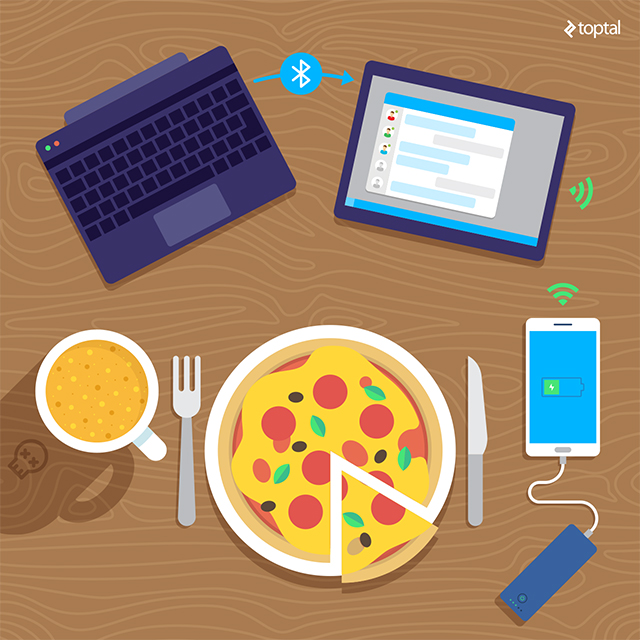
For decades, the hardware industry has profited greatly from high-end laptops and notebooks. From ruggedized Toughbooks that can survive a minor nuclear explosion to sleek ultraportables that sacrifice performance and value for aesthetics, these devices come in all shapes and sizes. Whether you seek a powerful portable workstation for virtualization and design or a featherweight ultraportable that doesn’t compromise on performance, your primary laptop will likely require a significant investment. I’m not suggesting that high-end computers are a poor investment, as they offer time savings and productivity gains that justify their high production costs. The use of magnesium alloys, high-density batteries, powerful mobile GPUs, and low-voltage CPUs comes at a price, and performance-oriented machines will always command a premium. Almost every major component in a top-tier laptop costs significantly more than its desktop counterpart with comparable performance. As with many things in life, you get what you pay for.
However, this principle doesn’t apply to all portable hardware. That’s the myth I mentioned earlier. You don’t always have to break the bank for useful gadgets.
The commoditization of IT has significantly altered the market. Devices that cost hundreds of dollars just a few years ago are now available on supermarket shelves for $99, with even better deals online.
As mentioned earlier, these affordable gadgets won’t replace your MacBook or ThinkPad. You won’t be retiring them anytime soon, but you might acquire hardware that complements them. While you won’t have your complete development environment or Adobe CC suite on these inexpensive secondary devices, you don’t need a $2,000 laptop to check Slack, respond to emails, or work on spreadsheets while enjoying a beachside cocktail. A convertible or hybrid device can handle these basic productivity tasks at a fraction of the cost, often with superior battery life and the convenience of charging from a power bank. Why drain your primary computer’s battery for a Skype meeting and a few follow-up emails? It’s excessive.
You wouldn’t use a chainsaw to trim a few shrubs in your garden, would you? Well, maybe you would, but that’s probably because you dislike your neighbors.
In essence, while a capable primary computer still requires a considerable investment, you can save money and gain flexibility by making smart choices elsewhere. Fortunately, mobile computing has never been more affordable, and a modest budget can buy you a useful and almost disposable secondary device.
So, What Exactly Are Convertibles and Hybrids?
Having spent the better part of a decade covering hardware, I can confidently say I’m not entirely sure.
These terms are more marketing jargon than technical definitions. Every few months, chipmakers and vendors need to invent new buzzwords to appease impatient investors and analysts. However, you can only generate so many meaningless buzzwords before blurring the lines between product categories and discarding all established rules and definitions.
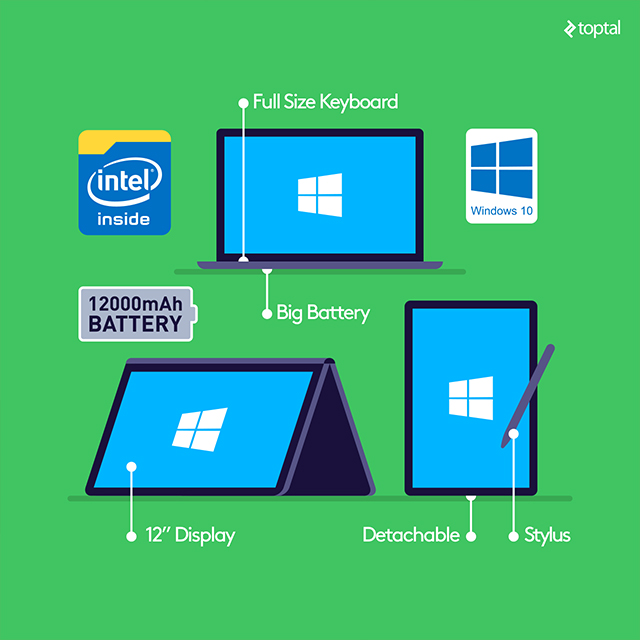
So, convertibles, detachables, clamshells, 2-in-1s, hybrid tablets… What are they really?
Essentially, they’re inexpensive computing devices typically built on tablet hardware platforms. Their designs and form factors vary significantly. I realize this definition is broad, but it reflects a broad product category.
I agree, at least to some extent. These devices can’t and won’t replace your primary computer, but that’s not their purpose. They serve as secondary devices, providing backup if your primary machine fails or offering a lighter, more portable option for simple tasks. However, don’t dismiss them as underpowered and useless for professional work. You might be pleasantly surprised.
I’ve had the opportunity to test several tablets, hybrids, and ultraportable notebooks equipped with Intel’s latest 14nm Atom x5 and x7 processors (codenamed Cherry Trail). These processors, while inexpensive and compact, outperform most 5-year-old laptops. While a high-end mobile processor can cost hundreds of dollars, Atom processors are priced in the tens of dollars. This doesn’t necessarily translate to poor performance. These highly integrated chips boast four physical CPU cores and integrated graphics capable of handling daily tasks, media consumption, and even some casual gaming.
Don’t let the “quad-core” label mislead you. While these processors do have four cores, their architecture differs from Intel’s Core-series chips. Four Atom cores are typically much smaller than a single Core-series CPU core. This means lower performance, but their 14nm fabrication process makes them remarkably power-efficient. This allows for passive cooling and significantly reduces costs for manufacturers. In some cases, Intel subsidizes these platforms, although the company prefers to use the term “contra-revenue” instead of “subsidize.” Nevertheless, it’s a controversial practice.
A high-performance Core i5 mobile processor might demand 15W to 35W of power under full load, but tablet Atoms operate efficiently on a mere 2W to 3W. This has a significant impact on battery life. A few years ago, I reviewed one of the first Atom-based hybrids, designed by Asus. Its exceptional battery life was almost problematic; I struggled to drain it during my daily routine. It was like the Energizer Bunny of laptops, providing all-day battery life with power to spare. Even better, it charged via a standard micro-USB charger, although it took a while to reach full capacity. Intel was clearly onto something, and their engineers had done an impressive job designing this new generation of Atom processors.

That was three years ago, and things have only improved since then. The latest 14nm Atoms are even more efficient, so battery life shouldn’t be an issue, even with the most affordable “whitebox” devices.
But what about the rest of the specifications?
Here’s a typical hardware configuration for a budget-friendly hybrid/convertible/2-in-1 device today:
- Atom x5 or x7 series processor - usually an entry- to mid-level x5 chip
- 4GB of LPDDR3 RAM
- 32GB/64GB of eMMC storage - eMMC storage is slower than traditional SSDs, but eMMC 5.0 drives offer reasonable speeds and won’t bottleneck the system
- microSDXC card reader
- FullHD IPS touchscreen - usually ranging from 10.1 to 12 inches. Some devices also support stylus input, useful for sketching or doodling
- Optional 3G connectivity - 4G is still relatively uncommon in this category, but that’s changing rapidly
- 6000mAh to 12000mAh batteries - capacity depends on display size and form factor
- Windows 10 - this might not appeal to Apple or Linux users
- Full-sized keyboard with touchpad
Major brands typically price such devices at $500 or more. For a truly budget-friendly and disposable option, consider Chinese vendors. You can find devices with similar specifications for $200 or less, often with slightly better specs than their brand-name counterparts. Some even use virtually identical components.
Personally, I rely on a compact 10.1-inch “detachable” powered by a more capable Core M processor. It features a decent stylus, which I occasionally use to share my half-baked ideas with our illustrators (much to their amusement, I’m sure). Core M devices cost more than Atom-based hybrids but offer superior performance and can sometimes replace your primary computer (especially the larger models, as 10 inches isn’t ideal for everyone).
Unfortunately, Apple users don’t have as many options.
Those committed to avoiding the switch to Windows are limited to the MacBook Air series or the new iPad Pro, neither of which is particularly budget-friendly or disposable. Of course, a standard 9.7-inch iPad can handle some tasks, but in my experience, the relatively small 4:3 screen and the need for a separate Bluetooth keyboard aren’t ideal. If you’re an Apple user open to occasionally using Windows, an affordable Wintel hybrid with a proper, full-sized keyboard might be a better option. Ultimately, the best choice depends on your intended use.
Google apps and various web apps function identically on Apple and Windows platforms. This makes the potential transition from OS X to Windows less daunting, especially considering the secondary nature of these devices.
4G Connectivity: Essential for Global Travelers
Imagine this: you’ve packed your laptop, tablet, camera, Kindle, smartwatch, and various other devices, along with their respective chargers. You’re all set to travel, but you’ll be relying on mobile data when WiFi isn’t available.
Just a few years ago, this posed a significant challenge. Cellular data plans were expensive, and pre-3G speeds offered limited bandwidth. This restricted our options and forced us to constantly seek decent WiFi networks or endure the pain of archaic hotel internet (I still have my trusty shortened Ethernet cable somewhere).
Today, accessing reliable and affordable cellular data abroad is not only possible but often taken for granted. A quick Google search can usually locate a cheap pre-paid SIM card offering 3G or 4G speeds, depending on your destination (4G coverage remains patchy in some regions and might be limited to expensive post-paid plans). You can also find affordable portable 4G routers and modems, as well as unlocked dual-SIM phones.
However, there are still some potential issues.
Just because a device supports 3G or 4G doesn’t mean it’s compatible with every 3G or 4G network. In fact, most are not. These standards are broad, and carriers utilize different frequencies and bands in different countries. This complexity increases exponentially when traveling internationally. Rather than delving into the reasons behind the multitude of spectrums and standards, I encourage you to do some independent research. You can start with Here’s a good place to start and explore this LTE frequency bands sheet on Wikipedia.
Unfortunately, providing specific guidance is challenging due to the numerous variables involved. Even a lengthy explanation wouldn’t cover all the nuances. It’s crucial to verify the frequencies and bands supported by your mobile devices and your intended destinations. Once you’ve determined your travel plans and the required standards, you can start shopping.
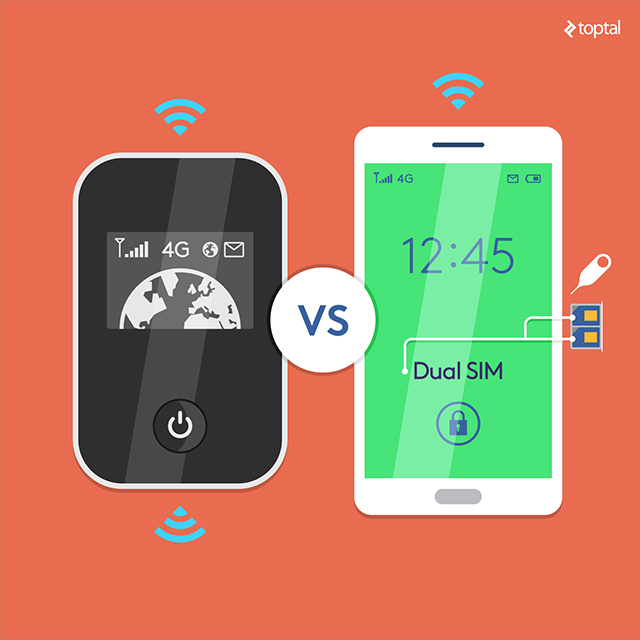
The next question is whether you truly need a dedicated mobile 3G/4G router. Would a budget-friendly phone with tethering capabilities suffice?
Tech enthusiasts might gravitate towards routers, often prioritizing specifications over practicality. Dedicated routers offer several advantages, and on an engineering blog, I won’t waste time explaining why they often outperform smartphone tethering.
However, don’t discount unlocked dual-SIM smartphones just yet. They offer their own set of advantages and might be the better option for most people. They tend to be cheaper, more compact, and offer greater functionality and flexibility. If you don’t need to connect numerous devices simultaneously and don’t anticipate consuming several gigabytes of data per day, a simple smartphone should be sufficient. Your accommodation will likely have WiFi for more demanding tasks anyway.
Consider these factors:
- Are you traveling with colleagues or solo?
- How frequently and for how long will you be without WiFi access?
- Would you consider accommodations without broadband internet?
- Do you prefer a dedicated device or a multi-functional smartphone?
- What’s your budget?
- Can you manage with 3G speeds instead of full 4G?
Personally, I prefer backup phones over routers because I rarely encounter situations requiring a dedicated mobile router while traveling. While routers might seem superior on paper, I simply don’t need that level of functionality. However, this is just my personal preference and might not apply to everyone. A decent “world-mode” 4G router typically costs between $200 and $300. For that price, you could purchase an excellent backup phone. Cheaper routers are available, but they often lack support for 4G bands, unlike most budget-friendly phones.
Android phones are the more budget-friendly choice and can even function as your primary phone in an emergency. They also offer a wider selection.
For instance, you can find compact models or oversized designs with 5.5- to 6.5-inch screens that double as tablets. If you’re an outdoor enthusiast, consider a ruggedized smartphone built to withstand the elements. Some vendors offer smartphones with high-capacity batteries rated at 6000mAh or even 10000mAh. These devices double as power banks, allowing you to charge your iPhone or Nexus on the go while providing tethered internet access. However, that’s primarily a marketing tactic. The real reason you’d want a large battery in your budget travel phone is for 4G connectivity. It consumes a significant amount of power, especially when tethering multiple devices and using a lot of bandwidth.
I recently purchased a backup/travel phone and opted for a dual-SIM all-rounder: a brand-name device offering good performance at an affordable price. It features a 5.5-inch display, an aluminum body, 2GB of RAM, 16GB of expandable storage, a 4000mAh battery, and a mid-range Qualcomm Snapdragon 650 processor. It even has a fingerprint scanner and a decent 16-megapixel Sony camera with PDAF, although these aren’t essential features for a backup device.
It cost me around $150. Did I overpay? I don’t think so.
Staying Powered Up on the Go
Regardless of your workflow and preferred platform, you’ll need to power your gadgets. This is the great equalizer between iOS and Android, Linux and Windows - everything requires a power source.
Thankfully, the industry has standardized DC chargers, eliminating the need to worry about compatibility when traveling abroad. However, you’ll still need a multi-socket adapter for international travel, but that goes without saying. USB is the universal standard for smaller devices. All you need are the appropriate cables or adapters (micro-USB for most devices, USB Type C for newer devices, and Lightning for Apple devices).
While it sounds straightforward, there are a few things to remember.
Firstly, never buy the cheapest power supply units, adapters, cables, or anything that connects to your device’s DC port. It’s simply not worth the risk.
Cheap USB cables and chargers can lead to these headaches:
- Lack of support for fast-charging standards, such as Qualcomm Quick Charge 2.0 and 3.0
- Lower actual output than advertised
- Low-quality cables incapable of handling 2 amps or more
- Questionable reliability
- Safety/security concerns
Before Apple users start mocking their Android-using counterparts for their inexpensive micro-USB chargers, consider this: Apple’s own chargers and cables consistently receive the worst reviews of any Apple product, and here’s a good (or bad) example perfectly illustrates my point. So, if you’re looking to poke fun at non-Apple users, just show them your MagSafe connector, and you’ll win by default.
Now, let’s briefly discuss power banks. These affordable and practical devices come in various capacities and form factors. Every self-respecting tech enthusiast should have one in their travel bag.
You should be able to find a decent power bank for $20 to $40. This should be sufficient for a unit with dual USB output rated at 2A or more, a capacity ranging from 10,000mAh to 20,000mAh, and Quick Charge support. Many utilize 18650 batteries. On average, a unit with four 18650 cells provides 10,000mAh, enough to charge a typical phone three or four times. Some DIY designs even allow you to charge individual 18650 cells, which can be handy for other compatible devices like flashlights, laser pointers, bicycle lights, and more.
While this battery standard might be unfamiliar to some, it’s been around for quite some time. Older laptop batteries often consisted of three to eight 18650 cells soldered together. You might have already used them without realizing it.
Many newer power banks support Quick Charge, USB Type-C output, and some even feature built-in wireless chargers. If you’re an iPhone or brand-name Android user, you can also find ruggedized cases with integrated batteries, offering both device protection and extended battery life.
The Ultimate Travel Hardware Guide
Unfortunately, there isn’t a one-size-fits-all solution. The ideal setup depends on your individual needs, hardware preferences, and travel style. It would be presumptuous to assume otherwise.
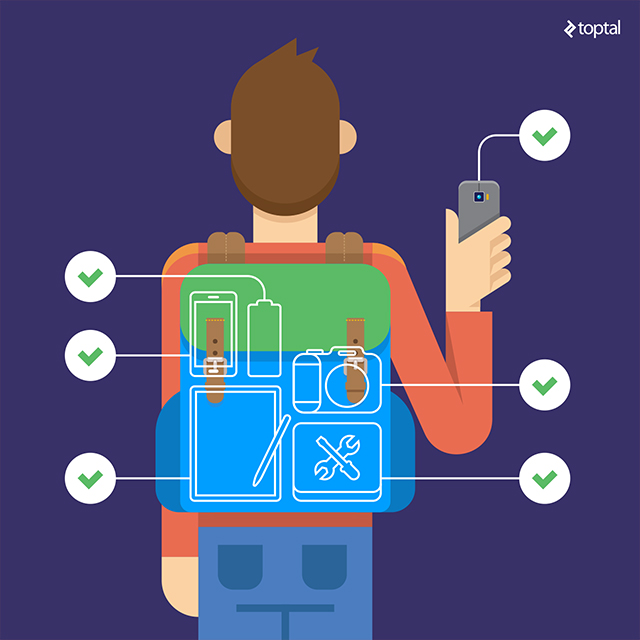
However, I can suggest a few affordable essentials for every tech-savvy traveler’s backpack:
- High-quality multi-port USB charger
- Extra USB cables and adapters for all your devices
- Universal AC socket adapter (or two)
- 10,000mAh+ power bank
- SIM card removal tool, nano-to-micro SIM adapter
- MicroSD to SD adapter and/or compact MicroSD USB reader
- HDMI adapter (depending on your devices)
- Spare phone and/or mobile router
- Spare flash drive, memory cards
- Backup headphones
- Bluetooth mouse with spare batteries
- Cable and hardware travel organizer
All these items should weigh only a few hundred grams and occupy minimal space in your bag if organized properly. Excluding the spare phone or router, the total cost should be around $100. A secondary dual-SIM phone would add approximately $150 to the total. You can easily find all these items online through retailers like Amazon, eBay, or Chinese e-commerce platforms like AliExpress.
I’ve included items not directly related to productivity, such as memory cards and adapters, assuming that many people rely on more than just their smartphones for photography. I haven’t included gadgets like action cameras or fitness trackers, but the travel hardware listed above should prove helpful for these devices as well.
What if you need more than the basics? Having a secondary computer is always a good idea. I’m a firm believer in redundancy and despise dealing with hardware issues while traveling. With today’s prices, a capable Atom-based backup machine can be yours for a few hundred dollars, assuming you’re open to venturing beyond the Apple ecosystem. The same applies to smartphones. A backup is always beneficial, and an inexpensive dual-SIM phone can double as a mobile hotspot.