Google has joined Facebook in prioritizing user experience by enhancing its ad control features, impacting how marketers run remarketing campaigns.
This article explains these changes and provides advice on navigating them.
Muting Ads: Increased User Control
Google now offers users more control over “reminder” ads (their term for remarketing ads) through two key features: Ad Settings and Mute Ads.
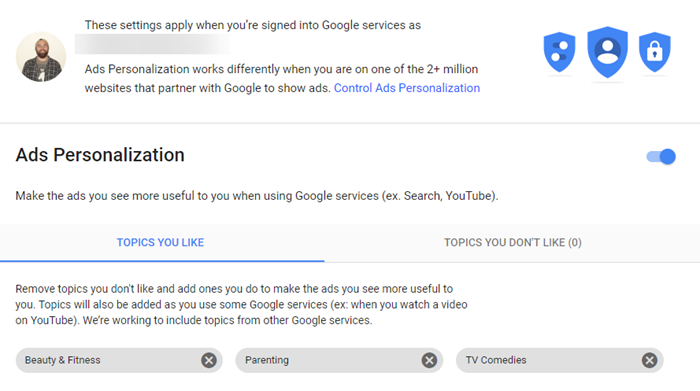
Google Ads settings have long allowed users to manage ad personalization based on interests, demographics, and more. This control extends to entirely disabling ad personalization, although this limits exposure to potentially relevant ads from the Display Network.
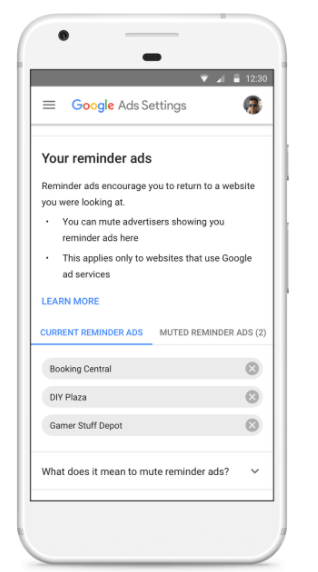
The latest update introduces a “Your Reminder ads” section, listing websites currently showing you remarketing ads. Muting an ad here hides it across all your devices for 90 days.
Expanded “Mute Ads” Functionality
Google’s “Mute This Ad” feature, used by millions daily, has been enhanced based on user feedback.
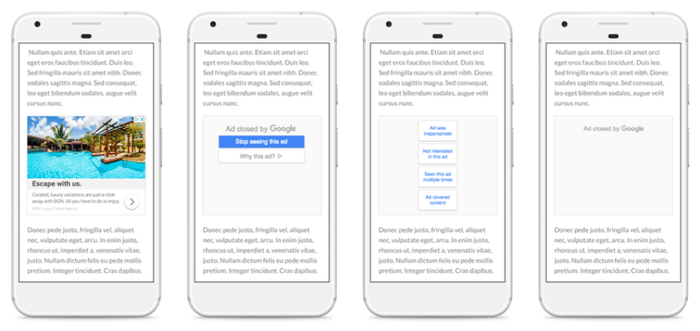
The tool now works across devices, muting an ad on one device applies to all devices logged into the same Google account. Its availability has also expanded to more apps and websites partnering with Google for ads. While currently impacting the Display Network, this feature will soon extend to YouTube, Gmail, and Search.
Adapting Your Remarketing Strategy
Although unavoidable, marketers can optimize their remarketing efforts to minimize ad muting.
Prioritize Ad Relevance
The high volume of muted ads suggests a prevalence of irrelevant advertising.

Focus on creating high-quality, engaging ads relevant to your target audience. Utilize resources like Fiverr or Google Ads Display ad tools, or leverage advanced software for dynamic ad creation.
Implement Frequency Capping
Avoid overwhelming prospects with excessive ads.
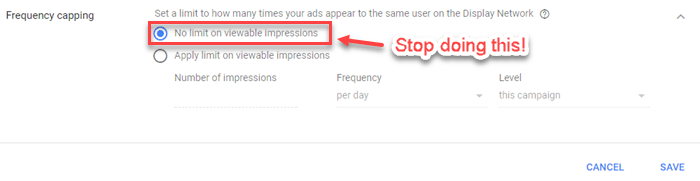
Utilize frequency capping within Google Ads campaign settings to limit the number of times a user sees a particular ad.
Exclude Existing Customers
Avoid showing remarketing ads to users who have already purchased your product.
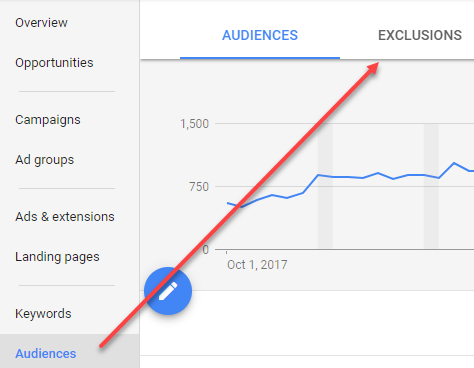
Exclude converter and purchaser lists from your target audience in Google Ads to prevent unnecessary advertising.
Explore Facebook Remarketing
Consider diversifying your remarketing efforts by allocating budget to Facebook.
Facebook allows creating Custom Audiences targeting website visitors, contact lists, and app users, enabling precise ad targeting and dynamic creative options.
By implementing these strategies, marketers can adapt to Google’s enhanced ad muting features while maintaining effective remarketing campaigns.