The COVID-19 pandemic has forced many businesses to shift online as physical stores close and shoppers turn to the internet. While some sectors are seeing growth during this time, many are not, and increasing marketing budgets might not be feasible for all businesses, even if they are in dire need of new customers. Google seems to have recognized this challenge and is yesterday announced plans to assist retailers in connecting with more customers online – without any cost. Starting later this month, Google will allow merchants to display their products on Google Shopping, a platform that reaches hundreds of millions of shoppers daily. Search results on the Google Shopping tab will predominantly consist of free listings, similar to Google’s main search results page. Alongside these free listings, Google Shopping ads will continue to be displayed as they currently are.
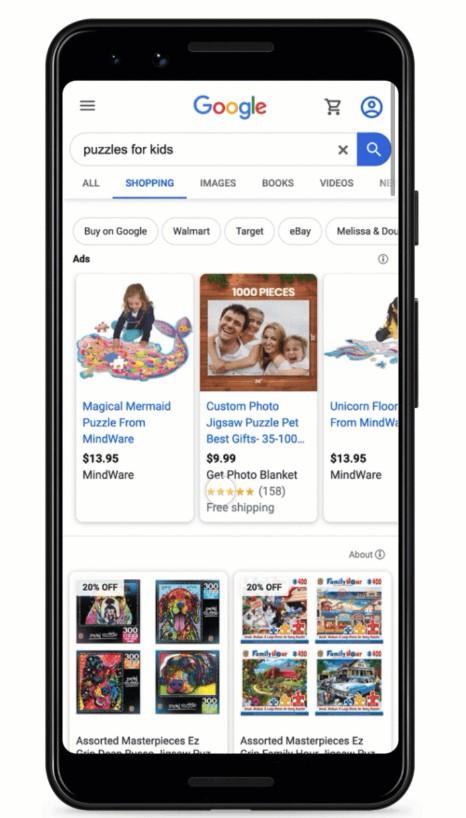
Interestingly, this is not the first time Google has provided free product listings. Back in 2012, Google initially offered free shopping listings to retailers before eventually transitioning them into a paid advertising space with shopping ads.
Listing Your Products on Google Shopping
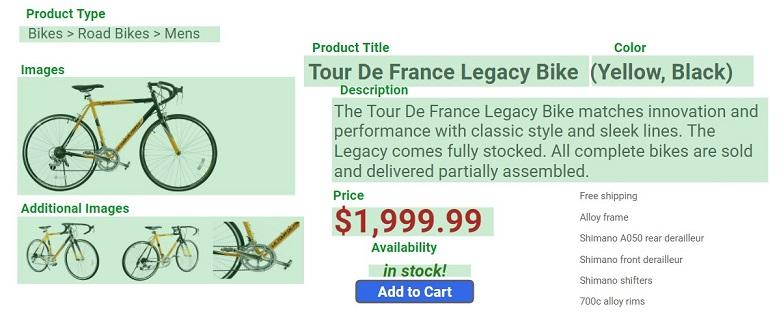
To showcase your products on Google, you’ll need to set up a free Google Merchant Center account. Then, you’ll need to create a feed for each product. A product feed is essentially a spreadsheet containing data about your products that Google utilizes to generate your listing and match it with relevant user searches. Each product in your feed needs the following attributes:
- ID: A unique alphanumeric ID for each item you sell.
- Title****: Your product’s name, serving as the main link text for your listing.
- Description****: A description of up to 5,000 characters highlighting your product’s features and uniqueness to match it with user searches.
- Link****: The landing page URL for your product.
- Image link****: The URL of your product’s main image.
- Price****: Your product’s price as displayed on your landing page.
- Brand****: Your product’s brand name.
- GTIN: Your product’s Global Trade Item Number (GTIN), used by manufacturers for product identification across retailers. Google can assist in finding your item’s GTIN if needed.
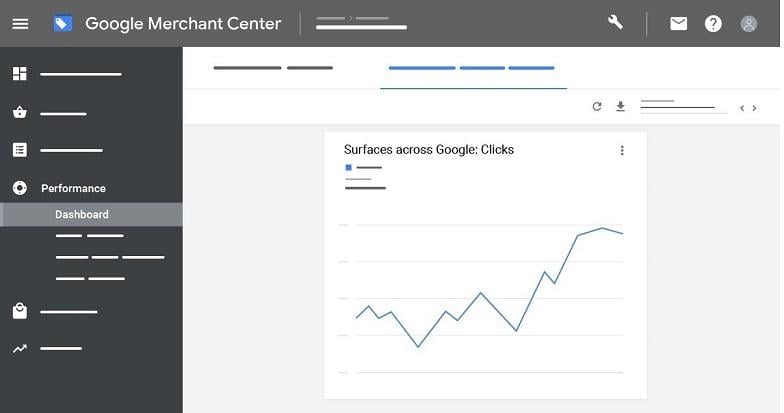
Retailers already on Google Merchant Center can opt their existing products into these free Google Shopping listings by selecting “Surfaces across Google” under “Manage Programs” in the left-hand menu. The performance of these free listings can be tracked within Google Merchant Center under the “Performance” tab in the left-hand menu.
Eligibility for Free Google Shopping Listings
All retailers can participate in displaying their products on Google for free after submitting their product feeds to Google Merchant Center. However, it’s important to note that Google has restrictions on listings for illegal, regulated, or sensitive products.. US-based retailers can expect to see these free listings go live by the end of April. Google plans to roll out these listings globally throughout 2020.
Optimizing Free Google Shopping Listings
Google extracts product information from your Google Merchant Center shopping feed, so optimizing your feed is crucial for maximizing the effectiveness of your free listings. A well-optimized Google Shopping feed benefits both your free listings and Google Shopping ads. Focus on the following: 1. Product Title Perfection: Your product title, being the most prominent text displayed alongside your product, carries significant weight in Google’s ranking algorithm. Choose a single, optimized product name that reflects common customer search terms. If a product’s traffic is unsatisfactory, consider experimenting with a new title. 2. Image Testing: In a crowded search results page, a compelling image can make your product stand out. Prioritize high-quality product photography and avoid generic stock images. Analyze competitor product images – their backgrounds, colors, and usage contexts – and strive for differentiation.
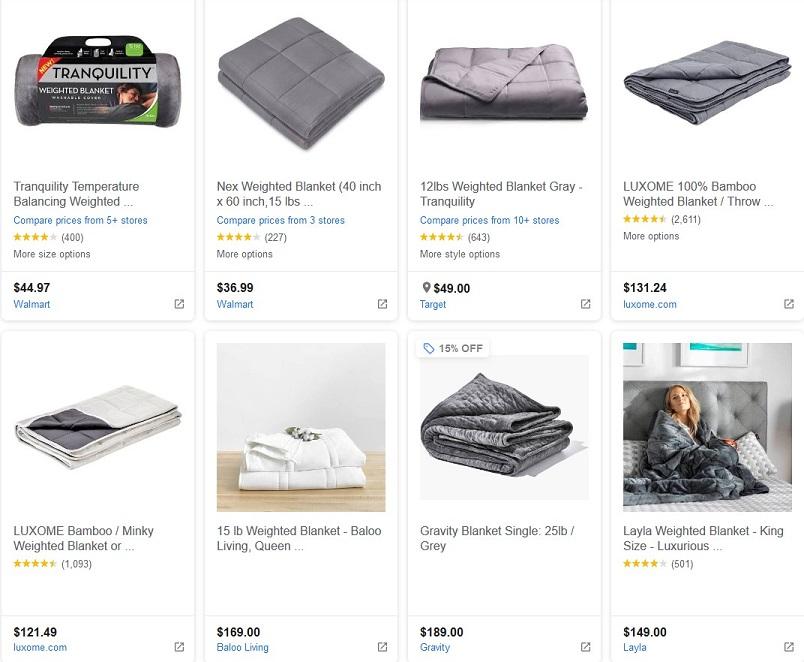
Example: Search results for “Weighted Blanket” on Google Shopping. Baloo Living & Layla’s listings stand out despite their higher prices and lower positions. 3. Detailed Information: While only a few attributes are mandatory, providing comprehensive product information helps Google accurately match your items to user searches, including filtered searches. Include as many relevant relevant feed attributes as possible, such as product category, type, color, condition, and size. It’s also worth noting that Google simplified the process of indicating curbside pickup options in Google Shopping ads as of May 11th.
Impact of Free Listings on Google Shopping Ads
Retailers can still run paid ads alongside these new free organic listings, providing flexibility in promoting their entire inventory across Google. Once products are approved in Google Merchant Center, retailers can set up Google Shopping campaigns in Google Ads to promote specific items, paying only when a user clicks through to their site. Existing Google Shopping advertisers will continue to have their ads displayed on the Google Shopping tab, primarily at the top and bottom of the page. Non-paid (organic) listings will occupy the remaining space within the tab. Shopping results on Google’s main search results page, partner search engines, Google Images, the Google Display Network, Gmail, and YouTube will still exclusively feature paid shopping ads. Therefore, advertisers shouldn’t expect a significant drop in their shopping ads traffic. For additional cost-effective marketing strategies, refer to our blog post on 11 Free Ways to Reach Your Audience During COVID-19.