Software development doesn’t conclude with well-written code. It’s only complete when the software is deployed, effectively handles requests, and scales without negatively impacting performance or cost.
You might be thinking, “Cloud computing addresses all of this, so what’s this new serverless thing, Vignes?”
Serverless computing is an architectural approach where code execution happens on a cloud platform, freeing us from concerns about hardware/software setup, security, performance, and idle CPU costs. Building upon cloud computing, serverless goes a step further by abstracting not just the infrastructure, but also the software environment. This means running code without configuration headaches.
Serverless simplifies your workflow to these steps:
- Develop your code.
- Upload it to your chosen service provider.
- Configure the trigger (in our case, an HTTP request).
And that’s it! The platform takes over, managing incoming requests and scaling as needed.
Introduction to Serverless Microservices
Serverless architectures frequently go hand-in-hand with microservices design. A microservice is an independent component within a larger software system, responsible for handling requests for a specific module. By creating serverless microservices, code maintenance and deployment speed are significantly improved.
Introduction to AWS Lambda & GCF: A Comparison
Serverless features are often labeled as “back-end as a service” or “function as a service.” The number of serverless providers is steadily increasing, with major players like Amazon Web Services offering AWS Lambda Functions and Google Cloud providing Google Cloud Functions (GCF). While GCF is currently in beta, it’s what I’ll be using for this article. Though they share similarities, there are some key differences.
| AWS Lambda | Google Cloud Functions | |
|---|---|---|
| Language support | Node.js, Python, C#, Java | Node.js |
| Triggers | DynamoDB, Kinesis, S3, SNS, API gateway (HTTP), CloudFront, + more | HTTP, Cloud PubSub, Cloud storage bucket |
| Maximum execution time | 300 seconds | 540 seconds |
This article will guide you through implementing serverless code deployment using GCF. This lightweight, event-driven, and asynchronous compute solution lets you build small, focused functions that respond to cloud events, all without the burden of server or runtime environment management.
GCF offers three implementations based on triggers:
- HTTP Trigger: Directs HTTP requests to cloud functions.
- Internal Google Pub/Sub Trigger: Routes publish/subscribe requests to cloud functions.
- Cloud Storage Bucket Trigger: Triggers cloud functions upon changes in the storage bucket.
Let’s set up an HTTP trigger-based configuration using Google Cloud Functions.
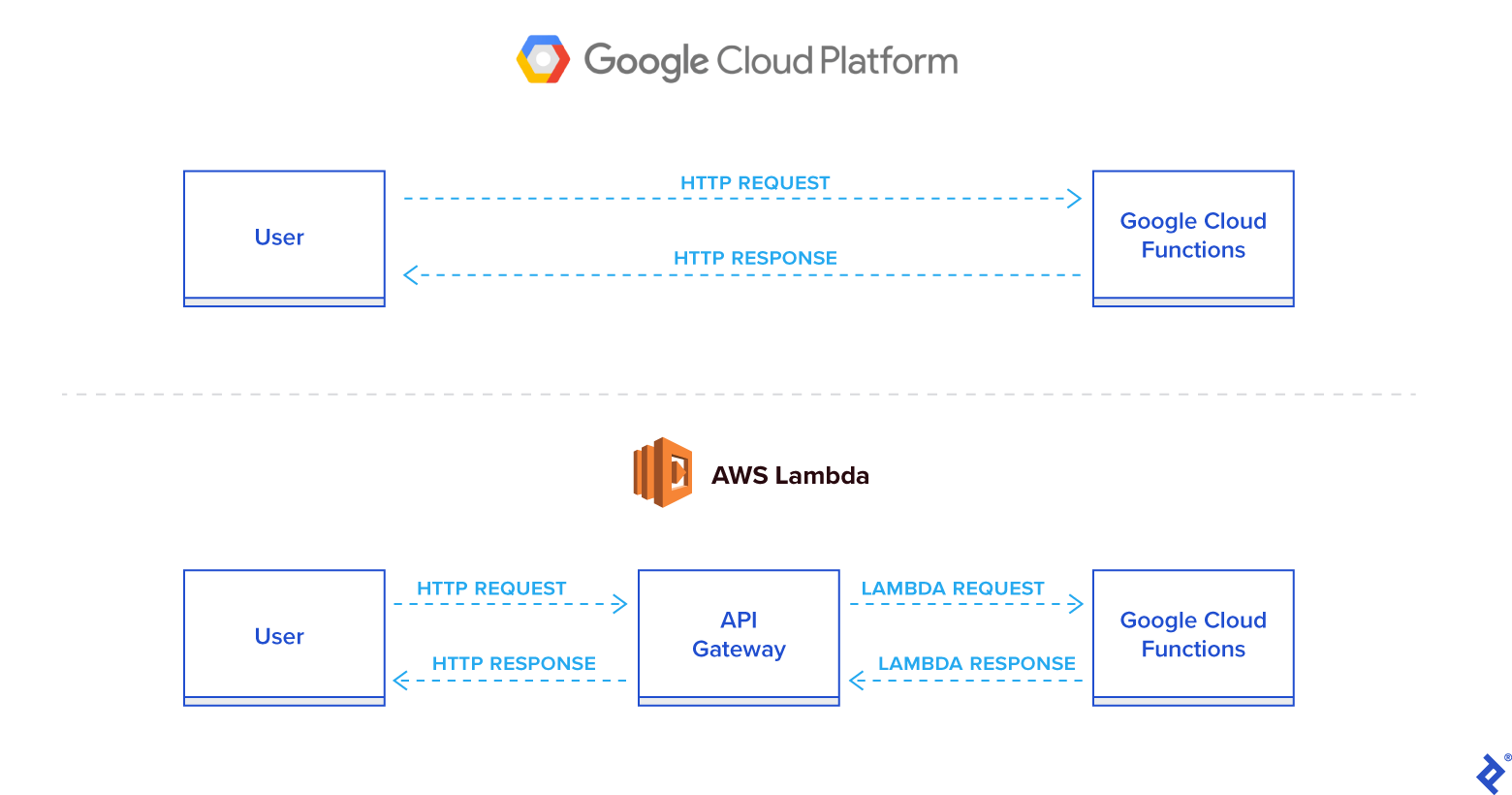
GCF requires no extra configuration or installation, providing a ready-to-use default Node environment. When you create a cloud function with an HTTP trigger, it automatically generates a URL for triggering it. Unlike AWS Lambda, which utilizes an API gateway for communication, Google Cloud Functions directly provides the URL based on projectID and region.
Building a Serverless Node.js Application
To run your code on GCF, encapsulate it within a single function that GCF will invoke when the trigger fires. There are several ways to achieve this:
- Single File: Export a default function to call other functions based on requests.
- Multiple Files (Option 1): Use an
index.jsfile to require other files and export the default function as the entry point. - Multiple Files (Option 2): Designate a main file (e.g.,
"main": "main.js") in yourpackage.jsonas the starting point.
All of these methods are valid.
GCF supports specific Node.js runtime versions, so ensure code compatibility. As of this writing, GCF supports Node.js v6.11.1.
When creating a function, consider these options:
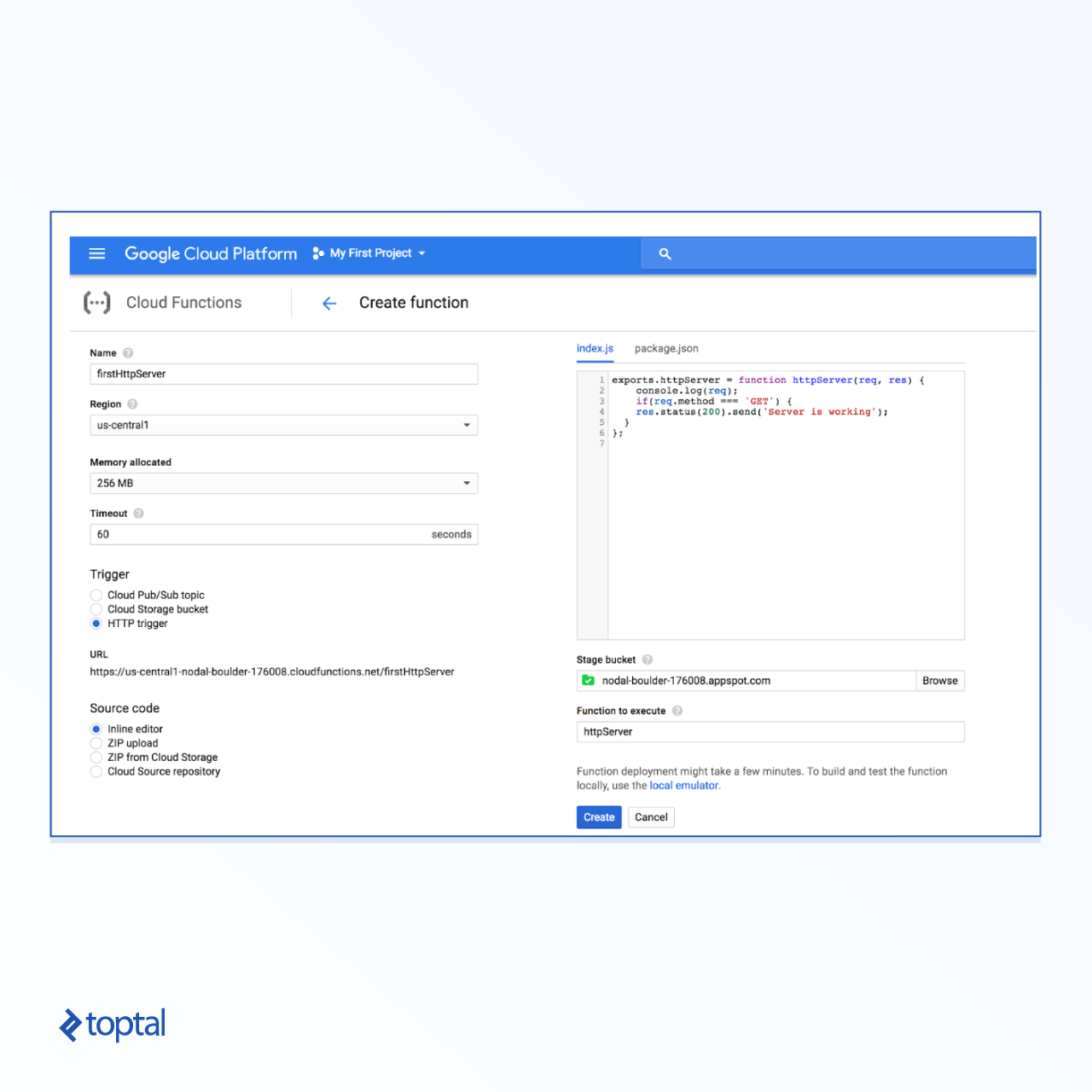
- Memory: Specifies the memory required to process a single request, defined in MB. For smaller applications, 128MB is usually sufficient, but you can go up to 2GB.
- Timeout: Defines the maximum code execution time before termination. The maximum timeout is 540 seconds.
- Function to Execute: While your main handler file can export multiple functions, you need to specify the function triggered for request processing. This enables multiple entry points based on HTTP methods or URLs.
Deploy your code by either pasting it into the function creation portal or uploading a ZIP file containing multiple files. Ensure that ZIP files include an index.js file or a package.json file specifying the main file.
List any NPM module dependencies in package.json. GCF will attempt to install them during the initial setup.
Let’s create a basic handler to return a 200 status code and a message. Add the following code to a new function:
| |
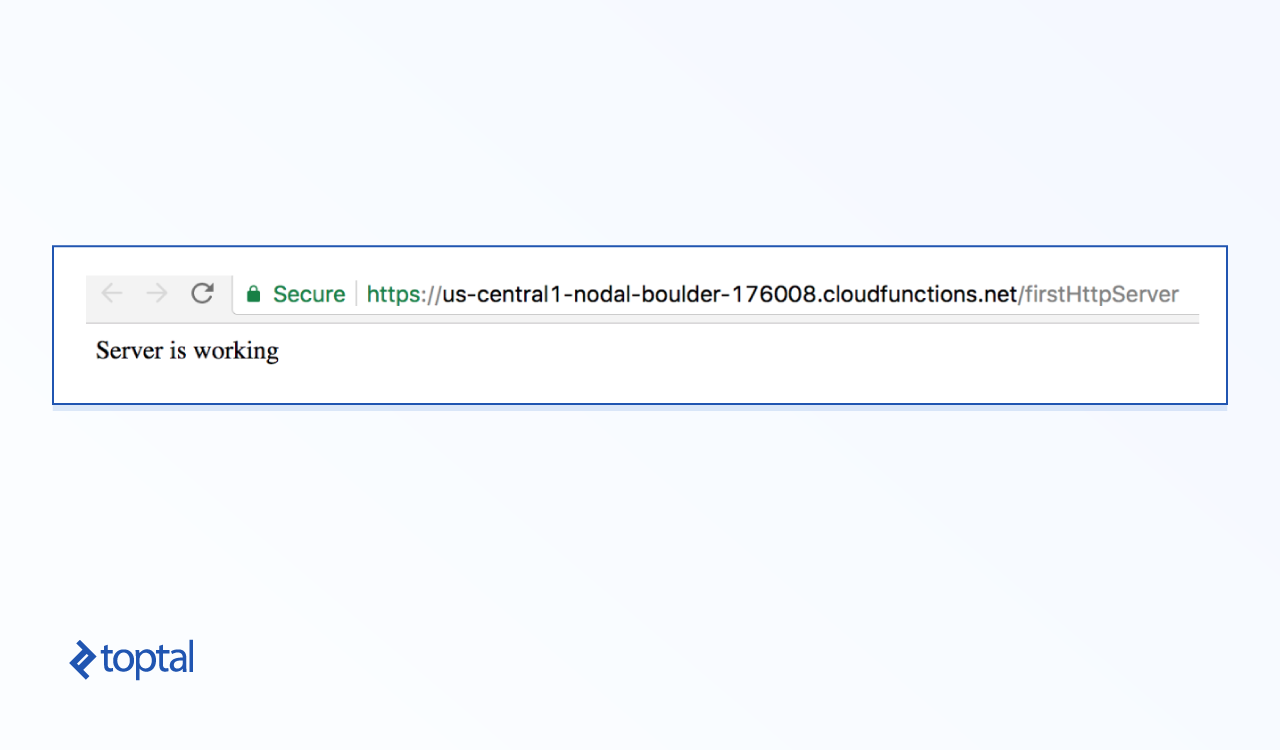
Once created, open the provided URL to trigger your function. You should receive a response similar to:
Now, let’s examine the req object in the logs, accessible directly from the GCF console. Click the vertical dots and choose the “Logs” option.
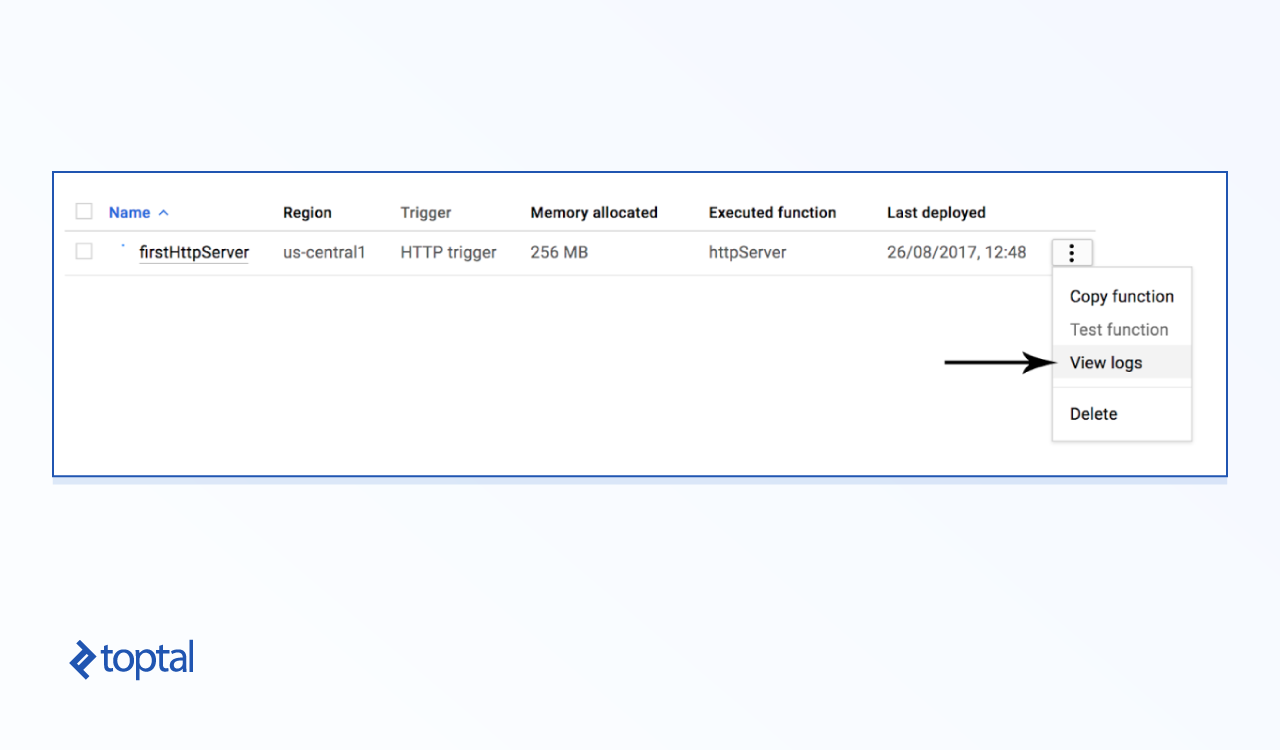
Next, we’ll update our code to manage simple routes for /users.
The following code handles basic GET and POST requests for the /users route:
| |
After updating, test it in your browser, appending /users to the URL.
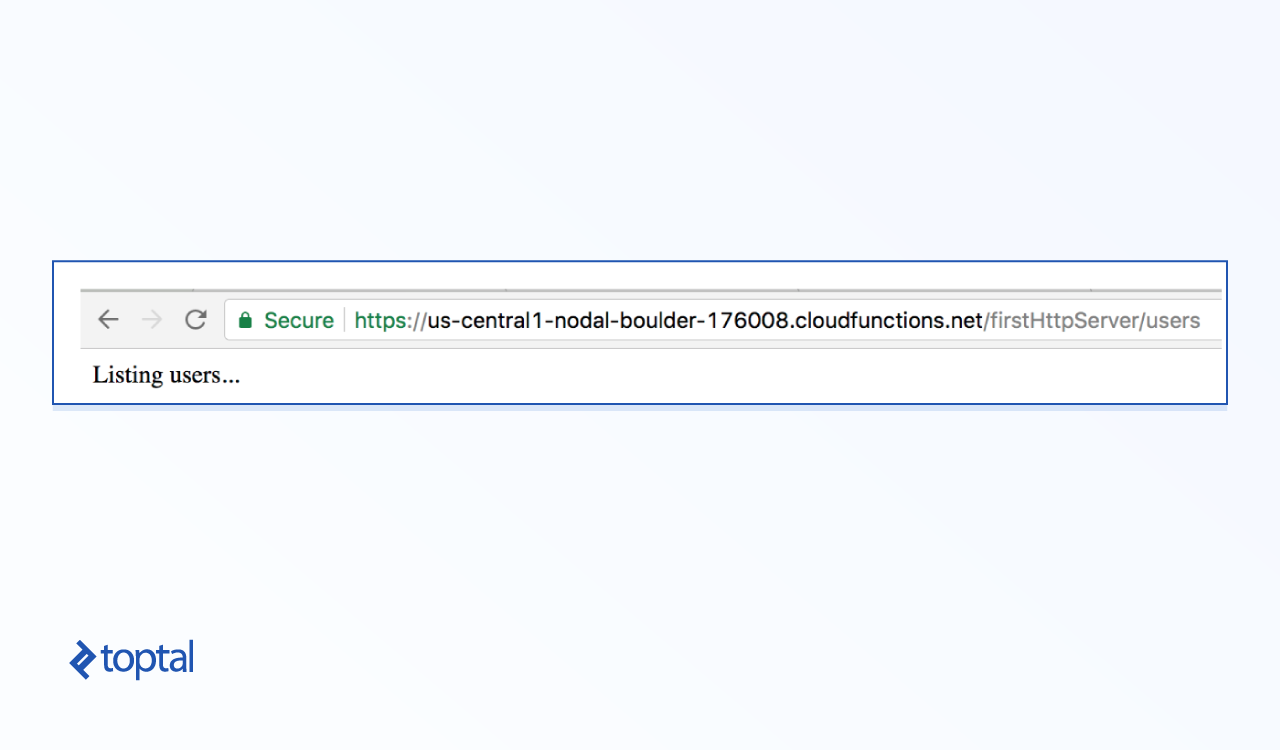
And there you have it—a basic HTTP server with routing!
Operations and Debugging
Code is only one piece of the puzzle. Here’s a rundown of handling tasks like deployment and debugging for your serverless Node.js applications.
Deployment:
There are four methods for deploying your functions’ code:
- Directly copy and paste into the console.
- Upload a ZIP file.
- Deploy from a cloud storage bucket as a ZIP file.
- Deploy directly from your cloud source repository.
Deploying from a source repository offers the most convenience.
Invocation:
Upon function creation, the console provides an HTTP URL for triggering it, following this format: https://<region>-<project-id>.cloudfunctions.net/<function-name>
AWS Lambda sometimes experiences cold start issues, increasing the initial function execution time. Subsequent executions perform normally. Although official GCF documentation on this is limited, cold start issues didn’t arise during our testing.
Debugging:
GCF seamlessly integrates with Google Cloud’s Stackdriver Logging service. This service logs all console output and errors, aiding in debugging deployed code.
Testing:
The console offers options to test your function by passing JSON input. The output is then displayed in the console, simulating a request-response cycle. This mirrors the Express.js framework and facilitates unit testing during development.
Limitations and Next Steps
Serverless functions have benefits, but also limitations:
- Vendor Lock-in: Code is bound to a specific service provider. Migrating to a different provider requires significant code refactoring. Carefully choose your provider to mitigate this.
- Request and Resource Limits: Providers often restrict the number of concurrent requests a function handles and impose memory limitations. While these can be negotiated, they are inherent to the model.
Google Cloud Functions is continuously evolving and improving, with frequent updates, especially regarding supported languages. If you’re considering GCF, stay informed about changelog updates to avoid any breaking changes in your implementation.