Want to make your TikTok account go viral? While a single magical video isn’t a guarantee, TikTok LIVE offers a fantastic way to connect with your audience in real-time and attract new followers.
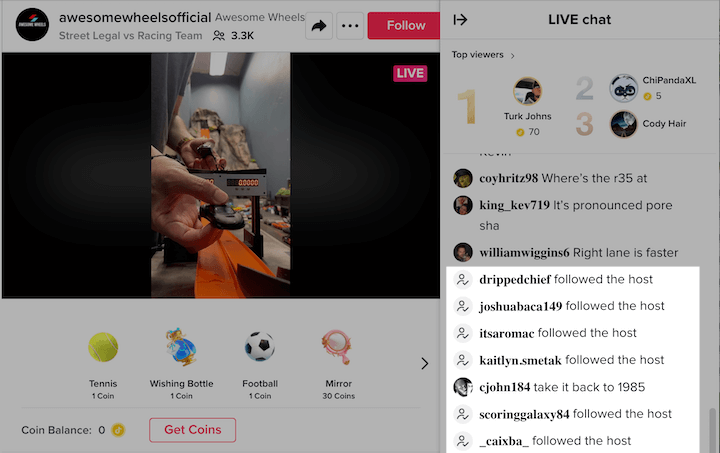 It’s as simple as turning on your camera and starting a conversation, and this post will guide you on how to do just that.
Contents
- What is TikTok Live?
- How to go live on TikTok
- How to go live on TikTok without 1000 followers
- TikTok Live tips and best practices
- TikTok Live ideas and examples
What is TikTok Live?
TikTok LIVE is exactly what it sounds like - TikTok’s version of live video, similar to Facebook Live, Instagram Live, and YouTube Live. It allows users and creators to interact in real-time. However, there are a few requirements and restrictions:
- You need at least 1,000 followers to access TikTok live (though there’s a workaround—more on that later).
- You must be 16 years or older to host your own live stream
- You must be 18 years or older to send and receive gifts during a LIVE. These virtual gifts from your followers can be converted into real money.
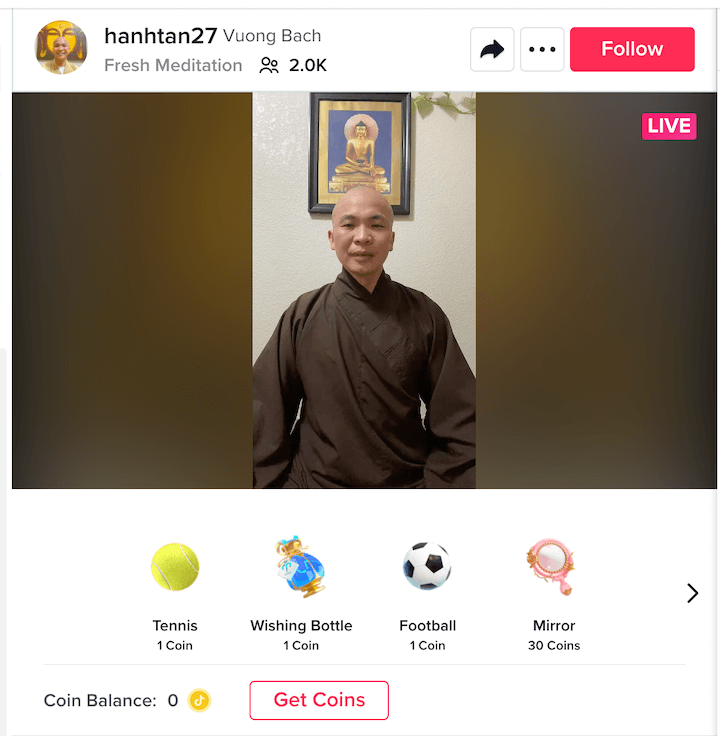
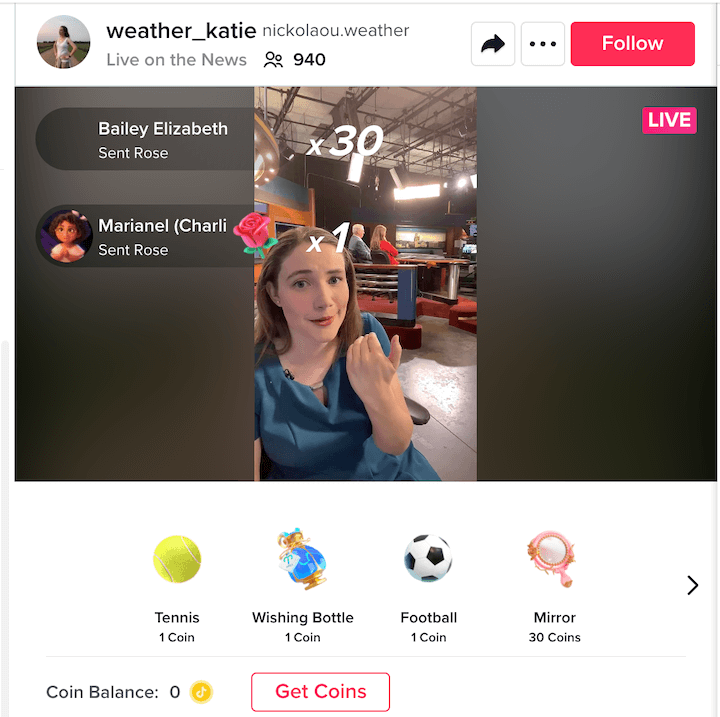 During a live stream, TikTok Live gifts appear below the video and are displayed on top of the screen when sent.
How to go live on TikTok
If you meet the requirements, follow these steps to go live on TikTok:
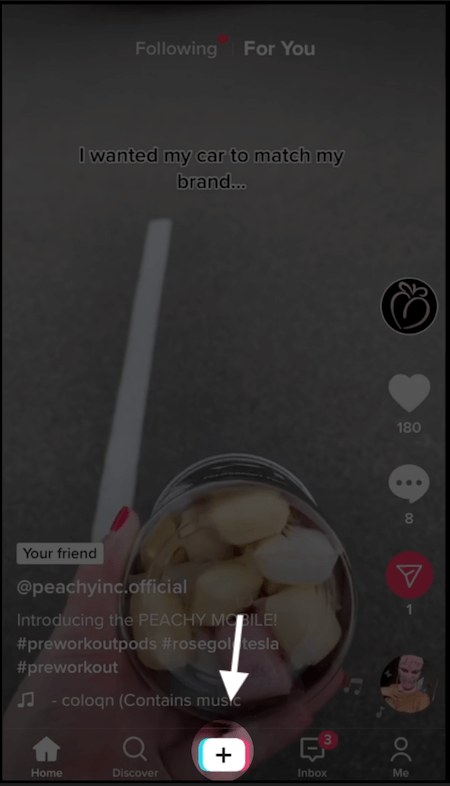
- Open the camera.
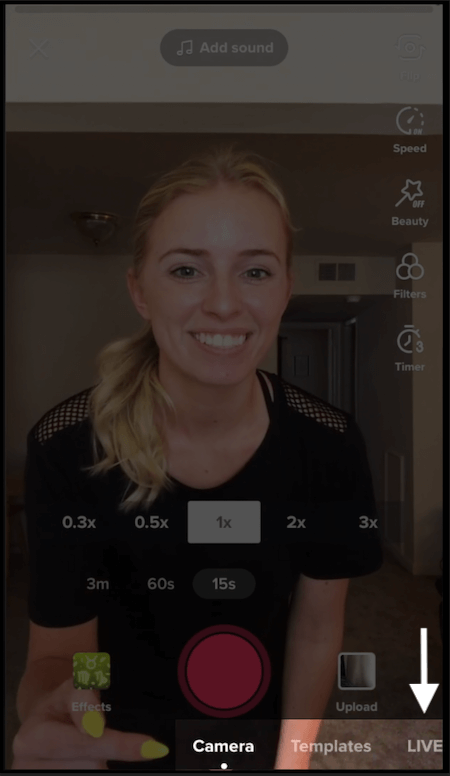
- Scroll through the options beneath the red button until you find LIVE and tap it.
- Give your live stream a title.
- Choose a cover photo, topic, and any filters.
- Tap the pink Go LIVE button. Here’s a more detailed breakdown with screenshots, courtesy of Kyla Liu on YouTube—thanks Kyla! Step #1: Open the camera by clicking the + icon at the bottom of your TikTok screen.
 Step #2: Below the red record button, you’ll see recording options. Scroll right until you find the LIVE option and tap it.
Step #3: Add a short and catchy title (around 30 characters).
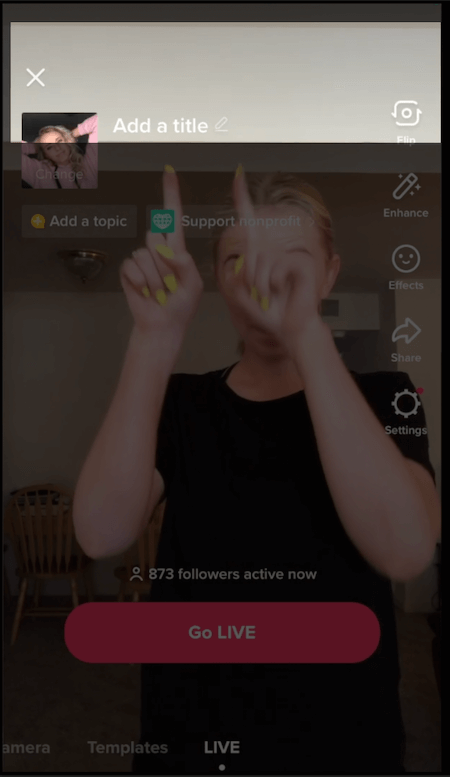
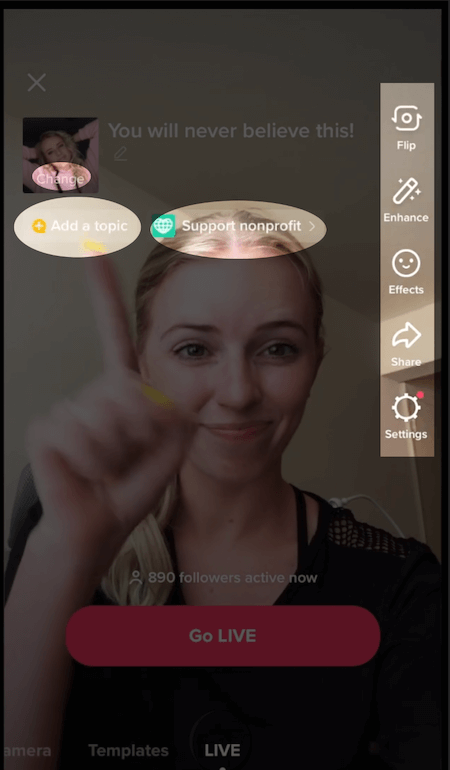
Step #4: Select a cover photo, either your profile picture or a custom image. Choose your topic, filters, effects, and even support a non-profit.
Step #5: Tap “Go LIVE”
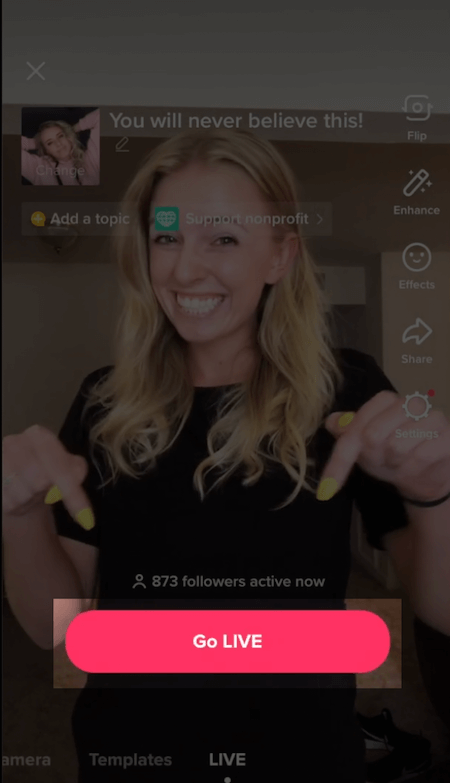 A three-second countdown will begin before your live stream starts. If the button doesn’t appear, ensure you meet all TikTok LIVE requirements. It’s also possible that too many live streams are happening simultaneously, so try again later.
How to go live on TikTok without 1000 followers
Currently, a “trick” allows you to bypass the 1,000 follower requirement for TikTok Live. Here’s how:
- Go to your account settings by tapping the hamburger menu in the upper right corner of your profile.
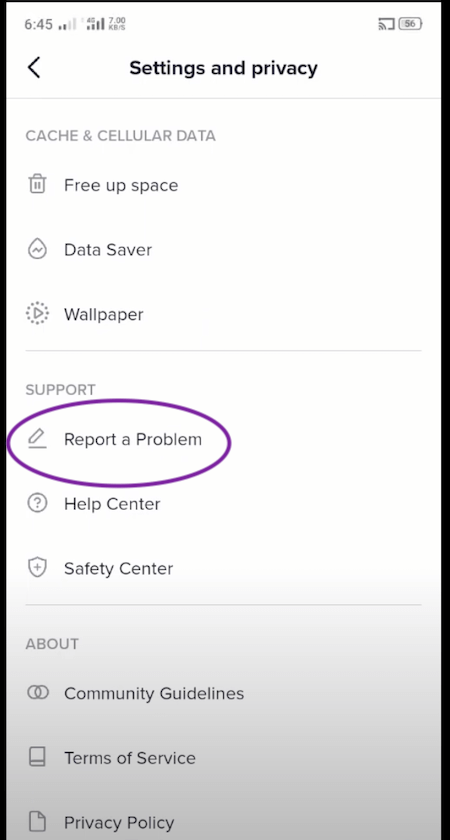
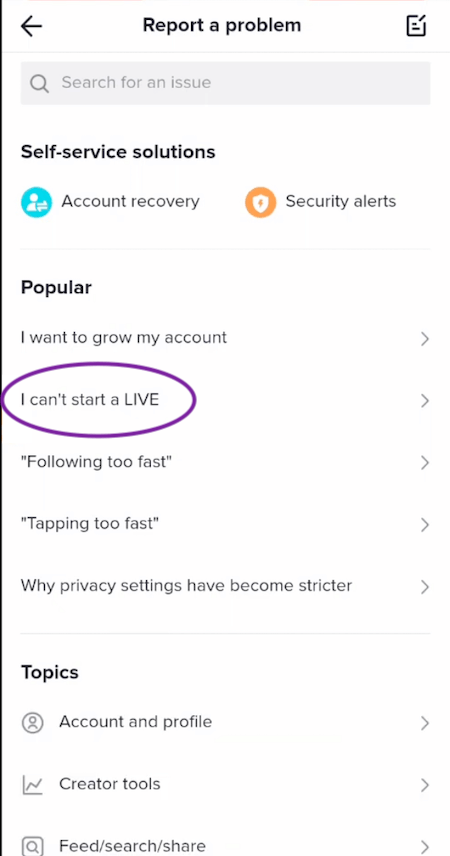
- Tap “Report a problem.”
- Tap “I can’t start a TikTok LIVE.”
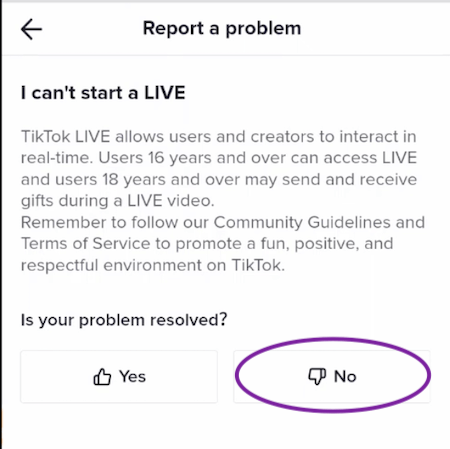
- When asked if your problem was resolved, select No.
- In the “Send us your feedback” box, write something like: Hello, I can’t access TikTok Live. Could you please enable it for me?
- Hit send, and you should have access to TikTok Live within about two days. Here are the steps illustrated with screenshots: Step #1: Access your account settings by tapping the hamburger menu at the top right of your profile: Step #2: Tap “Report a problem.”
 Step #3: Tap “I can’t start a LIVE.”
 Step #4: When asked if your problem was resolved, select No.
 Step #5: In the “Send us your feedback” box, write a message similar to:
Hello, I don’t have access to TikTok Live. Could you please activate it for my account?
Step #5: In the “Send us your feedback” box, write a message similar to:
Hello, I don’t have access to TikTok Live. Could you please activate it for my account?
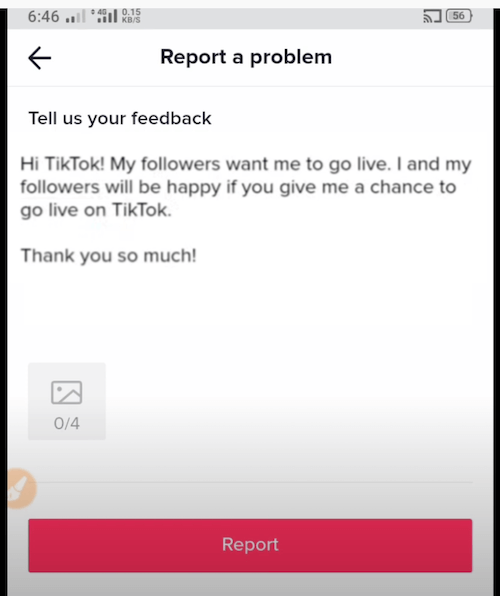 Step #6: Send your message, and you should gain access to TikTok Live within 24-72 hours.
TikTok live tips/best practices
1. Define your objective
Determine what you aim to achieve with your TikTok LIVE. Whether it’s sharing something specific, promoting a product, directing traffic to your website, or simply connecting with your community, having a clear goal ensures your live stream is purposeful and aligns with your marketing strategy.
2. Choose a captivating topic
With your goal in mind, select a topic that will help you achieve it. Opt for something enticing. For instance, if promoting a new product, you could demonstrate how it solves a common problem. Consider having a broader monthly theme and weekly live streams on related subtopics.
3. Structure your live stream
Engage your audience from beginning to end by planning your live stream’s structure—how you’ll start, transition between segments, and conclude. Begin by greeting viewers and introducing yourself to newcomers. As more people join, explain the live stream’s topic. Structure the middle section in a way that makes sense and maintains engagement. Examples include steps in a tutorial or a Q&A session.
 Free Guide >> The 30 Best Ways to Promote Your Business
4. Aim for ~30 minutes
Pre-determine your live stream’s duration. Given TikTok’s preference for shorter content, 30 minutes is a good maximum time limit. Allow enough time to achieve your goals while keeping it concise to retain viewers. Pre-planning your time helps you keep track while filming, ensuring a smooth transition between segments.
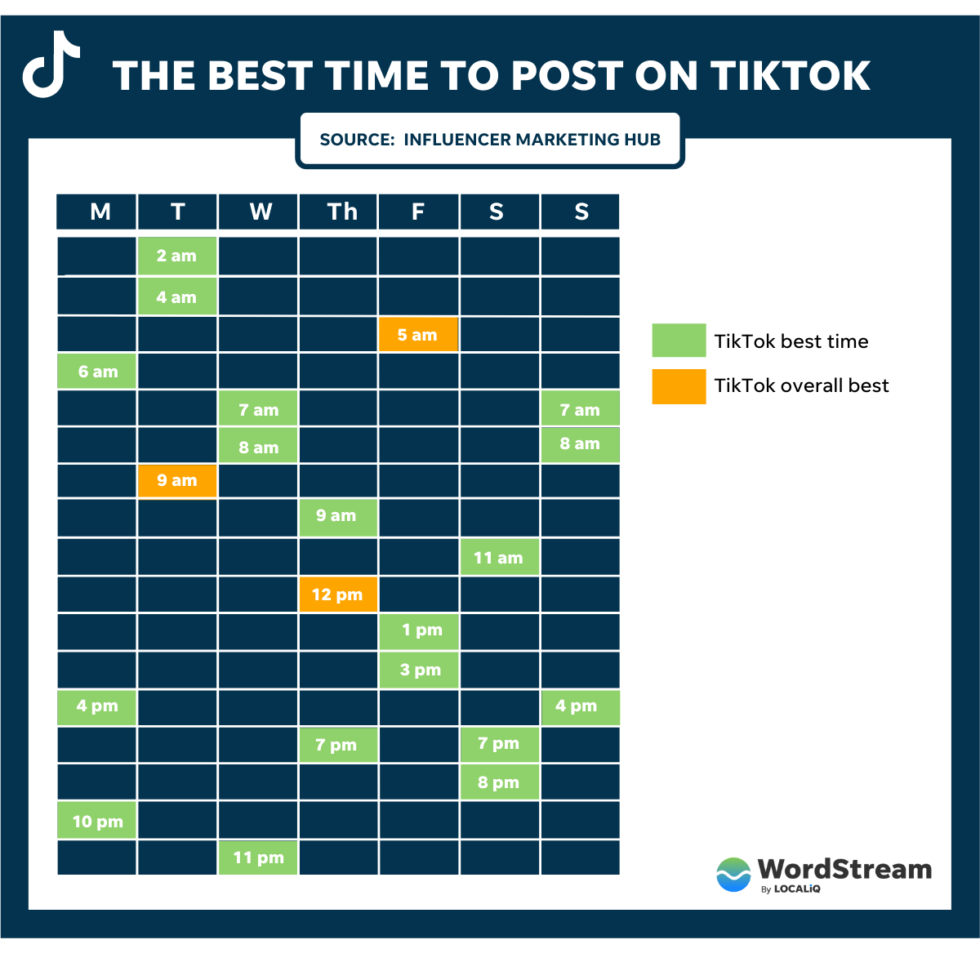
5. Go live at the optimal time
Choose a time when most of your followers are active to maximize likes and engagement. Your TikTok analytics’ Follower Activity section provides this information. Going live when your audience is online significantly boosts interaction. For further guidance, check out our post on the best time to post on TikTok.
6. Avoid sounding scripted
While planning is crucial, avoid making your videos feel overly rehearsed. TikTok thrives on authentic and unscripted content. Stiff, scripted live streams may not resonate with your audience. Structure your live streams to provide value while maintaining a casual tone for an organic connection.
7. Prioritize quality
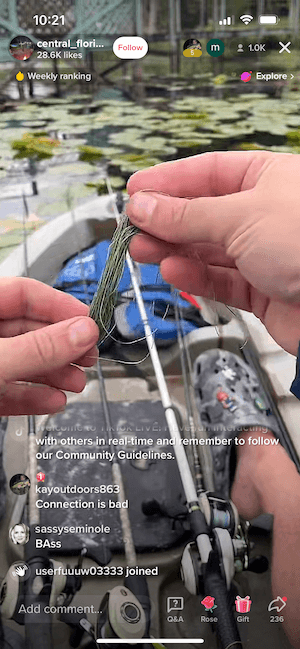
While TikToks, including live streams, shouldn’t be overproduced, high-quality video is essential. Ensure good lighting (natural light from a window works well), check for clear sound and minimal background noise, and use a reliable internet connection.
8. Provide clear next steps
Enhance your live stream’s effectiveness by ending with a call to action. Reinforce the key takeaway and guide viewers on the next steps. Encourage them to follow you or visit your website for more information.
9. Encourage interaction
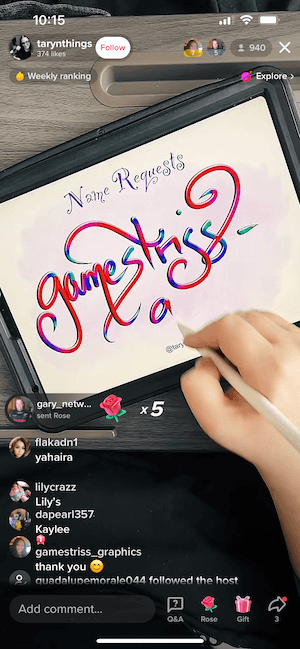
Interact with viewers in real-time. Answer their questions, express gratitude for new followers and gifts received. Some TikTok live streams, like the example below, revolve entirely around viewer requests.
TikTok live ideas and examples
1. Participate in a challenge
Attempt a challenge live, or even provide a behind-the-scenes look at filming a TikTok video (using separate devices).
2. Host a live Q&A
Prepare questions beforehand or address those appearing in your live stream comments. Answering insightful questions strengthens your bond with the audience.
3. Conduct interviews
Interviewing fellow TikTok users expands your reach and provides valuable content. You might even land on the FYP! While not a live example, @ameliezilber’s video below demonstrates this concept. Remember, collaboration extends beyond interviewing creators; try joint challenges, Q&As, or discussions on mutually relevant topics.

4. Gather feedback
Utilize live streams to test new content and gauge audience reactions. Directly ask viewers for their opinions on your ideas.
5. Offer a behind-the-scenes tour
Take your audience behind the curtain, showing them your content creation process or business operations.
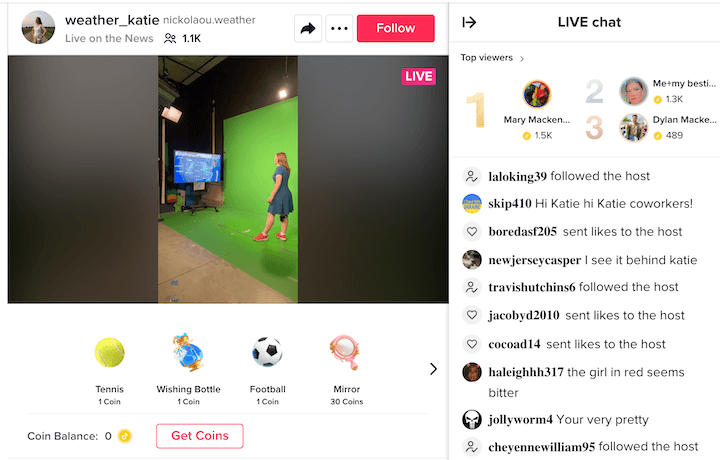
6. Create a helpful tutorial
Share your expertise by guiding your audience through a step-by-step process. This format structures your live stream, encourages viewers to stay engaged, and offers valuable content.

7. Discuss current events
Engage with your audience on shared experiences. Discussing current affairs relevant to your niche can resonate with your followers.
8. Chat while cooking
Everyone cooks! Provide your audience with engaging content while casually chatting about life, future plans, or anything that piques their interest.
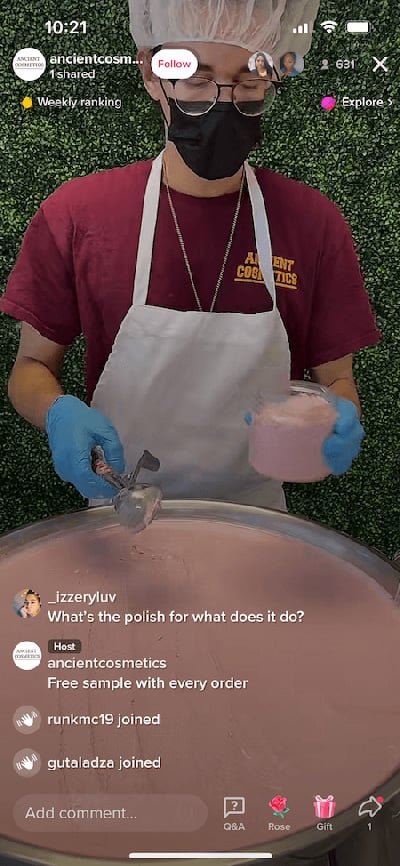
9. Demonstrate product creation
In the example below, a cosmetics company answers product-related questions while showcasing its manufacturing process. This transparency assures customers of their product’s authenticity.
10. Organize a live fundraiser
Unite with your audience for a good cause. Offer incentives like prizes or matching donations to encourage participation. Fundraisers strengthen community bonds through shared values and meaningful contributions.
Launch your first TikTok live today
TikTok LIVE presents a fantastic opportunity to connect with your audience, grow your following, and drive traffic to your website. The simplicity of going live without editing requirements makes it even more appealing. While initial shyness is normal, inviting a friend or follower to join your live stream can ease the process.
For further guidance on live social media videos, explore these resources:
- The Ridiculously Awesome Guide to Facebook Live
- 8 Tips for Making Incredible Instagram Live Videos
- The Complete Guide to Getting Started With YouTube Live