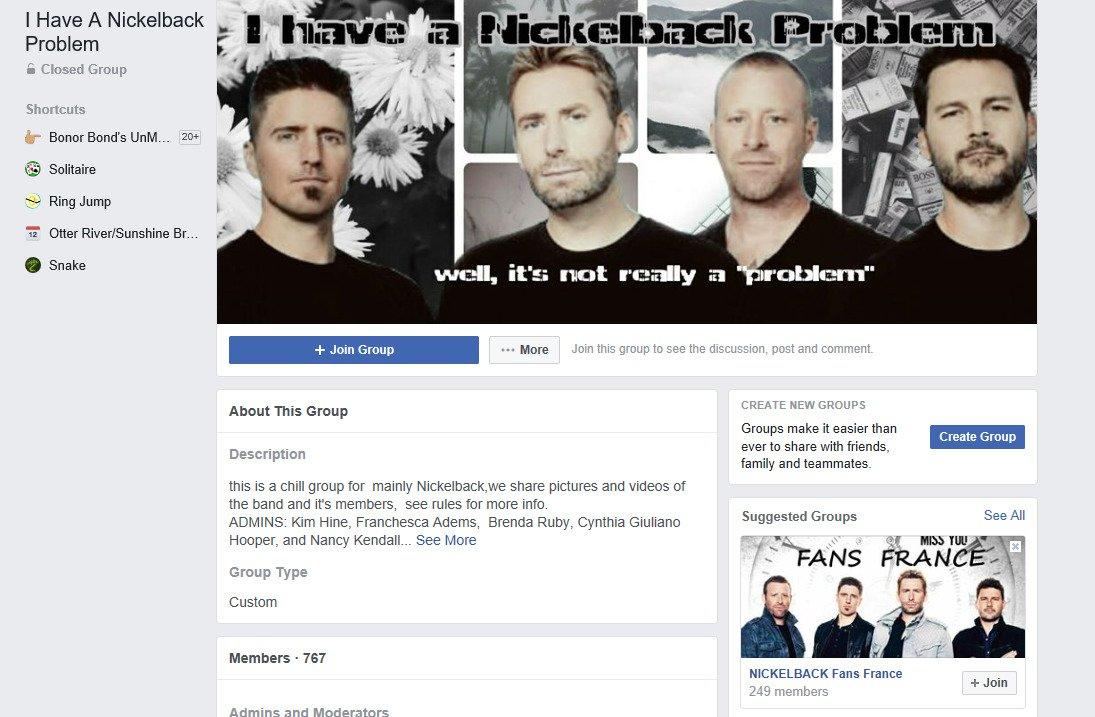
It’s a known fact that there are niche Facebook groups for just about anything, from “rat moms” (women who are proud rat owners) to people who vent their frustrations at inanimate objects, and even die-hard Nickelback enthusiasts.
If you’re an active Facebook user, you’ve likely participated in a Facebook group or maybe you’re more of a silent observer. Whatever your style, people engage with Facebook groups for various reasons. It could be a young person seeking connections in a new city or an entrepreneur building a professional network. Facebook groups come in all shapes and sizes, catering to a wide range of interests.
What Exactly is a Facebook Group?
In simple terms, a Facebook group is a dedicated page designed to bring people together based on shared interests. They’re frequently used by businesses and organizations to connect with customers and potential clients. These groups can promote products, announce events, or share the latest industry news. While the applications are vast, some common business uses include networking, fostering customer relationships and cultivating brand advocates, or even as a centralized support hub for customers. It’s always wise to establish clear objectives before launching your Facebook group. Having a well-defined goal and target audience will guide you in setting up your group effectively, from choosing the right name to crafting compelling copy. You’ll need to decide on aspects like privacy settings (public or private), comment moderation, target location, whether to utilize it for social selling, and more. Feeling overwhelmed? Don’t worry! This comprehensive guide will walk you through the setup process and highlight the long-term advantages for your business. Let’s dive right into the setup!
Setting Up Your Facebook Group
Follow these seven simple steps:
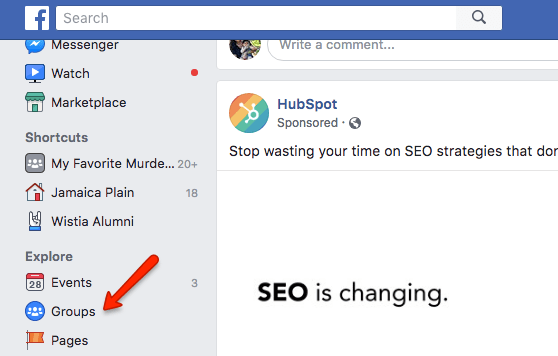
#1: Locate the “Groups” button under “Explore” on your Newsfeed
The journey begins by locating the “Groups” button (as shown below) on the left side of your Facebook newsfeed page. Click on it, and let’s proceed to step two.
#2: Click “Create Group” at the top right
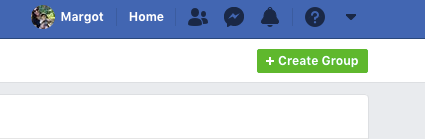
After completing step one, you’ll land on a page showcasing your Facebook group activity, pending invitations, and possibly a few too many “Lost Phone” groups from your early Facebook days. Disregard the distractions and focus on the top right corner. Click the green “+ Create Group” button.
#3: Configure Your Group Settings
Now for the exciting part! Start by tailoring your group settings to match your Facebook group’s purpose and objectives.
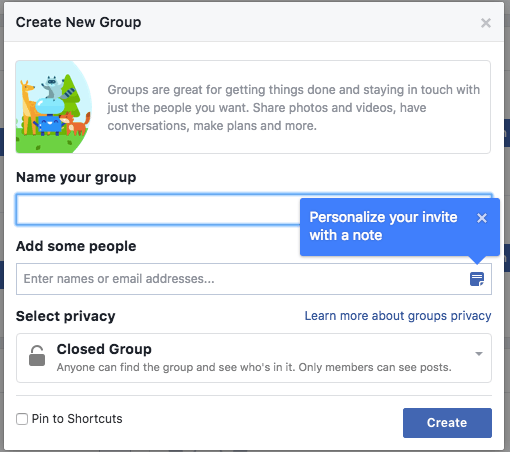
You’ll be prompted to:
- Give your group a name
- Invite members
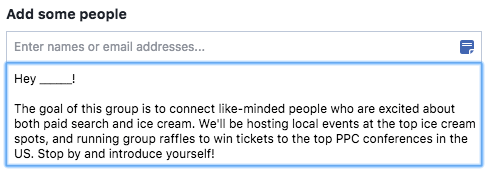
- Set your privacy preferences Your group name should be concise, captivating, and informative. Clarity is key here – the name should clearly convey the content and purpose of the group. When inviting people, add a personal touch by including a brief message (Facebook will prompt you to do this). Providing context for joining will significantly increase your chances of building a thriving community.
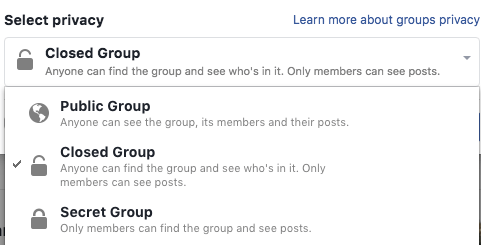
Finally, determine your privacy settings. Should your group be open and publicly searchable, closed (discoverable but only members can post), or secret and exclusive (only members can find and interact)? While this decision involves several factors, considering your group’s primary objective can guide your choice. For instance, if attracting leads is your goal, a public group is ideal. However, a closed group is better suited for existing customers or if sensitive information is shared.
#4: Select an Eye-Catching Group Photo
While it might seem trivial, your Facebook group’s photo is crucial. You might even want to hold off on sending invites (from step #3) until you’ve nailed this part! Consider your group photo as the cover of a book—it needs to be visually appealing and relevant to the group’s theme. An image of a soccer game in a yoga-focused group would send mixed messages.
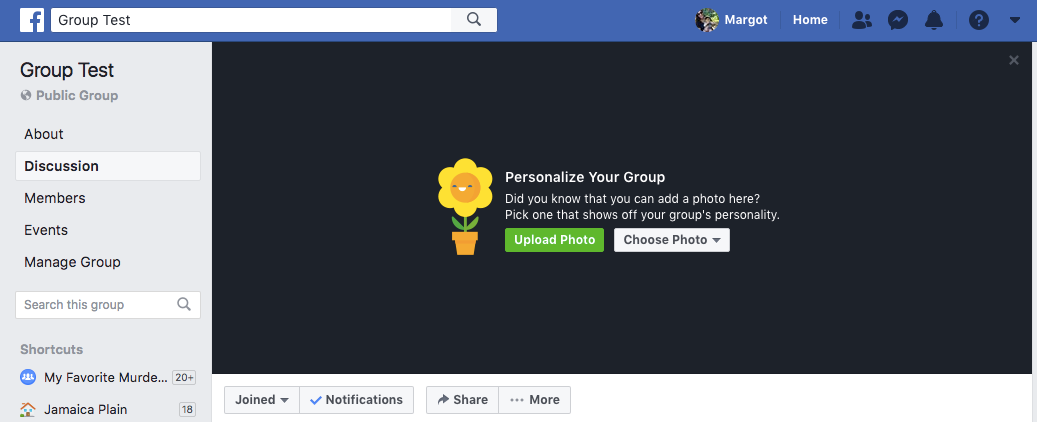
Invest time in selecting a visually engaging and contextually appropriate picture. Ensure it’s uploaded correctly to fit the frame.
#5: Fine-Tune Your Group Settings
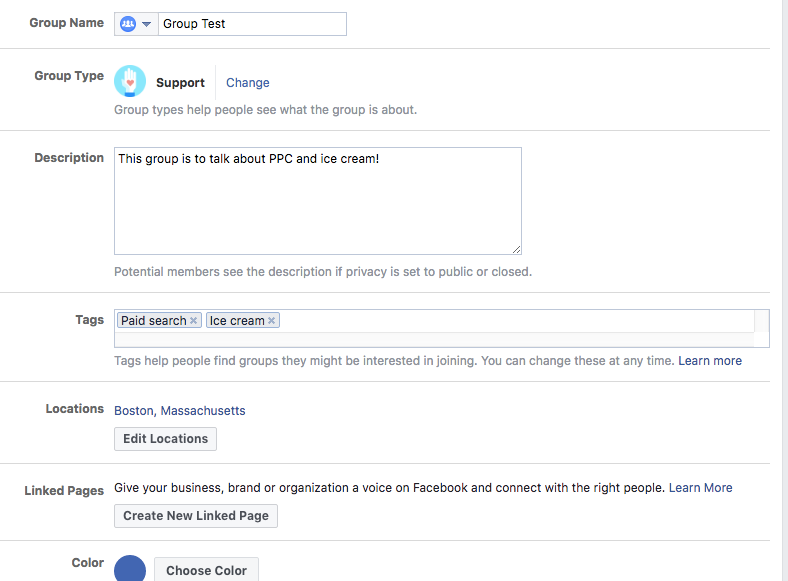
With your group up and running, delve deeper into the settings to fine-tune them according to your preferences. Navigate to the “…More” section below your group photo and click “Edit Group Settings.”
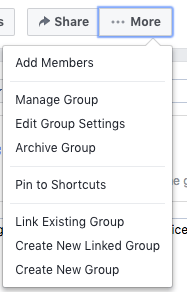
Here, you can customize various aspects, including:
- Adding a detailed group description
- Choosing a relevant group type
- Adding appropriate tags
- Specifying a location These customizations provide context for members and make it easier for potential members and leads to find and join your group. There are numerous other ways to personalize your group. You can link relevant pages, choose a group color, customize contact information, modify privacy settings, manage membership approvals, and utilize the “ask a question” feature to learn more about new members.
#6: Craft Your First Engaging Post!
Time for the exciting part – creating your inaugural Facebook group post! The pressure is on to make it captivating. Fortunately, Facebook simplifies this with features for tagging friends, asking for recommendations, and the highly effective poll option.
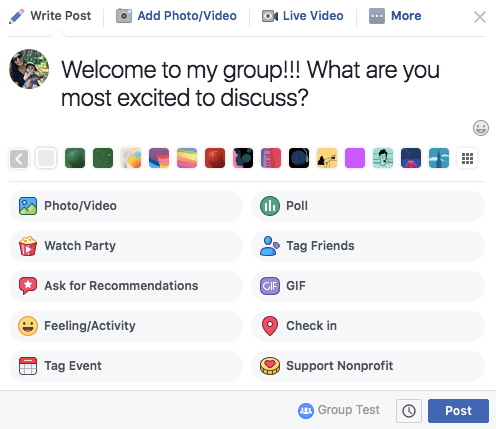
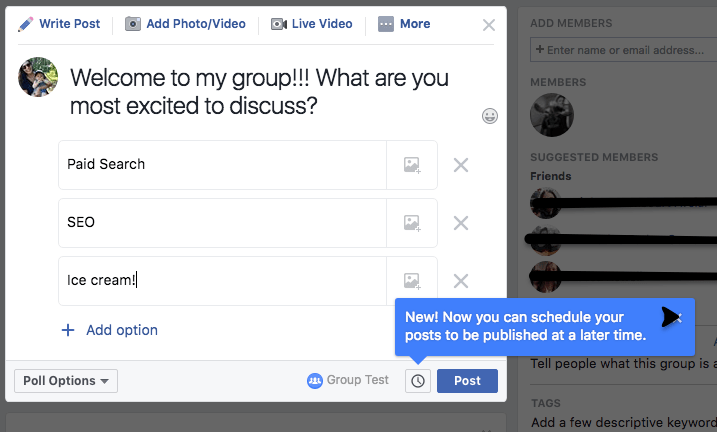
A fantastic way to launch your group is by engaging your audience through a poll. Ask them about their interests and preferred discussion topics. Give it a try!
#7: Spread the Word – Promote Your Group!
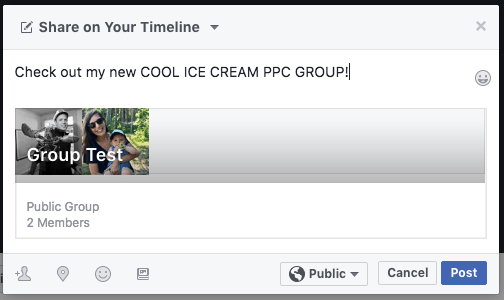
Lastly, don’t forget to promote your fantastic new Facebook group. Facebook offers various promotion options, including sharing on your timeline, in other groups, on friends’ feeds, within events, via private messages, and more. Leverage these user-friendly features to spread the word!
For broader reach, consider emailing colleagues to promote the group within their networks. You can even explore paid campaigns to attract new members. Whatever your approach, ensure you’re actively promoting your group.
5 Key Advantages of a Facebook Group for Your Business
By now, you understand how to create a Facebook group. But the question remains – why is it beneficial? With countless platforms for building an online presence, assessing the value proposition of each is essential. Will dedicating time to your Facebook group yield a positive return on investment (ROI)? That’s the question every marketer wants answered. Let’s explore some compelling benefits that highlight whether creating and nurturing a business Facebook group aligns with your goals.
#1: Personalizing Your Business & Demonstrating Care
Managing a Facebook group differs from managing platforms like Instagram or Snapchat due to its higher level of interaction. It fosters a sense of community, showcasing your genuine interest in your audience’s opinions.

Feeling heard makes people feel valued, and who doesn’t appreciate that? If you can make your customers feel genuinely heard, they’ll perceive your business as superior to competitors.
#2: Customer & Prospect Insights: The Ultimate Growth Engine
Providing a voice to your customers offers numerous benefits, particularly in shaping your business strategy. Through my experience in the tech industry and conversations with professionals in the field, a recurring theme emerges: neglecting customer and prospect feedback is a recipe for disaster. Gathering and genuinely listening to customer feedback is paramount. It ensures that product development, marketing, and other business decisions align with what your audience desires. Giving people what they want is the most effective way to sustain and drive growth.
#3: Fostering a Thriving Business Community
Beyond internal benefits, a Facebook group can connect individuals with shared interests. Providing a platform for your audience to cultivate these relationships reflects positively on your company and fosters respect.
#4: Empowering Customers Through Mutual Learning
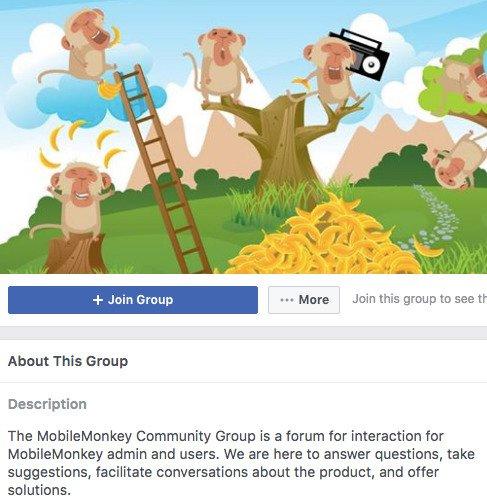
When customers support and answer each other’s questions, your support team will be eternally grateful. This not only frees up their time for other tasks but also encourages customer connections and growth. By sharing ideas, providing answers, and celebrating successes, your Facebook group becomes a hub for self-sufficient followers.
#5: Transforming Happy Customers into Brand Champions
Ultimately, a well-managed Facebook Group transforms satisfied customers into passionate brand ambassadors. Building a community where your audience can interact and grow deepens their appreciation for your brand. This, in turn, motivates them to spread the word (leading to valuable new leads!). Convinced about the power of a Facebook group for your business? I hope so! We’d love to hear about your experience and how your customers are enjoying their new community. Feel free to share your story in the comments below!