It’s a fact: click fraud is a real problem in PPC marketing. Every display ad network has to deal with fraudulent websites designed to exploit advertisers. It’s crucial to eliminate these placements from your campaigns to ensure your ad spend generates real results for your business.
This article will guide you on how to pinpoint the websites responsible for click fraud in your Google Display Network campaigns and provide actionable steps to eliminate them.
Identifying Click Fraud in Your Google Display Campaigns
To uncover fraudulent display ad clicks, navigate to “Display campaigns” -> “Display Network” -> Placements. This section reveals all the websites within the Google Display Network where your ads have received impressions.
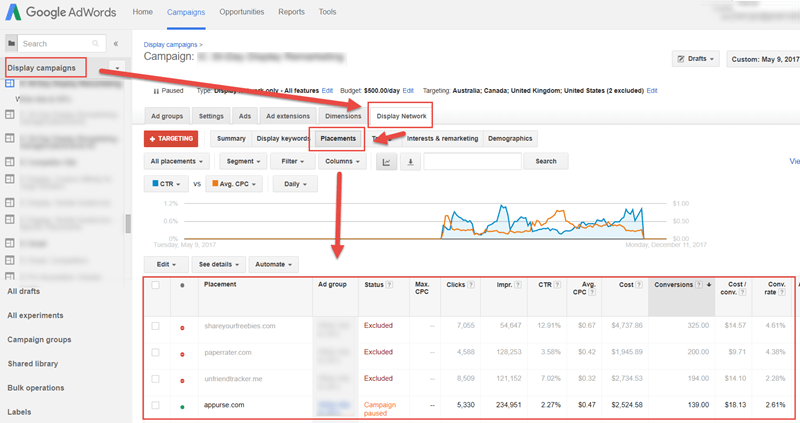
The first thing you’ll notice is the sheer volume of websites displaying your ads: 48,639 in this case.
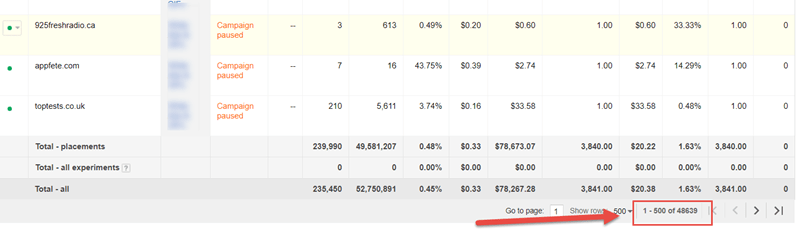
Upon closer inspection of the websites generating spend and conversions, you’ll find many are fake, designed to drain your budget.
Want to create professional-looking display ads quickly? Try our free Smart Ads Creator.
For instance, “Fakereceipt.us” (link removed) has spent $139.58 for 251 clicks and 22 conversions, resulting in an average cost per conversion of $6.34 and an impressive 8.76% conversion rate.
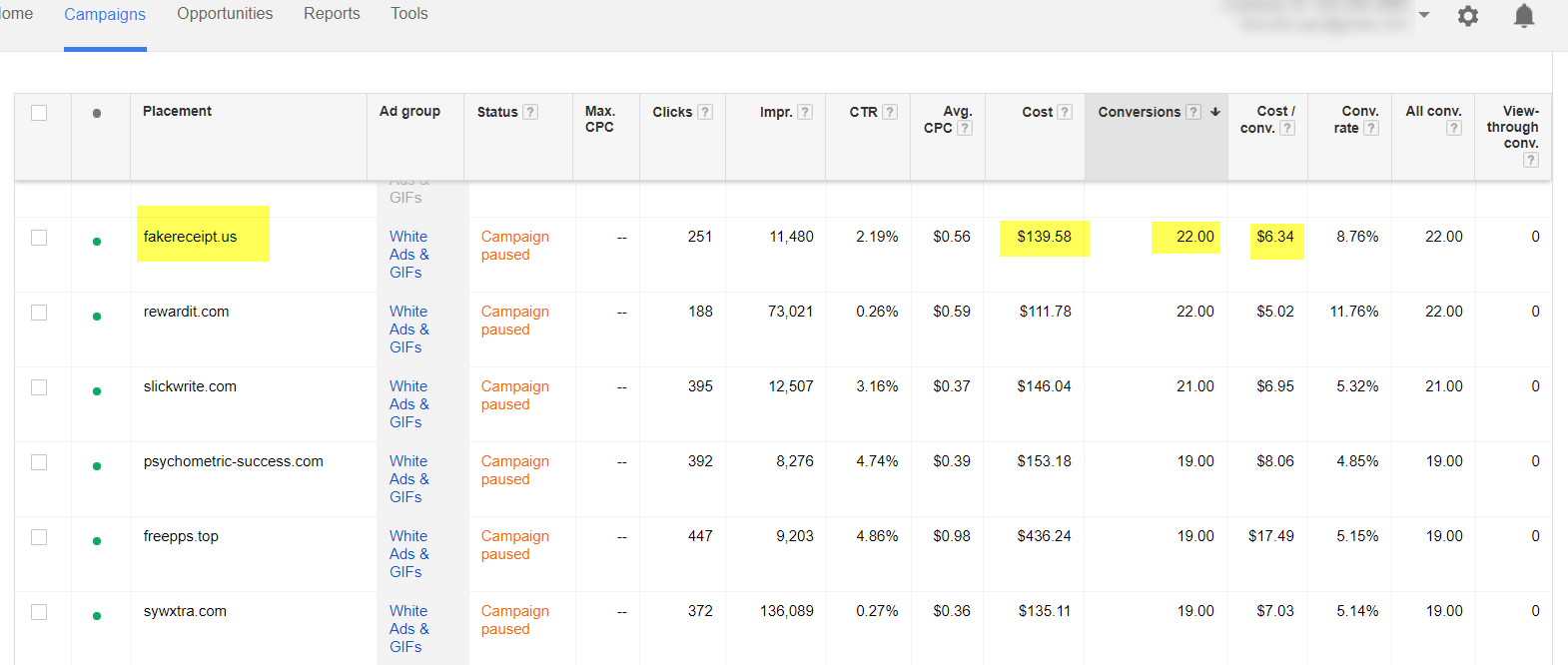
While this may seem incredible, it’s likely too good to be true. A closer look reveals this website is fake, created solely to deplete ad budgets, not a legitimate site attracting real visitors.
Recognizing a Fake Website
Here are some red flags that often indicate a fake website:
- Minimal content
- Generic template with little customization
- Recently registered domain
- Unusually high ad density
Let’s examine our top conversion driver:
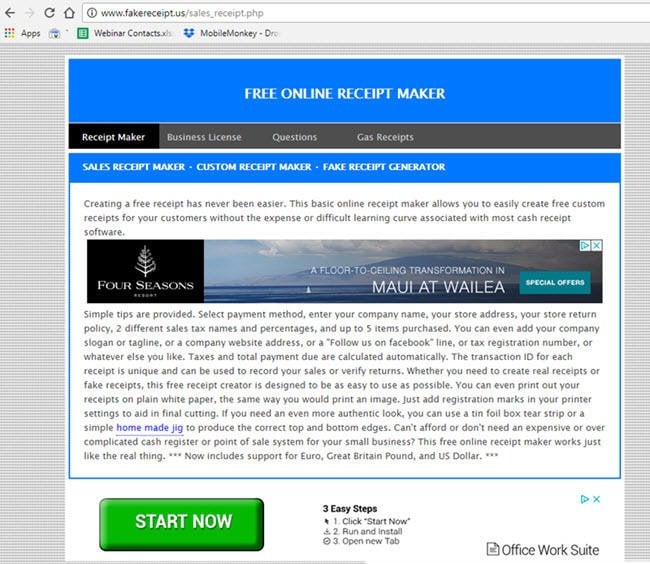
Does a website like this seem capable of driving 22 conversions at an 8.76% conversion rate?
Absolutely not.
Here’s another example:

Another fake site. You get the picture.
These are not premium, high-performing display network sites; this is simply click fraud.
How Fake Websites Perpetrate Click Fraud
These fraudulent sites operate by using bots to visit your website, triggering your remarketing ads. The site operators, often employing a combination of human users and bots, click on your ads and even fill out landing pages to generate fake conversions.
Why would bots go through the effort of registering fake conversions on your site?
Because Google’s automated bidding algorithms, driven by machine learning, interpret these fake conversions as high performance, leading to increased ad delivery to these fraudulent sites. It creates a vicious cycle.
So, what can you do about it?
Ineffective Spam Reduction: Excluding Placements
The traditional approach to eliminating spam placements on the GDN is manual exclusion by adding them to an exclusion list:
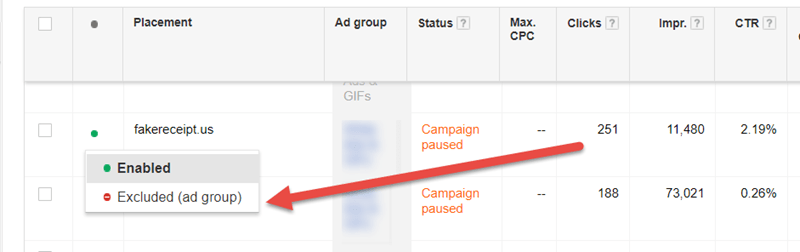
However, this method is highly inefficient and ultimately futile. Remember the 48,639 placements in our example? Over 90% were fake.
Manually reviewing such a vast number of placements is an impossible task:
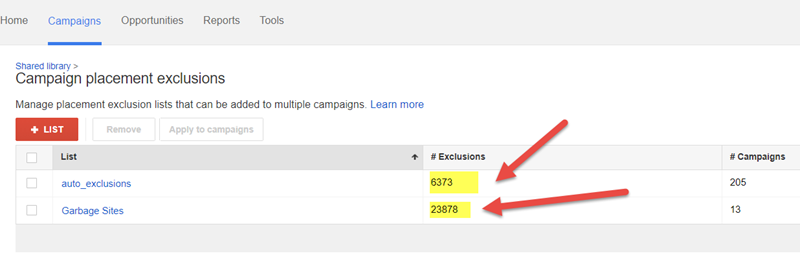
Even after meticulously combing through the entire list, thousands of new fake websites emerge in your placement report every month.
So, what’s the solution?
Abandon automatic placements!
Instead of attempting to manually exclude countless random sites from the GDN, adopt a proactive approach by handpicking a select group of trustworthy websites known for their legitimacy and genuine traffic – websites like weather.com, cnet.com, techcrunch.com, etc.
Utilizing Managed Placements in the Google Display Network
To define a specific list of websites where you want your display/remarketing ads to appear, go to “Display Network” -> “Targeting” -> “Placements” -> “Add Multiple Placements” and input your chosen websites.
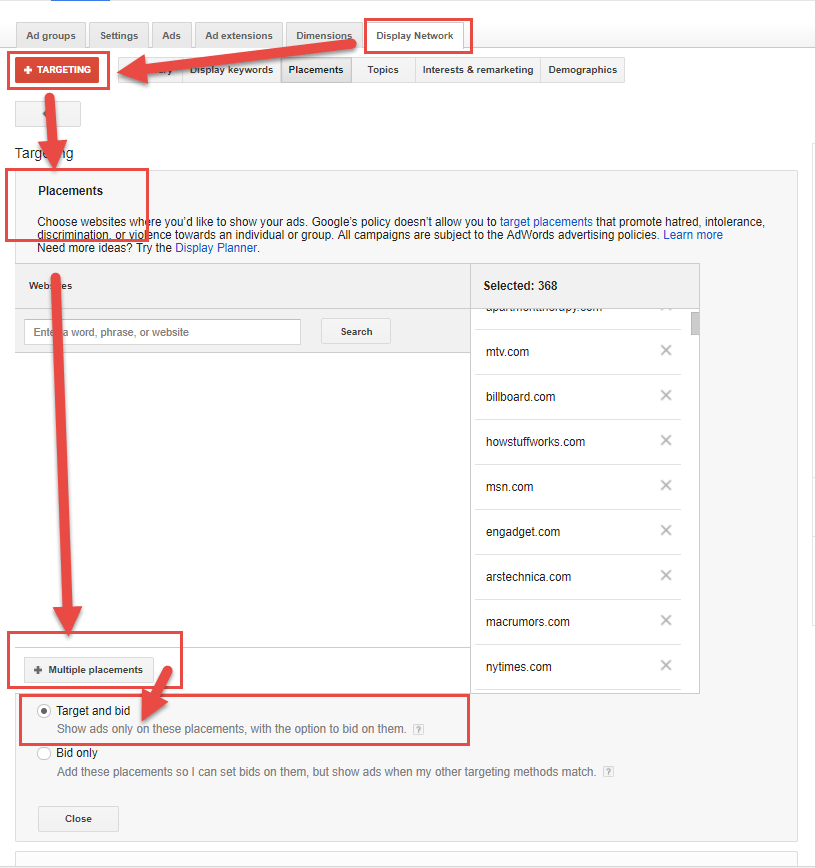
Important: Select “Target and bid” to ensure your ads are exclusively displayed on your designated websites.
Finally, deselect the default “Let AdWords automatically find new customers” option.
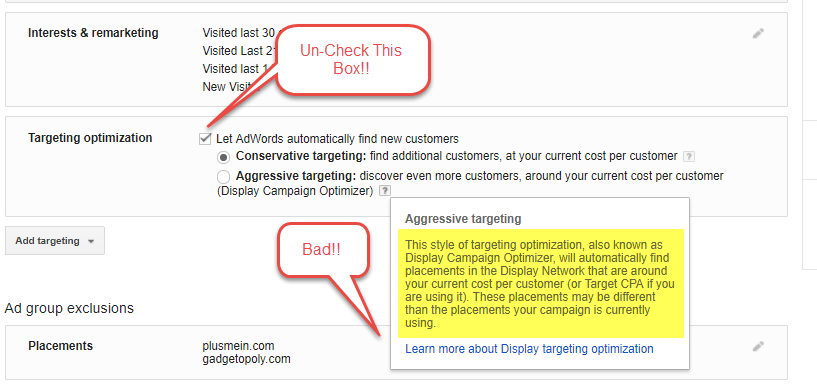
This step prevents Google from automatically seeking conversions on the very sites you’re trying to exclude.
Discovering Managed Placements
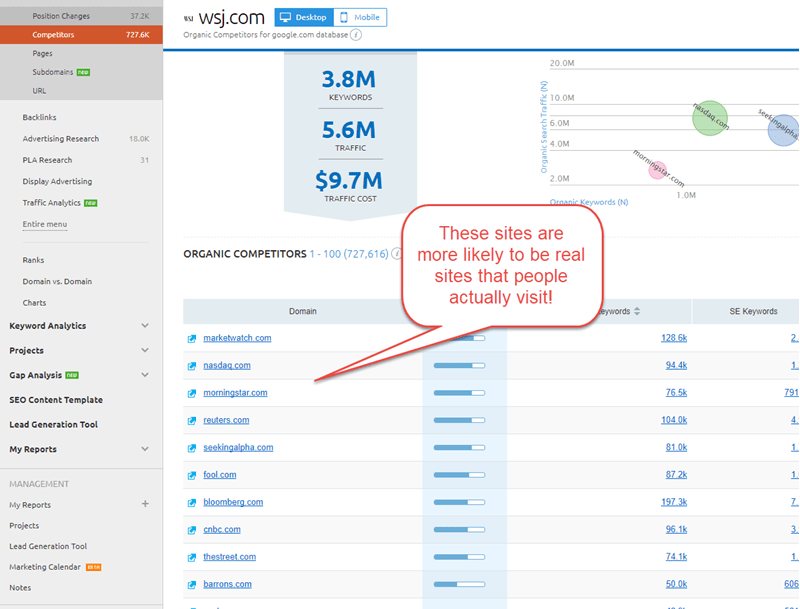
Start by avoiding the Display Planner tool. Why? Because it’s simply an index of millions of GDN websites, including a significant number of fake ones.
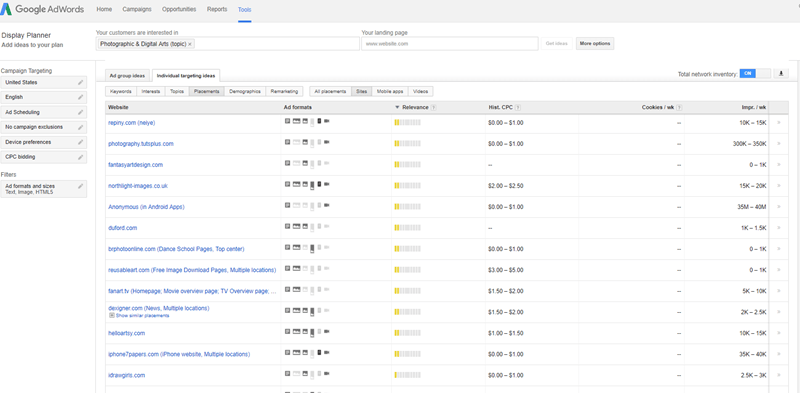
Instead, leverage tools like SEMrush to search for websites based on specific topics. This approach provides a list of the most linked-to sites, which are more likely to be legitimate compared to the listings in the Display Planner.
Overcoming Bots and Eliminating Fake Clicks
Let’s recap. Spam websites can exhaust your display ad campaigns by generating fake conversions that mislead Google’s algorithms, leading to increased ad delivery to these fraudulent sites.
The solution lies in avoiding the placement of your conversion pixel on easily faked actions like lead forms.
Instead, trigger your conversion pixel only when a genuine conversion occurs – for instance, after a successful sale with credit card billing.
Alternatively, if you’re collecting leads, trigger the pixel on a lower-funnel action like a trial subscription activation.
Final Thoughts
By implementing this one crucial change, we achieved the following:
- 90% reduction in fake conversions and costs
- Significantly improved sales productivity: Initial concerns about lead loss were overcome when the team realized they could achieve the same sales volume in a fraction of the time, eliminating the need to pursue fake leads.
- Enhanced campaign data accuracy: Bot activity artificially inflated both click-through and conversion metrics. Recognizing this discrepancy led to improvements in ad and landing page performance.
Apply the strategies outlined in this guide to ensure your display ad budget is allocated to the highest quality, legitimate websites within the ad network.