Want better leads?
There are many great reasons to advertise on Twitter. Compared to other platforms, Twitter can deliver high-quality leads at a lower cost. It’s true! But only if you ignore Twitter’s own advice. Why? Because their suggestions for creating lead generation cards are completely off-base. This article will reveal my unique six-step strategy for using Twitter lead generation cards to generate incredibly successful results.
Step 1: Set Up Conversion Tracking. Seriously, Don’t Skip It!
This feature might be hidden within the platform, but it’s absolutely crucial. Without conversion tracking, you’re flying blind. Unlike other platforms with universal tags for easy conversion setup, Twitter requires separate JavaScript tags for each thank you page. Each tag is named and categorized (download, purchase, sign-up) for later reporting.
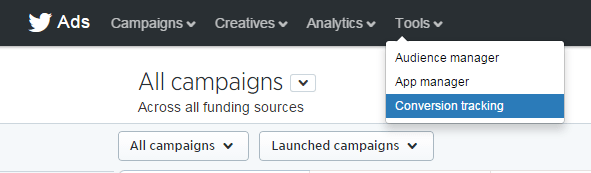
It’s astounding how many people overlook this essential step. By setting up distinct conversion pixels for each goal on your site, you can accurately track your progress and effectiveness.
Step 2: Choose Your Twitter Ads Campaign Type Carefully
Depending on your marketing goals, you can pick from six performance-based campaign types. For each type, you set the maximum amount you’re willing to pay per action.
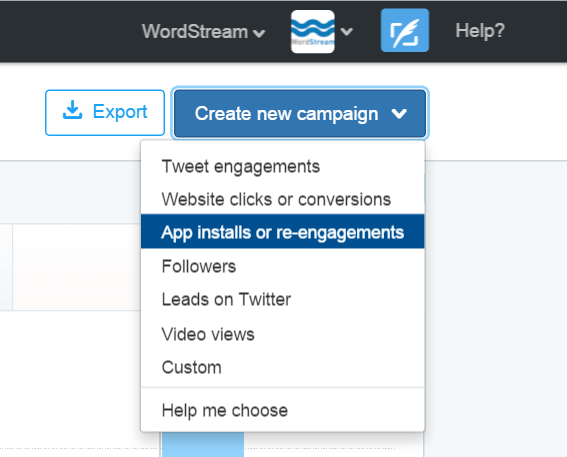
You might be tempted to set your cost per action to $0.01, but resist the urge! Setting bids too low will leave you with zero impressions. It’s an auction, and other advertisers are likely willing to spend more. The higher your bid, the greater the chance your ads will be displayed. Determine your budget, and Twitter will figure out the reach you can achieve. While tweet engagements are the most common campaign type, they offer the absolute worst ROI. Steer clear! Why? Twitter charges for every “engagement,” which includes actions like viewing your profile, expanding your image or tweet, or clicking a hashtag. These campaigns drain your budget without contributing to your actual marketing objectives. Instead, focus on paying for valuable actions like website clicks, app installs, followers, leads, or actual video views.
Step 3: Refine Your Twitter Ad Targeting
At a basic level, target Twitter users by location, gender, and language.
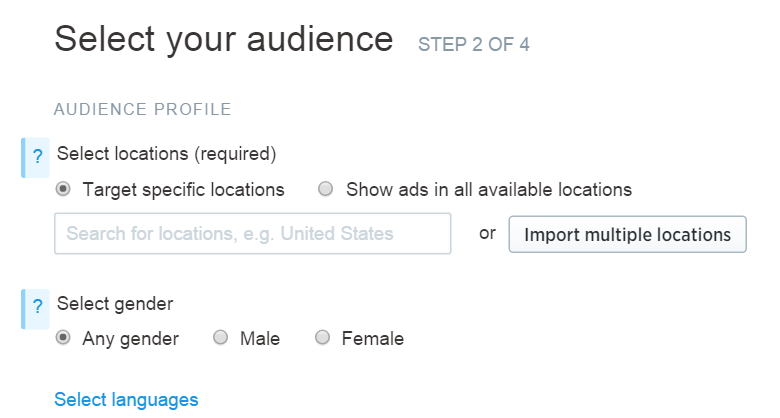
But Twitter also offers more refined options:
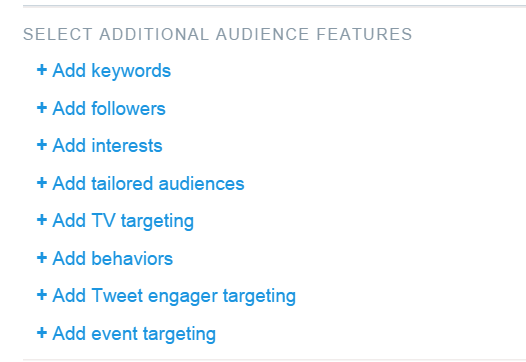
These advanced targeting options allow you to reach specific audiences:
- Keywords: Target users who search for or include certain keywords in their tweets.
- Followers: Reach users with similar interests to the followers of specific accounts (e.g., targeting @SMExaminer for users interested in social media).
- Interests: Target users based on their interests in various categories.
- Tailored audiences: This is the goldmine of Twitter advertising! Prioritize remarketing and custom lists for optimal ROI. These audiences are already familiar with your brand, making them more likely to convert.
- TV targeting: Reach users based on their interest in specific programs, networks, or genres.
- Behaviors: Target users with particular online and offline behaviors and characteristics.
- Tweet engager: This new feature is like remarketing within Twitter. It targets users who interacted with your tweets recently. This is incredibly effective for generating excitement around specific events or campaigns.
- Event targeting: Target users interested in global or regional events.
Step 4: Craft Your Ad – But Ditch the Twitter Lead Generation Cards!
Now it’s time to create your lead generation ad. Twitter will suggest using a Lead Generation Card, but don’t fall for it! Never use Twitter’s Lead Generation Cards for lead generation. I’ve run countless campaigns, and these cards consistently underperform. Despite their visually appealing layout and customizable call-to-action buttons, they scream “advertisement.” Twitter users are adept at ignoring ads, and anything that resembles one will be met with indifference. On Twitter, anything that looks like an ad is a surefire way to get ignored! That means lower engagement and 2-4x higher costs.
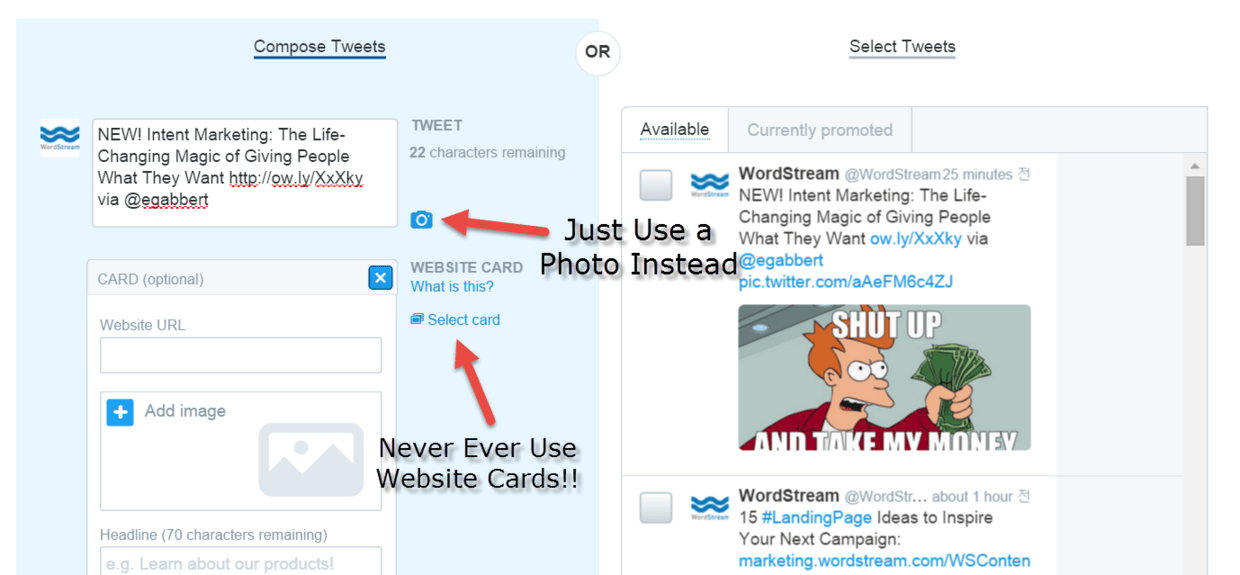
Instead, opt for a humorous image that has performed well organically to maximize your budget. Get creative with your image choice. Don’t shy away from a little snark or humor. Embrace funny images and memes, even if they deviate slightly from your brand identity. On Twitter, showcasing your brand’s fun and relatable side yields better results than a stiff corporate approach. And don’t forget emojis! They can boost engagement rates by a significant 30%.
Step 5: Manage Bids – Say No to Automatic Bidding
First and foremost, never rely on Twitter’s Automatic Bidding. It’s a trap!
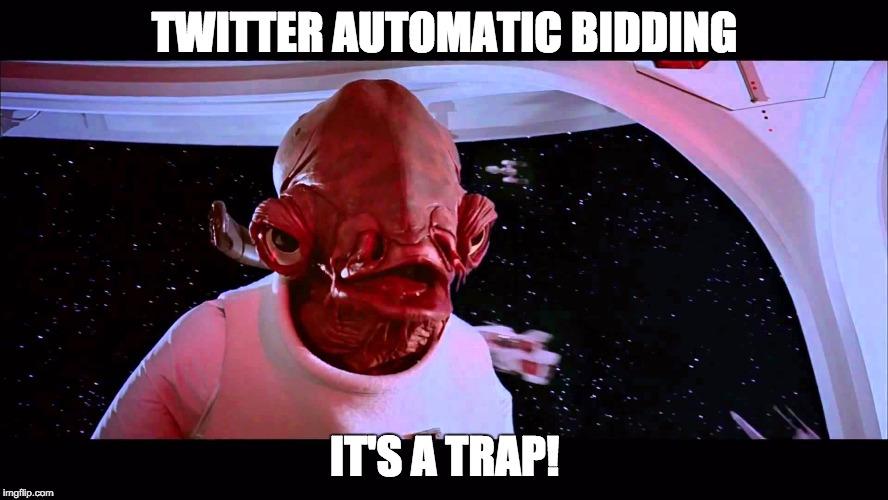
Automatic bidding guarantees a quick depletion of your budget. While it might help you win ad auctions, winning every auction isn’t necessary or even desirable. Unlike search advertising with its limited, high-value keywords, display advertising offers ample ad space. Always opt for maximum bidding. For most businesses focused on lead generation, a slight delay in lead acquisition won’t make or break the bank. The only scenarios where automatic bidding is justifiable are time-sensitive promotions (e.g., a 24-hour sale) or campaigns targeting extremely niche audiences. In these cases, either use auto bidding or set a significantly high bid.
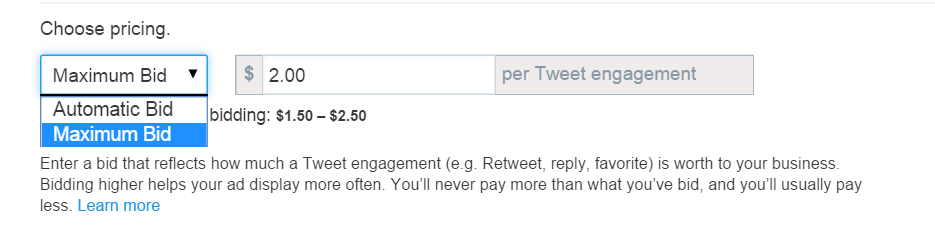
Now, how do you determine the right bid amount? It’s a complex process that can feel like rocket science. You need to channel your inner Force. Essentially, the goal is to maximize impressions while minimizing expenditure. Bid too low, and your ads won’t appear. Bid too high, and you’ll exhaust your budget prematurely. Bidding too high is like paying for overnight shipping when a regular stamp would suffice 99% of the time. You’re essentially overpaying for the same clicks just to expedite delivery. Twitter offers a tool that displays reach estimates based on different maximum bid amounts.
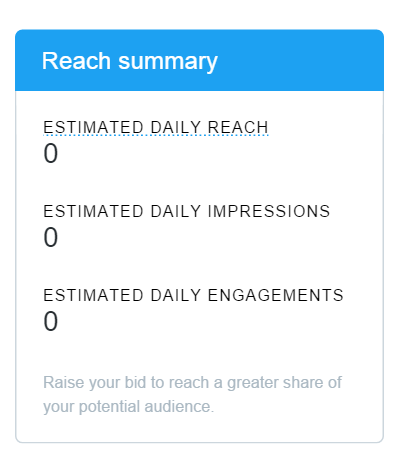
Ignore it! It’s misleading. I’ve achieved millions of impressions even when the tool predicted zero. Its sole purpose is to entice you to increase your bids. I’ve cracked the code of Twitter’s ad auction. Twitter determines ad visibility based on your effective CPM (your max bid multiplied by the predicted engagement rate). For instance, a $1 bid for a click campaign with a 1% average click-through rate results in a $10 effective CPM. To win more auctions, you have two options: increase your bid or use higher-engagement content. I recommend promoting tweets with high engagement rates (15% or higher) and very low maximum CPCs (5-10 cents). The higher the engagement, the lower your bid can be while still ensuring your ads are eligible for display.
Step 6: Analyze, Optimize, Repeat
The final step is to evaluate your campaign’s performance. Twitter provides detailed insights into clicks, retweets, followers, conversions, and more, allowing you to assess the effectiveness of your efforts.
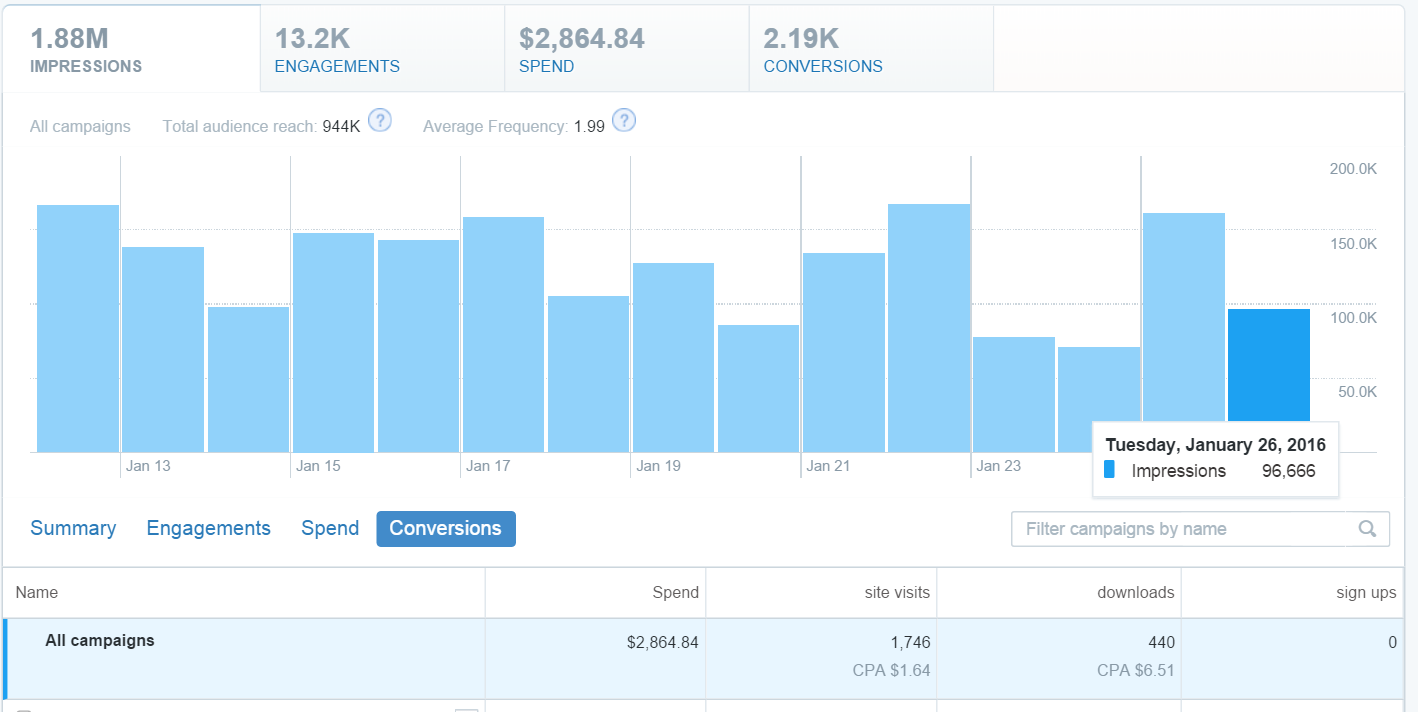
For example, the campaign shown above generated 440 downloads at a cost of $6.50 per action. That’s incredibly cost-effective compared to other marketing channels, particularly search ads, which can cost around $5 per click. Discard ineffective campaigns, double down on what works, and repeat the process.
In a nutshell…
Twitter is a powerful marketing platform. Once you understand how to leverage the Twitter ads quality score algorithm, you can generate a significant return on investment.
However, it’s crucial to avoid common pitfalls, such as Tweet Engagement campaigns. Disregard Twitter’s “best practice” recommendations on bidding, creative, audience targeting, campaign types, and practically everything else.
Instead, adopt my approach to Twitter lead generation. Do it the RIGHT way! 