When launching display or YouTube campaigns, I aim for precision, focusing on remarketing, customer match, or placements. However, this isn’t always feasible due to limited audience size, small email lists, or my placements may not be going to where I thought they would be.
My next approach is crafting custom intent and affinity audiences to stay close to my target. But eventually, expanding reach becomes crucial, requiring broader Google Ads targeting. So, where to start?

Instead of expensive persona studies, leverage Google Analytics’ free data for awareness growth. Here’s how I unearth targeting options for such campaigns, broadening reach effectively.
Uncovering Audience Insights
Google Analytics’ Audience reports offer a wealth of user information. (The reason I won’t say “all users” will be clear soon.) For now, let’s concentrate on the Insights report within the “Interests” section, specifically the “Overview” page.
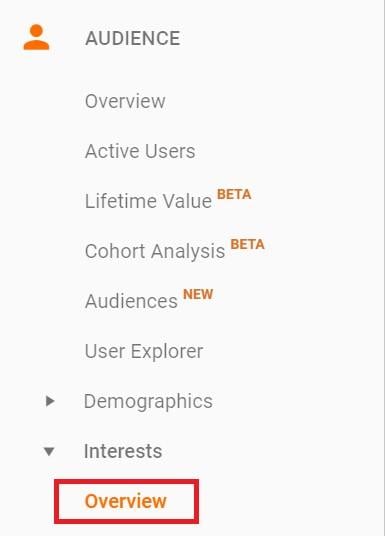
This main view displays the Affinity Category and In-Market Segment for your chosen segment and date range. Remember the “good percentage” of users? Some reports can’t capture every detail from every visitor. Observe the “Interests: Overview” page and the highlighted numbers:
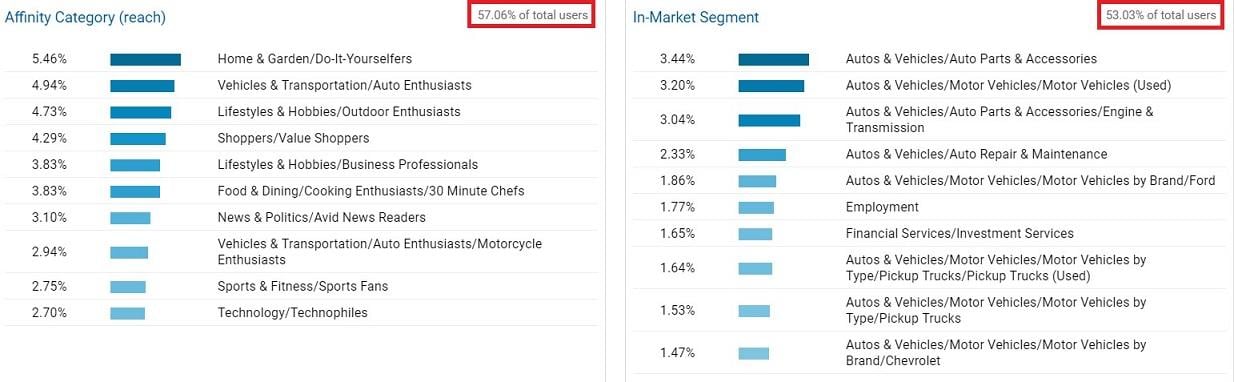
With “All Users” selected, we’re capturing slightly over 50%. While helpful for expanding awareness campaigns, I remain cautious. Understanding current user audiences is valuable, but I must acknowledge the incomplete picture.
Broadening Reach with Affinity Categories
You might wonder, “How does this benefit my awareness campaigns?” Excellent question! Affinity Category and In-Market Segment mirror Google Ads targeting options. See for yourself:
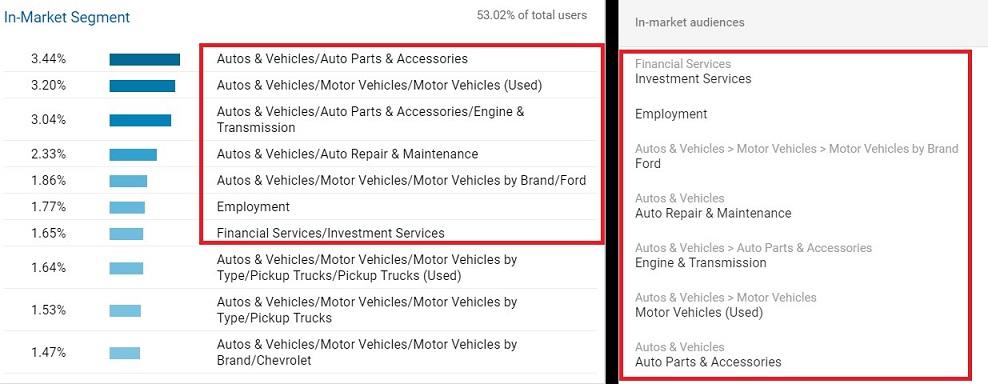
Though showcasing in-market segments, both affinity categories and in-market segments in Google Analytics have direct counterparts in Google Ads. My logic is simple: Identify clear winners among current site visitors and target similar users.
Delving Deeper
Let’s say in-market segments appeal more than affinity categories. Clicking the “In-Market” header reveals further data:
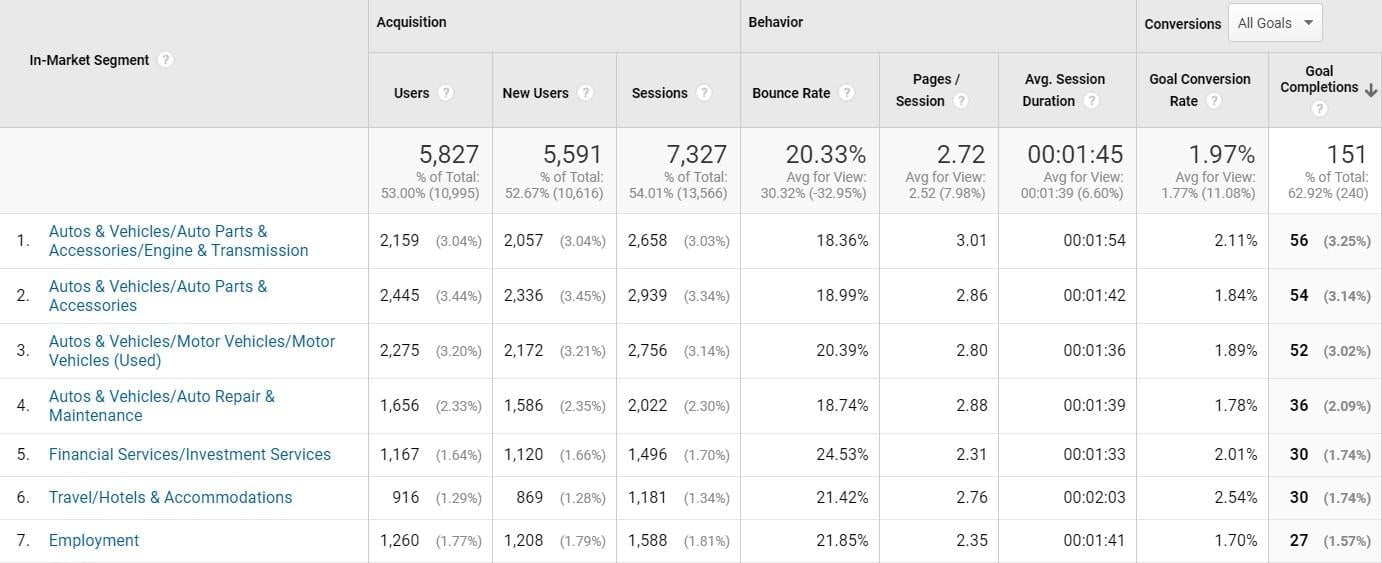
We gain conversion data for all initial in-market segments. (Affinity categories offer similar data). Analyze segments yielding the most conversions, goal-specific conversions, or the highest conversion rates. While I examine categories encompassing all site visitors, you can focus on paid users. Examining data from various angles, based on your business goals, can guide target prioritization. Want to explore further? Clicking the first In-Market Segment, “Autos & Vehicles/Auto Parts & Accessories/Engine & Transmission,” reveals intriguing insights.
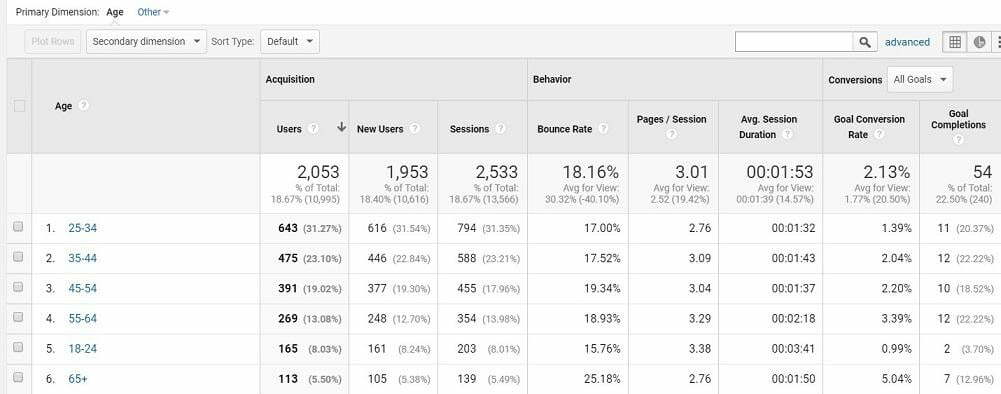
Clicking a specific segment or category breaks down the selection by users’ age ranges. Notice how conversion rates increase with age in our example. When targeting this segment, I might choose specific age ranges or feature older individuals in display and video ads for better resonance. Age isn’t the only primary dimension for analyzing affinity categories or in-market segments. Other options include:
- Affinity Category
- Age
- Browser
- Browser Size
- Browser Version
- City
- Continent
- Country
- Gender
- In-Market Segment
- Language
- Metro
- Network Domain
- Operating System
- Other Category
- Region
- Sub Continent
- User Type Avoid over-analysis. You understand your accounts and businesses. Focus on primary dimensions significantly impacting your awareness campaigns, rather than scrutinizing every single one.
Free Insights are Invaluable
While extensive persona studies are beneficial, not every client has that luxury, and that’s alright. Google Analytics provides data about existing users and converting customers, unveiling new targeting options for display and video campaigns. Finally, when segmenting and reaching specific audiences, tailor your ads accordingly. Don’t undermine your efforts by using the same generic ad. Effective targeting connects you with an audience that fosters brand growth. And don’t miss out on GA4’s powerful AI features.