Would The Office be as captivating without the iconic duo of Michael Scott and Dwight Schrute?

Imagine having just one of them.

The show might still be entertaining, but it wouldn’t have that addictive quality. The dynamic between these two characters is what truly elevates The Office to its award-winning status. Similarly, in the realm of search engine marketing, organic and paid search are like Michael and Dwight – essential components of a successful strategy. Without one, the strategy is incomplete. However, when used together, they create a powerful and effective approach. This post will delve into understanding the relationship between organic and paid search. We’ll cover:
- Linking Google Ads (formerly AdWords) and Search Console accounts
- Generating paid and organic reports
- Key insights from our own account analysis
- Tips for optimizing search strategies using paid and organic report data Let’s dive in!
Connecting Your Google Ads and Search Console Accounts
If you have access to both Google Ads and Search Console, linking them is a breeze. In your Google Ads interface, click the gear icon in the top right corner, select “Linked accounts,” and choose the Search Console option.
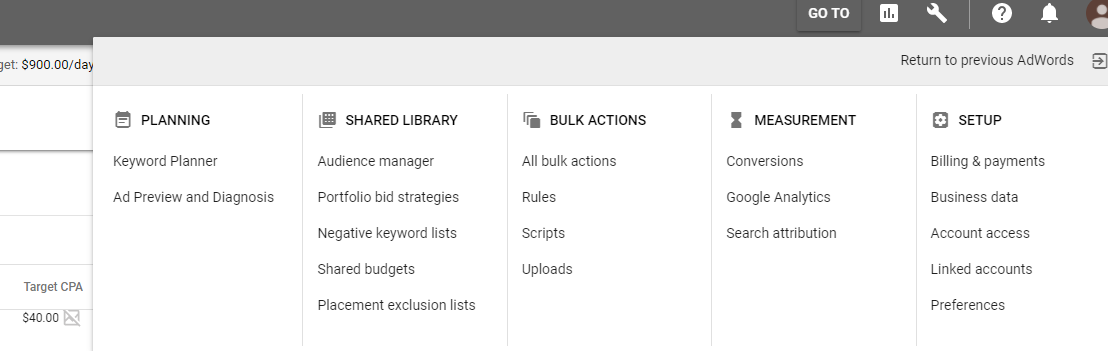
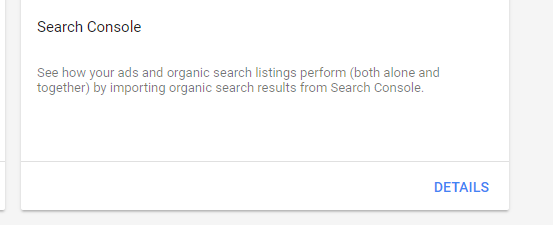
Under Search Console, click on “Details”.
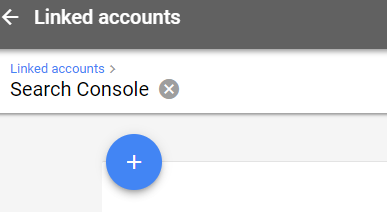
On the following screen, click the + to add your property.
If you lack Search Console access, your webmaster can usually grant it. If you don’t have a Google Search Console account, there’s no need to worry. Just follow these steps to create one today.
Generating Your Paid and Organic Report
As of this writing, the latest AdWords interface lacks a dedicated dimension tab for this report. However, we have a workaround.

Return to the previous Google Ads interface by clicking the gear icon at the top right and selecting “Return to the previous Google Ads.” Then, choose “Dimensions” and select “Paid & organic” from the dropdown menu:
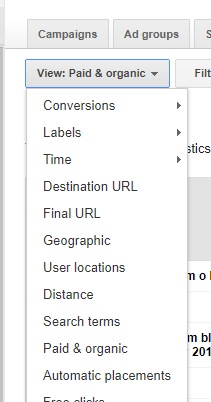
Once you have the report view, adjust the columns and date range as needed. Remember that this report emphasizes impressions and clicks, so conversion data won’t be available. When you’re ready, export the data and prepare for analysis!
Interpreting Your Report
The report categorizes queries into “Both shown” and “Ad shown only”: Both shown: Your organic and paid listings appear for the same query. We’ll concentrate on this category to understand the interplay between paid and organic search. Ad shown only: Queries triggering an AdWords ad but lacking an organic listing. This category helps identify organic keyword weaknesses and potential opportunities. The report data is further divided into three sections: Ad Stats, Organic Stats, and Combined ad and organic stats:

Here’s a breakdown of each section:
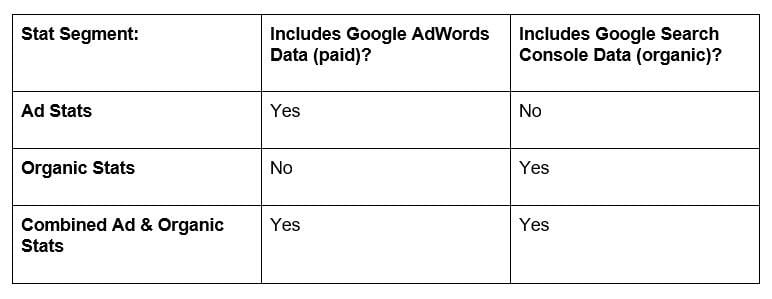
Now that your accounts are linked, your report is ready, and you understand the data points, it’s time to uncover your own insights!
Our Findings from the Paid and Organic Report
Please note that the insights below are specific to our account and may not apply universally. We ran our own paid and organic search analysis using the steps outlined above, focusing on these questions:
How does organic listing presence and rank influence ad performance?
We filtered our report by:
- “Both Shown” search result type
- Organic listing position on page 1 (positions 1-10) Our conclusion: organic position directly impacts ad click-through rate:
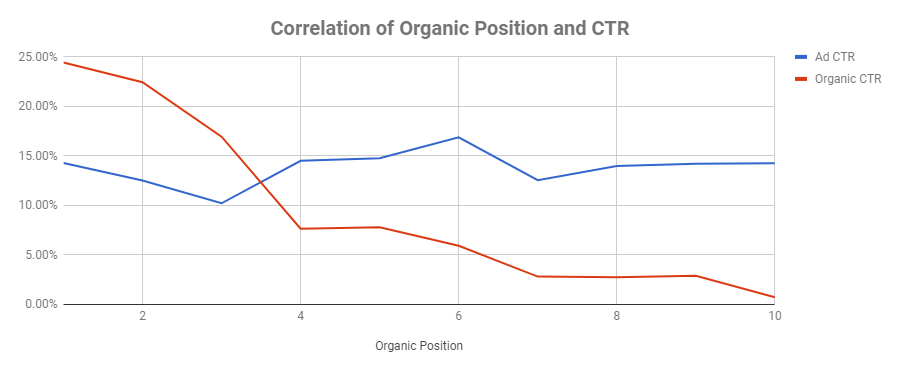
The graph above illustrates that as organic rank drops from position 3 to 4, our Google Ads click-through rate surpasses organic results. This aligns with Google’s search results page layout – as organic listings lose visibility, users are more inclined to click ads. Beyond the correlation between organic position and click-through rate, we discovered a new paid search opportunity: new keywords! Leveraging Google Search Console, we identified search queries with an average organic rank of 4 or higher, presenting potential additions to our Google Ads campaigns.
Does organic search outperform paid search for brand queries?
Paid search marketers often face this question: “Why invest in our own brand terms when we have a top organic ranking?” Along with the 5 reasons outlined in this blog post, our report revealed: While organic click-through rate surpasses paid search CTR for branded terms, organic click-through rate for branded searches improves by 17% when a paid result appears alongside the organic result. Next, we excluded brand search queries and asked:
Overall, does organic or paid search have a higher click-through rate?
Without any position filters, our Google Ads click-through rate was approximately 38% higher than organic click-through rate for non-branded search terms. However, when filtering for page 1 organic rank, organic click-through rate soared to 370% higher than paid click-through rate. As highlighted earlier, this emphasizes that positioning is crucial for click-through rate success. Now it’s your turn! Follow these steps and conduct your own analysis today.