Although it’s always been recommended to approach Google Ads’ suggestions cautiously, we’re emphasizing that even more now. This follows increased auto-apply recommendations in 2021, and a new Google update announced last week: Starting January 19, the “remove redundant keywords” recommendation will work across different match types. This change has sparked confusion and frustration among advertisers, carrying significant implications. Continue reading to understand:
- The specifics of this recommendation change
- Its potential impact on your account
- The PPC community’s negative response
- Recommended actions to take This information is crucial to maintaining control over your campaigns!
Quick Summary
This announcement’s main points are:
- From January 19 onward, the “remove redundant keywords” recommendation will expand its definition of “redundant keywords.” It will include not only keywords with better-performing equivalents of the same match type but also keywords with broader match types within the same ad group.
- If you’re currently opted into auto-apply for this recommendation and don’t want Google to automatically remove redundant keywords based on this new definition starting January 19 (or if you’re uncertain), disable auto-apply for this recommendation now.
- This change aligns with many advertisers’ predictions of a match type-less future, and Google’s approach has further eroded trust in their recommendations. Feeling lost? Keep reading for detailed information! Already informed? Continue reading to ensure you have a complete understanding!
Background: How Google Ads Recommendations Work
The Google Ads recommendations feature leverages your performance data, campaign settings, and Google-wide trends to provide suggestions for improving your campaigns. Access them by clicking “Recommendations” in the top left corner of your dashboard.
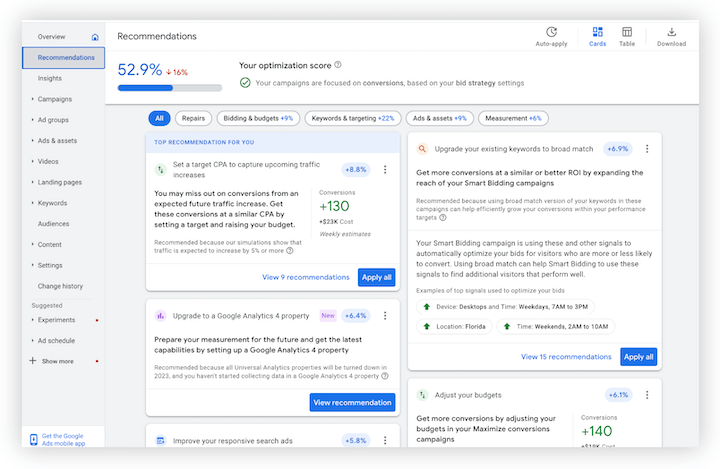 With a constantly expanding list, there are numerous recommendations categorized into several types:
- Ads and assets
- Automated campaigns
- Bidding and budgets
- Keywords and targeting
- Repairs
- Measurement
- Other Google provides descriptions for each recommendation in its recommendations help page. As you might expect, the effectiveness of these recommendations varies depending on the account and the specific suggestion. While Google’s data and machine learning can be helpful, ultimately, humans possess a deeper understanding of individual accounts and their optimal strategies. Therefore, it’s crucial to approach recommendations with a healthy dose of skepticism.
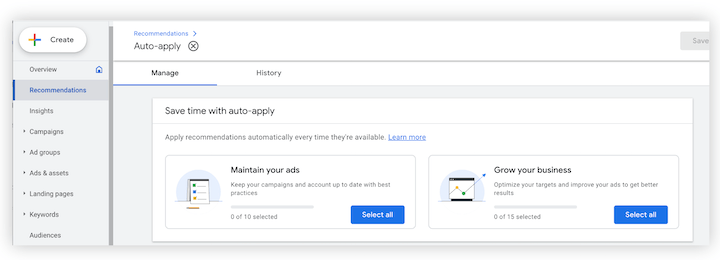
Understanding Auto-Apply Recommendations
Google’s recommendations can be managed in three primary ways: Manual Bulk Application: Clicking “Apply all” allows you to implement all recommendations for a specific category.
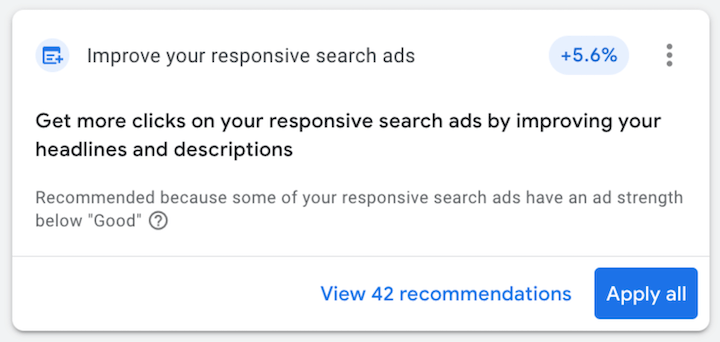 Manual Individual Application: By selecting “View all recommendations” for a particular category, you can examine each suggestion individually and decide whether to apply it.
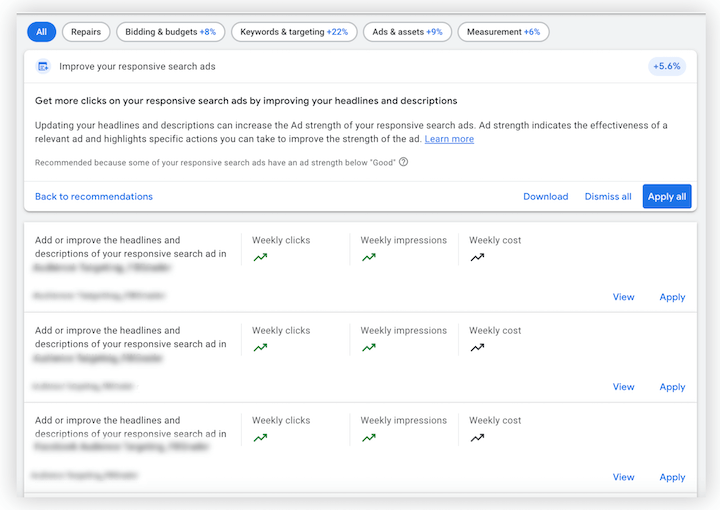 Automatic Application: This option enables Google to automatically implement suggestions. Naturally, this only applies to recommendations that can be executed automatically. You have the flexibility to customize which recommendations you want to auto-apply. Depending on your account’s size and complexity, this feature might be beneficial for some advertisers.
The Changing Recommendation
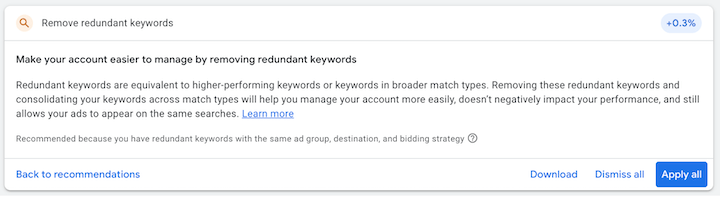
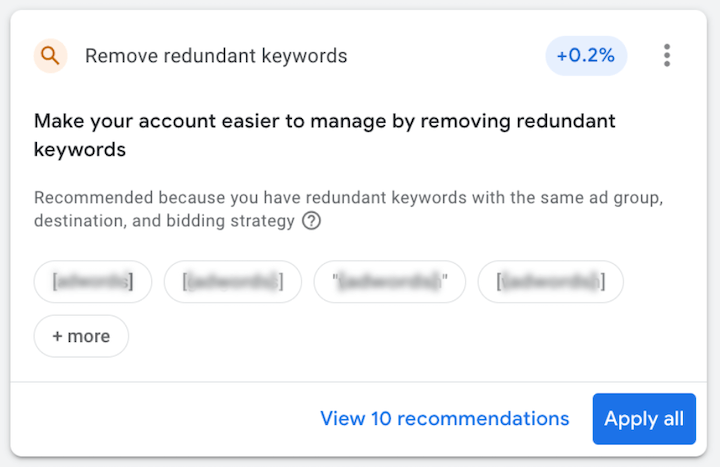
This article and update focus on advertisers who have enabled auto-apply for the “Remove redundant keywords” (RRK) recommendation. It appears as follows on the Recommendations page:
Clarification: Changes to the “Remove Redundant Keywords” Recommendation
On January 4, Google emailed advertisers using auto-apply for RRK, announcing a change to the recommendation’s behavior effective January 19. The email states:
Currently, the ‘Remove redundant keywords’ recommendation suggests redundant keywords within the same ad groups, destination, bidding strategy, and match type. Starting January 19, the recommendation can include keywords across different match types This means the definition of “redundant keywords” previously applied only to keywords identical to higher-performing keywords with the same match type. Now, it encompasses keywords with broader match types as well. In simpler terms, Google will remove a “redundant” phrase or exact match keyword if a broad match version exists within the same ad group.
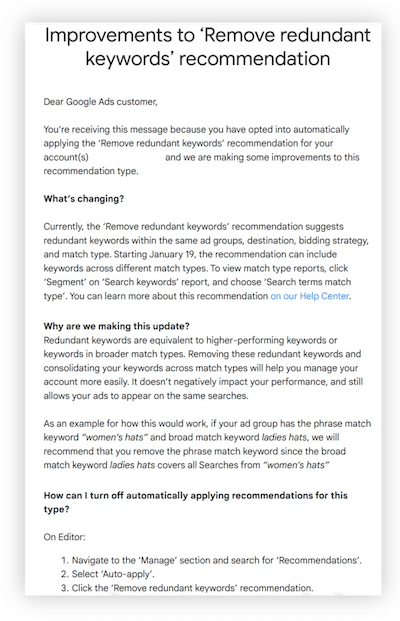 Image source. View full-size
Google provides the following example:
Image source. View full-size
Google provides the following example:
If your ad group has the phrase match keyword “women’s hats” and broad match keyword ladies hats, we will recommend that you remove the phrase match keyword since the broad match keyword ladies hats covers all searches from “women’s hats. The rationale provided by Google is: Removing these redundant keywords and consolidating your keywords across match types will help you manage your account more easily, doesn’t negatively impact your performance, and still allows your ads to appear on the same searches.
How This Affects Your Account
If you’re currently or previously used auto-apply for the RRK recommendation (or even if you haven’t), you likely have more questions. Here are some clarifications based on Google Ads Liaison Ginny Marvin’s FAQ Twitter thread, which you can access here.
- Ad groups containing ads that utilize keyword insertion are excluded from these suggestions.
- This change won’t make your ads eligible to appear in more searches since the broad match keywords are already present in your account.
- Opting out before January 19 won’t affect ad groups where you previously applied this recommendation.
Q. If you applied a “remove redundant keywords” rec manually, will this update impact you? A. This doesn’t affect past recommendations, whether applied automatically or manually. Starting Jan 19, you may see recs to remove redundant keywords covered by your broad match keywords
— AdsLiaison (@adsliaison) January 5, 2023
Click on the Tweet above to view all six FAQs. The last point is crucial. Even if you previously removed redundant keywords from ad groups (based on the old definition, either automatically or manually), Google won’t automatically remove additional redundant keywords identified after January 19 using the new definition—unless you have auto-apply enabled. You will receive a new recommendation, allowing you to apply or ignore it.
Community Concerns: Why Advertisers Are Upset
Though this update technically affects only advertisers using auto-apply for RRK, there are broader implications to be aware of. In his Search Engine Land article, Cypress North Director of Marketing Greg Finn echoes the frustrations of many PPC advertisers with this move, citing three primary reasons:
- First, instead of introducing a new recommendation, Google is modifying an existing one, essentially opting users in by default unless they manually opt out. As Greg puts it, “How can advertisers trust a single recommendation from Google if what you agree to today can be something completely different tomorrow?”
- Second, Google claims this change “doesn’t negatively impact your performance.” However, advertisers heavily rely on phrase and exact match to maintain ad relevance and control costs. This continued push toward broad match and a potential match type-less future is increasingly viewed as a revenue-generating tactic for Google.
- Third, many small businesses and novice advertisers could be negatively impacted by these recommendations. Without adequate context—specifically, how to handle recommendations, the evolution of match types, Google’s shift toward automation, and the realization that Optimization Score isn’t the ultimate metric—users could easily make decisions that harm their bottom line (while benefiting Google).
Recommended Actions: What You Should Do
As stated earlier, the key takeaway remains: approach Google’s recommendations cautiously and exercise even greater care with auto-apply. What does this mean in practice? Disable Auto-Apply for This Recommendation. To reiterate the TLDR section, if you currently have auto-apply enabled for this recommendation and want to prevent Google from automatically removing redundant keywords based on the new definition starting January 19 (or if you’re unsure), disable auto-apply for this recommendation now. Evaluate Recommendations Critically. While not all recommendations are detrimental—some can introduce you to useful features—they don’t always consider your account’s specific needs. Moreover, some suggestions might prioritize Google’s interests over your own. Avoid extremes like ignoring or applying all recommendations; instead, take the time to review them individually and make informed decisions. Exercise Caution with Auto-Apply Recommendations. Although recommendations might seem beginner-friendly, auto-apply is better suited for experienced advertisers who understand their accounts’ intricacies and what can be safely automated. Even then, most experts, though receptive to certain recommendations, aren’t enthusiastic about auto-apply. Beginners are advised to stick with manual management, ultimately saving time and money. If manual management isn’t feasible, numerous agencies can assist you. Here are some helpful resources:
- Should You Let Google Auto-Apply Recommendations? Pros & Cons
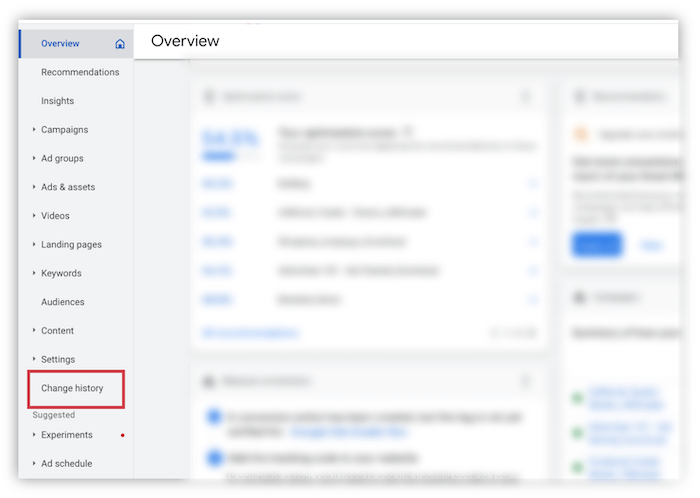
- Google Ads Automation: When (and When Not) to Use It Review Your Current Auto-Applies. This is an opportune time to review any auto-apply recommendations you’re subscribed to. Ensure you fully comprehend their implications. If you opt out of any, check your change history to confirm no unwanted changes were implemented.
 Optimize Your Keywords. Irrespective of this recommendation’s relevance to your account, regularly refining your keywords is a best practice for maximizing performance. Examine your ad groups to ensure they adhere to account structure best practices, meaning each group should focus on a single core theme and contain no more than 20 keywords. For additional guidance on keywords:
- I’ve covered the last major match type update here.
- Michelle Morgan offers valuable advice on using broad match with Smart Bidding here.
- Greg also has a great article on use cases for using multiple match types for the same keyword, even when using broad match and Smart Bidding. Ultimately, you, not a machine, possess the deepest understanding of your account’s needs. Be open to recommendations but don’t blindly follow them, especially when it comes to removing redundant keywords.