
Google Search can be trained like a Furby to deliver uncannily accurate, albeit slightly unsettling, results. It’s time to unleash your inner digital detective and create a personalized search app that would impress even the most seasoned stalker!
Remember the launch of Google’s Search Plus Your World? Everyone panicked, predicting the demise of unbiased information and the rise of the filter bubble. However, I believe the opposite is true. The internet is drowning in information; effective filters are key to finding what you need.
Here’s how I trained Google, Furby-style, to become my personal people-finding machine – a technique particularly useful for link-builders, PR gurus, and secret agents. While I find my creation endearing, its efficiency might be perceived as a tad creepy.
1. Install the Chrome Browser
To avoid skewing your everyday searches, start by creating a separate account dedicated to this endeavor. Let Google gorge on your search habits without tainting your regular browsing experience.
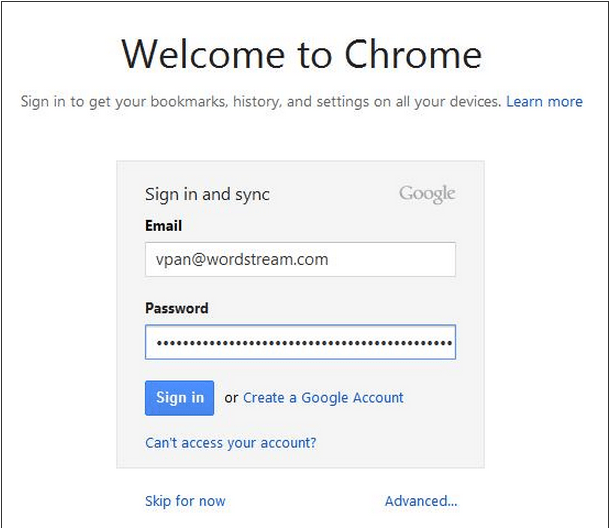
2. Log into your browser
Ensure Chrome remembers your every move by logging in. This way, your bookmarks, search history, and preferences become valuable training data.
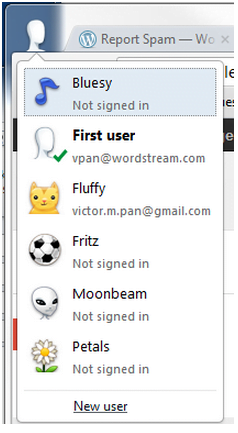
Dearest Google, Please meticulously record my every click, search query, and bookmark, along with any intriguing patterns that emerge during my browsing sessions. Pay close attention to my clicks, bounces, and query refinements, as they reveal your search result shortcomings. Consider this my love letter to data-driven optimization.
Yours truly, A Seeker of Information
3. Start people-searching
My Google Search training regimen involved a potent cocktail of search operators and long-tail keywords. Here’s a glimpse into the art of email address sleuthing, ranked by increasing desperation. The goal is to train Google so effectively that these laborious methods become obsolete.
Generic Long-tail Searches Step 1: First name + middle name + last name + company Step 2: Refine by adding “@companyemailclient.com” Step 3: Dig deeper by including variations like “email me,” “contact me,” “email contact,” “contact information,” or “contact us”
Scouring Social Media for Email Breadcrumbs When desperation sets in, try this… site:www.thatcompany’sdomain.com + generic long-tail searches site:www.facebook.com + generic long-tail searches site:www.twitter.com + “@twitterhandle” + step 3 site:www.linkedin.com + generic long-tail searches site:www.slideshare.net + generic long-tail searches (check the end of presentations for contact details) site:www.scribd.com + generic long-tail searches (check the end of presentations for contact details) site:www.zoominfo.com + generic long-tail searches site:www.somesocialmediawebsite.com + generic long-tail searches
Hardcore Email Guesstimation Level 2 desperation… “first.last@companyemailclient.com” “f.last@companyemailclient.com” “first@companyemailclient.com” “last@companyemailclient.com” “allsortsofvariations@companyemailclient.com”
For a masterclass in email hunting, Ken Lyons’ comprehensive guide on uncovering personal emails is an invaluable resource.
4. Patience is a Virtue: Keep Searching
Over time, you’ll notice how search results morph based on your search mode (personal, work, or incognito). Identical queries on the same device and browser yield different results when login methods vary.
Remember, finding someone’s email, even publicly available ones like Zach Epstein’s on Boy Genius Report, doesn’t guarantee a response. Send only newsworthy gems, like the PPC and SEO article featured in The Moz Top Ten
Personal Account:
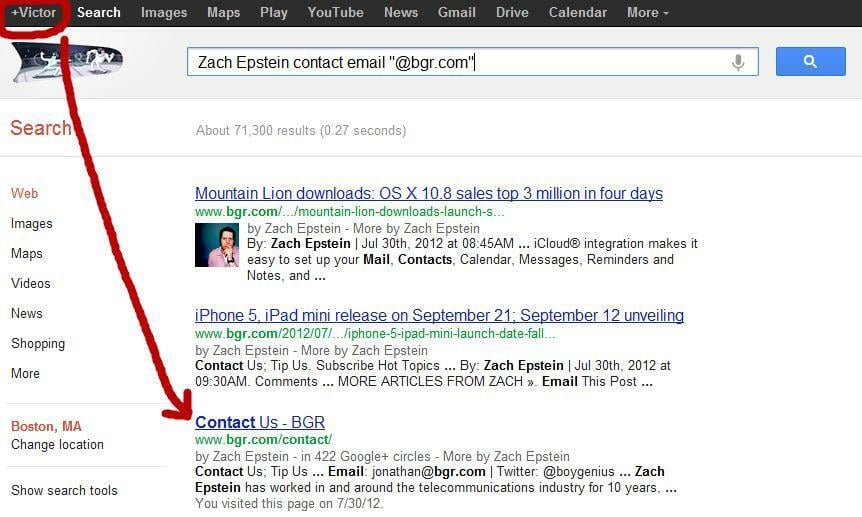
My usual browsing habits mislead Google, burying the most relevant result. People Search Account:
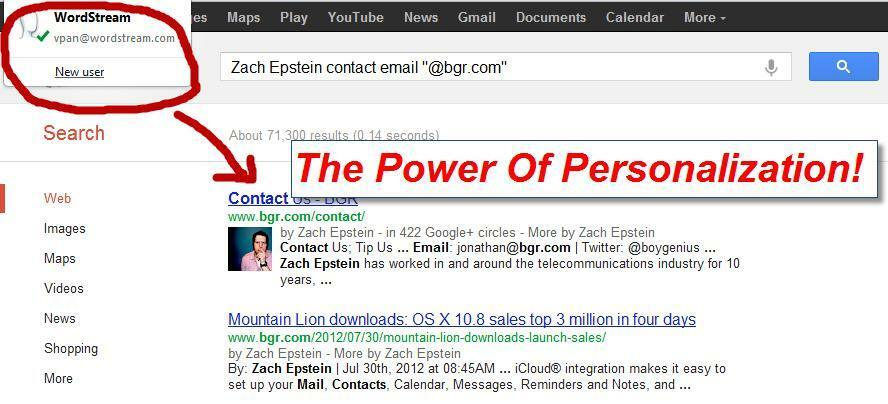
My people-search-optimized account, however, delivers the desired email address with a single click. Incognito Login:
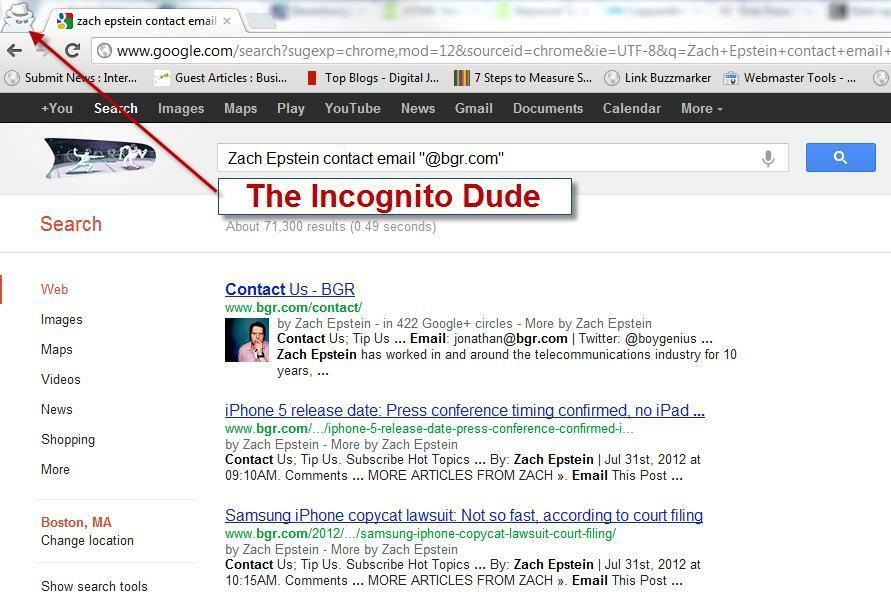
Incognito mode reveals two key insights: 1. Personalized results stem from the foundation of incognito results. 2. Your fine-tuned people-search results won’t drastically differ from incognito results, especially for unexplored keyword combinations.
Finding a significant difference in the top 3 search results took me 5 attempts. Case in point: compare your results with mine when searching for “Pete Cashmore contact email @mashable.com.”
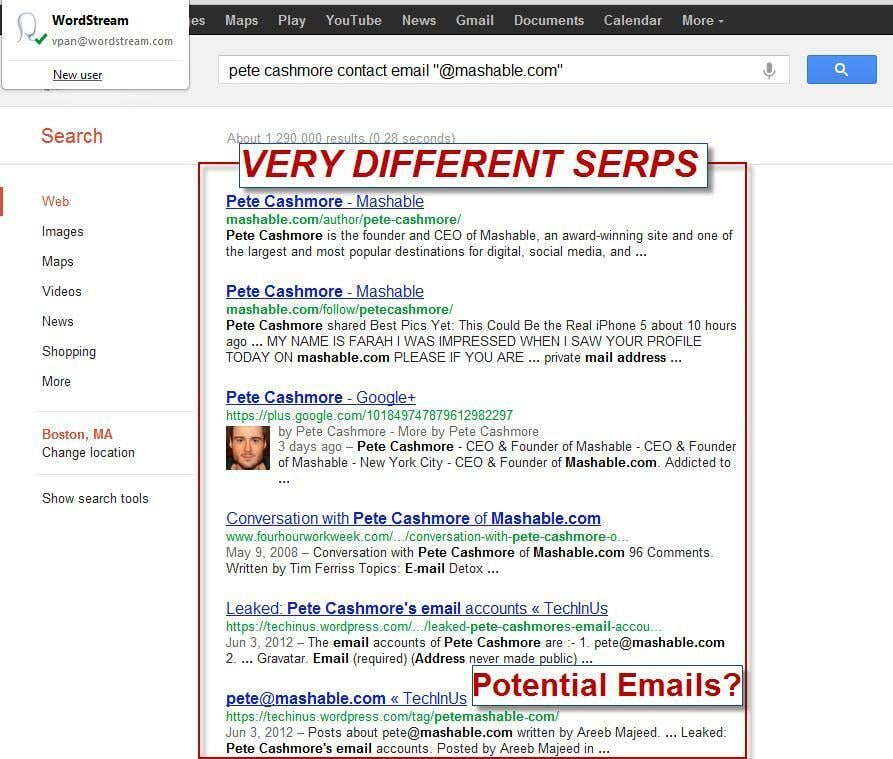
Those elusive emails might lurk on the 2nd or 3rd page of your search results. For me, they’re front and center.
Final Note: Why Not Use a Dedicated People Search Engine?
By all means, explore all 15 people search websites and see if they’re worth your time. You could also try the ingenious Rapportive hack for automated email discovery (highly recommended!). The best method is the one that works for you.
My goal isn’t to crown Google Search as the ultimate people-finding tool, but rather to showcase the power of personalization.
Personalized search, especially with the option to toggle it on or off, can be incredibly powerful. Understanding the factors influencing these algorithmic adjustments allows you to leverage them to your advantage.
So, what will you teach your Google Search today? P.S. If search personalization still gives you the heebie-jeebies, embrace your browser’s incognito mode. But remember, each hidden search query brings a tear to an internet marketer’s eye and potentially deprives the world of a cat picture. Victor Pan is nexus-security’s resident search expert. When he’s offline, you can find him practicing the ancient art of kendo.