E-commerce advertisers love Google Shopping Campaigns because they allow them to display product images and important buying details, such as price, directly on Google’s search results pages. As the saying goes, “A picture is worth a thousand words,” so it’s not surprising that these ads are very effective, often surpassing traditional text ads and even organic search results. At this stage, many advertisers have experienced the impressive performance of shopping campaigns firsthand. When they first implemented their feeds, they saw a significant increase in sales, but there’s a good chance your results have plateaued over time. If you’re unhappy with stagnant performance in your account, Google Merchant Promotions might be just what you need to revitalize your campaigns.
What Are Google Merchant Promotions?
Merchant Promotions allow online retailers to add special offers to their Shopping Ads. These deals help retailers to:
- Set themselves apart from competitors selling similar products
- Motivate potential customers to visit their websites The example below showcases how Saks Fifth Avenue has taken the lead. Their promotion is visually appealing, and while offering free shipping is a common practice (likely offered by many competitors), featuring it prominently on the search engine results page (SERP) gives them an advantage.
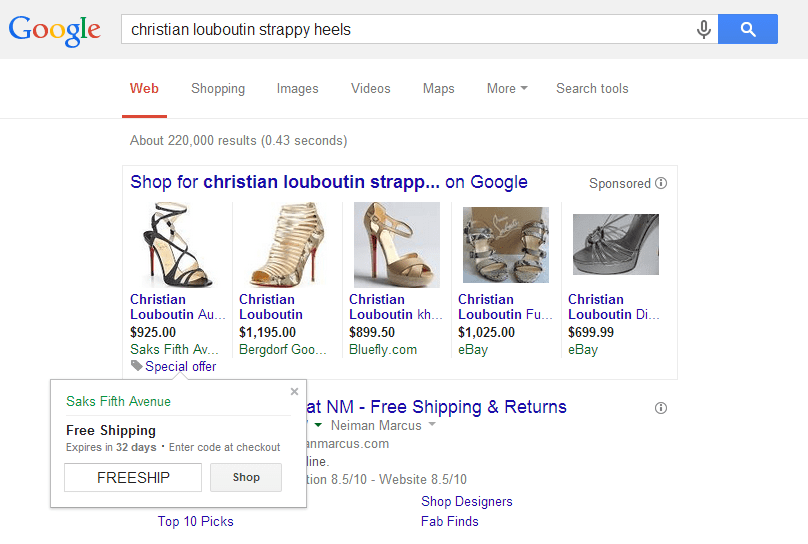
If you’re a retailer, you probably already have deals running on your site, so why not advertise them right from the SERP? The results from using these extensions are impressive (we’ll explore this further in the next section). Even before clicking on the special offer link, searchers are attracted to these ads because they differ from ads without this additional line of text. The offer itself can be straightforward, like free shipping, or reflect a more elaborate deal outlined on your site. Additionally, the expiration date creates a sense of urgency for the shopper. And did I mention they’re incredibly easy to set up with NO associated fees? Seriously, it’s a win-win situation.
Google Merchant Promotions vs. Offer Extensions
Advertisers might be hesitant to use Merchant Promotions because they resemble offer extensions, a short-lived search ad extension variation. This feature didn’t gain traction and was discontinued within a year of its launch.
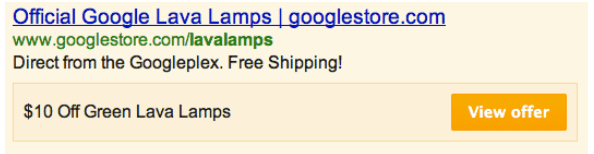
However, this shouldn’t discourage retailers. Remember, offer extensions were attached to text ads and only appeared to users near the advertiser’s physical store. It’s no surprise that these extensions didn’t resonate well with searchers. Conversely, Merchant Promotions are tailored specifically for online shoppers, which makes them far more appealing. At nexus-security, we believe in the potential of Merchant Promotions. Think about it—who doesn’t love a good deal? I’m not a psychology expert, but I’ve encountered numerous studies indicating that consumers are more likely to buy when they feel they’re getting good value for their money. In fact, the New York Times featured an interesting story last year detailing the significant downturn J.C. Penney faced when their marketing strategy shifted from coupons and deals to solely emphasizing their everyday low prices. The negative consequences were so severe that the board dismissed the CEO responsible for the change. Once they reintroduced coupons and deals, their performance recovered. Learn from J.C. Penney—people enjoy getting deals, even if it’s just a perception!
Merchant Promotions in Action (Case Study)

Okay, enough psychology talk—let’s see these promotions in practice! Our team of strategists recently implemented this feature for several clients, and the results have been positive. To illustrate this, I asked one of our most experienced strategists, Randi Lucius, to share how Merchant Promotions significantly impacted one of her accounts. Here’s Randi’s perspective: One of my clients has struggled with selling their products directly instead of through a third-party platform. We’ve tried various strategies in the past with some success, but we’re always seeking ways to stand out from the competition. My client runs excellent promotional sales frequently, but these haven’t seemed to impact overall performance significantly. Continuously updating ads to reflect a sale can be time-consuming and might negatively affect ad Quality Score. So, when promo feeds were introduced, we naturally jumped on board! The outcomes were fantastic. We initially thought it might only improve Shopping campaign performance, but it ended up boosting the entire account’s performance. During the two-week trial:
- Conversions increased by 36%
- Cost-per-acquisition (CPA) decreased by 25%
- Revenue and return on ad spend (ROAS) rose by 16% and 13%, respectively We did spend slightly more (only 3% more than previous weeks), but because people were using the coupons more frequently, revenue and ROAS didn’t increase as much as total conversions. These are likely sales we wouldn’t have secured otherwise, so we’re happy!

Getting Whitelisted for Merchant Promotions
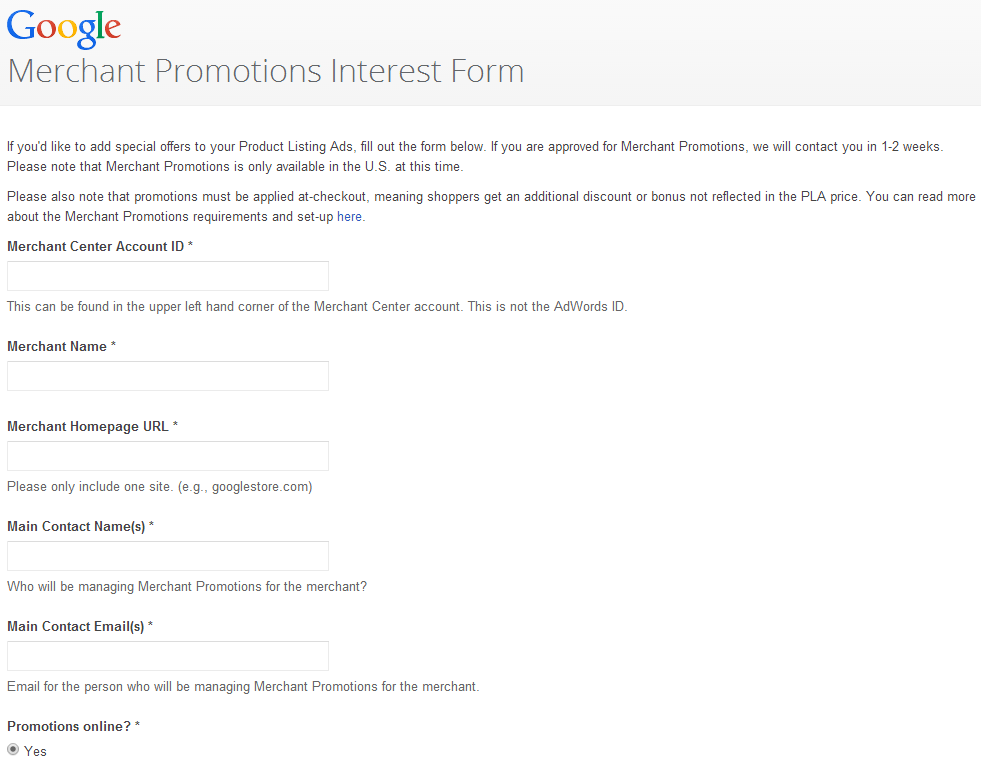
If you’ve applied for AdWords betas or limited-access programs before, you might have experienced frustrating sign-up/approval processes. Don’t let that stop you from signing up for Merchant Promotions. Surprisingly, this process is straightforward. To begin, complete the Merchant Promotions Interest Form, a seven-question form requesting basic account information. Once submitted, you should receive a response from Google within two weeks (we were actually accepted within a week). Keep in mind that you must be a U.S.-based advertiser to use these extensions.
Setting Up Your Merchant Promotions
Once accepted into the Promotions Feed program, you’ll receive an email with a link to a “Promo Feed Generator.” This tool simplifies the process of creating the feed you’ll need to upload to Google Merchant Center.
Step One
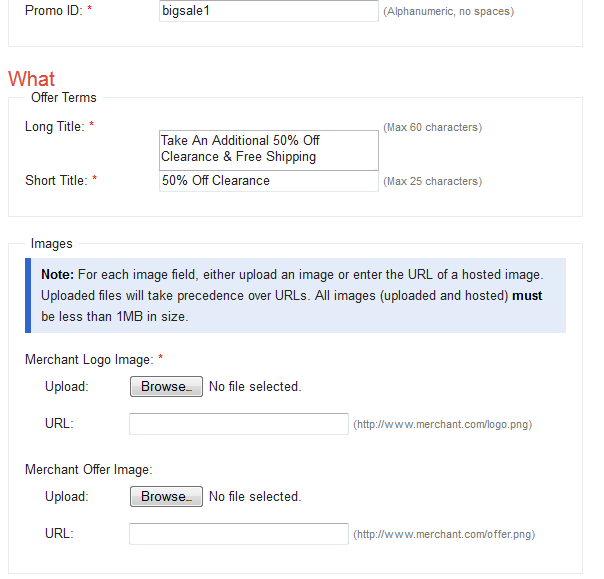
Click the “Create New Promotions Feed” button to generate a new promotion. Have your logo (or its URL), Merchant Center ID, and promotion details readily available.

Step Two
Complete the form with the offer details, a short and long title, promotion dates, and coupon code (if applicable).
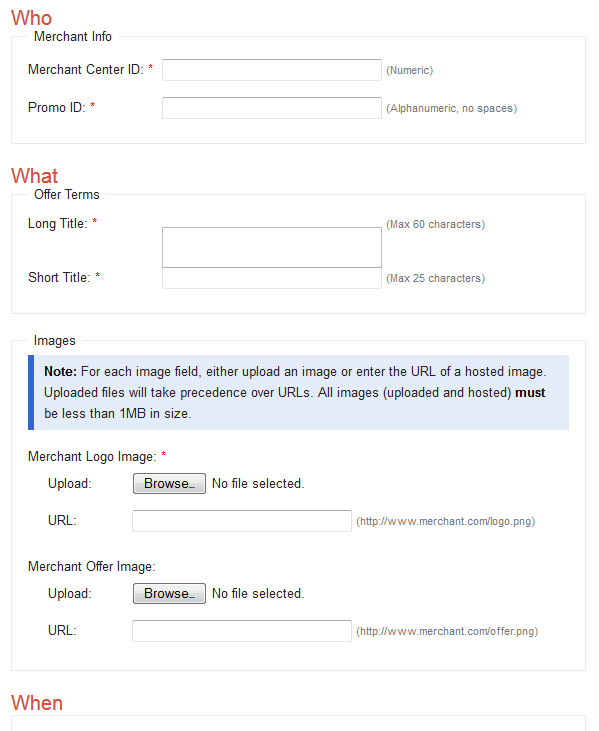
When crafting the titles, be clear and specific about the sale details. Unclear information will lead to feed disapproval.
Step Three
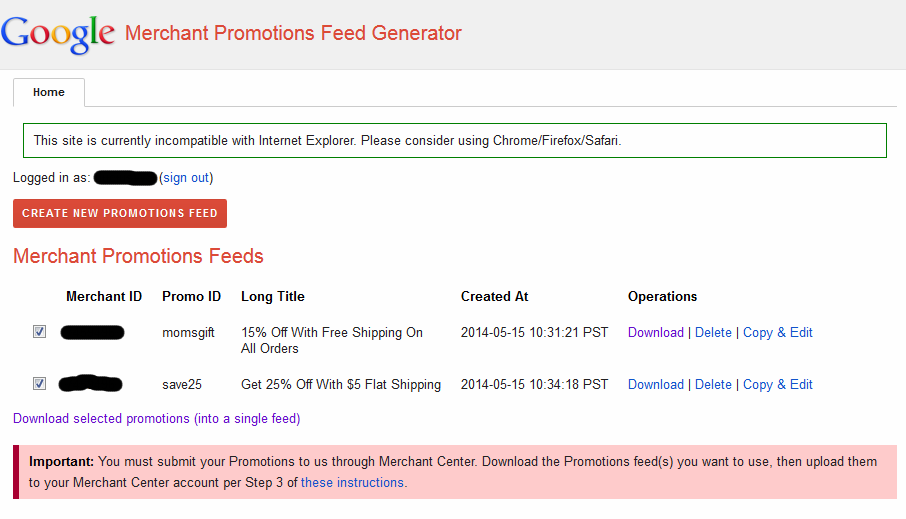
I suggest preparing all your planned promotions for several months in advance to avoid delays in their approval. Once you’ve created the individual promos, select the ones you want to include and click “Download Selected Promotions (Into A Single Feed).” This will download a feed containing all the selected promotions in a .txt file. Save the file with your preferred name, and you’re finished creating the feed!
Step Four
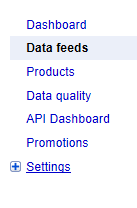
Uploading the feed to Google Merchant Center is even simpler than creating it. Sign in to GMC and choose “Data Feeds”.
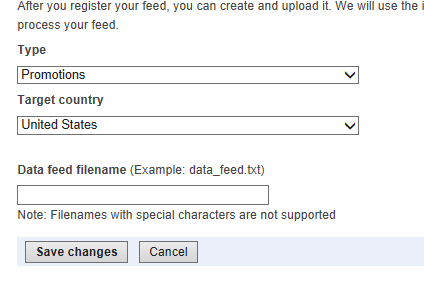
Then, select “New Data Feed.” Choose “Promotions” as the feed type and enter the data feed filename.
Step Five
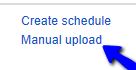
Return to the “Data Feed” section, and next to the “Promotions” listing, you’ll see two links: “Create Schedule” and “Manual Upload.” Select “Manual Upload” and upload the promotions feed .txt file.
You’ll notice the feed status as “processing.” Once it changes to “X of X items inserted,” similar to a regular product feed, it’s finished. You can then navigate to the “Promotions” link in GMC to review all the promotions from your feed. This section provides basic information such as long titles, start and end dates, and most importantly, whether Google has approved the promotion.
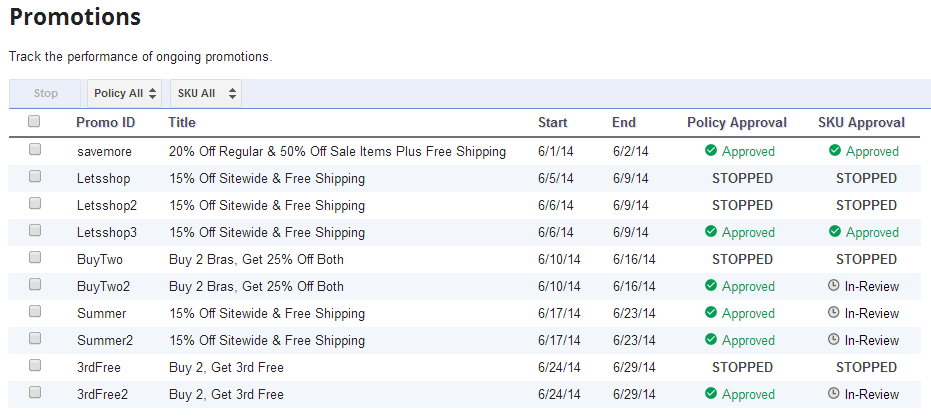
And that’s it! You’ve successfully created a promo feed and will start seeing the “Special Offer” button appear on your Shopping search results!
Merchant Promotions: Words of Wisdom
Although the promotions feed setup is generally straightforward, keep these points in mind:
- Above all, ensure any coupon code you provide works correctly! An incorrect code or a site issue preventing code acceptance will result in feed disapproval, requiring you to re-upload it.
- Create the feed as far in advance as possible to minimize potential downtime. In our test account, after the initial promo feed expired, it took three days to get it re-approved and running again, and performance definitely took a hit during that period! Do you have more questions about implementing Google Merchant Promotions? Let us know in the comments!