There are times when waiting is not possible, and potential customers require immediate assistance. This is especially true for services like plumbing, locksmithing, and towing, where emergencies are common. When your service addresses urgent needs, expect your prospects to act quickly.
Therefore, it is crucial to provide easy access to your services. Failing to do so will only benefit your competitors, who will gladly accept the revenue you miss out on.
This is precisely why Google call-only ads are an invaluable tool.
Understanding Google Call-Only Ads
As the name implies, call-only ads serve a single purpose: to encourage potential customers to contact you directly. Take this compelling example from American Towing:
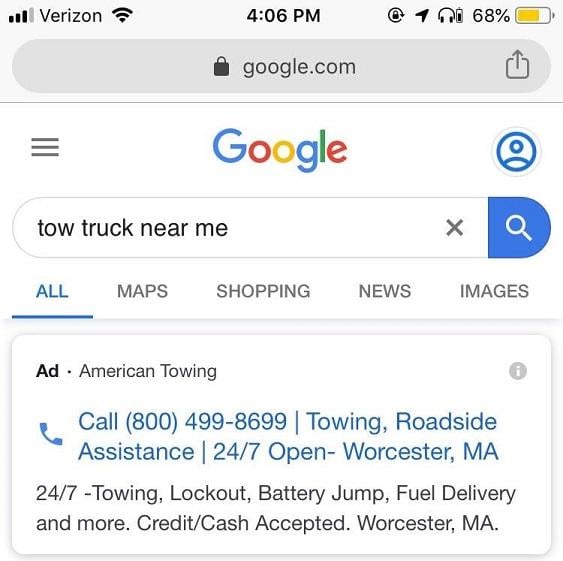
Clicking on a call-only ad doesn’t lead to a landing page. Instead, a small window appears, prompting users to call the business that placed the ad. With just two clicks, they are connected. This straightforward approach eliminates unnecessary steps, minimizes frustration, and maximizes conversions.
Moreover, Google call-only ads do not incur any extra charges. Clicks are billed at your regular cost-per-click (CPC) rate, just like standard text ads.
To start utilizing this feature, create a new search campaign and select “Get phone calls” during setup. After defining your targeting parameters and creating an ad group, navigate to “Ads & Extensions,” generate a new call-only ad, and link it to the designated ad group.
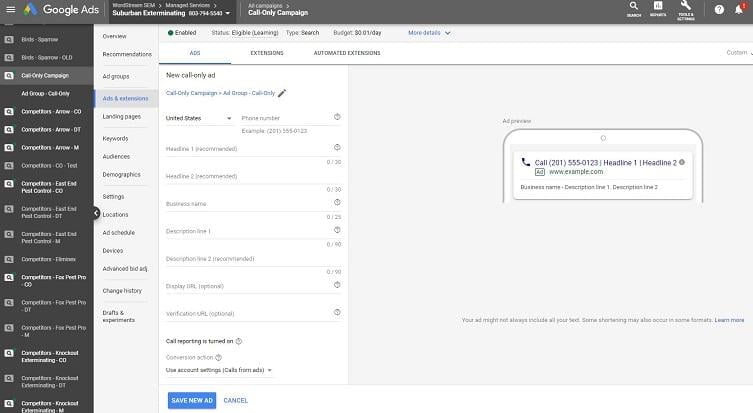
Now it’s time to craft your ad copy, considering these elements:
- Two optional headlines
- Business name
- Phone number
- Two lines of description text
- A display URL
While headlines are optional, leaving them blank can be a strategic advantage, as Google will automatically generate them based on your phone number and business name. For instance:
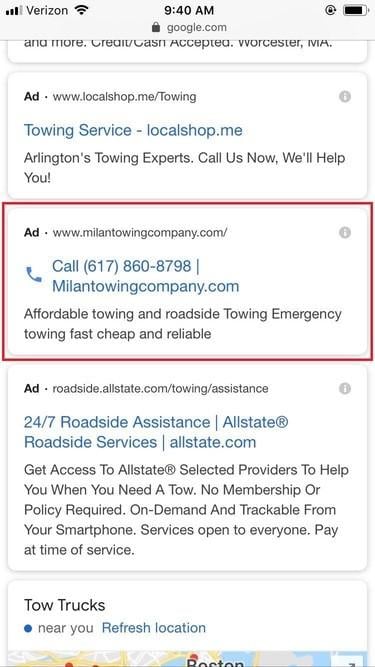
Despite the unremarkable description copy, this illustrates a “no-headline call-only ad.” It’s not that headlines are absent; rather, the advertiser chose not to write them. Let’s delve into the rationale behind this approach.
The Logic of No-Headline Call-Only Ads
Designed for immediate calls, call-only ads are exclusively displayed on mobile devices. However, the challenge lies in the diversity of mobile screen sizes. While larger screens accommodate all ad elements, smaller screens may lead Google to cut some copy “to maximize limited screen space.” Therefore, if you choose to write headlines, you cannot control which version of your ad is shown to each user.
Conversely, omitting headlines guarantees that everyone sees the same consistent message, regardless of screen size: your phone number and business name.
The underlying hypothesis is that users seeking urgent services like plumbing, locksmithing, or towing prioritize speed and trust. A prompt solution is crucial, but so is the reliability of the provider. While direct calls address the speed factor, a business name plays a significant role in establishing trust. Consider this call-only ad again:
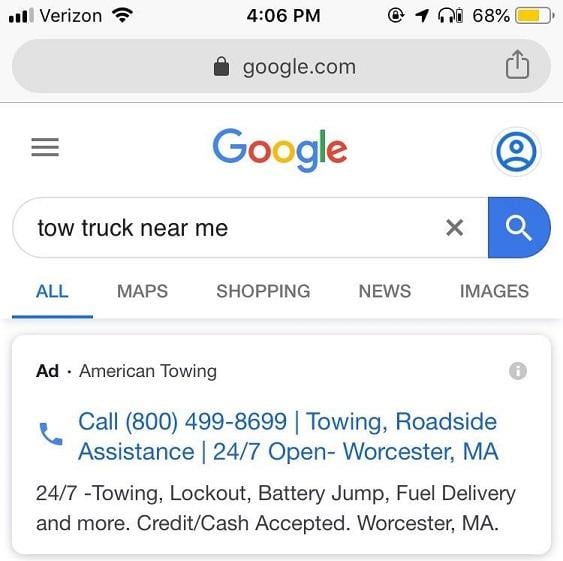
Imagine being stressed, pressed for time, and rapidly scanning for a solution. You might click this ad, but the absence of a business name, a trust signal, might deter cautious users.
(While Google displays advertiser names atop mobile ads, expecting users in a hurry to notice every detail is unrealistic.)
Now, examine this no-headline call-only ad for emergency HVAC services. These headlines remain consistent across all screen sizes:
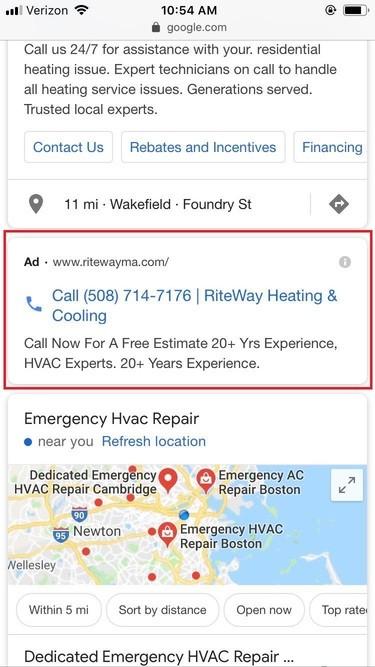
For overwhelmed users seeking swift and reliable assistance, this ad likely holds the strongest appeal.
In a Nutshell: The No-Headline Hypothesis
Call-only ads without additional headlines are expected to perform best because they consistently deliver compelling and trustworthy messages regardless of the user’s screen size.
No-Headline Google Call-Only Ads: The Evidence
Earlier this year, our in-house agency team members, Alex Reardon and Chris Panetta, tested the effectiveness of no-headline call-only ads. Partnering with a pest control client, they experimented with seven variations of the call-only format:
- No headlines, one long description
- No headlines, two short descriptions
- No headlines, two long descriptions
- One headline, one normal description
- One headline, two long descriptions
- Two headlines, one normal description
- Two headlines, one normal description
Here’s what they discovered:
| Headline(s) | Description(s) | CTR | CPC | CVR | CPA |
| 0 | 1 long | 4.15% | $13.50 | 38.51% | $35.06 |
| 0 | 2 short | 3.61% | $12.05 | 33.33% | $36.15 |
| 0 | 2 long | 3.41% | $11.22 | 36.42% | $30.79 |
| 1 | 1 normal | 3.38% | $12.46 | 31.03% | $40.14 |
| 1 | 2 long | 2.85% | $14.76 | 25.50% | $57.89 |
| 2 | 1 normal | 3.48% | $14.94 | 31.85% | $46.93 |
| 2 | 1 normal | 3.30% | $13.72 | 31.94% | $42.94 |
| Headlines | Avg. CTR | Avg. CPC | Avg. CVR | Avg. CPA |
| 0 | 3.72% | $12.25 | 36.1% | $34 |
| 0 < | 3.25% | $13.97 | 30.1% | $46.98 |
For this particular advertiser, the conclusion is crystal clear: Google call-only ads that solely display a phone number and business name are more effective and cost-efficient.
The Takeaway from No-Headline Call-Only Ads
To reiterate, this is a case study reflecting the experience of one advertiser. We are not claiming that removing headline copy from your call-only ads guarantees higher CVR and lower CPA. Results may differ based on your service, target audience, and other factors.
However, these findings are compelling. Achieving a CPA reduction exceeding 25% is significant. While we cannot guarantee this outcome for all advertisers, it merits testing within your own campaigns. Consider replicating Alex and Chris’s approach: run various call-only ad formats concurrently and observe the results. You might be pleasantly surprised!
A Note Regarding the Data
The data presented in this case study stems from an experiment conducted within a US-based nexus-security client account between March 1, 2019, and June 1, 2019.