Before we delve into Codeception and PHP, let’s establish a foundational understanding of why testing is crucial in application development. You might wonder if it’s possible to skip testing, at least for this particular project.
It’s true that not everything requires rigorous testing, like a basic homepage or a site with static pages connected by a simple router.
However, testing becomes indispensable when:
- Your team employs BDD/TDD methodologies.
- Your Git repository has a substantial commit history.
- You are a dedicated professional engaged in a serious project.
You might argue that a separate testing department handles these tasks. However, consider the time spent on bug fixing after implementing new features without thorough testing.
Addressing Challenges Through Testing
Let’s define the problems testing can solve. While it won’t eliminate all errors, it establishes expected behavior through test cases. However, errors can exist within test cases, and poorly written code remains problematic even with tests.
Testing ensures that future code changes (bug fixes or new features) align with the defined behavior outlined in the tests. Well-written tests can even serve as documentation by demonstrating typical scenarios and expected outcomes. Testing is a small but vital investment in your project’s future.
Various testing types are available:

- Unit tests: These granular tests examine small code segments, such as individual class methods, in isolation.
- Integration tests: These tests verify how different parts of your application, like several classes or methods related to a single feature, interact.
- Functional tests: These tests evaluate specific application requests, including browser responses, database interactions, and more.
- Acceptance tests: These tests typically ensure that the application fulfills all client requirements.
Imagine a building analogy. Unit tests are like testing individual bricks for strength, size, and shape. Integration tests check how well these bricks fit together to form walls. Functional tests examine a wall’s ability to provide weather protection and allow sunlight. Finally, acceptance tests evaluate the entire building’s functionality – opening doors, using lights, accessing different floors.
Introducing Codeception
It’s important to note that these divisions are not always absolute, and sometimes, different test types might overlap.
Many developers rely solely on unit tests. I was once one of them, finding multiple testing systems for different purposes cumbersome. However, I sought a better solution than PHPUnit, something to enhance my testing practices without excessive overhead. That’s when I discovered Codeception. Initially skeptical, I found it to be a remarkably useful and powerful system after some exploration.
Installing Codeception is straightforward:
| |
This creates a “tests” folder with subfolders for acceptance, functional, and unit tests. Let’s start by adding a standard “Hello World” acceptance test.
| |
This generates tests/acceptance/HelloWorldCept.php:
| |
The default $I variable represents the “tester”. It interacts with your website or application, performing actions and reporting the results, highlighting successes and failures. This object, with methods like wantTo(), see(), and amOnPage(), embodies the tester’s role.
Let’s approach testing a page’s functionality like a tester. A basic check involves opening the page and searching for a specific phrase to confirm its accessibility.
This is simple:
| |
To run the test:
| |
An error appears. While lengthy at first glance, closer inspection reveals the issue.
The Acceptance test encountered an error:
| |
The problem lies in the unavailable “localhost”.
Here’s the test scenario breakdown:
| |
In tests/acceptance.suite.yml, replace url: http://localhost/towith an accessible URL, like your local test host:url: https://local.codeception-article.com/`.
Rerun the test:
| |
Success! Our first test passes.
While this example focuses on amOnPage(), Codeception offers various testing methods:
- Page interaction:
fillField(),selectOption(),submitForm(),click() - Assertions:
see(),dontSee(),seeElement(),seeInCurrentUrl(),seeCheckboxIsChecked(),seeInField(),seeLink(). These methods have counterparts with suffixes that don’t halt the test if an element isn’t found. - Cookie handling:
setCookie(),grabCookie(),seeCookie() - Test scenario commenting/description:
amGoingTo(),wantTo(),expect(). These enhance test readability and clarity.
Testing a password reset email page could look like this:
| |
This seems sufficient, but what about Ajax-loaded content? Codeception uses PhpBrowser, built on Symfony BrowserKit and Guzzle, by default. It’s simple, fast, and only requires curl.
However, you can opt for Selenium and real browser testing for JavaScript interactions. While slower, it provides more comprehensive testing.
After installing the Selenium driver, modifying acceptance.suite.yml, and rebuilding the AcceptanceTester class, you can leverage methods like wait() and waitForElement(). Additionally, you can optimize testing by saving and loading session states using saveSessionSnapshot() and loadSessionSnapshot(). This is particularly useful for scenarios like testing authorization flows.
This demonstrates Codeception’s simple yet powerful testing capabilities.
Functional Testing
Let’s move on to functional testing.
| |
This yields:
| |
Functional tests resemble integration tests but directly interact with your application. This eliminates the need for a webserver during testing and provides greater flexibility in testing different application parts.
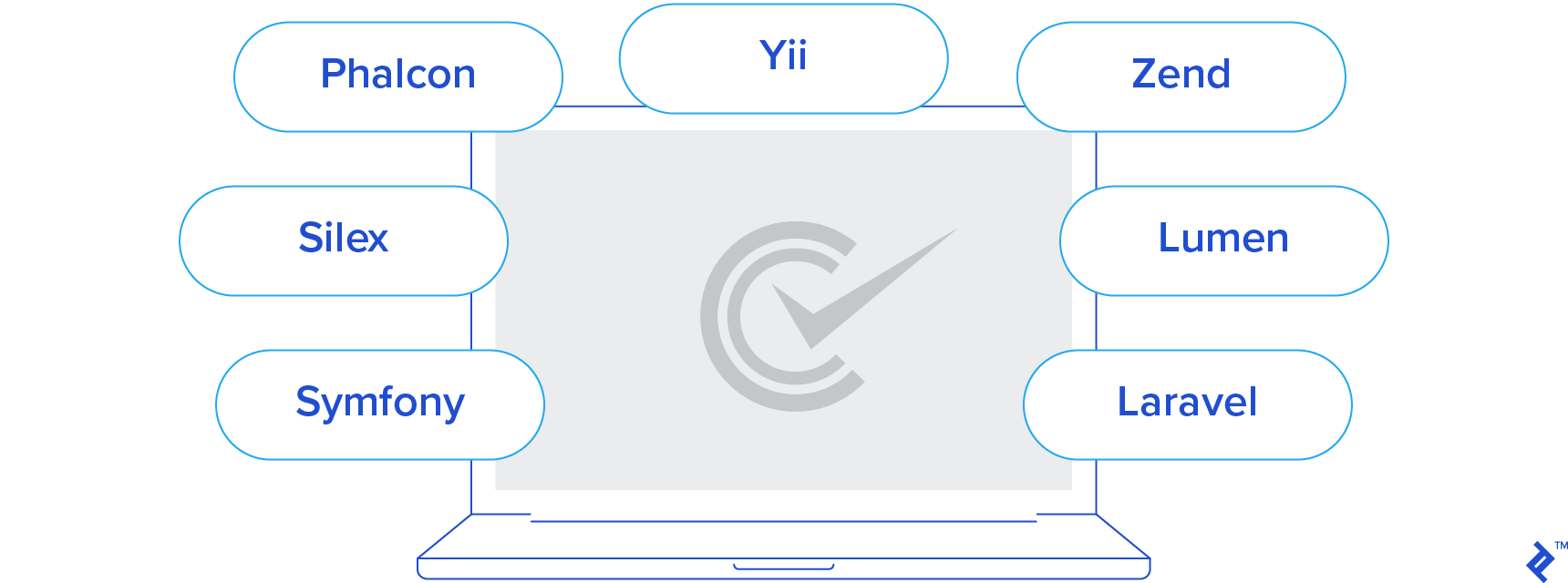
While framework support isn’t universal, Codeception supports major frameworks like Symfony, Silex, Phalcon, Yii, Zend Framework, Lumen, and Laravel, catering to most needs. Consult Codeception’s module documentation for available functions and activate them in functional.suite.yml.
Before delving into unit testing, let’s briefly discuss test creation. Our examples used the “cept” format:
| |
Alternatively, “cest” tests allow structuring related scenarios within a class:
| |
Here, _before() and _after() methods run before and after each test. Each test receives an AcceptanceTester instance for use. This style proves beneficial in specific situations.
Unit Testing
Let’s explore unit testing.
Built on PHPUnit, Codeception supports PHPUnit tests. Add new PHPUnit tests like this:
| |
Alternatively, inherit from \PHPUnit_Framework_TestCase.
For more advanced features, use Codeception’s unit tests:
| |
The familiar _before() and _after() methods act as setUp() and tearDown() counterparts.
The key advantage lies in extending testing with modules enabled in unit.suite.yml:
- Access to memcache and databases (MySQL, SQLite, PostgreSQL, MongoDB) for tracking changes
- REST/SOAP application testing
- Queue testing
Each module has unique features, so consult the documentation beforehand.
Furthermore, the Codeception/Specify package (added to composer.json) enables descriptive test writing:
| |
PHP code within these closures is isolated, preventing interference. Descriptions enhance test readability and facilitate identifying failed tests.
Optionally, use Codeception\Verify for BDD-style syntax:
| |
Stubbing is also supported:
| |
Conclusion: Codeception for Efficient Testing
What does Codeception offer, and who benefits? Are there any drawbacks?
Codeception suits diverse teams, from small to large, beginners to experts, and those using popular frameworks or none at all.
Ultimately, Codeception is production-ready.
It’s a mature, well-documented framework, easily extensible through modules. It’s modern yet built on the reliable PHPUnit, appealing to developers seeking stability.
It’s efficient, requiring minimal time and effort. It’s relatively easy to learn, aided by comprehensive documentation.
Installation and configuration are straightforward, yet it offers advanced options for those who need them. Start with the basics, and explore advanced features as needed.