Understanding Facebook Graph Search
Introduced in March 2013, Facebook Graph Search enables users to find people, photos, places, and interests within Facebook. Unlike typical search engines, it personalizes results based on your data and your friends’ profiles. When you start typing, it offers suggestions for friends, pages, and apps before displaying web results.
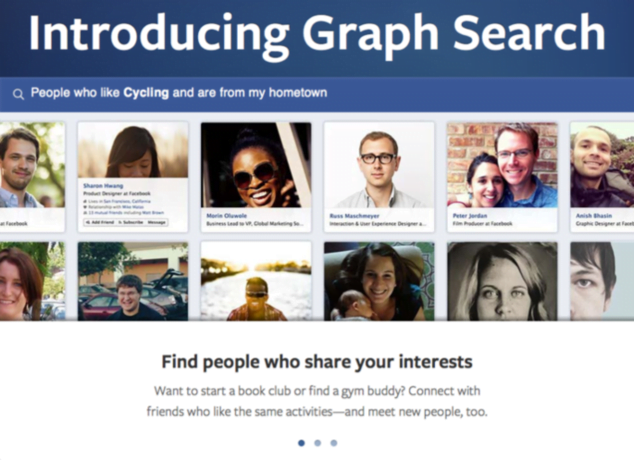
Enhanced Facebook Graph Search: Increased Search Capabilities
Recent updates have significantly enhanced Facebook Graph Search, allowing it to retrieve results from:
status updates
photo descriptions
comments
location check-ins
Moreover, you can now search posts from specific locations or timeframes. To grasp its capabilities, let’s look at some potential search queries:
Posts I’ve commented on
My posts from last year
Posts written at Yellowstone National Park
Posts by my friends last month
Posts about Breaking Bad
Facebook Graph Search Raises Concerns
The news of Facebook Graph Search has sparked apprehension, and rightfully so. Although those embarrassing comments on your cousin’s bachelorette party photos have always been technically accessible, they were practically invisible once buried in the feed.
Previously, finding such content required endless scrolling, locating the exact photo, and then viewing the comments – a concept known as “privacy by obscurity.” However, Facebook Graph Search eliminates this by making almost all user content accessible with a few clicks. Imagine a potential employer searching your comments for “drunk.” Understandably, people are concerned.
Safeguarding Your Privacy on Facebook Graph Search
Before you panic, remember that Facebook Graph Search respects privacy settings. Restricting content effectively hides it from searches. While you can’t completely disable it, strengthening your privacy settings can significantly limit its reach. This means it’s time for a Facebook cleanup!
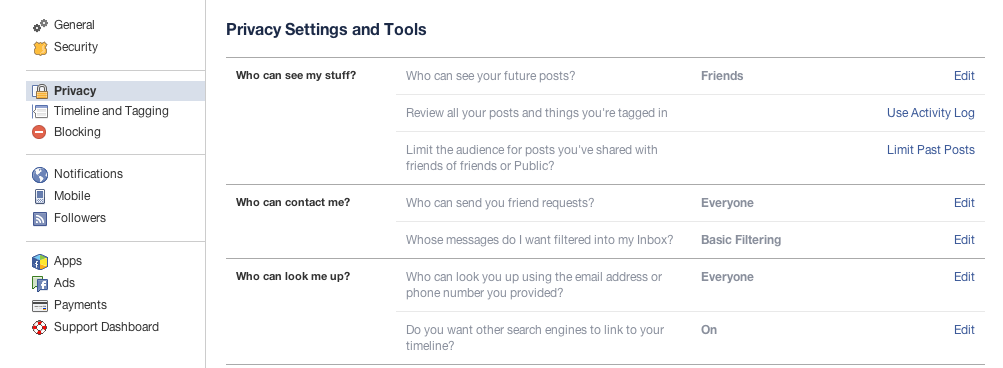
Here’s what you can do:
Control who sees your future posts
Review posts you’re tagged in
Limit the audience for posts shared with Friends of Friends or Public
Manage friend requests
Control who can find you using your email or phone number
Decide if search engines can link to your timeline
Important: While you can manage post visibility, Facebook has stated that all profiles are searchable. You cannot hide your profile from name searches.
Next, navigate to Timeline and Tagging to:
Manage who can post on your timeline
Review tagged photos before they appear on your timeline (highly recommended)
Control who sees posts you’re tagged in
Adjust other tagging settings
Within “Timeline and Tagging," you can also enable or disable Facebook’s facial recognition feature, which suggests tags when uploading your photos.
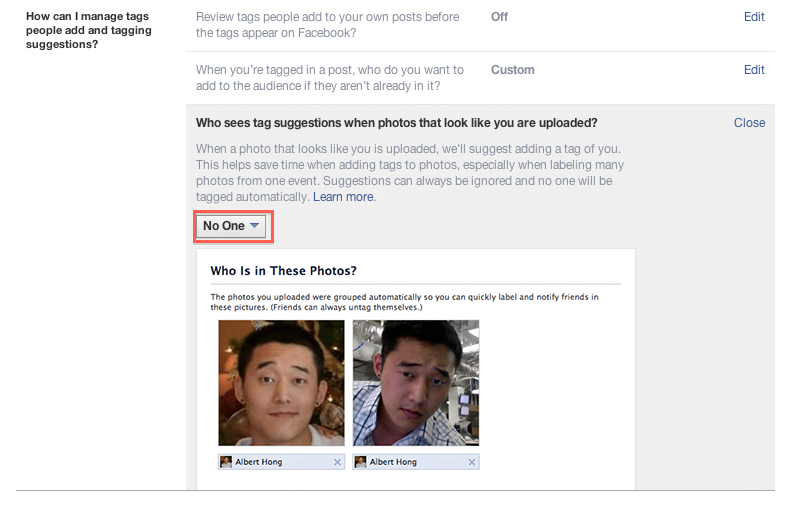
These sections are great for large-scale adjustments, but what about specific past posts? That’s where Activity Log comes in, accessible through Settings>Privacy or from your timeline profile.
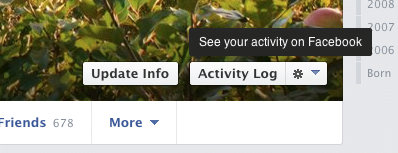
Navigating Your Facebook Activity Log
Brace yourself; your entire Facebook history awaits. It can be overwhelming, but start with the left navigation bar, where you can filter by:
Your Posts
Posts You’re Tagged In
Posts by Others
Posts You’ve Hidden
Photos
Likes
Comments
For this example, let’s focus on “Comments.” You’ll find everything you’ve ever commented on, all easily discoverable with Facebook Graph Search.
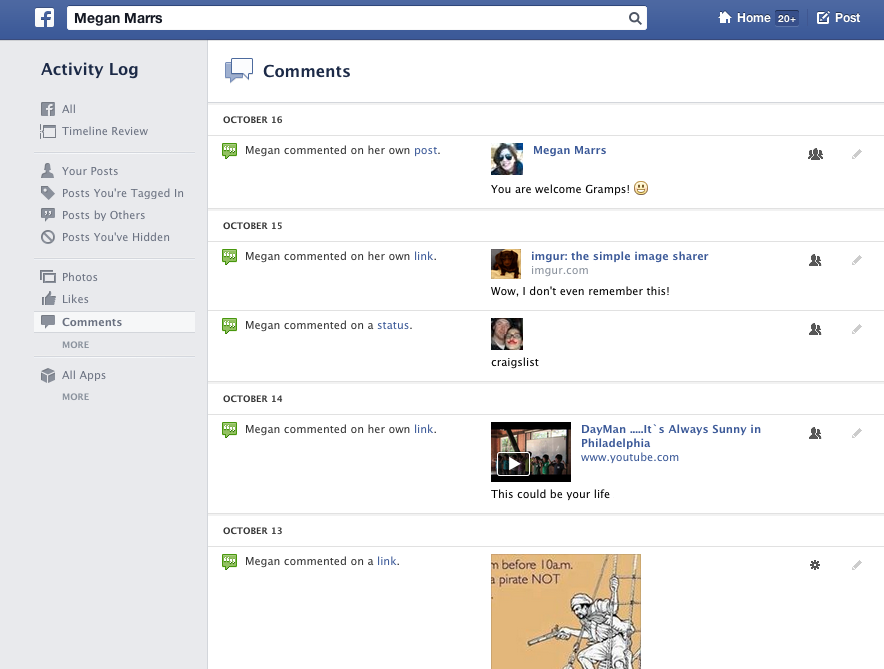
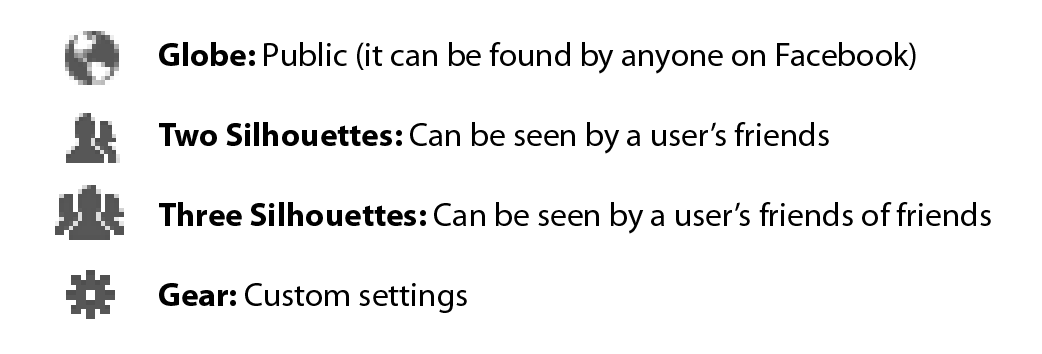
To delve deeper, use the right navigation to browse specific months or years. Beside each comment, you’ll see a small icon displaying its privacy settings.
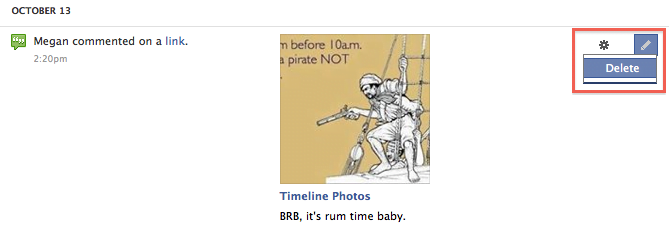
While you can’t change the privacy of comments on others’ posts (most likely the majority), you can delete them using the small pencil (“Edit”) icon.
Prepare for a wave of nostalgia or embarrassment as you sift through your activity log. Photos often require special attention. Within the Photos section, you can see:
Photos of You
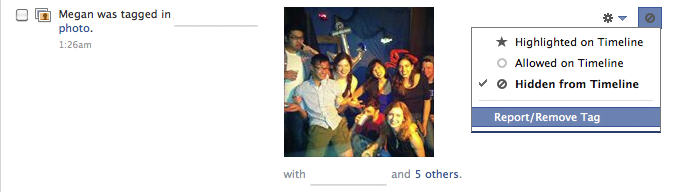
Your Photos This section displays all photos you’re tagged in. You have control over these tags, even on others’ photos. Adjust audience settings accordingly. Important: Hidden photos are still searchable. Review them by selecting “On Timeline: Hidden” at the top. Remove tags and ensure those photos are truly gone!
To adjust album privacy, head to Photos>Albums. Icons on each album indicate and allow you to modify privacy settings. Some, like Timeline photos, require manual picture adjustments.
Verifying Your Privacy on Facebook Graph Search
Once you’ve addressed potential privacy concerns, view your profile as an outsider would. Use the “View As” option in the gear dropdown beside Activity Log to see your profile from another user’s perspective. You now have the tools to protect yourself from the potentially invasive nature of Facebook Graph Search. Remember, discretion is key, especially with those late-night comments.
Is Facebook Positioned to Challenge Twitter?
Twitter has reigned supreme for real-time news and discussions. If you want to see what people are saying about tonight’s episode of The Walking Dead, you’d likely search for the #WalkingDead hashtag.

However, Facebook Graph Search could change that. Searching “posts about Walking Dead” or “posts about Dancing With the Stars” yields real-time conversations. This, combined with Facebook’s recent adoption of hashtags, makes it a serious contender in online discussions. Facebook Graph Search simplifies finding friends discussing specific topics, making Facebook a more viable platform for online interaction.
Leveraging Facebook Graph Search for Business and Brand Monitoring
Facebook Graph Search also benefits businesses by streamlining brand monitoring. Searching “Status updates about Pepsi” or “Posts about Toyota” uncovers real-time discussions about brands. Businesses can use this tool to identify and engage with their brand advocates.
Accessing Facebook Graph Search
Initially a limited beta, Facebook Graph Search became available to all US English users. The latest advanced search functions are currently limited to a select group of US/English users for testing and feedback before a wider release. Currently, Graph Search is English-only. Its semantic search engine relies on understanding sentence structure rather than just keywords, making it challenging to internationalize. It’ll be a while before it’s available in other languages.
Facebook Graph Search: A Nostalgic Journey or Privacy Nightmare?
While privacy advocates might disapprove, Facebook Graph Search enables unique user interactions. With most millennials having their lives documented on Facebook, Graph Search offers a nostalgic (or potentially embarrassing) trip down memory lane, allowing users to rediscover old photos and posts. One thing’s certain: creating collages or slideshows just got easier. A simple search can now retrieve all photos of specific people across various settings and timeframes, eliminating the need to scour countless albums. What are your thoughts on Facebook Graph Search? Is it a revolutionary tool or a privacy nightmare?