Modern front-end developers rely heavily on tools that automate repetitive tasks. Among the most popular are Grunt](http://gruntjs.com/), Gulp and Webpack. While each tool has its own approach, they all aim to simplify front-end development. For instance, Grunt depends on configuration files, while Gulp is more hands-on. In essence, Gulp relies on [developers writing code to define the build process - the sequence of build tasks.

If I had to choose, Gulp would be my go-to tool. Its simplicity, speed, and reliability are unmatched. In this article, we’ll delve into Gulp’s inner workings by trying to recreate a Gulp-like tool ourselves.
Gulp API
Gulp’s API is surprisingly simple, with only four simple functions:
- gulp.task
- gulp.src
- gulp.dest
- gulp.watch
These four functions, used in different combinations, provide all the power and flexibility Gulp offers. Version 4.0 introduced two new functions: gulp.series and gulp.parallel, for running tasks sequentially or concurrently.
The first three functions are crucial for any Gulp file, enabling task definition and execution from the command line. The fourth function is what truly automates Gulp by triggering tasks when files are modified.
Gulpfile
Here’s a basic example of a Gulp file:
| |
This defines a simple task called “test” that, when run, copies the file test.txt from the current directory to a directory named ./out. Let’s try it out:
| |
It’s important to note that the .pipe method is not part of Gulp itself, but rather belongs to Node.js streams. It connects a readable stream (created by gulp.src('test.txt')) to a writable stream (created by gulp.dest('out')). Gulp and its plugins communicate through streams, enabling elegant and concise Gulp file code.
Building “Plug”
Now that we have a basic understanding of Gulp, let’s try to build a simplified version called “Plug.”
We’ll start with the plug.task API. It should let us register tasks, which can then be executed by providing the task name as a command-line argument.
| |
This code allows us to register tasks. Next, we need a way to execute these tasks. For simplicity, we’ll integrate the task launcher directly into our Plug implementation.
We’ll execute the tasks specified in the command-line arguments. To ensure this happens after all tasks are registered, we’ll use process.nextTick to schedule the execution in the next iteration of the event loop:
| |
Now, let’s create a simple plugfile.js like this:
| |
…and run it:
| |
You should see the following output:
| |
Handling Subtasks
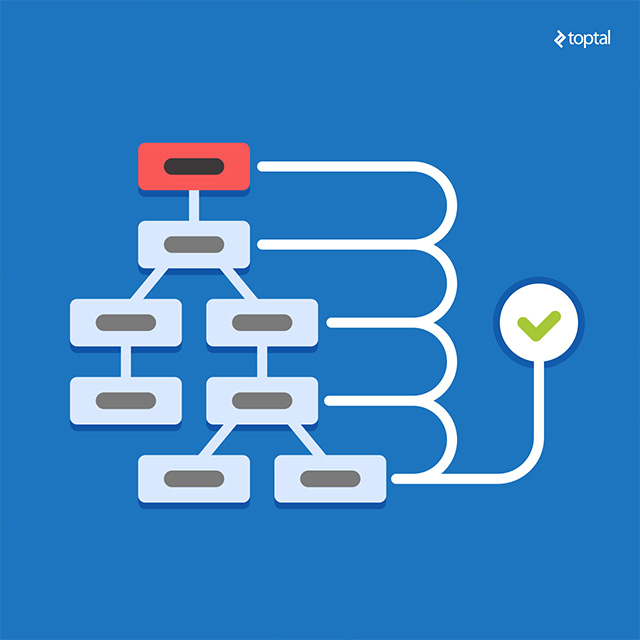
Gulp allows you to define subtasks within a task. To implement this in Plug, plug.task needs to accept three parameters: the task name, an array of subtasks, and the main task’s callback function. Let’s implement this:
We need to update the task API as follows:
| |
Now, if our plugfile.js looks like this:
| |
…and we run it:
| |
…we should get this output:
| |
It’s worth noting that Gulp typically runs subtasks in parallel. For simplicity, our implementation runs them sequentially. However, Gulp 4.0 provides finer control over this behavior using the gulp.series and gulp.parallel functions, which we will implement later in this article.
Working with Source and Destination
Plug wouldn’t be very useful if we couldn’t read and write files. Let’s implement the plug.src method. In Gulp, this method takes a file pattern, a file name, or an array of file patterns as an argument and returns a readable Node.js stream.
For now, our src implementation will only accept file names:
| |
Notice that we are using the objectMode: true option. This is because Node.js streams work with binary data by default. To pass JavaScript objects through the stream, we need to enable object mode.
As you can see, we’re creating a simple object:
| |
…and passing it to the stream.
On the other end, the plug.dest method should take a destination folder name and return a writable stream. This stream will receive objects from the .src stream and save them as files in the specified folder.
| |
Let’s update plugfile.js:
| |
…create a file named test.txt:
| |
…and run it:
| |
This should copy test.txt to the ./out folder.
Gulp works similarly, but instead of our simplified file objects, it uses vinyl objects. These objects are more sophisticated, containing not only the filename and content but also additional metadata like the directory name, full file path, and more. They don’t necessarily hold the entire file content in memory but instead provide a readable stream for accessing it.
Introducing Vinyl
The vinyl-fs library provides a convenient way to work with files represented as Vinyl objects. It allows us to create readable and writable streams based on file patterns.
We can now rewrite our Plug functions to use Vinyl. First, we need to install it:
| |
With Vinyl installed, our improved Plug implementation looks like this:
| |
…and to test it:
| |
The result should remain the same.
Using Gulp Plugins
Because our Plug tool uses the same stream conventions as Gulp, we can leverage existing Gulp plugins.
Let’s try this with the gulp-rename plugin. Install it first:
| |
…and then update plugfile.js to use it:
| |
Running plugfile.js again should produce the same result as before.
| |
Watching for Changes
The last essential Gulp method we’ll implement is gulp.watch. This method allows us to monitor files for changes and execute registered tasks when changes occur. Here’s our implementation:
| |
To test it, add this line to plugfile.js:
| |
Now, whenever test.txt is modified, it will be copied to the out folder with its name changed.
Series and Parallel Execution
With the fundamental Gulp API functions implemented, let’s take it up a notch. The upcoming Gulp version introduces exciting new API functions for even greater control:
- gulp.parallel
- gulp.series
These methods give you the flexibility to define whether subtasks run concurrently or in sequence.
Let’s say we have two files, test1.txt and test2.txt, that we want to copy to the out directory. To do this in parallel, we’ll create the following plugfile:
| |
To keep things simple, we’re having the subtask callback functions return their respective streams. This will help us keep track of the stream lifecycle.
Let’s start by updating our API:
| |
We also need to modify the onTask function to accommodate additional task metadata that will help our task launcher correctly handle subtasks.
| |
To simplify things, we’ll use the async.js library to manage the asynchronous execution of our tasks in parallel or series:
| |
We rely on the ‘end’ event emitted by Node.js streams, which signals that a stream has finished processing all data and is closing. This indicates the completion of a subtask. Async.js simplifies the handling of multiple callbacks, making our code cleaner.
To test this out, let’s first run the subtasks in parallel:
| |
| |
Now, let’s run the same subtasks in series:
| |
| |
Wrapping Up
And there you have it! We’ve successfully implemented a simplified version of the Gulp API and can even use Gulp plugins with it.
Of course, for real-world projects, stick with Gulp, as it offers much more than what we’ve covered here. This exercise was simply meant to illustrate how Gulp operates under the hood, hopefully giving you a better grasp of how to use and extend it with plugins.