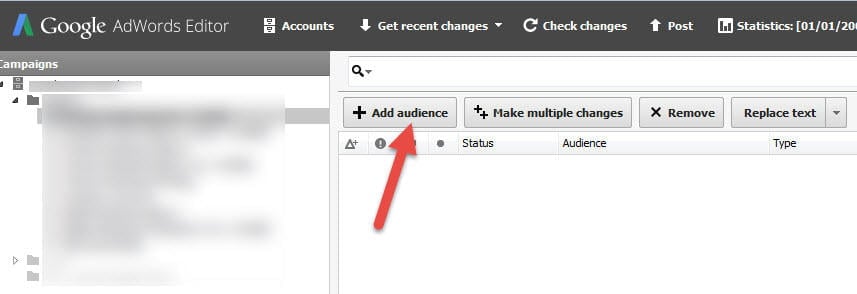
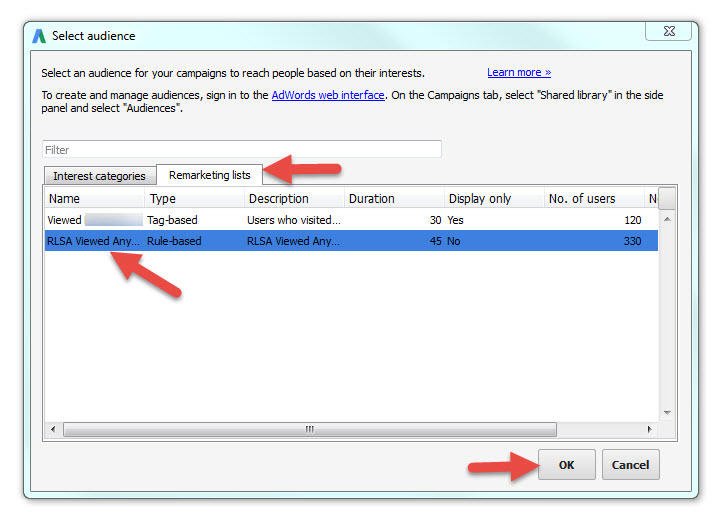
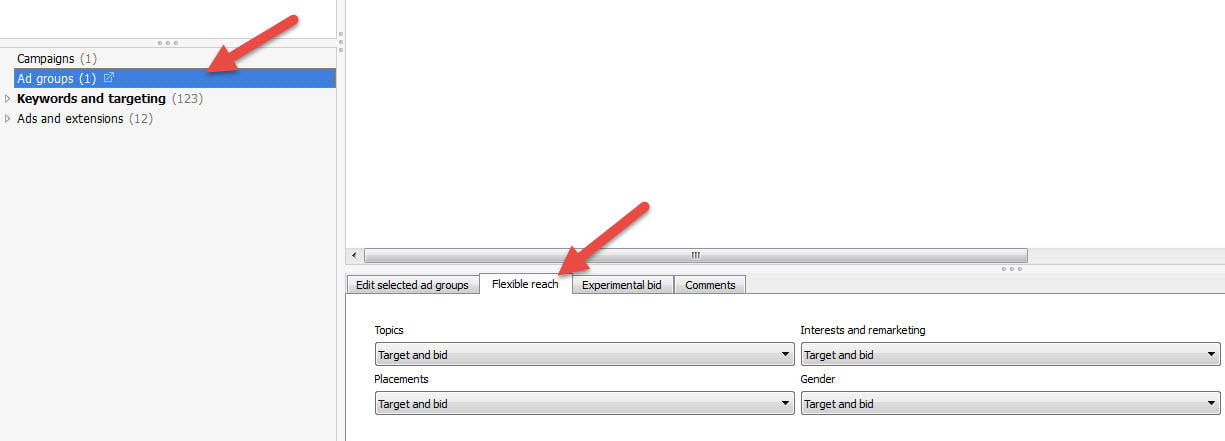
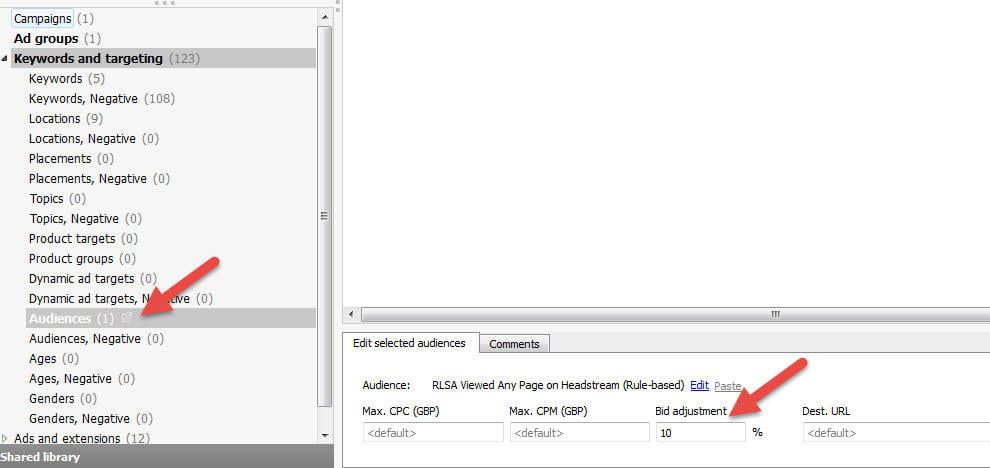
The world of paid search is evolving beyond simple keyword targeting. We’re now witnessing the rise of advanced techniques that complement keywords, with Remarketing Lists for Search Ads (RLSAs) being a prime example. Despite their existence since July 2013, RLSAs remain surprisingly underutilized. This post aims to shed light on valuable RLSA strategies and provide guidance on their implementation.
Understanding Remarketing Lists for Search Ads (RLSAs)
Remarketing lists for search ads (RLSAs) empower advertisers to refine their search campaigns by considering a user’s past interactions with their website or app, including the specific pages visited. RLSAs offer two primary modes of operation:
- Bid adjustments: Modify bids for ad groups based on whether users on your remarketing lists are searching on Google using your targeted keywords.
- Targeted ad display: Configure search ad groups to appear exclusively when users on your remarketing list search using your specified keywords.
Distinguishing RLSAs from Traditional Display Remarketing
The term “Remarketing Lists for Search Ads” can be a bit deceptive, suggesting a similarity to display remarketing but within the search network. However, this isn’t entirely accurate. The sole commonality between RLSAs and display remarketing lies in their use of cookies to track users and categorize them into lists. The way these lists are utilized for RLSAs differs significantly from traditional display remarketing. Unlike standard remarketing, where ads are shown to users while they browse the Google Display Network, RLSAs don’t simply display text ads because a user is on your list. Users must still actively search on Google using the keywords you’re targeting in your campaigns.
The Advantages of Using RLSAs
RLSAs allow you to fine-tune your search campaigns for better-qualified, higher-value users already acquainted with your website. Effective use of RLSAs can optimize ad spending, enhance conversion rates, and ultimately, yield a greater return on investment (ROI).
Are there opportunities for you to optimize your Google Ads account?
Find out instantly the Free Google Ads Performance Grader.
Successful Strategies for Utilizing RLSAs
Let’s explore some strategic approaches to leveraging remarketing lists for search ads:
Displaying Ads Exclusively to Past Website Visitors
These strategies revolve around triggering keywords and ads solely when the individual conducting the Google search is already part of your remarketing list. This list could encompass all website visitors or those who visited specific pages, as illustrated in the examples below:
Maximizing Impact with Limited Ad Spend
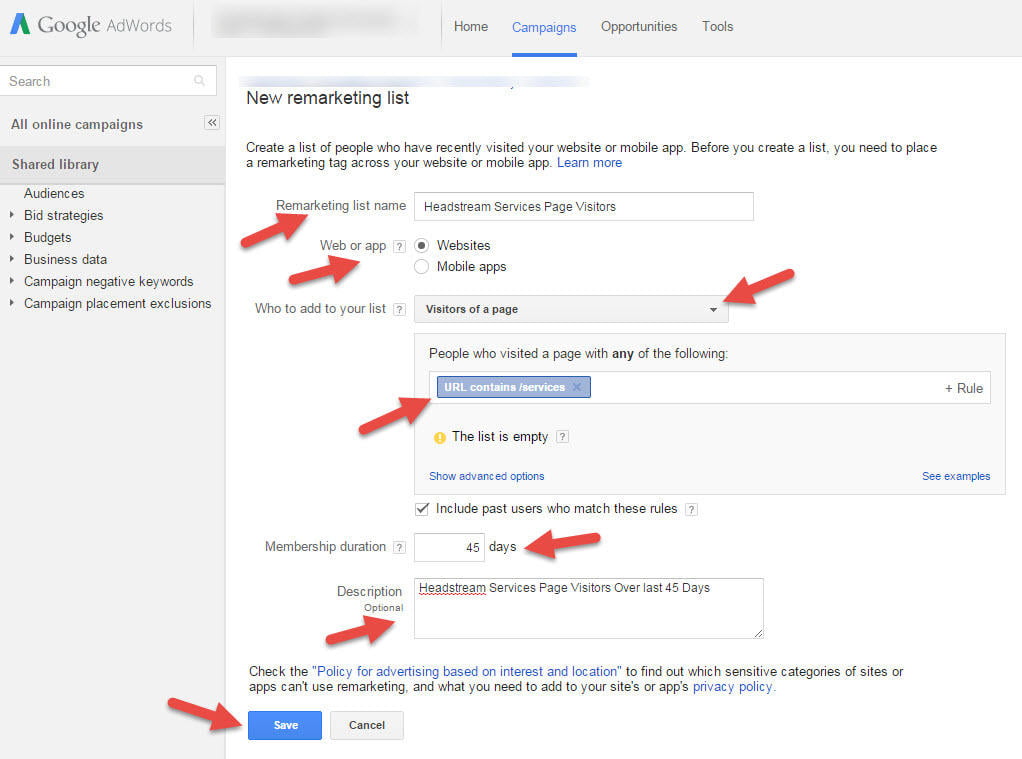
AdWords can strain the budgets of small businesses. RLSAs offer a solution by limiting search ad visibility to users who have previously visited your site, ensuring your limited budget stretches further. This approach assumes that past visitors, being familiar with your brand, represent a more qualified audience. However, this strategy necessitates a minimum of 1,000 members on your remarketing list, implying a traffic volume of at least 1,000 unique visitors within your list’s timeframe. Analyze your Google Analytics data to determine the time needed to reach this visitor threshold and set your list duration accordingly. Detailed instructions on setting list duration are provided in the “How to set up RLSAs” section below.
Targeting Broader Keywords with Qualified Users
Bidding on generic keywords can be risky, often resulting in high costs and minimal conversions. RLSAs mitigate this risk by focusing on a more qualified audience. For instance, a department store selling Chanel cosmetics might avoid the broad term “Chanel.” However, with RLSAs, they could create a dedicated ad group for “Chanel” and link it to a list of users who previously visited their Chanel cosmetics page. This ensures that the ad only appears when a user has a demonstrated interest in Chanel cosmetics.
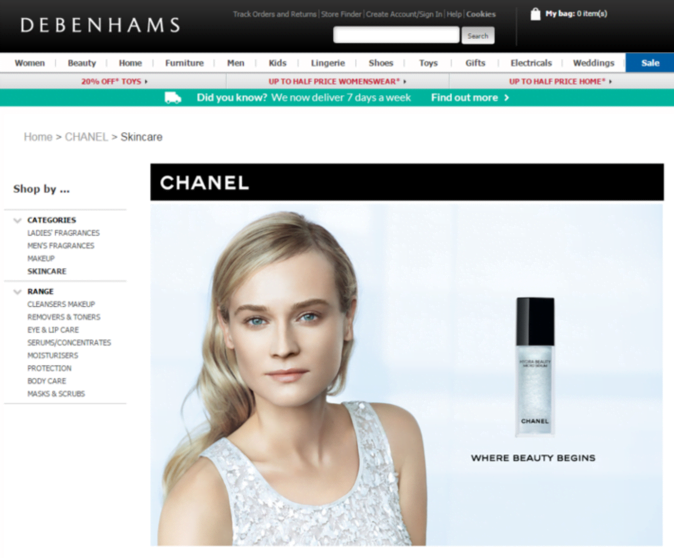
This strategy reduces wasted ad spend and allows for campaign expansion to test the effectiveness of broader terms with existing visitors. It’s advisable to create a separate campaign for testing such terms to maintain control over spending and minimize impact on existing campaigns.
Refining Brand Campaigns
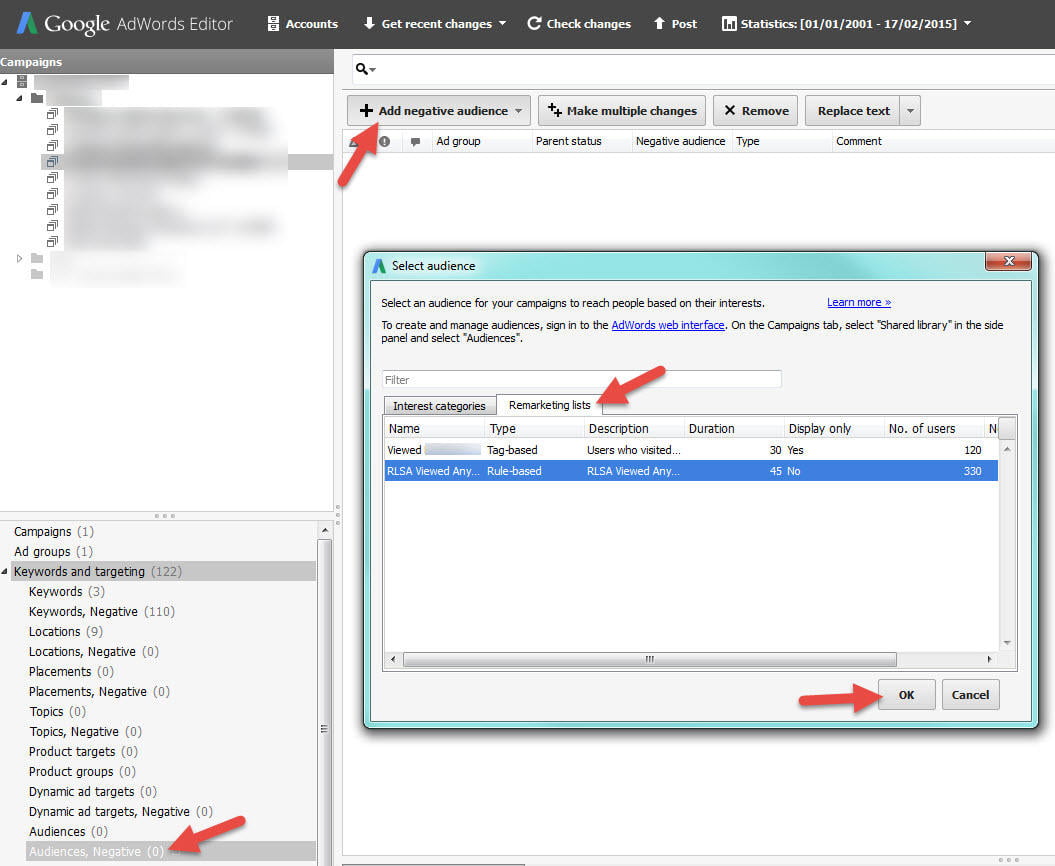
Bidding on your brand name offers numerous benefits, though some clients remain unconvinced about its value. RLSAs allow you to target brand campaigns specifically to new visitors. By creating a brand campaign and ad group targeting users who haven’t visited your site before, you can focus brand spending on attracting fresh leads. While this approach might yield fewer direct conversions compared to a non-RLSA brand campaign, it provides a compelling justification for brand spending when the goal is new customer acquisition. Set up this campaign as usual, but incorporate your site visitor list as a negative audience. Consider testing this against a campaign targeting only returning visitors by creating two identical campaigns and excluding each other’s audience.
Upselling to Converted Customers
There might be instances where promoting certain low-margin, poorly converting, or high-return products or services is not ideal. RLSAs can make such advertising worthwhile by targeting a qualified audience. For example, a mobile phone retailer hesitant to advertise low-revenue phone cases could utilize RLSAs to display these ads exclusively to users who have made prior purchases, increasing the likelihood of conversion.
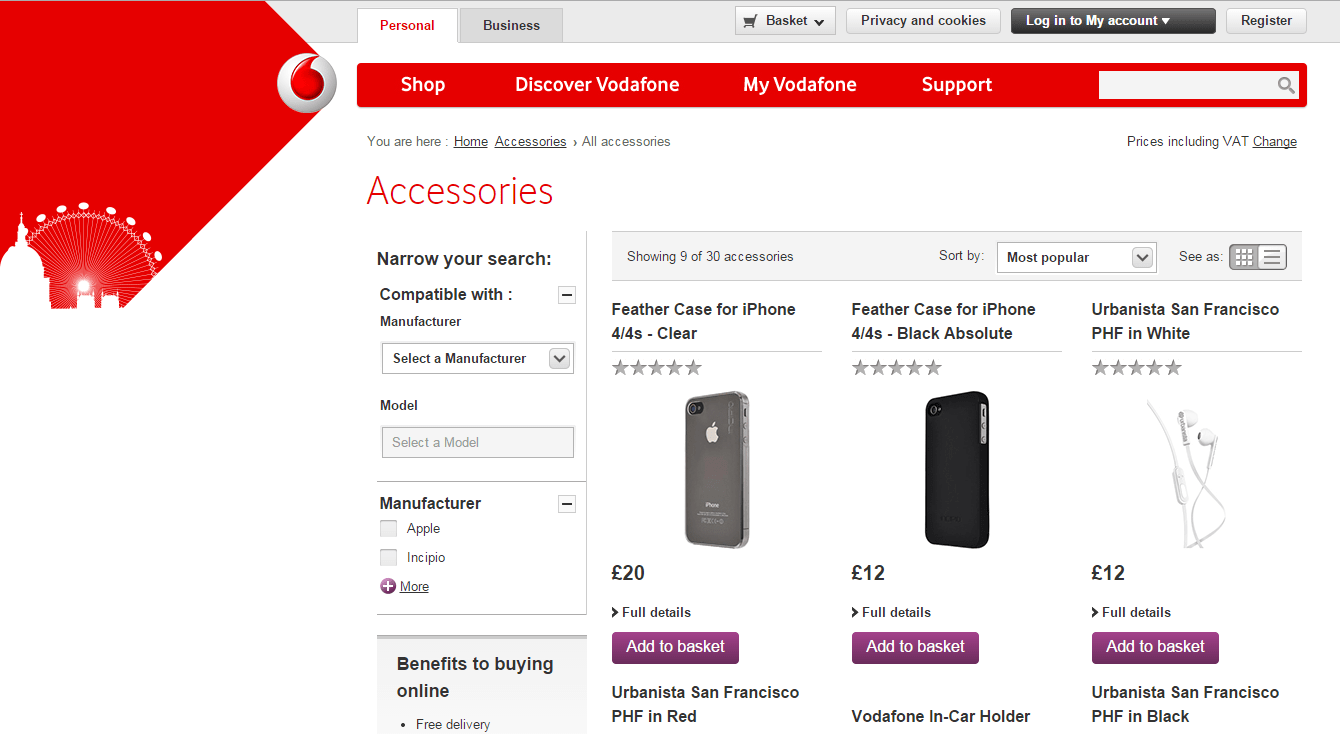
Again, it’s recommended to isolate such ad groups within their own campaign for better budget control.
Personalizing Ad Text and Landing Pages for Existing Users
RLSAs enable the customization of ad text based on a user’s website activity, even past purchases. Duplicate existing campaigns to target users who have completed a purchase, tailoring the ad text accordingly. For instance, offer a discount on their next purchase. In this example, RLSAs display ads to users who have downloaded a whitepaper, expressing gratitude and offering a free Google Ads audit to entice them back and initiate engagement:
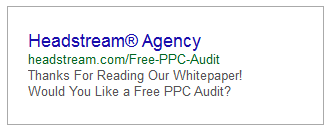
For this to be effective, duplicate your search campaigns and apply the audience for exclusive targeting. Modify ad text in those campaigns to resonate with existing users. Then, exclude this list from your original campaigns to avoid audience overlap. When implementing this, start with a small, low-conversion campaign to gauge the impact before wider rollout. While personalizing ad text is crucial, consider tailoring landing pages as well, which can be achieved using tools like Unbounce.
Excluding Converted Users from Campaigns
In some cases, a user’s value diminishes after completing a desired action. For instance, a digital marketing agency might exclude users who have submitted inquiries, as they’re likely already engaged. Similarly, a software provider might exclude those who have purchased their software, as a repeat purchase is unlikely. This strategy involves excluding users who reached your final conversion page from your existing campaigns.
Competitor Targeting with RLSAs
Strategic bidding on competitor brand names can be effective. With RLSAs, you can create a campaign targeting your competitors’ brand names, but only display ads to users who have previously visited your site. This ensures that your brand remains in contention while they’re comparing options, without wasting ad spend on users unfamiliar with your brand.
Adjusting Bids Based on RLSA Audience
These strategies focus on applying bid adjustments to your existing campaigns based on users’ presence on your remarketing lists.
Increased Bids for High-Value Users
RLSAs can be used for more refined bid adjustments without the complexity of the previous strategies. For example, in a lead generation campaign, bid up for users who visited your contact page but didn’t submit a form, encouraging them to complete their inquiry. Similarly, e-commerce retailers can increase bids for users who abandoned their shopping carts. Lists can also be based on past visit dates. For example, an online flower shop might bid higher for customers who purchased around Mother’s Day during other holiday seasons. This is achieved using the “Visitors of a Page During Specific Dates” option. Note that, unlike traditional Remarketing, these lists have a limited maximum duration of 180 days.
Decreased Bids for Lower-Value Users
If an audience is less likely to convert but still holds some potential, consider reducing bids instead of complete exclusion. For instance, a software provider might lower bids for users who have already downloaded their software. To implement this, apply the audience list as usual and set a negative percentage for the bid adjustment.
Integrating RLSA Data with Automated Bidding Strategies
Even without implementing the above strategies, layering RLSAs on campaigns using conversion-based automated bid strategies can be beneficial. It was announced in June 2014, AdWords announced that conversion-focused automated bidding strategies consider the predicted conversion performance of your audience lists when calculating bids. By providing AdWords with this extra data, you’re enhancing the effectiveness of your automated bidding, potentially leading to further conversion boosts.
Implementing RLSAs
Updating Your Privacy or Cookie Policy
As with all Remarketing, ensure your website’s Privacy Policy or Cookie Policy clearly states your use of DoubleClick cookies. Find Google’s guidelines on policy wording here.
Integrating the AdWords Remarketing Code into Your Website
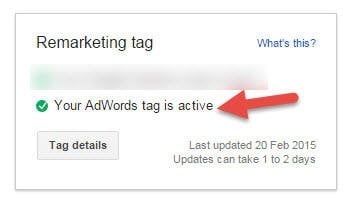
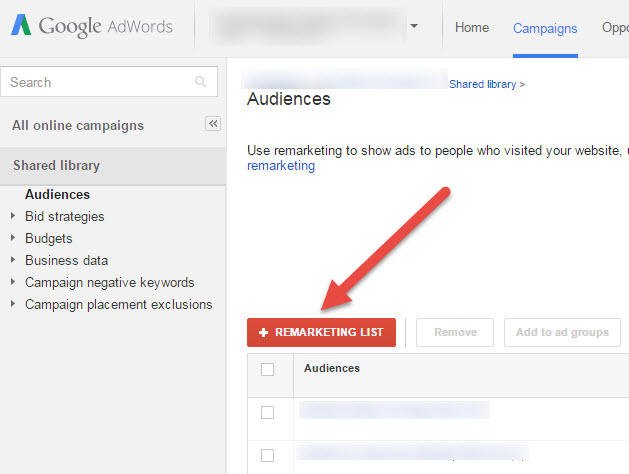
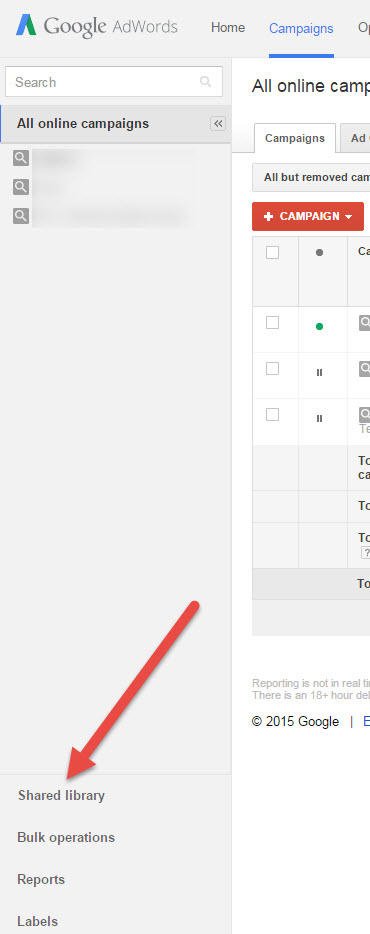
RLSAs necessitate the AdWords Remarketing code, not the Google Analytics version. It’s perfectly acceptable to have both codes running concurrently. 1. Log into your AdWords account. 2. Navigate to the Shared Library.
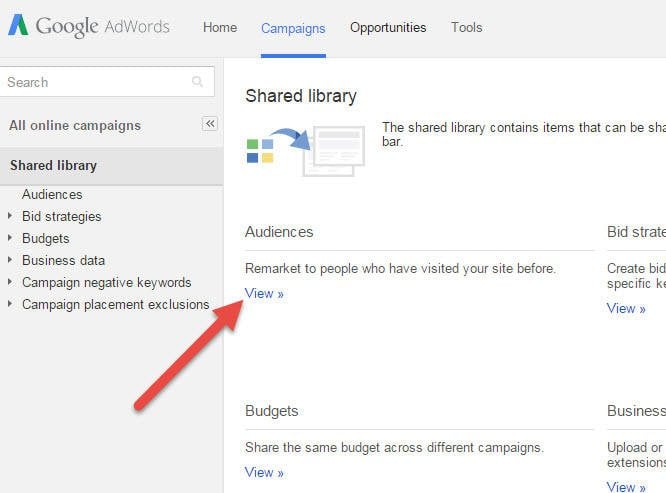
3. Select ‘Audiences’.
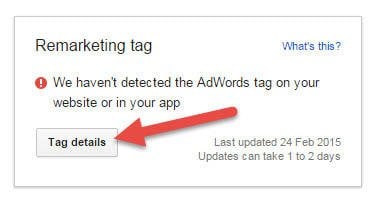
4. Locate the box in the top right corner indicating that your AdWords Remarketing tag is inactive (unless already added). Click the Tag Details button.
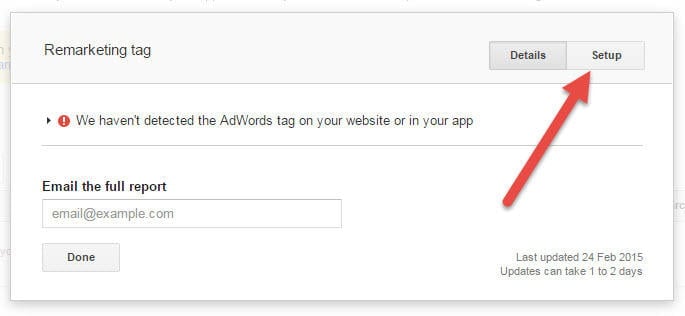
5. Click Set-up in the top-right of the pop-up.
6. Select View AdWords Tag for Websites and copy the code displayed for pasting onto your website. Alternatively, email the code directly to your web developer. If adding to your app, repeat these steps and choose View Audience Tracking ID for Mobile Apps.
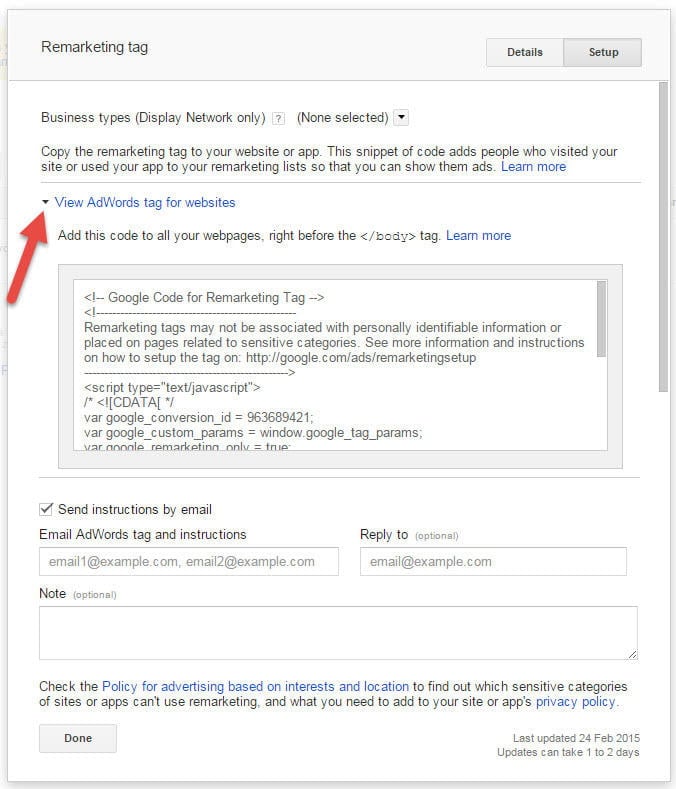
7. Paste this code before the closing