This article, the second in a series on Google Ads automation, explores time-saving strategies for ad copy and keywords without compromising performance. While these aspects are too crucial to fully automate, the goal is to find efficiencies while maintaining strong results. Let’s dive in!
Efficient Keyword Management
Keywords are fundamental to search campaigns but demand significant time for optimization. Thankfully, several methods can semi-automate this process.
Keyword Match Types
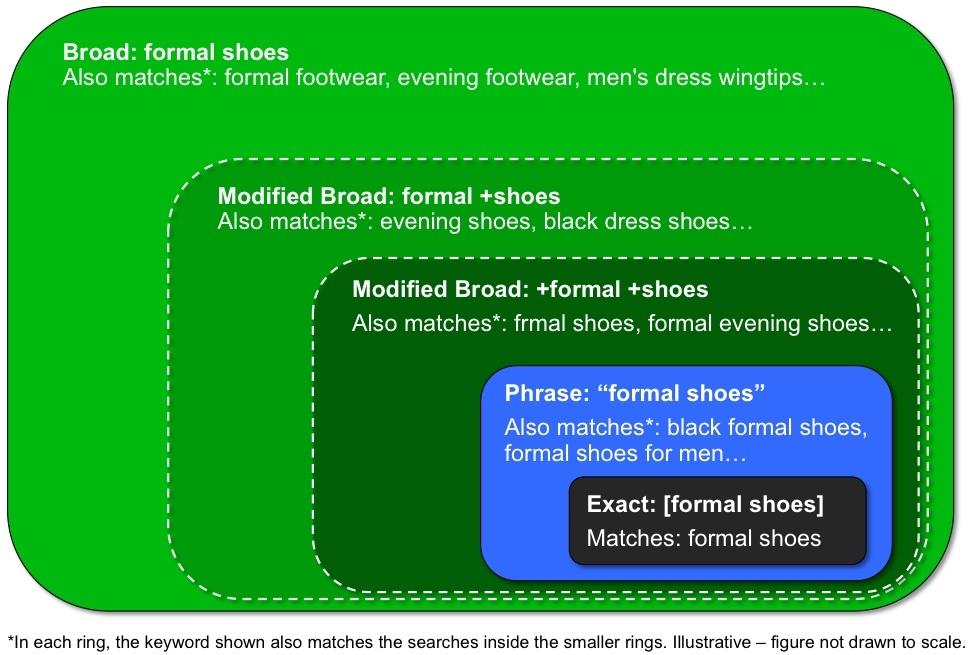
Utilizing various match types is the simplest way to expand keyword reach. Each type has a different level of strictness when matching keywords to search queries. For tight control, exact and phrase match are recommended, although even exact match has some flexibility.
Benefits
For increased volume without adding more keywords, explore modified broad match. This type offers control by designating root keywords with a “+” but allows dynamism outside those terms, generating extra volume with relevant variations.
Considerations
Use broad match sparingly. If seeking additional volume despite utilizing other match types, a small test might be worthwhile. However, prioritize other strategies first, as broad match is known for high traffic but lower relevance. For a deeper dive into match types, refer to PPC U.
Utilizing Platform Suggestions
Benefits
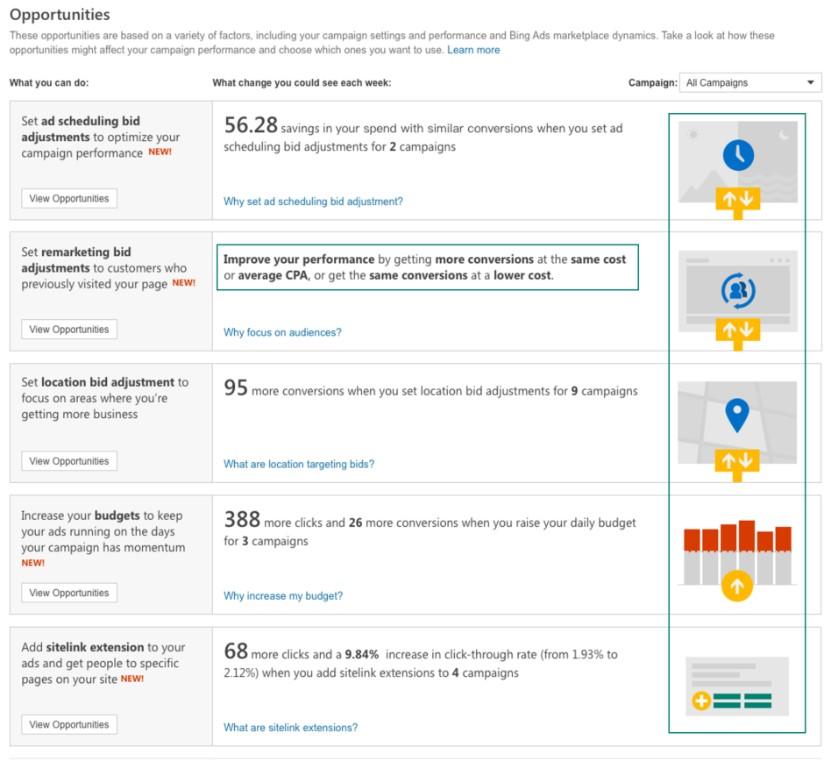
Both Google Ads’ Recommendation tab and Bing Ads’ Opportunities tab have significantly improved. They now suggest new keywords based on performance, allowing quick addition to relevant ad groups with a single click.
Considerations
Always review suggested keywords before implementation. They are based on related keywords in your account, not necessarily conversion performance. Unwanted suggestions can be hidden. For promising keywords, either add them directly from the tab or create a dedicated ad group for the keyword and its variations for easier performance tracking.
Scripts for Efficiency
Google Ads scripts may require coding knowledge, but many advertisers share their creations.
Benefits
The N-Grams script stands out for uncovering new keyword opportunities. This script analyzes search query reports faster than manual review, breaking down queries into phrases with word limits (e.g., 1-7 words). This helps identify high-performing phrases.
Considerations
While the script accelerates analysis, adding new keywords or negatives still requires manual adjustments within your account.
Streamlining Ad Copy Creation
Besides keywords, automating ad copy creation is another time-saver. Google Ads offers three dynamic ad features, activated by typing a curly bracket “{” within the ad creation window. They are:
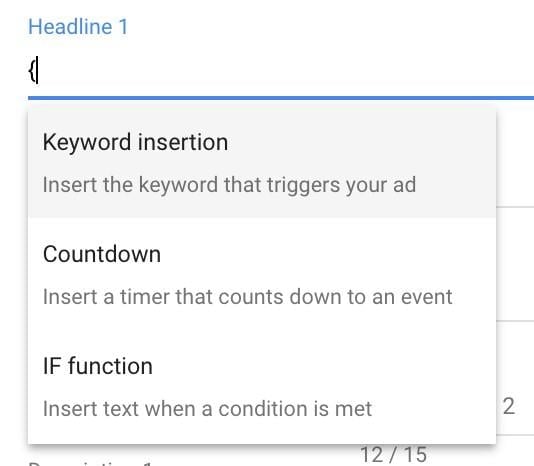
Let’s delve into each, beginning with Keyword Insertion.
Keyword Insertion
Previously Dynamic Keyword Insertion, this feature dynamically inserts keywords into ad copy. This allows a general message enhanced with specific keywords, boosting relevance based on individual search queries.
Benefits
Imagine an international travel company aiming to tailor ads by location. Keyword Insertion in a headline like this:
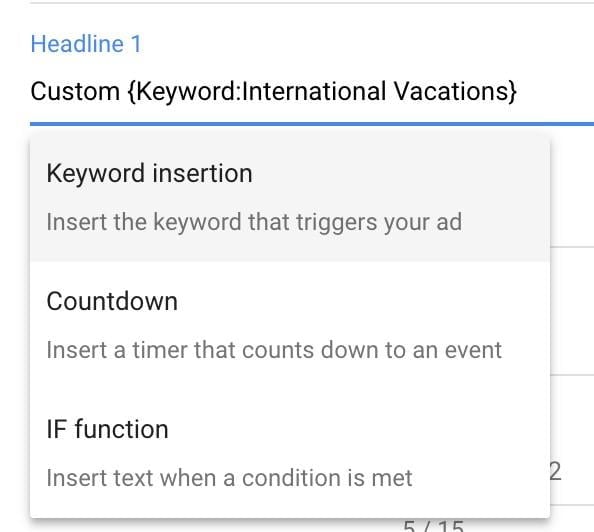
Could appear to a user searching for “italy vacations” within the 30-character limit as:

Resulting in a more relevant ad:

Considerations
Keyword Insertion is most effective when campaigns aren’t highly segmented by theme and ad copy can’t be tailored to specific keywords. In such cases, consider restructuring campaigns and ad groups for tighter themes. However, Keyword Insertion can be a temporary solution for easier ad copy writing while enhancing relevance. Be mindful of potential pitfalls when using DKI.
IF Functions
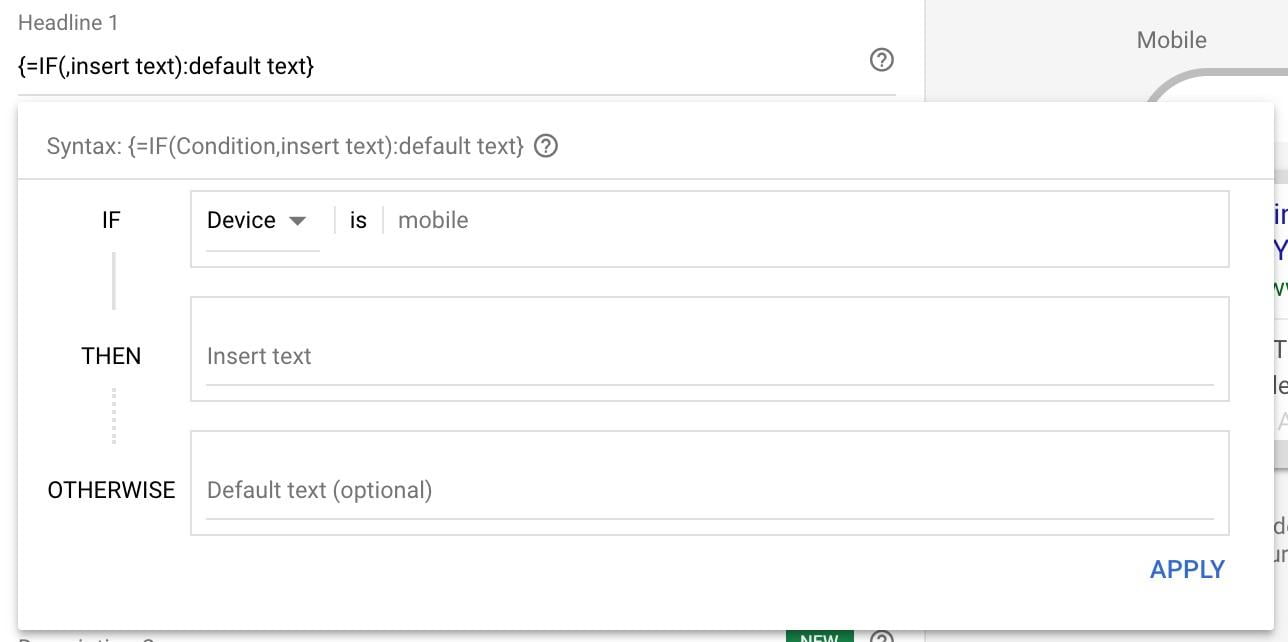
IF functions create “if, then” logic within ad copy based on user device or audience.
Benefits
This powerful feature enables tailored calls to action (e.g., “Call Us” vs. “Fill Out the Form”) based on device or offers discounts for specific audiences like existing customers. For inspiration on leveraging IF Functions effectively, refer to Joe Martinez’s guide: this post.
Considerations
Maintain consistency between ad copy and landing page when using IF Functions for tailored offers or calls to action. Avoid promoting a discount to previous customers in ad copy without reflecting it on the landing page or requiring them to remember and enter a code.
Countdowns
Benefits
Countdowns are ideal for creating urgency or promoting limited-time offers. They automatically countdown (in days, hours, or minutes) within an ad until the offer expires. Advertisers simply configure the widget, and Google handles the rest.
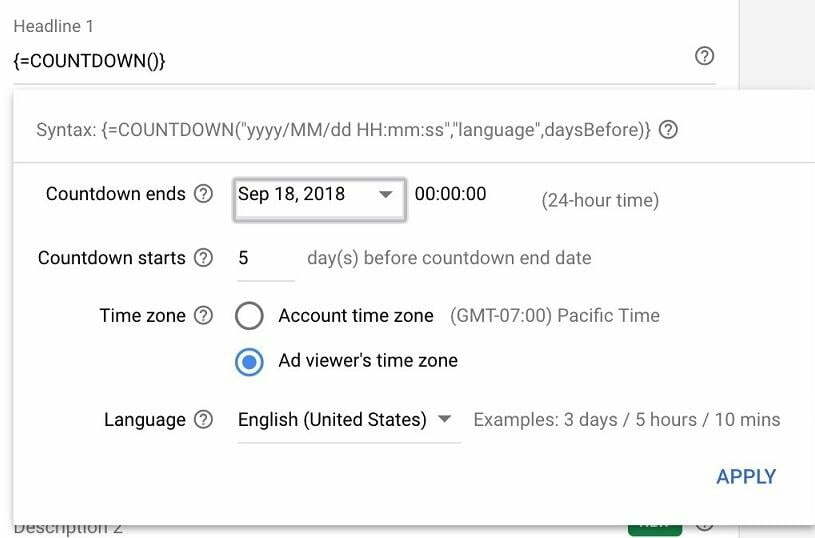
For businesses with frequent limited-time offers, Countdowns eliminate the need to constantly update ads with remaining time.
Considerations
Ads with Countdowns stop showing after the offer ends. Ensure active, non-countdown ads are present within those ad groups to maintain visibility even after the sale concludes.
Combining Keyword and Ad Efficiency: Dynamic Search Ads
For those severely pressed for time, Dynamic Search Ads (DSA) offer a streamlined approach for both keywords and ads. A staple in many accounts, DSA significantly reduces management time. Instead of keywords, DSA utilizes your website content. By providing a website URL, page URL, or a page feed of URLs, Google and Bing crawl those pages, identify themes, and match them to relevant search queries. Furthermore, these platforms automatically generate headlines and landing pages for the search ads. Advertisers only need to provide a description and display URL. DSA, when used strategically, can be highly effective. To determine if it’s right for you, consider if you’re the right fit for DSA – and it’s more about your website than your business type. That concludes our exploration of keyword and ad optimization! While these components are crucial and shouldn’t be overly simplified, strategic automation can save valuable time. Experiment with these strategies, see what works best for your business, and feel free to share your insights in the comments below!