The official release of Android 7.0 Nougat happened a while back, but as is customary, its widespread availability will take time. A majority of users won’t see over-the-air (OTA) updates until the beginning of next year. Unfortunately, many others will never get the update because certain device manufacturers don’t prioritize updates.
I understand this might seem like a trivial complaint, but the issue of Android fragmentation is significant; it’s been a persistent problem for both users and developers for quite some time. Android 7.0 doesn’t offer a solution to this problem, which is unfortunate considering it brings several new features and performance enhancements that would undoubtedly enhance user experience.
However, developers shouldn’t get overly excited, as there are no revolutionary changes in this release. Let’s delve into the major under-the-hood enhancements in Android and the new possibilities they offer, ranked by their impact.
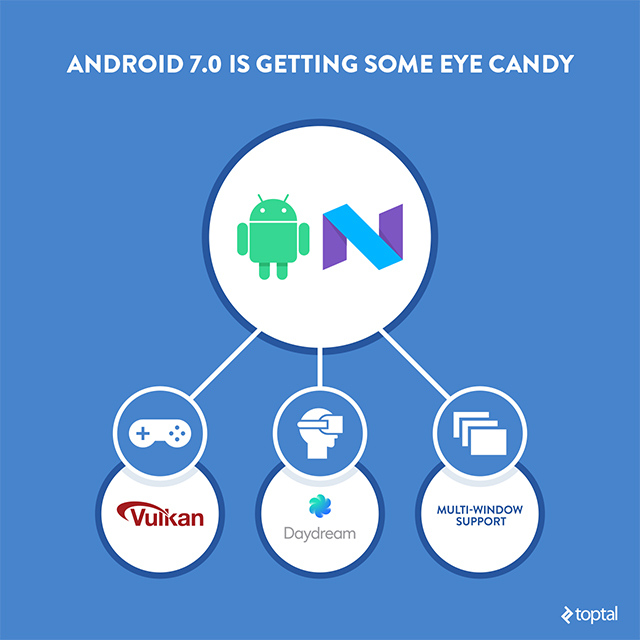
- New JIT compiler, working in conjunction with ART’s existing AOT compiler
- Multi-window support
- Support for Vulkan API
- Direct boot
- Direct reply and bundled notifications
- Daydream virtual reality (VR) mode
- UI, accessibility improvements, and background optimization
It’s important to note that this isn’t an exhaustive list of every single new feature; I’ve highlighted the top seven. A comprehensive overview of Android 7.0 can be found at Google’s developer paradise. I’ll cut to the chase and provide you with the key information in a concise and easily digestible format.
1. New JIT Compiler, Profile-Guided Compilation
JIT compilation makes a comeback, and while it might seem like a regression to the era of Dalvik, it’s not. This time, Google has incorporated a JIT compiler with code profiling into ART, working alongside ART’s current AOT compiler. And profile-guided compilation is the key phrase here.
ART now generates a profile for each app’s frequently used hot methods and diverse device conditions. It has the capability to precompile these hot methods, leading to optimized performance, reduced RAM consumption, lower power usage, and other benefits.
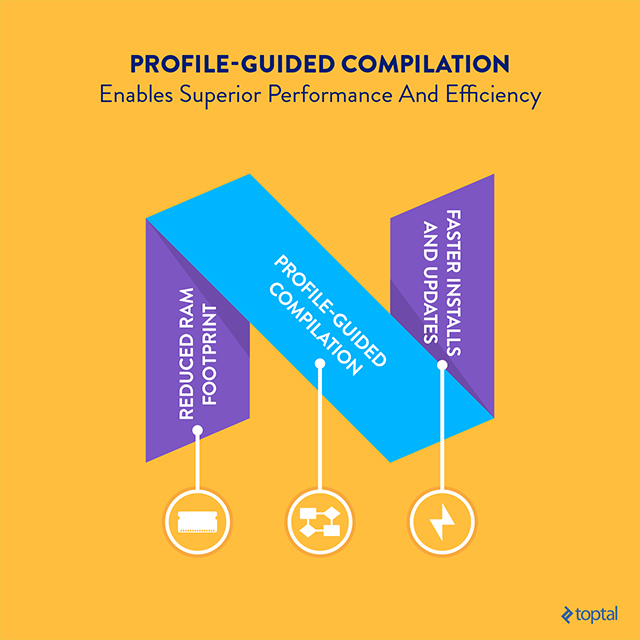
An additional advantage is the significant acceleration of installations and updates. With profiling eliminating the optimization phase, Google asserts that even large apps that took minutes to install on Android 6.0 can now be installed or updated in mere seconds. Personally, I’m hoping this applies to World of Tanks Blitz because it’s the only Android game that holds my interest.
Recent years have seen substantial advancements in mobile storage technology. Many modern devices now utilize high-speed UFS 2.0 storage, offering a considerable performance boost over the eMMC storage of the past. Android 7.0 is designed to empower software engineers to fully utilize this new storage standard and unlock even greater performance levels.
For a more detailed look at what Google’s compiler plans mean for Android developers, check out one of my earlier blog posts.
Impact on Developers: Profile-guided compilation is expected to facilitate superior performance and efficiency improvements. Installs and updates will be much faster, and thanks to Google’s comprehensive documentation, implementation should be relatively straightforward. This translates to reduced waiting times for everyone, which is a definite positive.
2. Multi-Window Support
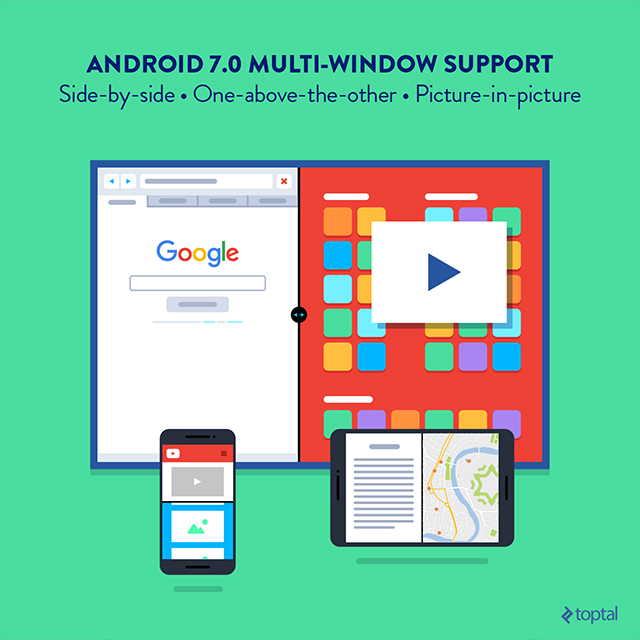
Wait a minute, haven’t we encountered multi-window features on Android before? Well, yes and no. While some custom versions of Android offered multi-window support, it’s now integrated directly into the core Android system. There are two split-screen modes: side-by-side and one-above-the-other. This is pretty much the norm for mobile devices, but unfortunately, I haven’t had the opportunity to test it out yet.
To be completely honest, I’ve never been particularly fond of multi-window functionality on mobile devices because most users simply don’t have a need for it.
However, this isn’t solely about smartphones. Google is also discreetly developing smart TV offerings, so multi-window support will be extended to these devices, but with a unique twist. With the luxury of larger screen sizes, app creators will have the capability to implement picture-in-picture mode on TVs, and some functionality will be specific to the TV manufacturer. Vendors will have the ability to decide whether or not to enable freeform mode. This means that providers of large-screen phablets, tablets, and other similar devices could allow users to adjust window size and placement, which sounds similar to the approach Microsoft first took with Windows 8.x.
Impact on Developers: Multi-window support isn’t a game-changer, but it does present an immediate opportunity on Android tablets and smart TVs. Smart TVs will also benefit from picture-in-picture and video recording capabilities. The catch? Android TVs aren’t very prevalent, and Android tablets never gained significant traction, especially when it comes to productivity apps that stand to benefit the most from multi-window support.
Who knows, though? Perhaps a particularly talented developer will create a killer smartphone app that leverages this feature effectively. However, I won’t hold my breath.
3. Vulkan API
This is another update with the potential to be highly impactful. While it might not garner as much media attention or consumer interest as more superficial features, make no mistake: Vulkan API is significant.
In case you haven’t heard, Vulkan API is a new, low-overhead, close-to-the-hardware API for graphics processing units (GPUs). It’s not just for 3D games but for GPU computation as well. Essentially, it’s the successor to OpenGL and is expected to enable superior performance on processors with multiple cores, along with cross-platform compatibility. Additionally, it should significantly reduce the time and effort required for driver development.
So why isn’t it creating more buzz? Well, it’s a brand-new standard, and the adoption of a completely new graphics API typically takes a few years. That’s why consumers aren’t overly concerned, but Android developers should be paying attention.
For a more comprehensive understanding of Vulkan implementation in Android 7.0, you can refer to the complete Vulkan API overview I wrote earlier this year or check out check out Google’s dev resources.
Impact on Developers: Vulkan API’s time will come. It will minimize CPU overhead, resulting in enhanced GPU performance and reduced power consumption in 3D games. However, widespread adoption is likely to be gradual because we’re dealing with an extremely powerful and intricate graphics API, not just a minor cosmetic enhancement.
4. Direct Boot
What happens when an Android 7.0 device is locked? It operates in a secure direct boot mode until the user unlocks it.
To facilitate this, Android 7.0 utilizes two separate storage areas for data, each with its own encryption method:
- Device encrypted storage is accessible in direct boot and can be accessed whether the device is locked or unlocked.
- Credential encrypted storage remains the default location and is only accessible after the user unlocks the device.
The majority of the implications are clear: Apps that need to function in direct boot mode, before the device is unlocked, must be specifically enabled to do so. By default, apps cannot run in direct boot, but developers have the option to register specific app components that need to run in this state.
This should include apps that deliver critical or scheduled notifications, such as messaging and calendar apps. Apps requiring access to storage must rely on device encrypted storage, which is secured with a key that becomes available after the device successfully completes a verified boot. Access does not extend to data linked to user credentials, such as PINs and passwords. Credential encrypted storage is inaccessible until the device boots up and the user unlocks it, but once accessed, it remains available until the device is powered off.
Impact on Developers: Direct boot is intended to enhance security without negatively affecting user experience and responsiveness. Implementation is expected to be relatively straightforward, but in certain scenarios, it might involve a fair amount of repetitive work. Nonetheless, it seems like a minor price to pay for increased security.
5. Direct Reply & Bundled Notifications
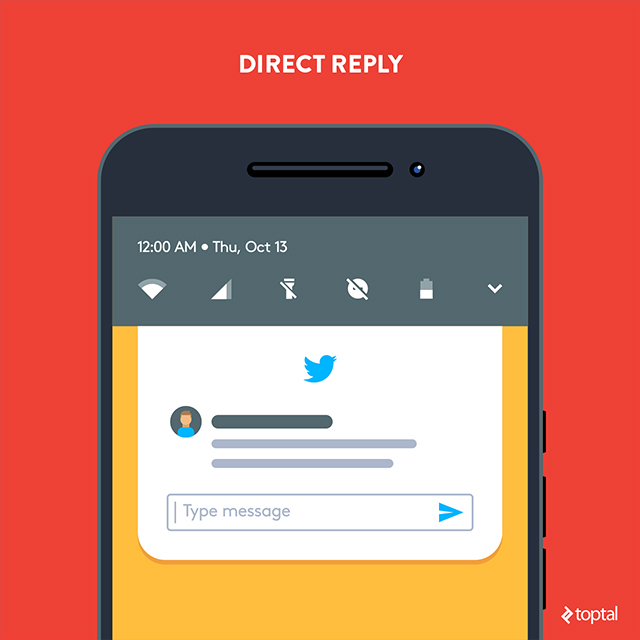
While it sounds related to direct boot, direct reply is a distinct feature that enables users to respond to messages and notifications directly from the notification screen. The inline reply action is accessible through a new button within the notification. In practice, this means users should be able to reply to notifications without having to open the app, and the system will handle the rest.
For the system to work its magic, developers need to enable inline reply retrieval by calling getResultsFromIntent(), which returns a bundle containing the necessary text response. In Android 7.0, Google provides developers with a new method for presenting queued notifications: bundled notifications. This solution is similar to the notification stack found on Android Wear.
Bundled notifications are exactly what they sound like: similar messages grouped together in a single, organized cluster, with the primary notification displayed at the top. Users can then expand the bundle to view additional information and take appropriate action, or easily dismiss all of them if they’re not interested.
However, it’s important to note that bundled notifications are not intended for use with every type of notification. Google emphasizes this point clearly in Android notification best practices. Ideally, this approach should be utilized for apps that generate a high volume of similar or related notifications, such as messaging apps.
Beginning with Android 7.0 (API level 24), users have the ability to reply directly to text messages or update task lists directly from the notification dialog. On a handheld device, the inline reply action is presented as an extra button within the notification. When a user types a reply, the system appends the text response to the intent specified by the developer (for the notification action) and sends it to the handheld app.
Impact on Developers: Direct reply and bundled notifications have the potential to enhance user experience in a variety of situations. Based on Google’s documentation, their implementation shouldn’t be overly complex either. Email, messaging, and social apps stand to benefit the most from inline reply, although the approach could be implemented in other contexts as well.
6. Daydream Virtual Reality
Google’s recent emphasis on VR demonstrates that even the search giant isn’t immune to jumping on the bandwagon. We all remember Google Cardboard and Google Glass, which was an unsuccessful attempt to enter the augmented reality arena.
Unlike Glass, Cardboard didn’t completely disappear, but it remains more of an experimental project than a full-fledged product. Google has refined the concept, and it’s on the verge of being relaunched with a new name: Google Daydream. Daydream can be seen as an evolutionary step forward. Visually, it resembles a modified Cardboard headset, but the significant changes are harder to detect.
Support for Daydream is imminent, expected to arrive with the next generation of Android phones. However, designers and developers can already experiment with their concepts on the current-generation Nexus 6P, which is currently the only Daydream-compatible device.
Google positions Daydream as the next-generation VR platform for mobile devices, boasting enhanced interactivity and improved responsiveness compared to Cardboard. The company claims to have made improvements at every level of the Android system to achieve this heightened responsiveness. This is intended to allow Android 7.0 to access sensor data more rapidly and render the appropriate VR scene at the right time, significantly reducing latency. Daydream also introduces a new wireless controller equipped with APP and HOME buttons.
However, none of these enhancements address the most significant challenge facing VR: the lack of compelling content. The positive news is that the situation is improving, and Google is committed to delivering more content on Daydream through various partnerships encompassing everything from sitcoms to games.
As outlined in my Google Cardboard overview, I maintain a somewhat cautious stance on mobile VR. My views have been partially validated by recent market research, which seems to indicate that demand for VR remains lukewarm. Google is currently unable to solve all the inherent challenges facing mobile VR. It’s not a matter of complacency; Google is constrained by the limitations of current hardware and must wait for advancements in this area.
Even before I tried Cardboard, I was aware that battery life and heat generation would be issues, and Google was aware of this as well. These will continue to be persistent challenges moving forward. In fact, Google openly acknowledges that the thermal performance of the Nexus 6P is “not indicative” of future Daydream-ready phones:
Expect the 6P to experience thermal throttling of CPU and GPU performance after a short period of use, depending on the workload.
We’ll need to wait for chip manufacturers and smartphone vendors to release a new generation of products before we can fully realize the potential of Daydream.
Impact on Developers: Daydream VR might offer some new opportunities, but it’s not as simple as it appears. While numerous tech companies are jumping on the VR bandwagon, consumers are hesitant. At present, it’s a lonely and costly endeavor.
7. UI, Accessibility Improvements & Background Optimization
Google has made refinements to the user interface, introduced a few new features, and fine-tuned performance with the goal of delivering an even smoother user experience. Here’s a glimpse of what’s new:
- Partial support for approximately 100 new languages, along with enhanced language packs and new regional variations for widely spoken languages like Spanish and English.
- Multiple locales available in Settings, which will significantly enhance the experience for multilingual and bilingual users.
- Improved WebView, the in-app browser. It will leverage the Chrome APK (starting with version 51) for page rendering, resulting in reduced memory usage and bandwidth requirements. The standalone WebView APK will no longer receive updates as long as Chrome rendering is enabled.
- Android for Work updates to enhance security and enable always-on VPN support. A quick-toggle feature will allow users to easily switch between work and personal modes.
- Project Svelte, which encompasses a series of background optimizations that modify how apps run to minimize RAM usage. Google states that it will continue to expand and update
JobSchedulerandGCMNetworkManager. However, they are simultaneously removing three widely used broadcasts:CONNECTIVITY_ACTION,ACTION_NEW_PICTURE, andACTION_NEW_VIDEO. If your app relies on any of these, you’ll need to migrate toJobScheduler. You can check the geeky details at Google. - UI enhancements to the Welcome screen and Quick Settings tile, which now includes a new API that can be utilized in third-party apps. Notification improvements include two new custom view APIs.
- Google Assistant, Google Allo, Google Duo.
Impact on Developers: These new features and enhancements are valuable additions to Android, but they are unlikely to create a plethora of new opportunities.
Android 7.0: The Bottom Line
It’s reasonable to say that Android 7.0 isn’t a monumental release for developers. It’s more of an incremental update primarily focused on optimization. It won’t magically enable the creation of groundbreaking apps and services that weren’t previously possible.
However, there’s nothing inherently wrong with that. Smartphones are already packed with features, and users are growing weary of gimmicks. Therefore, it’s understandable that Google has chosen to prioritize improvements to performance, power efficiency, security, and the overall user experience. Like iOS, Android has reached a point of maturity. If you’re disappointed by the lack of flashy new features, it’s something you’ll need to get used to because it’s the new norm.
When you think about it, the most significant news surrounding Android 7.0 isn’t the operating system itself. It’s Google’s decision to introduce new Pixel phones specifically designed to showcase everything the OS has to offer. From a hardware perspective, they’re not particularly remarkable—they’re built on readily available technology, similar to their Nexus-series predecessors. However, Google’s business approach for Pixel is distinct, with an emphasis on controlling the entire user experience and adding value in a manner reminiscent of Apple.
It’s too early to speculate on the impact Pixel will have on the broader Android ecosystem, but one thing is certain: It will be a delicate balancing act. Google could choose to reserve certain features exclusively for its in-house Pixel phones, but they also can’t afford to overstep their boundaries. Alienating Android device manufacturers by introducing too many Pixel-exclusive features would make their products less competitive, which is something Google wants to avoid.
It remains to be seen how this will all unfold, but in the meantime, we should concentrate on making the most of Android 7.0. Actually, let’s make that 7.1, which is currently in Beta testing and likely to be released soon.