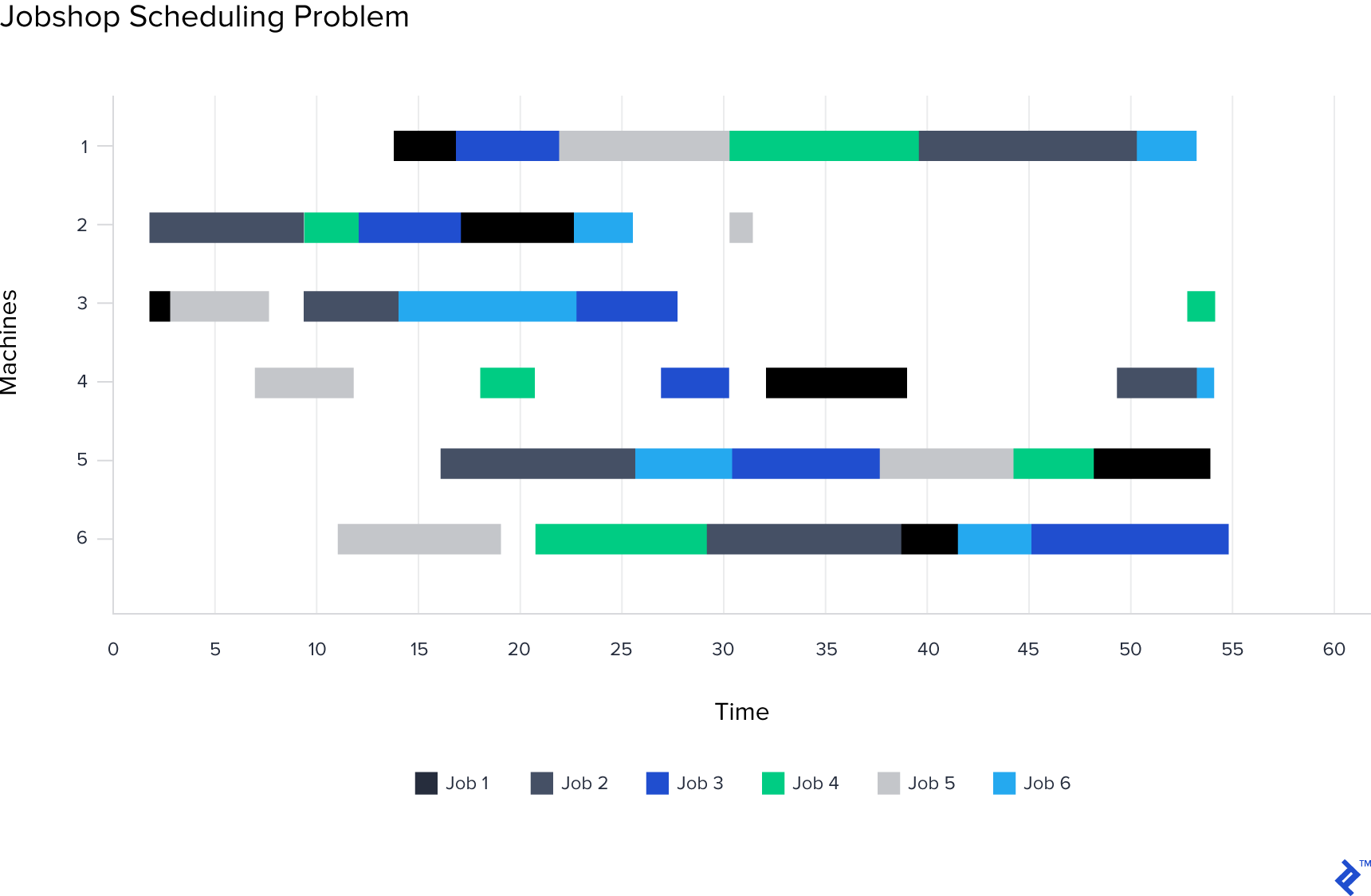
The field of operations research and convex optimization, which uses applied mathematics, has seen widespread use in business over the years. As computing became more affordable and available, researchers developed sophisticated optimization algorithms to improve decision-making. Today, operations research powers various applications, from logistics routing to energy production management.
However, as technology advanced, new tools like AMPL, CVXPY, and PuLP emerged to help researchers work more efficiently. These tools allow developers to define, build, and run optimization algorithms and connect with various solvers.
Despite advancements in optimization and business needs, most tools haven’t kept pace, hindering developers with significant cognitive overhead in managing, debugging, and tuning algorithms, especially in fast-paced business settings.
This article introduces HorusLP](https://pypi.org/project/horuslp/), a [Python optimization library that enhances algorithm development workflow architecture. We’ll discuss the tool’s problem-solving capabilities, provide a Python library overview, and build example optimization algorithms.
Challenges for Optimization Algorithm Developers
A persistent challenge for developers is balancing maintainable, efficient software development with timely product delivery. Regardless of the application type, tradeoffs exist between ideal and expedient solutions. This becomes more pronounced with increasing product complexity.
Typically, developers address this using frameworks or libraries that provide architectural guidance. Front-end developers often choose React or Angular, while API developers might opt for Django, ASP.NET MVC, or Play. However, optimization algorithm developers lack such architecture tools, leaving them to manage variables, constraints, and objectives independently. The introspection difficulty of operations research algorithms further complicates matters.
HorusLP’s primary goal is to offer an architectural framework for developing optimization algorithms, promoting structural consistency, simplifying organization, and allowing developers to focus on algorithm creation.
Common Optimization Workflow Hurdles
Several factors contribute to the complexity of developing operations research algorithms:
Variable Complexity
- Adding variables for new business requirements lacks an easy tracking method for model definitions and reporting.
- Managing and tracking related variables is not straightforward.
Constraint Complexity
- Adding/removing constraints for different scenarios and debugging lacks a clear process.
- Expressing relationships between related/dependent constraints is not intuitive.
Objective Complexity
- Objective expressions with multiple components, especially weighted ones requiring adjustment based on business needs, can become unwieldy.
Debugging Complexity
- Lack of easy model result visualization during development necessitates explicit printing of variables and constraint values, leading to code duplication and slower development.
- Identifying the cause of infeasibility when adding a constraint often involves trial and error by removing and testing various constraints.
HorusLP aims to address these challenges by providing structure, tooling, and best practices, improving developer productivity and product maintainability.
HorusLP Tutorial: Optimization Algorithm and API Overview
Let’s explore HorusLP’s capabilities.
Install HorusLP and its dependency, PuLP, using pip:
1
| Pip install horuslp pulp
|
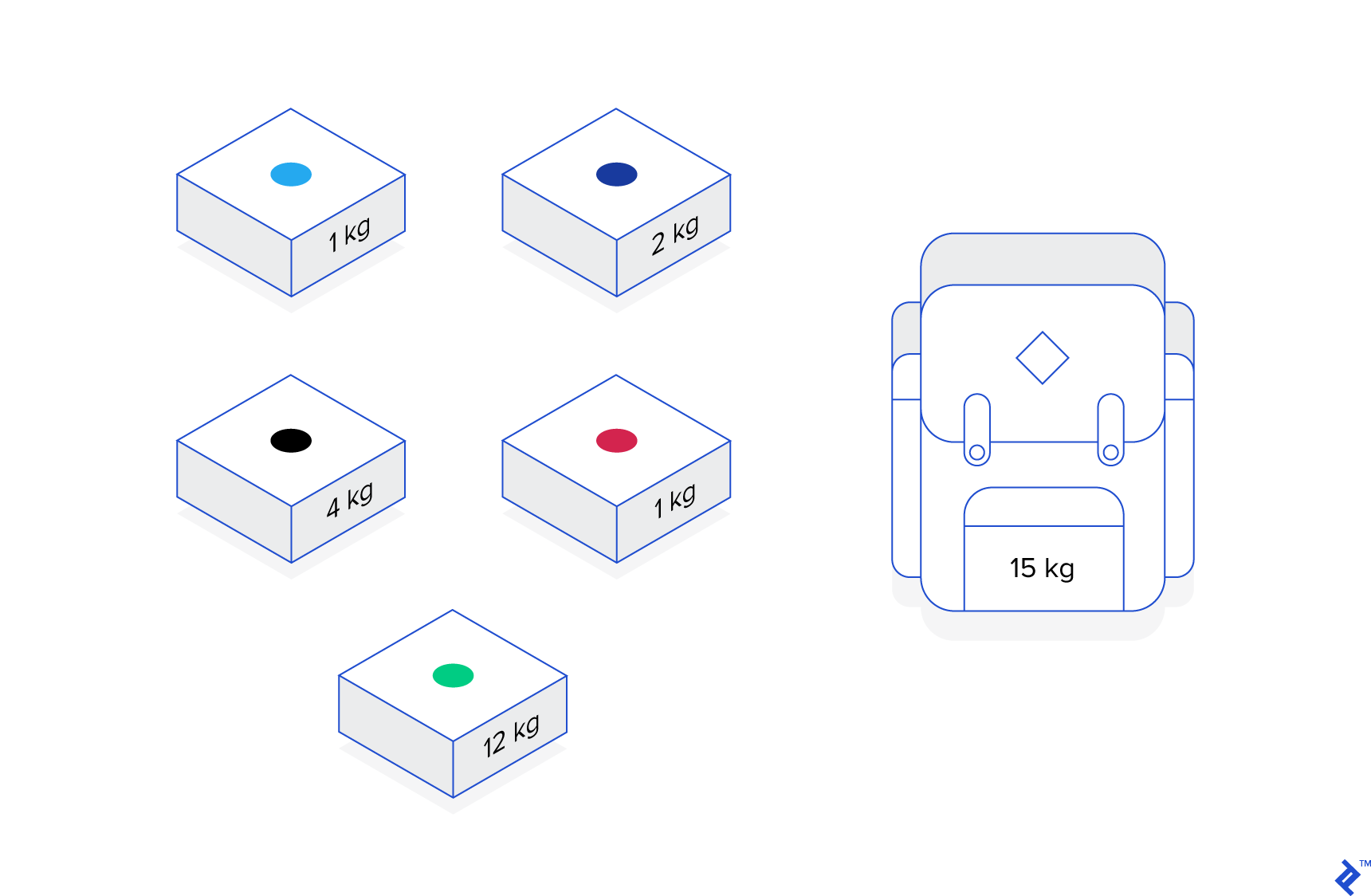
Now, let’s implement the knapsack problem](http://www.es.ele.tue.nl/education/5MC10/Solutions/knapsack.pdf) from my [previous article on operations research.
HorusLP offers a simple, declarative API with minimal boilerplate. Import necessary classes and variables:
1
2
3
| from horuslp.core.Variables import BinaryVariable # we will be using binary variables, so we will import the BinaryVariable class
from horuslp.core import Constraint, VariableManager, Problem, ObjectiveComponent # We will also need to import the constraint class, variable manager class, the main problem class, and the objective class to define the objective.
from horuslp.core.constants import MAXIMIZE # since we're maximizing the resulting value, we want to import this constant
|
Define the problem’s binary variables by creating a variables manager subclass:
1
2
3
4
5
6
7
| class KnapsackVariables(VariableManager):
vars = [
BinaryVariable('camera'), # the first argument is the name of the variable
BinaryVariable('figurine'),
BinaryVariable('cider'),
BinaryVariable('horn')
]
|
Define constraints by subclassing the main constraint class and implementing its “define” function:
1
2
3
| class SizeConstraint(Constraint):
def define(self, camera, figurine, cider, horn):
return 2 * camera + 4 * figurine + 7 * cider + 10 * horn <= 15
|
The framework locates and passes required variables by name from the variable manager to the “define” function.
Next, implement a simple objective using ObjectiveComponent:
1
2
3
| class ValueObjective(ObjectiveComponent):
def define(self, camera, figurine, cider, horn):
return 5 * camera + 7 * figurine + 2 * cider + 10 * horn
|
Similar to the constraint class, the “define” function returns an affine expression.
With variables, constraints, and objectives defined, define the model:
1
2
3
4
5
| class KnapsackProblem(Problem):
variables = KnapsackVariables
objective = ValueObjective
constraints = [SizeConstraint]
sense = MAXIMIZE
|
Create a subclass of the Problem class, specifying variables, objectives, constraints, and the sense. Then, solve the problem:
1
2
| prob = KnapsackProblem()
prob.solve()
|
Finally, print the results using the problem class’s print_results function and access specific variable values:
1
2
| prob.print_results()
print(prob.result_variables)
|
Running the script yields:
1
2
3
4
5
6
7
8
| KnapsackProblem: Optimal
camera 0.0
figurine 1.0
cider 0.0
horn 1.0
ValueObjective: 17.00
SizeConstraint: 14.00
{'camera': 0.0, 'figurine': 1.0, 'cider': 0.0, 'horn': 1.0}
|
The output displays problem status, final variable values, objective value, constraint expression values, and resulting variable values as a dictionary. All this in just 35 lines!
The following examples explore more advanced HorusLP features.
Utilizing VariableGroups
Sometimes, variables belong to a logical group. In the knapsack problem, all variables can be grouped as “items.”
Modify the import statements:
1
2
3
| from horuslp.core.Variables import BinaryVariableGroup
from horuslp.core import Constraint, VariableManager, Problem, ObjectiveComponent
from horuslp.core.constants import MAXIMIZE
|
Change knapsack variable declarations:
1
2
3
4
5
6
7
8
9
| class KnapsackVariables(VariableManager):
vars = [
BinaryVariableGroup('objects', [
'camera',
'figurine',
'cider',
'horn'
])
]
|
The first argument is the group name, followed by a list of variable names within the group.
Adjust constraint and objective definitions to accept the variable group as a dictionary:
1
2
3
4
5
6
7
| class SizeConstraint(Constraint):
def define(self, objects):
return 2 * objects['camera'] + 4 * objects['figurine'] + 7 * objects['cider'] + 10 * objects['horn'] <= 15
class ValueObjective(ObjectiveComponent):
def define(self, objects):
return 5 * objects['camera'] + 7 * objects['figurine'] + 2 * objects['cider'] + 10 * objects['horn']
|
Use the same problem definition and run commands:
1
2
3
4
5
6
7
8
9
10
11
| class KnapsackProblem(Problem):
variables = KnapsackVariables
objective = ValueObjective
constraints = [SizeConstraint]
sense = MAXIMIZE
prob = KnapsackProblem()
prob.solve()
prob.print_results()
print(prob.result_variables)
|
The output now shows:
1
2
3
4
5
6
7
8
| KnapsackProblem: Optimal
objects[camera] 0.0
objects[figurine] 1.0
objects[cider] 0.0
objects[horn] 1.0
ValueObjective: 17.00
SizeConstraint: 14.00
{'objects': {'camera': 0.0, 'figuring': 1.0, 'cider': 0.0, 'horn': 1.0}}
|
Handling Multiple Constraints
Models rarely have just one constraint. HorusLP simplifies managing multiple constraints.
Let’s add a constraint to include a camera in the knapsack.
Add the following constraint:
1
2
3
| class MustHaveItemConstraint(Constraint):
def define(self, camera):
return camera >= 1
|
Incorporate it into the problem definition:
1
2
3
4
5
6
7
8
| class KnapsackProblem(Problem):
variables = KnapsackVariables
objective = ValueObjective
constraints = [
SizeConstraint,
MustHaveItemConstraint # just add this line :)
]
sense = MAXIMIZE
|
Running the problem now shows:
1
2
3
4
5
6
7
8
| KnapsackProblem: Optimal
camera 1.0
figurine 0.0
cider 0.0
horn 1.0
ValueObjective: 15.00
SizeConstraint: 12.00
MustHaveItemConstraint: 1.00
|
The output reflects the new constraint and the adjusted optimal variable values.
Managing Dependent Constraints and Constraint Groups
Constraints often relate through dependency or logical grouping.
For instance, limiting the absolute value sum of variables requires constraints for individual absolute values and a constraint for their sum. Similarly, applying similar constraints to multiple variables expresses specific relationships.
HorusLP’s dependent constraints feature handles this. Modify the SizeConstraint to include a dependent constraint:
1
2
3
4
5
| class SizeConstraint(Constraint):
dependent_constraints = [MustHaveItemConstraint]
def define(self, camera, figurine, cider, horn):
return 2 * camera + 4 * figurine + 7 * cider + 10 * horn <= 15
|
To test, remove the MustHaveItemConstraint from the problem definition:
1
2
3
4
5
6
7
| class KnapsackProblem(Problem):
variables = KnapsackVariables
objective = ValueObjective
constraints = [
SizeConstraint,
]
sense = MAXIMIZE
|
The output confirms its automatic implementation:
1
2
3
4
5
6
7
8
| KnapsackProblem: Optimal
camera 1.0
figurine 0.0
cider 0.0
horn 1.0
ValueObjective: 15.00
SizeConstraint: 12.00
MustHaveItemConstraint: 1.00
|
For more complex dependent constraint examples, refer to the staffing example later in the tutorial.
Handling Multiple Weighted Objectives
Objective expressions often involve multiple parts. CombinedObjective simplifies managing and adjusting weights for desired outcomes.
Let’s modify the code to prioritize selecting the figurine and cider using CombinedObjective.
Import the CombinedObjective class:
1
| from horuslp.core import CombinedObjective
|
Implement an independent objective component:
1
2
3
| class ILoveCiderFigurineObjectiveComponent(ObjectiveComponent):
def define(self, figurine, cider):
return figurine + cider
|
Combine value and cider/figurine objectives:
1
2
3
4
5
| class Combined(CombinedObjective):
objectives = [
(ILoveCiderFigurineObjectiveComponent, 2), # first argument is the objective, second argument is the weight
(ValueObjectiveComponent, 1)
]
|
Update the problem definition:
1
2
3
4
5
| class KnapsackProblem(Problem):
variables = KnapsackVariables
objective = Combined
constraints = [SizeConstraint]
sense = MAXIMIZE
|
Running the problem displays:
1
2
3
4
5
6
7
8
9
10
| KnapsackProblem: Optimal
camera 1.0
figurine 1.0
cider 1.0
horn 0.0
Combined: 18.00
ILoveCiderFigurineObjectiveComponent: 2.00 * 2
ValueObjectiveComponent: 14.00 * 1
SizeConstraint: 13.00
MustHaveItemConstraint: 1.00
|
The output details combined objective value, individual component values, weights, and constraint values.
Identifying Conflicting Constraints
Infeasible models are common during development. HorusLP helps pinpoint the cause.
Consider the following constraints, including a conflict requiring a camera to be both present and absent:
1
2
3
4
5
6
7
8
9
10
11
12
13
14
15
16
17
18
19
20
21
22
| class SizeConstraint(Constraint):
def define(self, camera, figurine, cider, horn):
return 2 * camera + 4 * figurine + 7 * cider + 10 * horn <= 15
class SizeConstraint2(Constraint):
def define(self, camera, figurine, cider, horn):
return 2 * camera + 4 * figurine + 7 * cider + 10 * horn <= 20
class MustHaveItemConstraint(Constraint):
def define(self, cider):
return cider >= 1
class IncompatibleConstraint1(Constraint):
def define(self, camera):
return camera >= 1
class IncompatibleConstraint2(Constraint):
def define(self, camera):
return camera <= 0
|
Let’s group these constraints for complexity:
1
2
3
4
5
6
7
8
| class CombinedConstraints1(Constraint):
dependent_constraints = [SizeConstraint2, IncompatibleConstraint1]
class CombinedConstraints2(Constraint):
dependent_constraints = [SizeConstraint, IncompatibleConstraint2]
# MustHaveItemConstraint will be included in the problem definition independently
|
Define the problem:
1
2
3
4
5
| class KnapsackProblem(Problem):
variables = KnapsackVariables
objective = ValueObjective
constraints = [CombinedConstraints1, CombinedConstraints2, MustHaveItemConstraint]
sense = MAXIMIZE
|
Running this results in:
1
| KnapsackProblem: Infeasible
|
Instead of tedious debugging, use HorusLP’s incompatibility search. Modify the print_results call:
1
| prob.print_results(find_infeasible=True)
|
This reveals:
1
2
3
| KnapsackProblem: Infeasible
Finding incompatible constraints...
Incompatible Constraints: ('CombinedConstraints1', 'CombinedConstraints2')
|
The output identifies CombinedConstraints1 and CombinedConstraints2 as the source of infeasibility.
To pinpoint the specific conflicting constraints within these groups, use a deep search:
1
| prob.print_results(find_infeasible=True, deep_infeasibility_search=True)
|
This provides a more detailed breakdown:
1
2
3
| KnapsackProblem: Infeasible
Finding incompatible constraints...
Incompatible Constraints: ('IncompatibleConstraint1', 'IncompatibleConstraint2')
|
While tempting, frequent deep searches can be resource-intensive. Start with basic searches to narrow down potential conflicts before using deep searches on smaller subsets.
Building Algorithms from Data Files
Models often need flexibility to handle varying input data.
Let’s build the knapsack problem using JSON data:
1
2
3
4
5
6
7
8
9
10
| {
"items": [
{"name": "camera", "value": 5, "weight": 2},
{"name": "figurine", "value": 7, "weight": 4},
{"name": "apple", "value": 2, "weight": 7},
{"name": "horn", "value": 10, "weight": 10},
{"name": "banana", "value": 9, "weight": 2}
],
"capacity": 15
}
|
Include this JSON in the code:
 1
 2
 3
 4
 5
 6
 7
 8
 9
10
11
12
| JSON = '''
{
"items": [
{"name": "camera", "value": 5, "weight": 2},
{"name": "figurine", "value": 7, "weight": 4},
{"name": "apple", "value": 2, "weight": 7},
{"name": "horn", "value": 10, "weight": 10},
{"name": "banana", "value": 9, "weight": 2}
],
"capacity": 15
}
'''
|
Import the necessary library:
Modify variable setup to create variables from the JSON:
1
2
3
4
5
6
| mip_cfg = json.loads(JSON)
class KnapsackVariables(VariableManager):
vars = [
BinaryVariable(i['name']) for i in mip_cfg['items']
]
|
Adjust constraint and objective definitions to use kwargs:
1
2
3
4
5
6
7
8
9
10
| class CapacityConstraint(Constraint):
def define(self, **kwargs):
item_dict = {i['name']: i['weight'] for i in mip_cfg['items']}
return sum(kwargs[name] * item_dict[name] for name in kwargs) <= mip_cfg['capacity']
class ValueObjective(ObjectiveComponent):
def define(self, **kwargs):
item_dict = {i['name']: i['value'] for i in mip_cfg['items']}
return sum(kwargs[name] * item_dict[name] for name in kwargs)
|
The define function receives a dictionary of variables, accessed by name.
The remaining code is straightforward:
1
2
3
4
5
6
7
8
9
10
| class KnapsackProblem(Problem):
variables = KnapsackVariables
constraints = [CapacityConstraint]
objective = ValueObjective
sense = MAXIMIZE
prob = KnapsackProblem()
prob.solve()
prob.print_results()
|
Running the program outputs:
1
2
3
4
5
6
7
8
| KnapsackProblem: Optimal
camera 1.0
figurine 0.0
apple 0.0
horn 1.0
banana 1.0
ValueObjective: 24.00
CapacityConstraint: 14.00
|
Defining Custom Metrics in HorusLP
Custom metrics aid debugging and reporting.
Let’s track the number of fruits selected in the previous example.
Import the Metrics base class:
1
| From horuslp.core import Metric
|
Define the custom metric:
1
2
3
4
5
| class NumFruits(Metric):
name = "Number of Fruits"
def define(self, apple, banana):
return apple + banana
|
Add the metric to the problem definition:
1
2
3
4
5
6
| class KnapsackProblem(Problem):
variables = KnapsackVariables
constraints = [CapacityConstraint]
objective = ValueObjective
metrics = [NumFruits]
sense = MAXIMIZE
|
Running the code now shows:
1
2
3
4
5
6
7
8
9
| KnapsackProblem: Optimal
camera 1.0
figurine 0.0
apple 0.0
horn 1.0
banana 1.0
ValueObjective: 24.00
CapacityConstraint: 14.00
Number of Fruits: 1.00
|
The output includes the number of fruits.
Tackling a Complex Problem: Two Knapsacks
Let’s apply HorusLP to a more realistic scenario involving two containers with different capacity constraints.
The task is to maximize the value of items packed into a bag and a suitcase, with the suitcase accommodating both fragile and durable items, while the bag only allows durable items.
Item data is provided in JSON format:
1
2
3
4
5
6
7
8
9
10
11
12
13
14
15
16
| {
"fragile": [
{"name": "camera", "value": 5, "weight": 2},
{"name": "glasses", "value": 3, "weight": 4},
{"name": "apple", "value": 2, "weight": 7},
{"name": "pear", "value": 5, "weight": 3},
{"name": "banana", "value": 9, "weight": 2}
],
"durable": [
{"name": "figurine", "value": 7, "weight": 4},
{"name": "horn", "value": 10, "weight": 10},
{"name": "leatherman", "value": 10, "weight": 3}
],
"suitcase_capacity": 15,
"bag_capacity": 20
}
|
Set up the problem:
1
2
3
4
5
6
7
8
9
10
11
12
13
14
15
16
17
18
19
20
21
22
23
24
| import json
from horuslp.core.Variables import BinaryVariableGroup
from horuslp.core import Constraint, VariableManager, Problem, Metric, ObjectiveComponent
from horuslp.core.constants import MAXIMIZE
JSON = '''
{
"fragile": [
{"name": "camera", "value": 5, "weight": 2},
{"name": "glasses", "value": 3, "weight": 4},
{"name": "apple", "value": 2, "weight": 7},
{"name": "pear", "value": 5, "weight": 3},
{"name": "banana", "value": 9, "weight": 2}
],
"durable": [
{"name": "figurine", "value": 7, "weight": 4},
{"name": "horn", "value": 10, "weight": 10},
{"name": "leatherman", "value": 10, "weight": 3}
],
"suitcase_capacity": 15,
"bag_capacity": 20
}
'''
mip_cfg = json.loads(JSON)
|
Define binary variables for each item/container combination:
1
2
3
4
5
6
7
8
| class KnapsackVariables(VariableManager):
vars = [
# suitcase can hold both fragile and durable goods
BinaryVariableGroup('suitcase_f', [i['name'] for i in mip_cfg['fragile']]),
BinaryVariableGroup('suitcase_d', [i['name'] for i in mip_cfg['durable']]),
# bag can only hold durable goods.
BinaryVariableGroup('bag_d', [i['name'] for i in mip_cfg['durable']])
]
|
Implement weight constraints for both containers:
1
2
3
4
5
6
7
8
9
10
11
| class SuitcaseCapacityConstraint(Constraint):
def define(self, suitcase_d, suitcase_f):
fragile_weight = sum([suitcase_f[i['name']] * i['weight'] for i in mip_cfg['fragile']])
durable_weight = sum([suitcase_d[i['name']] * i['weight'] for i in mip_cfg['durable']])
return fragile_weight + durable_weight <= mip_cfg['suitcase_capacity']
class BagCapacityConstraint(Constraint):
def define(self, bag_d):
durable_weight = sum([bag_d[i['name']] * i['weight'] for i in mip_cfg['durable']])
return durable_weight <= mip_cfg['bag_capacity']
|
Add a constraint to prevent placing an item in both containers:
1
2
3
4
5
6
7
8
9
10
11
12
13
14
15
16
17
18
| class UniquenessConstraints(Constraint):
def __init__(self):
super(UniquenessConstraints, self).__init__()
# call the dependent constraint builder function for every durable item, and push them into dependent constraints.
dependent_constraints = [self.define_uniqueness_constraint(item) for item in mip_cfg['durable']]
self.dependent_constraints = dependent_constraints
def define_uniqueness_constraint(self, item):
# classes are first-class objects in python, so we can define a class within this function and return it
class UQConstraint(Constraint):
# we name the constraint based on the item this is for, so that debugging is easier.
name = "Uniqueness_%s" % item['name']
def define(self, suitcase_d, bag_d):
# the define function can access the variables much in the same way as other functions
return suitcase_d[item['name']] + bag_d[item['name']] <= 1
return UQConstraint
|
Define the objective function:
1
2
3
4
5
6
| class TotalValueObjective(ObjectiveComponent):
def define(self, suitcase_f, suitcase_d, bag_d):
fragile_value = sum([suitcase_f[i['name']] * i['weight'] for i in mip_cfg['fragile']])
durable_value_s = sum([suitcase_d[i['name']] * i['weight'] for i in mip_cfg['durable']])
durable_value_d = sum([bag_d[i['name']] * i['weight'] for i in mip_cfg['durable']])
return fragile_value + durable_value_s + durable_value_d
|
Include custom metrics for weight tracking:
 1
 2
 3
 4
 5
 6
 7
 8
 9
10
11
12
13
| class SuitcaseFragileWeightMetric(Metric):
def define(self, suitcase_f):
return sum([suitcase_f[i['name']] * i['weight'] for i in mip_cfg['fragile']])
class SuitcaseDurableWeightMetric(Metric):
def define(self, suitcase_d):
return sum([suitcase_d[i['name']] * i['weight'] for i in mip_cfg['durable']])
class BagWeightMetric(Metric):
def define(self, bag_d):
return sum([bag_d[i['name']] * i['weight'] for i in mip_cfg['durable']])
|
Instantiate the problem and execute:
1
2
3
4
5
6
7
8
9
10
| class KnapsackProblem(Problem):
variables = KnapsackVariables
constraints = [SuitcaseCapacityConstraint, BagCapacityConstraint, UniquenessConstraints]
objective = TotalValueObjective
metrics = [SuitcaseDurableValueMetric, SuitcaseFragileValueMetric, BagValueMetric]
sense = MAXIMIZE
prob = KnapsackProblem()
prob.solve()
prob.print_results()
|
The output shows the optimized packing solution:
1
2
3
4
5
6
7
8
9
10
11
12
13
14
15
16
17
18
19
20
21
| KnapsackProblem: Optimal
suitcase_f[camera] 1.0
suitcase_f[glasses] 1.0
suitcase_f[apple] 1.0
suitcase_f[pear] 0.0
suitcase_f[banana] 1.0
suitcase_d[figurine] 0.0
suitcase_d[horn] 0.0
suitcase_d[leatherman] 0.0
bag_d[figurine] 1.0
bag_d[horn] 1.0
bag_d[leatherman] 1.0
TotalValueObjective: 32.00
SuitcaseCapacityConstraint: 15.00
BagCapacityConstraint: 17.00
Uniqueness_figurine: 1.00
Uniqueness_horn: 1.00
Uniqueness_leatherman: 1.00
SuitcaseDurableWeightMetric: 0.00
SuitcaseFragileWeightMetric: 15.00
BagWeightMetric: 17.00
|
The results detail which items are placed in each container, total weight, and overall value.
A Larger, Realistic Example: The Staffing Problem
Finally, let’s apply HorusLP to a more complex and practical staffing problem.
This example focuses on the final version of the model incorporating personal conflicts, labor regulations, and temporary worker allowances.
Set up the problem:
 1
 2
 3
 4
 5
 6
 7
 8
 9
10
11
12
13
14
15
16
17
18
19
20
21
22
23
24
25
26
27
28
29
30
31
32
33
34
35
36
37
38
39
40
41
42
43
44
45
46
47
48
49
50
51
52
53
54
55
56
57
58
59
60
| from horuslp.core.Variables import BinaryVariableGroup, IntegerVariableGroup
from horuslp.core import Constraint, VariableManager, Problem, ObjectiveComponent, CombinedObjective
from horuslp.core.constants import MINIMIZE
shift_requirements = [1, 4, 3, 5, 2] # the number of workers we need to staff for each shift
# the availability and pay rates of each of the employees
workers = {
"Melisandre": {
"availability": [0, 1, 4],
"cost": 20
},
"Bran": {
"availability": [1, 2, 3, 4],
"cost": 15
},
"Cersei": {
"availability": [2, 3],
"cost": 35
},
"Daenerys": {
"availability": [3, 4],
"cost": 35
},
"Theon": {
"availability": [1, 3, 4],
"cost": 10
},
"Jon": {
"availability": [0, 2, 4],
"cost": 25
},
"Tyrion": {
"availability": [1, 3, 4],
"cost": 30
},
"Jaime": {
"availability": [1, 2, 4],
"cost": 20
},
"Arya": {
"availability": [0, 1, 3],
"cost": 20
}
}
# the following people can't work together, sadly.
ban_list = {
("Daenerys", "Jaime"),
("Daenerys", "Cersei"),
("Jon", "Jaime"),
("Jon", "Cersei"),
("Arya", "Jaime"),
("Arya", "Cersei"),
("Arya", "Melisandre"),
("Jaime", "Cersei")
}
# Dothraki Staffing Corp will provide us with expensive temp workers
DOTHRAKI_MAX = 10
DOTHRAKI_COST = 45
|
Define variables:
1
2
3
4
5
6
7
8
9
10
11
12
13
14
15
| class StaffingVariables(VariableManager):
vars = []
def __init__(self):
# like dependent constraints, we can dynamically define variables in the init function
super(StaffingVariables, self).__init__()
# regular workers
varkeys = []
for employee, availability_info in workers.items():
for shift in availability_info['availability']:
varkeys.append((employee, shift))
self.vars.append(BinaryVariableGroup('employee_shifts', varkeys))
# dothrakis
dothraki_keys = [i for i in range(len(shift_requirements))]
self.vars.append(IntegerVariableGroup('dothraki_workers', dothraki_keys, 0, DOTHRAKI_COST))
|
Implement the staffing requirement constraint:
1
2
3
4
5
6
7
8
9
10
11
12
13
14
15
16
17
18
| class SufficientStaffingConstraint(Constraint):
# we need to staff people sufficiently
dependent_constraints = []
def __init__(self):
super(SufficientStaffingConstraint, self).__init__()
for shift_num, shift_req in enumerate(shift_requirements):
self.dependent_constraints.append(self.build_shift_constraint(shift_num, shift_req))
def build_shift_constraint(self, sn, sr):
class ShiftConstraint(Constraint):
name = "shift_requirement_%d" % sn
def define(self, employee_shifts, dothraki_workers):
variables = [val for key, val in employee_shifts.items() if key[1] == sn]
variables.append(dothraki_workers[sn])
return sum(variables) >= sr
return ShiftConstraint
|
Add constraints to prevent conflicts:
1
2
3
4
5
6
7
8
9
10
11
12
13
14
15
16
17
18
19
| class PersonalConflictsConstraint(Constraint):
# some people can't work together
dependent_constraints = []
def __init__(self):
super(PersonalConflictsConstraint, self).__init__()
for person_1, person_2 in ban_list:
for shift in range(len(shift_requirements)):
self.dependent_constraints.append(self.build_conflict_constraint(person_1, person_2, shift))
def build_conflict_constraint(self, p1, p2, s):
class ConflictConstraint(Constraint):
name = "Conflict_%s_%s_%d" % (p1, p2, s)
def define(self, employee_shifts):
if (p1, s) in employee_shifts and (p2, s) in employee_shifts:
return employee_shifts[p1, s] + employee_shifts[p2, s] <= 1
return True # returning true will make the constraint do nothing
return ConflictConstraint
|
Include the labor standards constraint:
1
2
3
4
5
6
7
8
9
10
11
12
13
14
15
16
17
18
19
20
21
| class LaborStandardsConstraint(Constraint):
# we can make someone work more than two shifts a day.
dependent_constraints = []
def __init__(self):
super(LaborStandardsConstraint, self).__init__()
for worker in workers.keys():
# we don't need a constraint builder function, but in those circumstances
# we need to set the needed values as class variables and refer to them
# via the self keyword due to how python's closure system works
class LaborConstraint(Constraint):
# we can't use worker directly!
wk = worker
name = "labor_standard_%s" % worker
def define(self, employee_shifts):
# we need to access the worker using self. Change self.wk to worker to see
# why we need to do this
worker_vars = [var for key, var in employee_shifts.items() if key[0] == self.wk]
return sum(worker_vars) <= 2
self.dependent_constraints.append(LaborConstraint)
|
Define separate objectives for different worker types:
 1
 2
 3
 4
 5
 6
 7
 8
 9
10
11
12
13
14
15
16
17
18
19
20
21
22
23
| class CostObjective(ObjectiveComponent):
# this is the cost function for all the named workers
def define(self, employee_shifts, dothraki_workers):
costs = [
workers[key[0]]['cost'] * var for key, var in employee_shifts.items()
]
return sum(costs)
class DothrakiCostObjective(ObjectiveComponent):
# don't forget the Dothrakis
def define(self, dothraki_workers):
dothraki_costs = [
dothraki_workers[sn] * DOTHRAKI_COST for sn in dothraki_workers
]
return sum(dothraki_costs)
class TotalCostObjective(CombinedObjective):
objectives = [
(CostObjective, 1),
(DothrakiCostObjective, 1)
]
|
Finally, define and run the problem:
1
2
3
4
5
6
7
8
9
10
11
| class StaffingProblem(Problem):
variables = StaffingVariables
objective = TotalCostObjective
constraints = [SufficientStaffingConstraint, PersonalConflictsConstraint, LaborStandardsConstraint]
sense = MINIMIZE # we're minimizing this time, not maximizing.
if __name__ == '__main__':
prob = StaffingProblem()
prob.solve()
prob.print_results()
|
Running the script outputs:
 1
 2
 3
 4
 5
 6
 7
 8
 9
10
11
12
13
14
15
16
17
18
19
20
21
22
23
24
25
26
27
28
29
30
31
32
33
34
35
36
37
38
39
40
41
42
43
44
45
46
47
48
49
50
51
52
53
54
55
56
57
58
59
| StaffingProblem: Optimal
employee_shifts[('Melisandre', 0)] 0.0
employee_shifts[('Melisandre', 1)] 1.0
employee_shifts[('Melisandre', 4)] 1.0
employee_shifts[('Bran', 1)] 0.0
employee_shifts[('Bran', 2)] 1.0
employee_shifts[('Bran', 3)] 1.0
employee_shifts[('Bran', 4)] 0.0
employee_shifts[('Cersei', 2)] 0.0
employee_shifts[('Cersei', 3)] 0.0
employee_shifts[('Daenerys', 3)] 1.0
employee_shifts[('Daenerys', 4)] 0.0
employee_shifts[('Theon', 1)] 1.0
employee_shifts[('Theon', 3)] 1.0
employee_shifts[('Theon', 4)] 0.0
employee_shifts[('Jon', 0)] 0.0
employee_shifts[('Jon', 2)] 1.0
employee_shifts[('Jon', 4)] 0.0
employee_shifts[('Tyrion', 1)] 1.0
employee_shifts[('Tyrion', 3)] 1.0
employee_shifts[('Tyrion', 4)] 0.0
employee_shifts[('Jaime', 1)] 1.0
employee_shifts[('Jaime', 2)] 0.0
employee_shifts[('Jaime', 4)] 1.0
employee_shifts[('Arya', 0)] 1.0
employee_shifts[('Arya', 1)] 0.0
employee_shifts[('Arya', 3)] 1.0
dothraki_workers[0] 0.0
dothraki_workers[1] 0.0
dothraki_workers[2] 1.0
dothraki_workers[3] 0.0
dothraki_workers[4] 0.0
TotalCostObjective: 335.00
CostObjective: 290.00 * 1
DothrakiCostObjective: 45.00 * 1
shift_requirement_0: 1.00
shift_requirement_1: 4.00
shift_requirement_2: 3.00
shift_requirement_3: 5.00
shift_requirement_4: 2.00
Conflict_Jon_Cersei_2: 1.00
Conflict_Jon_Jaime_2: 1.00
Conflict_Jon_Jaime_4: 1.00
Conflict_Daenerys_Cersei_3: 1.00
Conflict_Daenerys_Jaime_4: 1.00
Conflict_Arya_Jaime_1: 1.00
Conflict_Arya_Cersei_3: 1.00
Conflict_Arya_Melisandre_0: 1.00
Conflict_Arya_Melisandre_1: 1.00
Conflict_Jaime_Cersei_2: 0.00
labor_standard_Melisandre: 2.00
labor_standard_Bran: 2.00
labor_standard_Cersei: 0.00
labor_standard_Daenerys: 1.00
labor_standard_Theon: 2.00
labor_standard_Jon: 1.00
labor_standard_Tyrion: 2.00
labor_standard_Jaime: 2.00
labor_standard_Arya: 2.00
|
The results match those of the previously implemented model.
Conclusion
Congratulations on completing the HorusLP tutorial. You’ve gained a solid understanding of utilizing HorusLP for optimization problems.
This article highlighted the benefits of structured MIP models development using HorusLP. Source code and tutorial examples are available on GitHub. Additional documentation and tutorials will be added soon.
As an evolving project, HorusLP welcomes feedback. Please share your questions, comments, or suggestions via Toptal or GitHub. We appreciate your input!