The increasing prevalence of AR and VR has led major tech companies like Apple, Google, and Microsoft to invest heavily in these technologies. With the rising popularity of AR applications, mobile developers are eager to acquire augmented reality app development skills.
This article goes beyond the typical rotating cube demo and presents a simple yet engaging app that simulates the iconic bullet-dodging scene from The Matrix.
Getting Started with ARKit
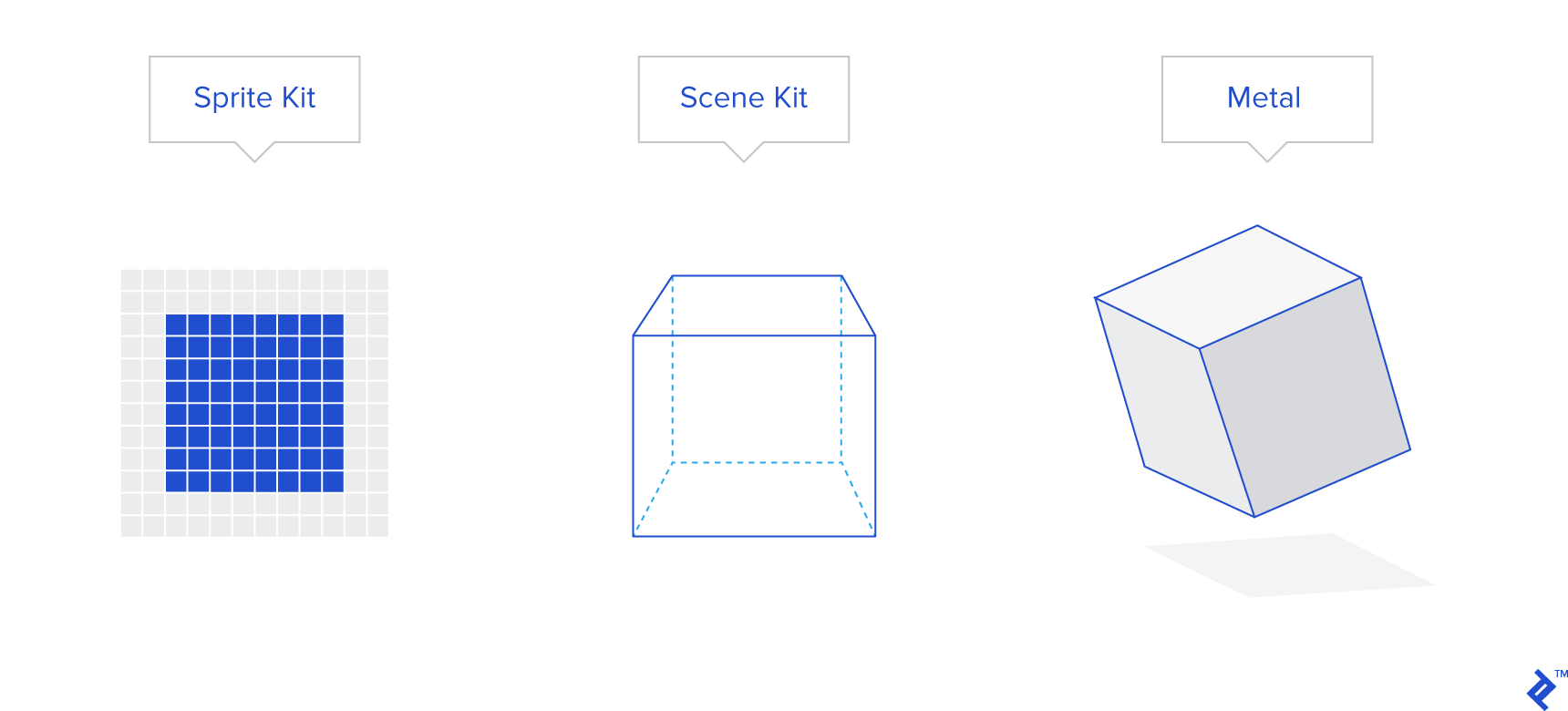
Apple’s ARKit framework enables the creation of AR experiences for iOS devices. It supports various renderers, including SpriteKit for 2D objects, SceneKit for 3D objects, and Metal for custom rendering. This demonstration utilizes SceneKit to render and position realistic 3D knife models within the AR environment.
ARKit v2 introduces five configuration types:
AROrientationTrackingConfiguration: Tracks device orientation, suitable for applications like stargazing, where physical movement doesn’t influence object positioning.
ARWorldTrackingConfiguration: The most widely used configuration, enabling virtual object interaction with the real world, as seen in virtual pet or Pokémon Go-like apps.
ARFaceTrackingConfiguration: Exclusive to devices with TrueDepth cameras like iPhone X, it tracks facial features and expressions, ideal for applications like virtual sunglasses try-on.
ARImageTrackingConfiguration: Designed for experiences where virtual objects emerge from predefined markers, such as displaying animated animals from cards or bringing paintings to life.
ARObjectScanningConfiguration: Extends image tracking to 3D objects, allowing for interactive experiences with scanned real-world objects.
This demo utilizes ARWorldTrackingConfiguration to accurately track the position and orientation of knives and bullets in 3D space.
App Idea
Inspired by The Matrix, the app lets users recreate the famous scene where Neo effortlessly evades bullets. By recording the live camera feed, users can create personalized videos showcasing their “Neo-like” reflexes.
The app features 3D models of bullets and knives, with the option for users to customize the number of projectiles. For those interested in expanding the app’s functionality, the source code is readily available on GitHub (https://github.com/altaibayar/toptal_ar_video_maker). Although not an exhaustive AR tutorial, the demo and source code offer valuable insights for aspiring AR developers on iOS.
Here’s a typical use case scenario:
- Find a willing participant to embody Neo (optional, but adds to the experience).
- Position “Neo” approximately 10 meters away from the camera.
- Launch the app and scan the ground plane.
- Introduce virtual bullets and knives directed towards “Neo.”
- Initiate video recording as “Neo” skillfully dodges or halts the projectiles.
- Stop recording and save the video to the device’s library.
App Development
The app’s primary objective is to allow unrestricted user movement during recording, capturing the entire 360-degree scene while ensuring that the virtual bullets and knives maintain accurate tracking relative to the camera.
For simplicity, the app utilizes two virtual object types: knives and shotgun bullets.
Detailed knife models are sourced from https://poly.google.com/view/3TnnfzKfHrq (courtesy of Andrew), while the simpler spherical shotgun bullets are programmatically generated, exhibiting a metallic, red-hot appearance. To enhance realism, bullets are grouped in clusters using GameplayKit’s Gaussian random number generator.
GameplayKit proves valuable for various game development tasks, including random number generation, state machines, AI implementation, and probability-based decision-making.
| |
Similar random offset techniques apply to knives; however, a basic random distribution suffices due to their non-clustered behavior.
App Structure
While an in-depth analysis of architectural paradigms is outside the scope of this demonstration, the provided overview outlines the project’s structure, aiding navigation within the linked GitHub repository.
The application comprises three main screens:
PermissionViewController: Prompts users to grant necessary permissions for camera access, gallery access for saving recorded videos, and microphone access for audio recording during video capture.
ExportViewController: Displays recorded videos and provides options for sharing or saving them.
MainViewController: Houses the core application logic.
Wrapping ARKit classes like ARSession, ARConfiguration, and custom SCNNode types within separate classes enhances code readability and clarity.
ToptalARSession inherits from ARSession, offering a simplified interface with only three methods: a constructor for initialization, resetTracking, and pauseTracking.
The application defines four distinct SCNNode types:
- KnifeNode: Represents a 3D knife object, automatically loading the corresponding 3D model as its geometry.
- BulletsNode: Represents a cluster of shotgun shells, incorporating random Gaussian noise for positioning, color variations, and realistic lighting effects. Both KnifeNode and BulletsNode can serve as templates for adding other types of 3D objects.
- ReticleNode: Represents a 3D reticle projected onto the floor plane, indicating the spawn location of knives or bullets.
- DirectionalLightNode: Represents a downward-facing light source within the scene.
Acknowledgements
Knife model: https://poly.google.com/view/3TnnfzKfHrq
Recording from SCNScene: https://github.com/svtek/SceneKitVideoRecorder
Button icons, ARKit demo application: https://developer.apple.com/documentation/arkit/handling_3d_interaction_and_ui_controls_in_augmented_reality