In the ever-evolving world of web and mobile applications, managing application state, such as user information, loaded items, loading status, and errors, is becoming increasingly complex. Redux addresses this by centralizing the state in a global object.
However, Redux lacks built-in support for asynchronous operations. redux-observable, built upon the robust reactive programming library RxJS, offers a solution. RxJS, an implementation of the ReactiveX API, combines the strengths of reactive programming, functional programming, the observer pattern, and the iterator pattern.
This tutorial explores Redux and its integration with React. We’ll delve into reactive programming with RxJS, demonstrating its ability to simplify complex asynchronous tasks.
Finally, we’ll examine redux-observable, which leverages RxJS for asynchronous operations, and construct a React Native application using Redux and redux-observable.
Redux
Redux, as it describes itself on GitHub, is “a predictable state container for JavaScript apps.” It provides a global state for your JavaScript applications, separating state and actions from React components.
In a typical React application without Redux, data is passed from parent to child components using properties, or props. This data flow, manageable in small applications, can become unwieldy as complexity grows. Redux, acting as a single source of truth, enables component independence.
In React, Redux integration is achieved using react-redux, which provides bindings for React components to access Redux data and dispatch actions to update the Redux state.

Redux can be summarized in three key principles:
1. Single Source of Truth
The state of your entire application resides in a single object, held by a store within Redux. A Redux app should have only one store.
| |
To access Redux data in a React component, we utilize the connect function from react-redux. connect accepts four optional arguments. We’ll concentrate on the first, mapStateToProps.
| |
In this example, mapStateToProps receives the global Redux state and returns an object merged with the props passed to <UserTile /> by its parent.
2. State Is Read-Only
React components cannot directly modify Redux state. Changes are made by emitting an action, a plain object signifying an intention to modify the state. Each action object must have a type field, a string value. While action content is flexible, most applications adhere to a flux-standard-action format, limiting an action’s structure to four keys:
type: A unique string identifier for the action.payload: Optional data related to the action, of any type.error: An optional boolean flag set to true if the action represents an error, akin to a rejectedPromise. Whenerroristrue,payloadshould contain an error object.meta: Any type of value intended for additional information not part of the payload.
Here are two example actions:
| |
3. State Is Changed with Pure Functions
Global Redux state changes are handled by pure functions called reducers. A reducer receives the previous state and an action, returning the next state. Instead of modifying the existing state object, it creates a new one. Depending on application size, a Redux store may have one or multiple reducers.
| |
Similar to reading state, we can dispatch actions using the connect function.
| |
RxJS

Reactive Programming
Reactive programming is a declarative paradigm centered around data flow in “streams” and their propagation and modifications. RxJS, a JavaScript reactive programming library, introduces observables, streams of data that an observer can subscribe to, receiving data over time.
An observable’s observer is an object with three optional functions: next, error, and complete.
| |
The .subscribe function can also accept three functions instead of an object.
| |
We can create observables by instantiating an observable object and passing a function that receives a subscriber (observer). The subscriber has next, error, and complete methods. The subscriber can call next with a value multiple times and complete or error at the end. After calling complete or error, the observable stops emitting values.
| |
This example prints “Value is hi” after 1000 milliseconds.
Manually creating observables can be repetitive. RxJS provides functions like of, from, and ajax for easier observable creation.
of
of transforms a sequence of values into a stream:
| |
from
from converts various data types into value streams:
| |
ajax
ajax takes a URL string or creates an observable for making HTTP requests. ajax.getJSON returns only the nested response object from an AJAX call, omitting other ajax() properties:
| |
Numerous other methods exist for observable creation (see the complete list here).
Operators
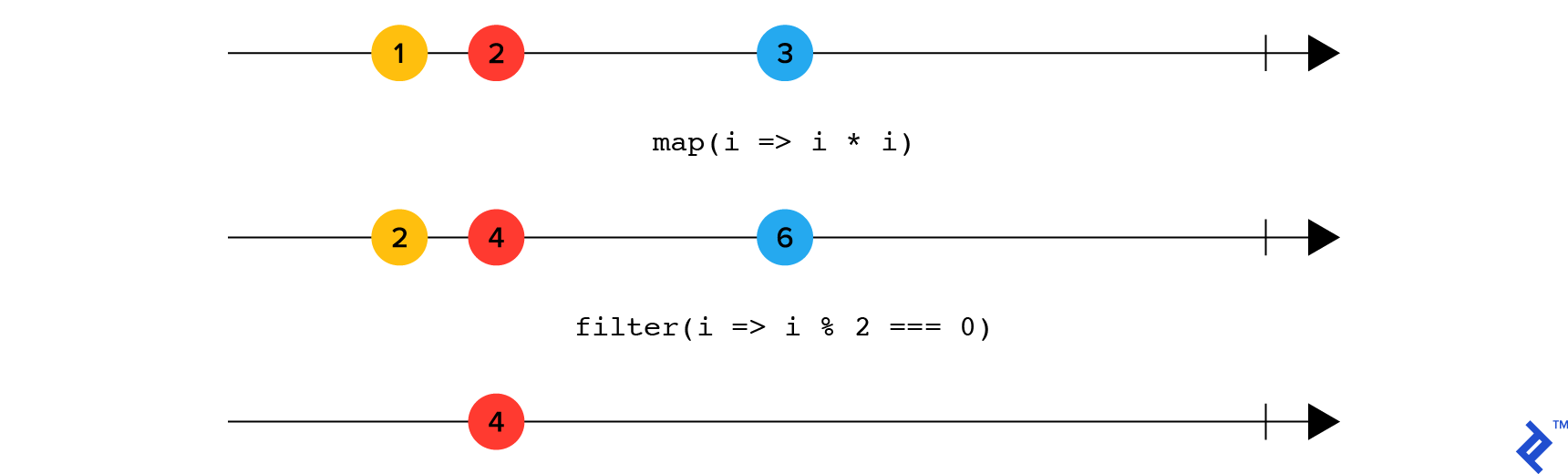
Operators, the heart of RxJS, provide functionality for various tasks. Since RxJS 6, operators are pure functions applied to observables using .pipe, rather than observable methods.
map
map applies a projection to each stream element using a provided function:
| |

filter
filter removes values from the stream based on a provided function’s truthiness:
| |
flatMap
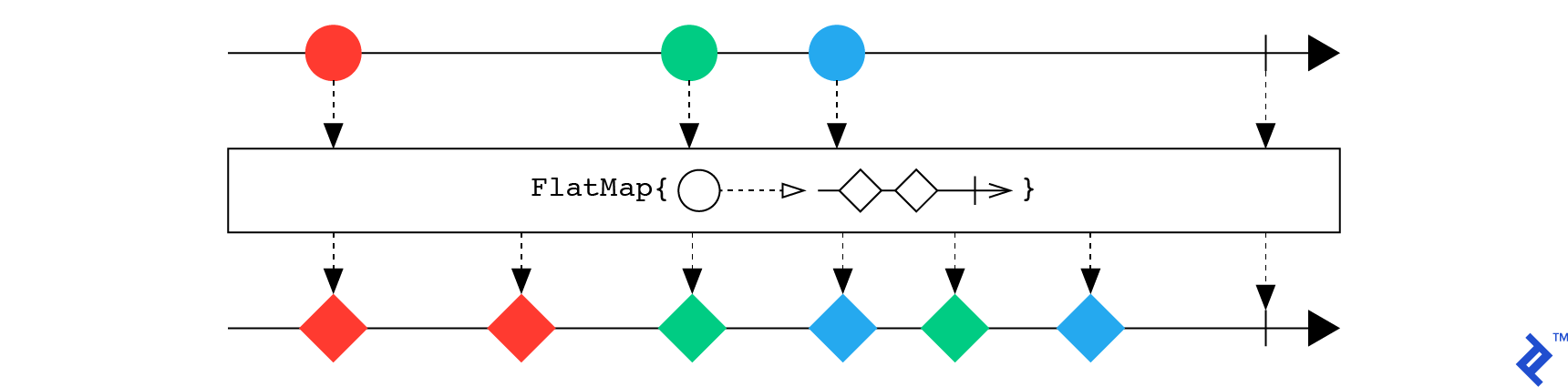
flatMap maps each stream item into another stream using a provided function and flattens the resulting streams’ values:
| |
merge
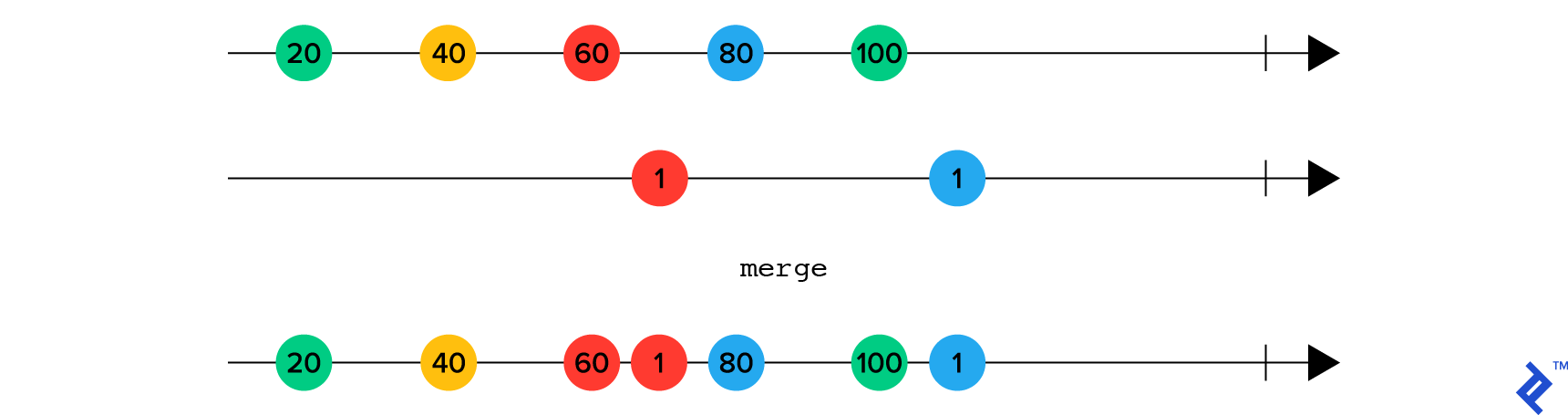
merge combines items from two streams in their arrival order:
| |
A comprehensive list of operators is available here.
Redux-Observable
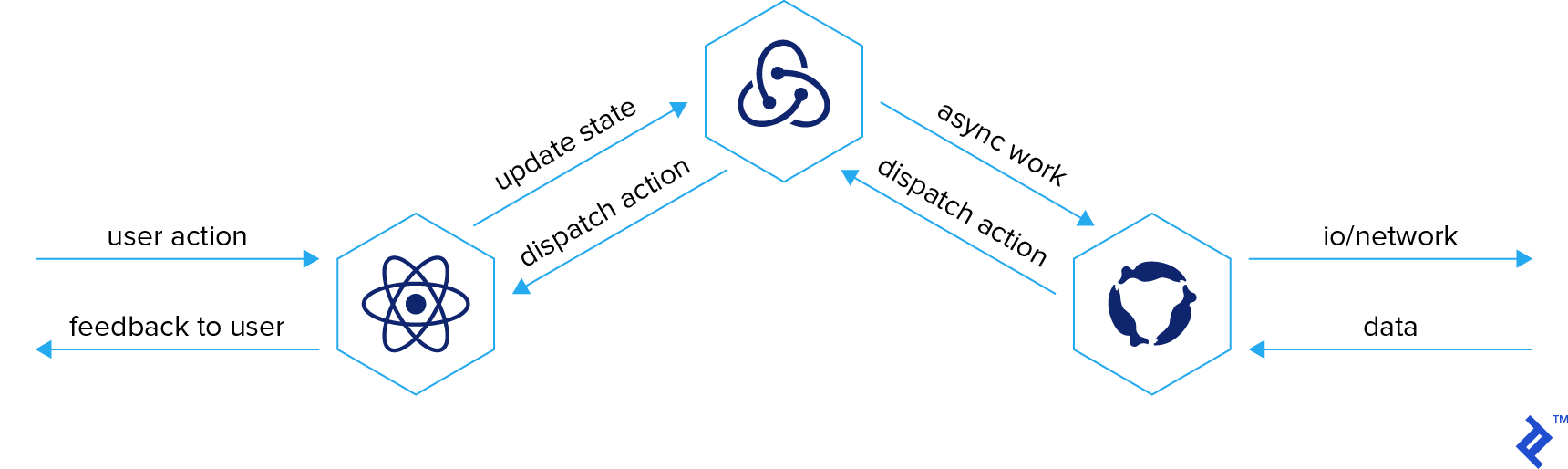
Redux actions are inherently synchronous. Redux-observable, a Redux middleware, leverages observable streams for asynchronous operations, dispatching new actions with the results.
Redux-observable revolves around Epics, functions that take an action stream and optionally a state stream, returning an action stream.
| |
By convention, stream variables (observables) end with $. Before using redux-observable, we add it as middleware to our store. Since epics are observable streams, returning the same action within an epic would create an infinite loop.
| |
Imagine this reactive architecture as interconnected pipes where each pipe’s output feeds back into itself and other pipes, including Redux reducers. Filters on these pipes control data flow.
Consider a Ping-Pong epic. It receives a ping, sends it to the server, and upon request completion, sends a pong back to the app.
| |
Important: Epics, like other RxJS observables, can reach a complete or error state, halting the epic and the app. Handle potential errors using the __catchError__ operator. More information: Error Handling in redux-observable.
A Reactive Todo App
Here’s a simplified demo app with UI:
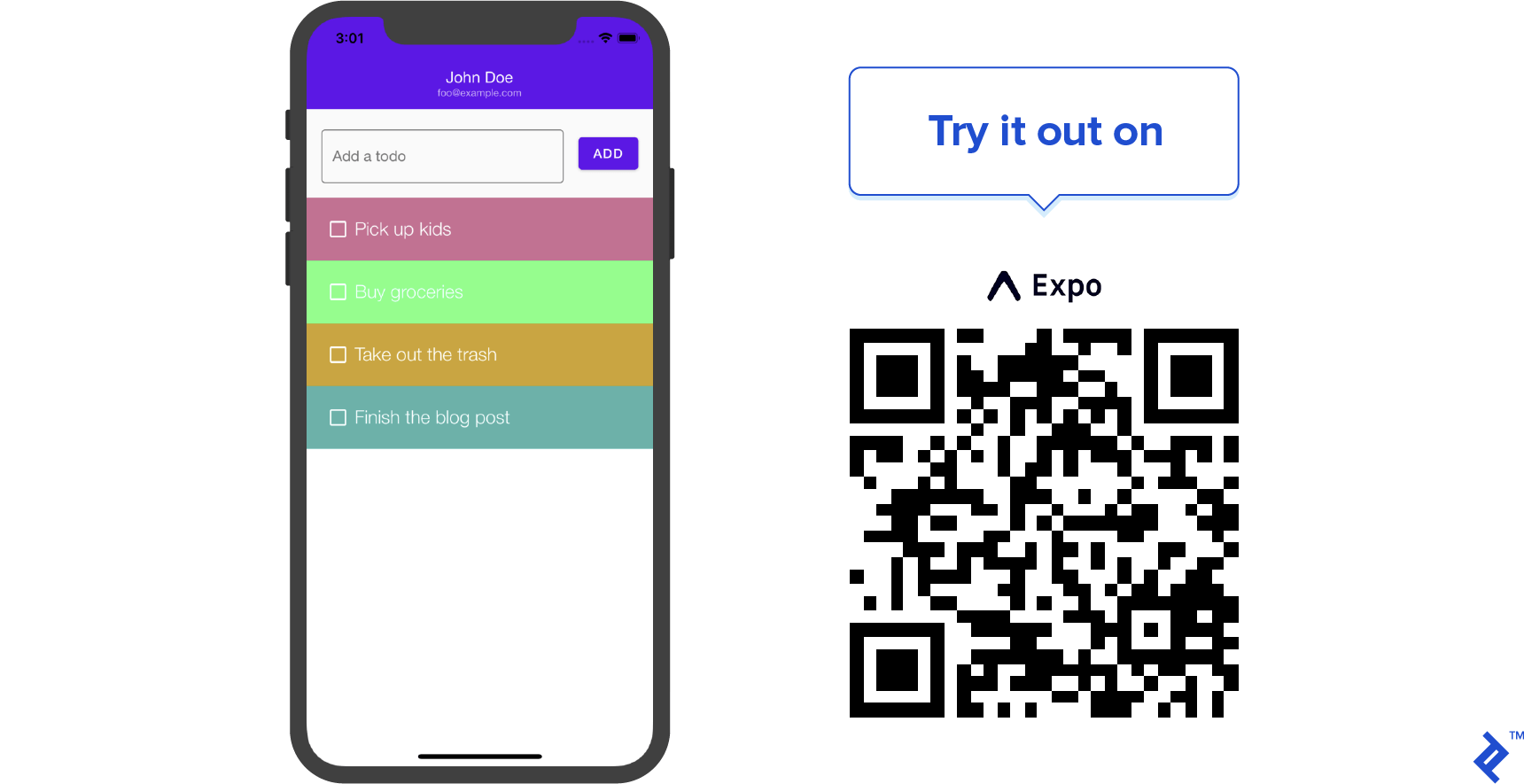
A React, Redux, and RxJS Tutorial Summarized
We explored reactive applications, Redux, RxJS, and redux-observable, even building a reactive Todo app in Expo with React Native. Modern state management options for React and React Native developers offer significant power.
The app’s source code is available on GitHub. Share your thoughts on state management for reactive apps in the comments below.