While many developers appreciate frameworks, there are some who prefer to avoid them. However, even framework skeptics should acknowledge and consider adopting the beneficial features that frameworks offer.
I used to resist using frameworks. Recently, though, I’ve been working with React and Angular. Initially, coding in Angular felt strange and awkward, particularly after over a decade of framework-free development. However, I committed to learning these technologies and quickly noticed a significant advantage: DOM manipulation and node reordering became effortless, unlike the cumbersome process I was accustomed to.
Despite my preference for framework-independent coding, I couldn’t deny the ease of DOM element creation in frameworks. So, I explored ways to replicate this experience in vanilla JS. My objective is to demonstrate how React’s principles can be applied in plain JavaScript, simplifying development. To illustrate this, let’s build a basic GitHub project browsing app.
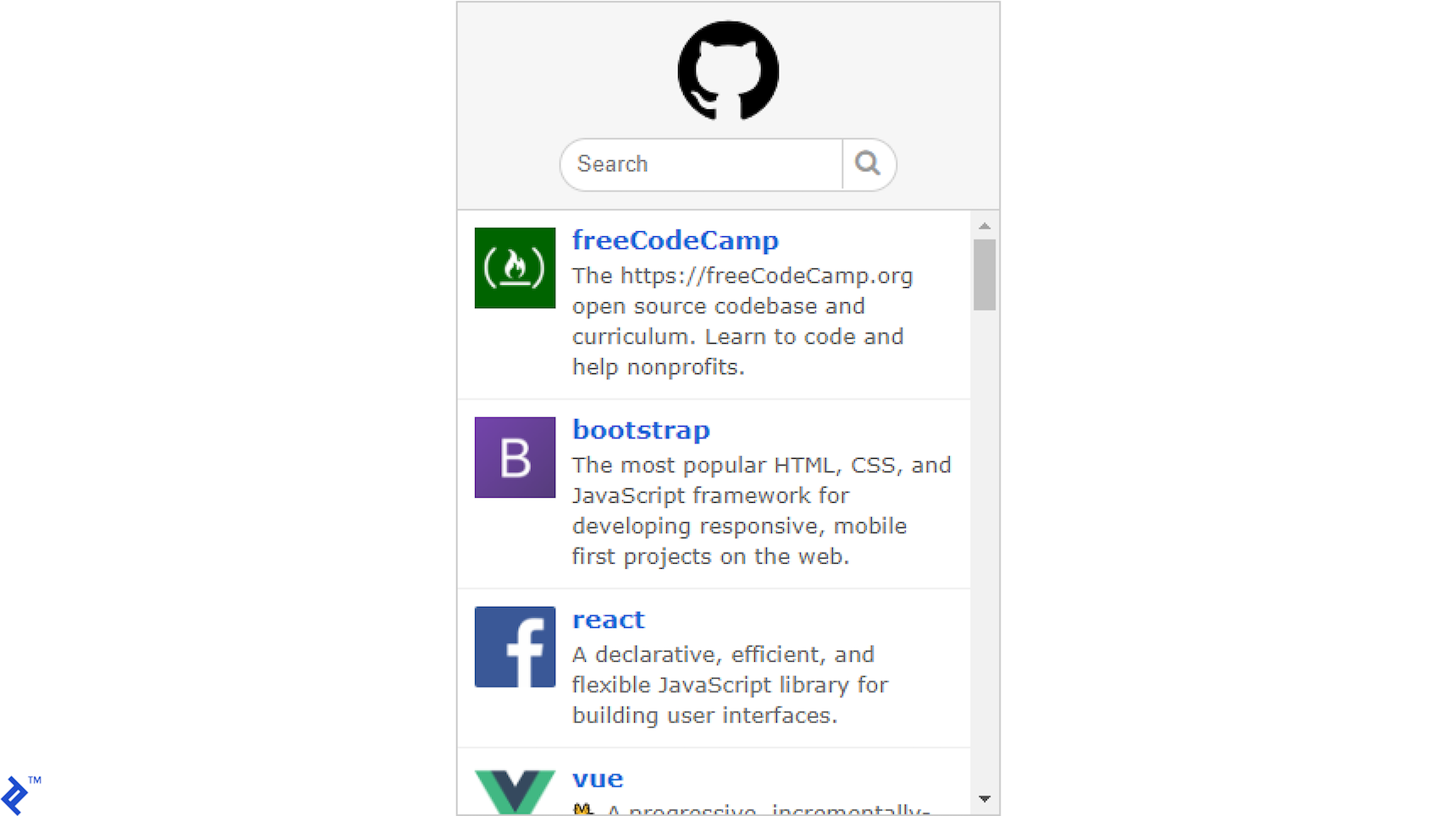
Regardless of how we construct a JavaScript front end, we interact with the DOM. Our app requires representing each repository (thumbnail, name, description) and adding it as a list element to the DOM. We’ll use the GitHub Search API to retrieve results. Focusing on JavaScript, let’s search JavaScript repositories. Querying the API returns this JSON response:
| |
React’s Approach
React simplifies writing HTML elements to the page, a feature I’ve always desired in pure JavaScript component development. This is achieved using React uses JSX, which resembles standard HTML.
Behind the scenes, React translates JSX into calls to React.createElement. Let’s examine a JSX example using a GitHub API item and its translation.
| |
| |
JSX is straightforward: write standard HTML and inject object data using curly braces. JavaScript within the braces is executed, inserting the value into the resulting DOM. React’s virtual DOM, a virtual page representation, tracks changes and updates, modifying only the necessary parts of the DOM instead of rewriting everything. This targeted update approach addresses a key issue React was designed to solve.
jQuery Approach
jQuery, still widely used, offers a solution similar to pure JavaScript. It obtains a reference to a DOM node (or collection) through querying and provides functionalities for manipulation.
While jQuery has DOM construction tools, HTML concatenation is prevalent. For instance, the html() function inserts HTML code into selected nodes. As per jQuery documentation, modifying a div node’s content with the class demo-container looks like this:
| |
This simplifies DOM element creation, but updates often involve either querying for specific nodes or, more commonly, recreating the entire snippet.
DOM API Approach
Browsers provide a built-in DOM API, granting direct access to creating, modifying, and deleting page nodes. This mirrors React’s approach, enabling us to modify only the required elements. However, React also manages a separate virtual DOM, comparing it with the actual DOM to identify modification needs.
These extra steps, while sometimes beneficial, aren’t always necessary. Direct DOM manipulation can be more efficient. We can use document.createElement to create new DOM nodes and store references for targeted modification.
Using the same structure and data as the JSX example, DOM construction looks like this:
| |
This approach excels in code execution efficiency. However, efficiency encompasses maintainability, scalability, and adaptability. This approach suffers from verbosity and occasional convolution. Even simple structures require numerous function calls. Additionally, managing and tracking numerous variables becomes challenging. For instance, a component with 30 DOM elements necessitates 30 element and variable declarations. Reusing variables and juggling them might compromise maintainability and adaptability.
Furthermore, the code’s length makes moving elements between parents cumbersome. This is a key advantage of React’s JSX syntax: it provides a clear, concise view of node containment and hierarchy, simplifying modifications. While this might seem trivial initially, frequent project changes highlight the need for a better approach.
Proposed Solution
Direct DOM manipulation, while functional, results in verbose page construction, especially with HTML attributes and nested nodes. Our goal is to leverage JSX’s benefits for simplification. We aim to replicate these advantages:
- HTML-like syntax for readable and maintainable DOM element creation.
- Easy node tracking and referencing without a virtual DOM like React.
This simple function achieves this using an HTML snippet:
| |
The concept is simple yet effective: the function receives the desired HTML as a string, with target nodes marked using a “var” attribute. References to these nodes are stored in a provided object. If not provided, a “nodes” property is created on the returned node or document fragment (for multiple top-level nodes). All this is accomplished in under 60 lines of code.
The function operates in three steps:
- An empty node is created, and its
innerHTMLis used to construct the entire DOM structure. - The nodes are iterated over, and if the “var” attribute exists, a property pointing to that node is added to the scope object.
- The top-level node or a document fragment (if multiple top-level nodes exist) is returned.
Our example rendering code now looks like this:
| |
First, we define the UI object to store node references. We then compose the HTML template as a string, marking target nodes with the “var” attribute. Next, we call Browser.DOM with the template and an empty object for references. Finally, we use the stored references to populate the nodes with data.
This approach separates DOM structure building from data insertion, promoting code organization and structure. It enables independent DOM creation and data filling (or updating).
Conclusion
While some developers are hesitant to embrace frameworks and relinquish control, it’s crucial to recognize their benefits and understand their popularity.
Although frameworks might not always align with individual styles or needs, certain functionalities and techniques can be adopted, emulated, or decoupled. While some aspects might be lost in translation, significant gains can be achieved at a fraction of the cost associated with frameworks.