People often say a picture speaks volumes, and in many ways, colors are the words that make up those pictures. Colors are woven into the fabric of our lives, and their significance is undeniable.
Have you ever examined an image and tried to pinpoint a specific color? We’ve all done it casually, but never with true precision. When asked to identify colors in an image, we usually rely on common names like red, blue, or green. However, if asked to extract the 30 most dominant colors, our eyes struggle to differentiate and label them accurately. That’s where Camalian comes in. This tool helps you extract colors from images and then manipulate them in various ways.
This article delves into the world of color spaces, explores the capabilities of the Ruby gem Camalian, and demonstrates how to build a basic image search engine that leverages colors for identification and differentiation.
Exploring Color Spaces
Before diving in, let’s establish some fundamental concepts about colors. Images displayed on our screens are essentially two-dimensional arrays of pixels. While image file encoding may differ, the underlying representation after decompression and decoding remains consistent. In this 2D array structure, each pixel in a color image comprises three components: red, green, and blue. Printed images, while also represented on a 2D surface, utilize dots composed of four ink components: cyan, magenta, yellow, and black. These methods, along with others, are known as color spaces. Some widely used color spaces include RGB, CMYK, HSL, and HSV. CMYK is prevalent in printing, while the others are commonly used in digital media.
RGB Color Space
Electronic displays like CRT screens, LCDs, and phone screens produce color using three primary components: red, green, and blue. The human eye perceives millions of colors by stimulating three types of color receptors, analogous to R, G, and B.
Typically, each color component is stored as a byte with values ranging from 0 to 255.
HSL & HSV Color Spaces
Representing the RGB color space on a cube or a color wheel proves challenging due to limitations in accurately displaying millions of colors and their subtle variations.
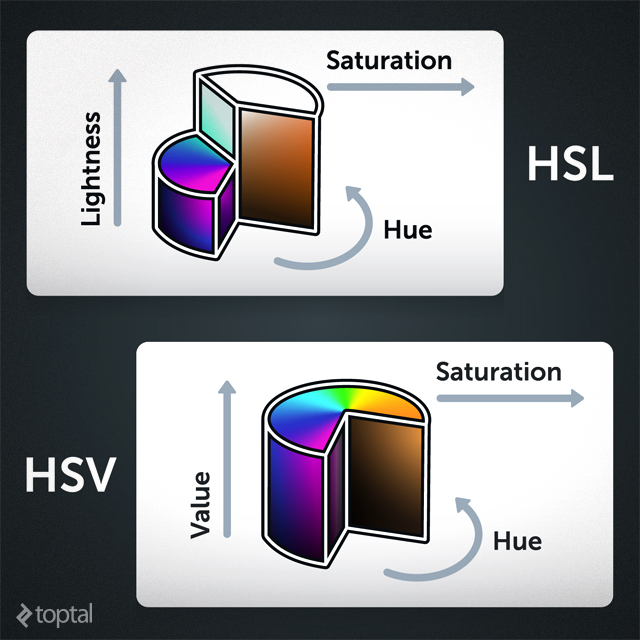
To address this, researchers in the 1970s introduced the HSV (Hue, Saturation, Value) and HSL (Hue, Saturation, Lightness) color spaces. These spaces can be effectively mapped onto a color wheel, simplifying the identification of various color shades.
Camalian: A Ruby Gem for Colors
Camalian is a Ruby gem dedicated to color manipulation. One of its simplest yet powerful functions is identifying distinct colors within an image.
Imagine an image with 15 unique colors.
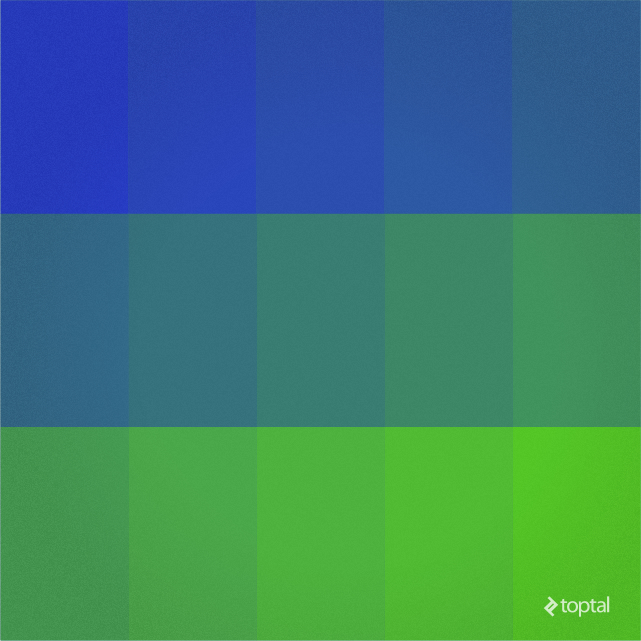
It’s undoubtedly easier to discern colors from a palette than from the image itself, especially given the complexity of real-world photographs. Extracting these color values programmatically can be quite intricate, which is where Camalian shines. It handles the complexities, allowing you to easily obtain color information from images.
Getting Started
Installing Camalian is a breeze. Simply use the following command:
| |
To utilize the gem within your Ruby script, require it:
| |
Extracting Colors
To extract colors, load the image into memory and utilize the methods method:
| |
This code snippet loads an image named “colormap.png” from the script’s directory and extracts the 15 most prominent colors.
Saving this code as “color_test1.rb” and executing ruby color_test1.rb in the shell should yield an output similar to:
| |
With just a few lines of code, we’ve extracted 15 colors from the image, a task that would be tedious manually.
Let’s increase the complexity by using a more detailed image:
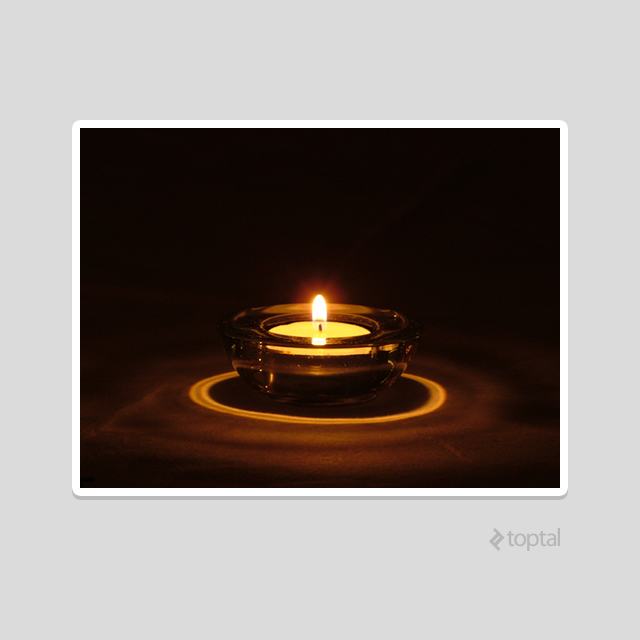
Running the same script on this image results in:
| |
Visualizing this array of color values might resemble:
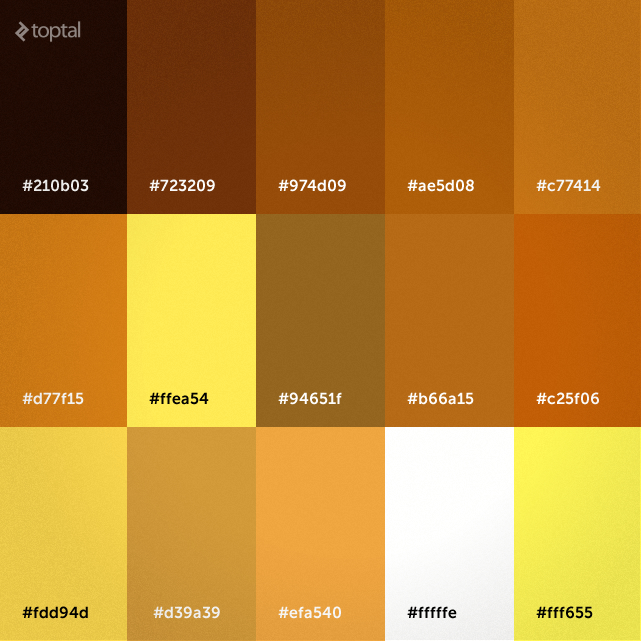
While the palette is diverse, the extracted colors lack a clear pattern. Let’s enhance this by sorting them based on similarity:
| |
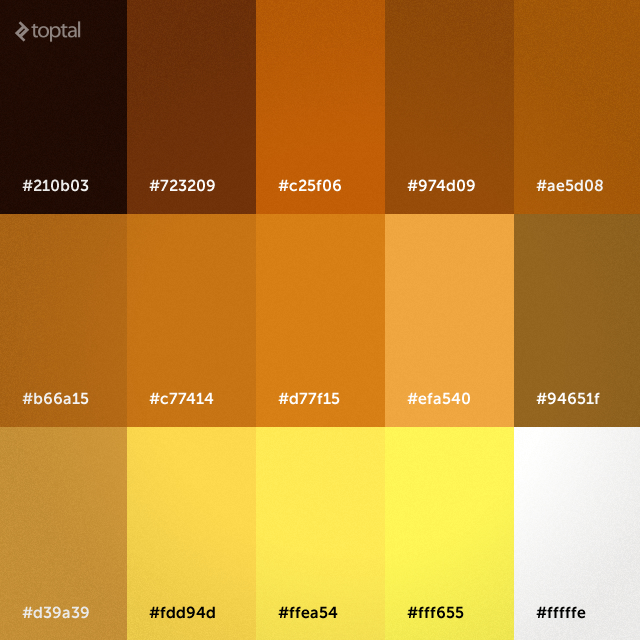
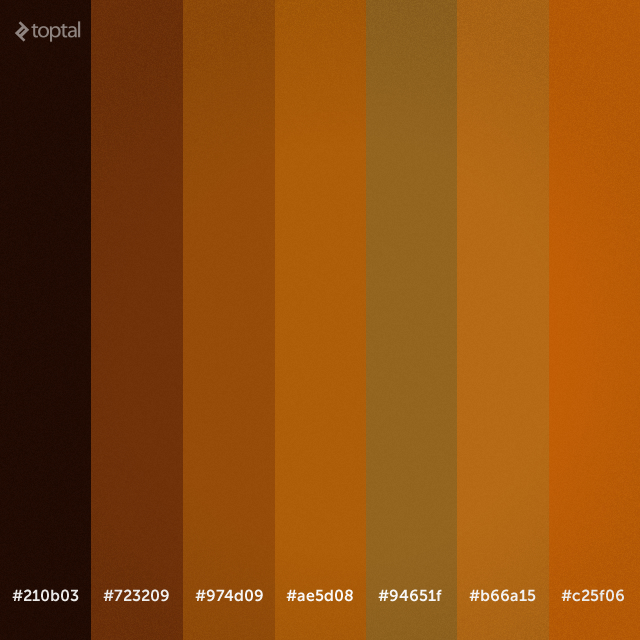
What if we want to focus on lighter colors, specifically those with a lightness value (in HSL) between 0 and 40? Camalian makes this simple:
| |
Building a Color-Based Image Search Engine
Armed with Camalian’s color manipulation prowess, let’s create a rudimentary web application. This application will enable users to upload images, index them by color, and search for them using color criteria. We’ll focus specifically on Camalian’s role and the color-related aspects of the application.
Our application will encompass image uploading, color extraction and storage, and color-based image retrieval.
Here’s a model diagram illustrating the application’s structure:
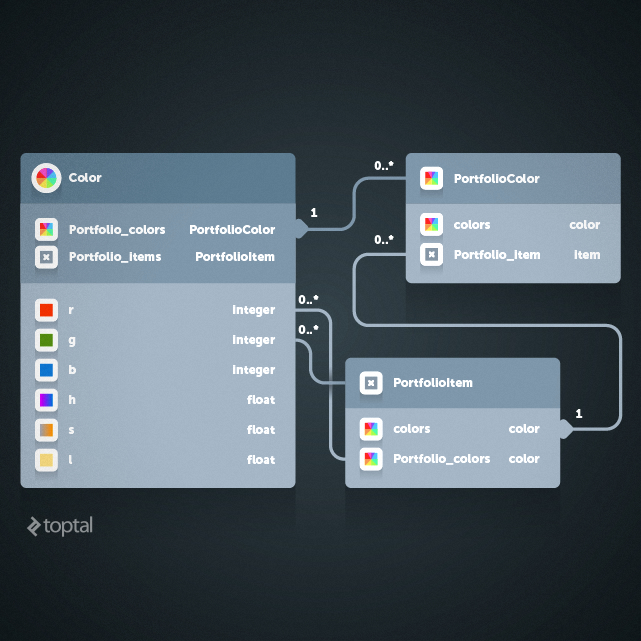
Each uploaded image is represented by a PortfolioItem object. Unique colors extracted from images are stored as Color objects, and the relationship between images and their colors is managed through the PortfolioColor entity.
Most of the application’s components, such as image upload handling, model creation, and database persistence, are standard Ruby on Rails practices. The color extraction from uploaded images is handled by the following method:
| |
This method extracts the color palette from an image and saves it to the database, allowing users to define the number of prominent colors to extract during upload.
Upon image submission, a new PortfolioItem is created, and the extract_colors method is triggered when this item is persisted to the database.
To display the color palette on pages, a helper function is used:
| |
This function generates a div element containing small square spans. Each span represents a prominent color from the extracted palette, with its background color set accordingly.
Finally, the search functionality leverages mathematical logic:
| |
The colors_by_hsl method retrieves all Color entities matching the search criteria. These entities are then used to identify and display relevant images. The query itself is straightforward. Based on a specified color and a similarity value, a range of values is calculated for each color component.
That covers the core elements of our application.
Putting It to the Test
The complete code is available on GitHub. Deploy the application to Heroku or run it locally:
| |
The application’s interface should resemble:
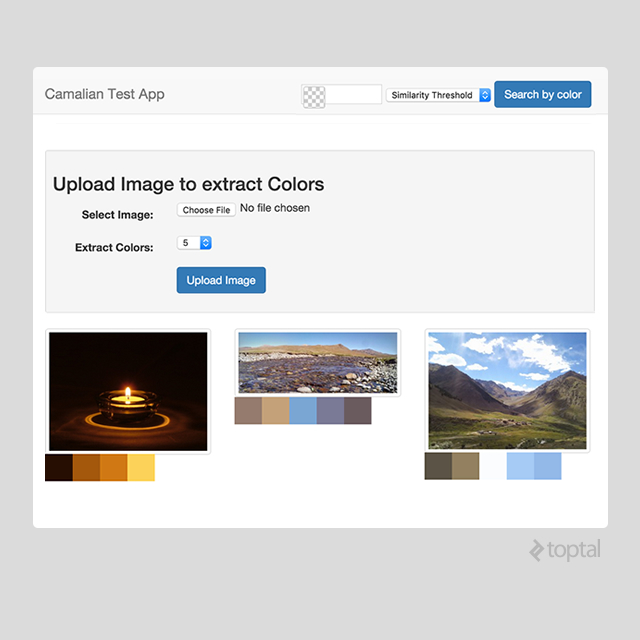
Once running, navigate to http://localhost:3000 in your web browser. Upload images with diverse color palettes. Use the search bar at the top right to find images based on color. The threshold dropdown controls the tolerance for color matching.
Exploring Further Possibilities
While this demo application is basic, it showcases the potential of Camalian. Consider these practical applications:
- Preventing users from uploading dark profile pictures
- Dynamically adjusting a website’s color theme based on user-uploaded images
- Automating color palette validation for design submissions
Explore the library further on GitHub and delve into its source code. Contribute by reporting bugs or submitting pull requests.