Around three years ago, I fell down the rabbit hole of online shopping. It all started with clicking on tempting ads, mostly for clothes, on Facebook and Google. Even though I work in digital marketing and understand the tactics involved, those ads were just too good to resist. I was hooked. Recognizing you have a problem is just the first step, and let’s just say I camped out there for a while… The good news is those ads really work! I clicked, I bought, and it’s that effectiveness that leads us to the next step: figuring out the best Facebook ad type for your business. But with so many choices, it can be overwhelming. If you’re new to Facebook Ads, even the terminology can be confusing. What’s the difference between a carousel and a canvas ad? How do dynamic ads even work? Don’t worry, we’ve got you covered. This post provides a complete guide to Facebook ad types, complete with detailed specs and real-world ad examples for each one. Let’s dive in!
Facebook Ad Types: Traffic and Conversions
These ads are designed to drive traffic from Facebook to your website or page and increase conversions, which you can track using pixels.
Clicks to Website and Website Conversions
If you want to guide people from Facebook to your website, with the aim of turning them into customers, these ad types are your go-to. These ads will encourage users to like your Facebook page and click through to your website. You can customize the call-to-action button in the bottom right corner.
Carousel
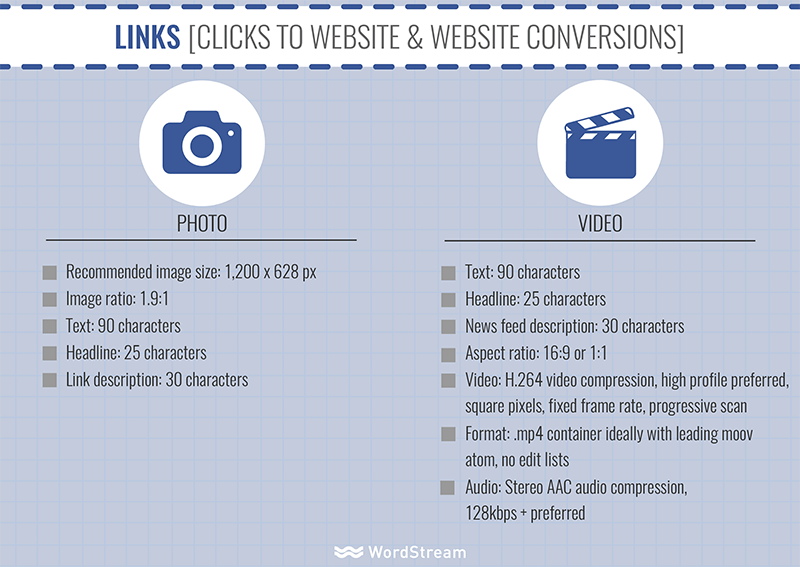
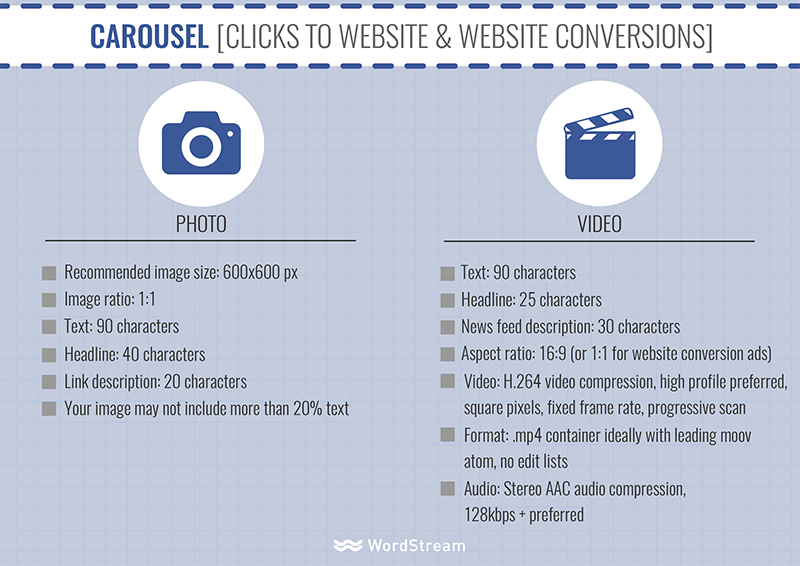
Carousel ads showcase 3-5 images or videos, headlines, and links or CTAs in a single scrollable unit. Users can swipe through the ads horizontally on desktops and vertically on mobile devices. This format is great for showcasing products, telling a story through visuals, or displaying a single high-quality image. Examples can be accessed on Facebook’s website.
Mobile News Feed Ads
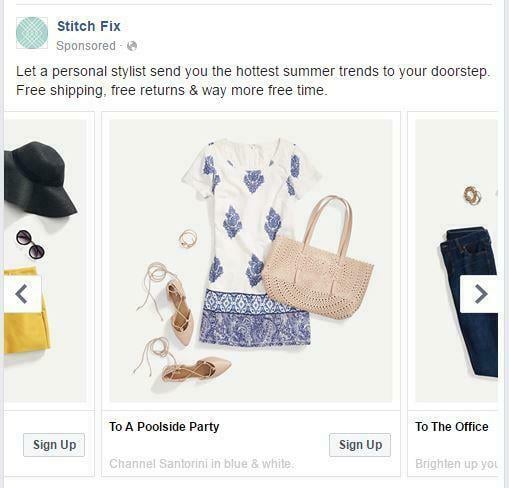
These ads are a gateway to Canvas ads (more on those below), providing an immersive experience for mobile users. When your audience clicks on the ad in their news feed, it expands into a full-screen Canvas ad.
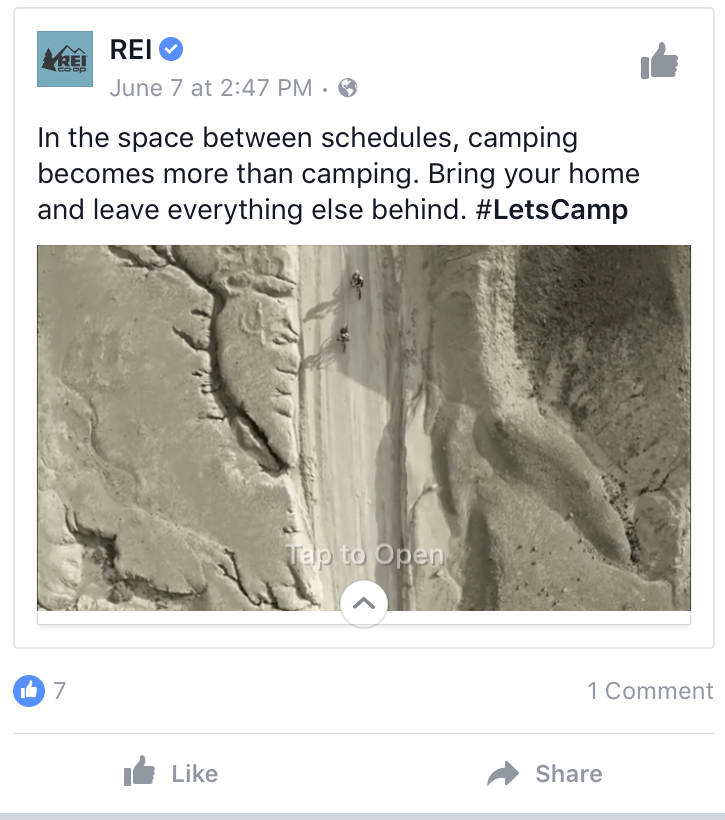
Instant Experience Ads
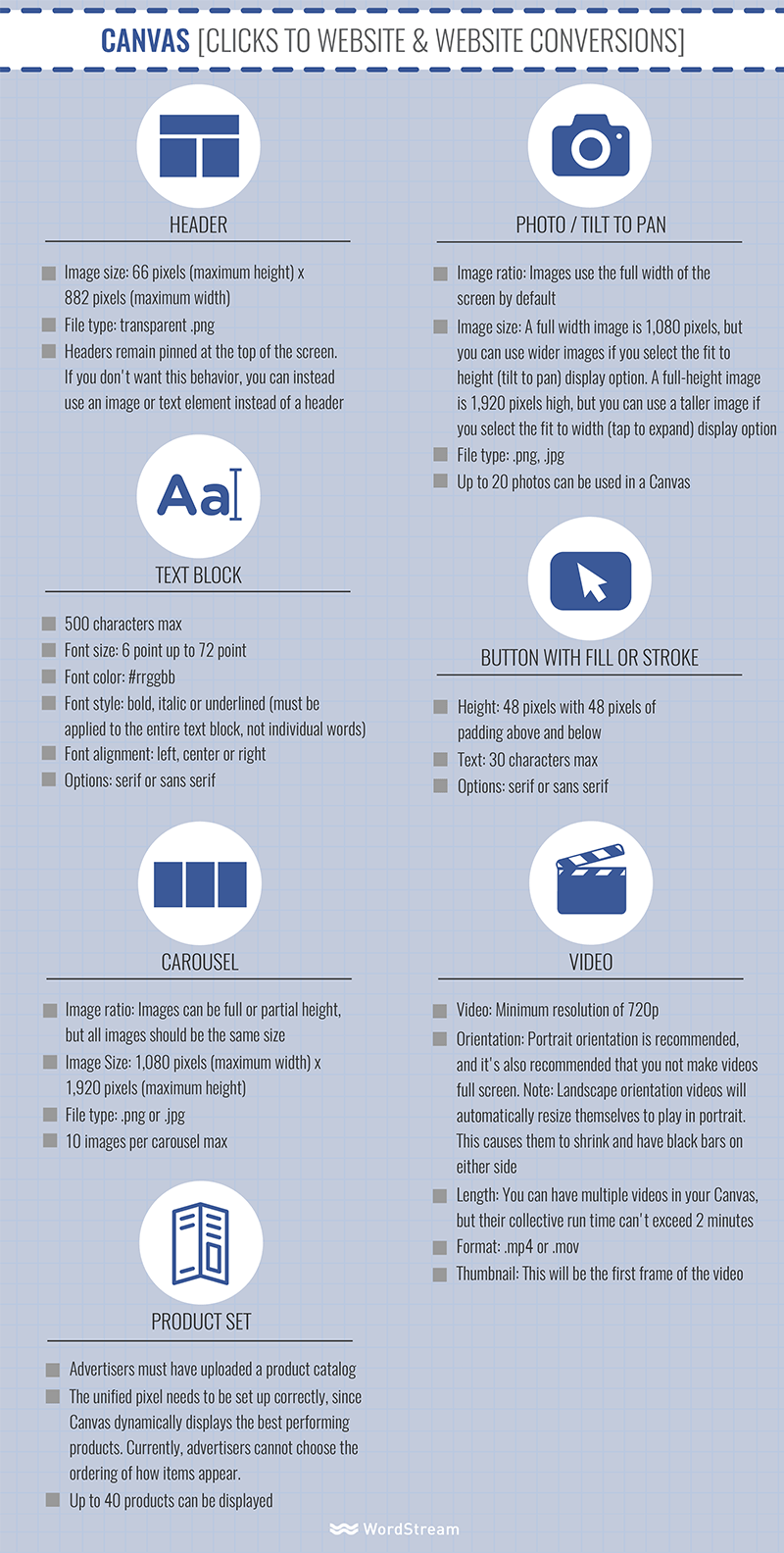
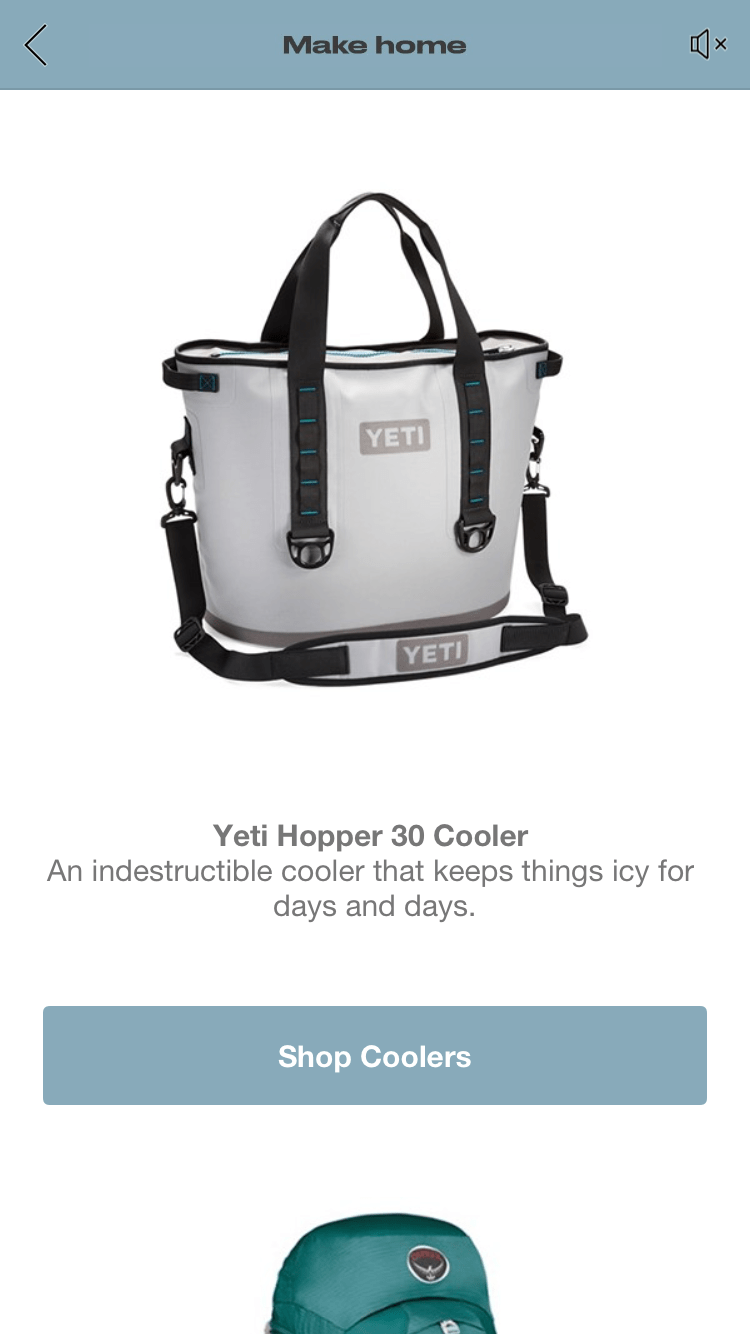
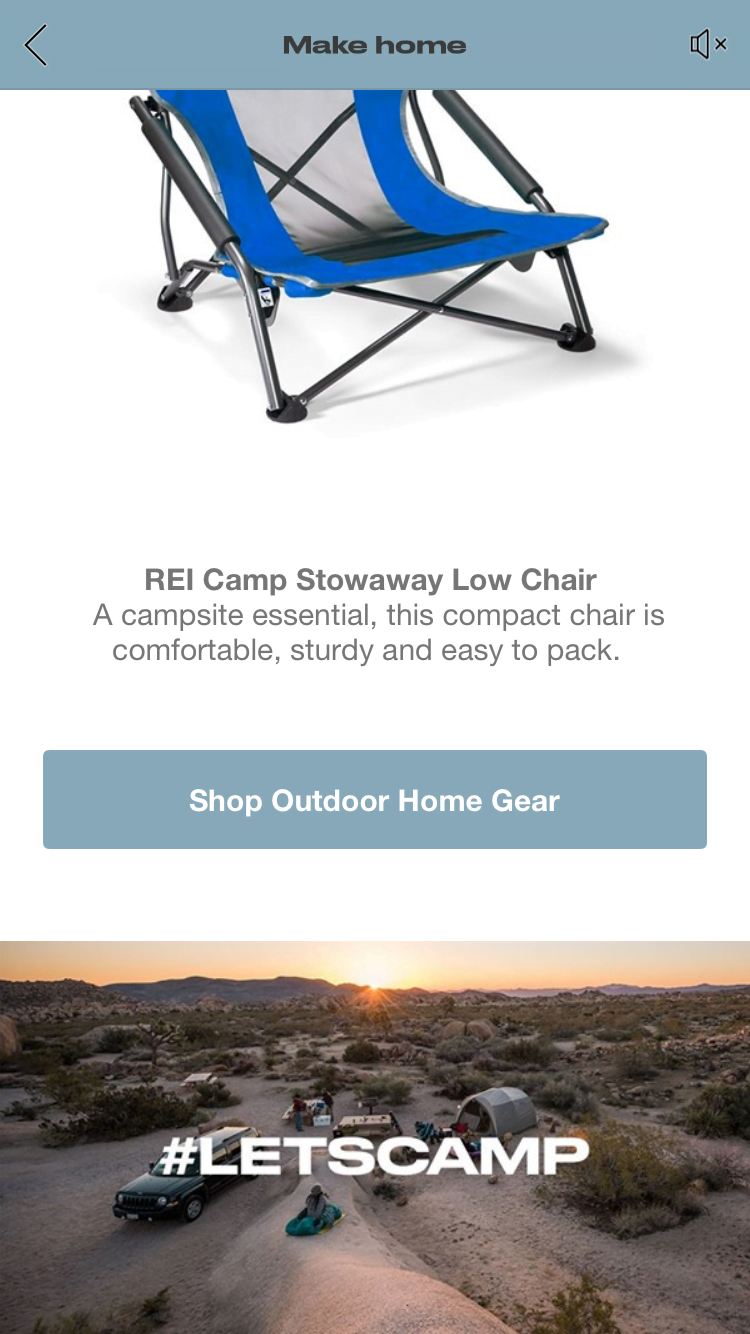
Previously known as Canvas ads, Instant Experiences offer a fully immersive experience within Facebook. Businesses can use a mix of text blocks, images, videos, and multiple CTAs to highlight their products.

Product Set
This ad type displays items from your catalog to users who are most likely to find them interesting based on your targeting. Facebook created this format to offer each customer a personalized experience with your products. Your catalog, which you upload to Facebook, contains detailed information about each product, including descriptions, IDs, names, categories, availability, URLs, and other relevant attributes. To show the most relevant ads, you’ll need to install a Facebook pixel on your website to track user behavior, such as product views, additions to carts, and purchases.
- Advertisers must have a product catalog uploaded
- Proper setup of the unified pixel is crucial as Canvas dynamically showcases the top-performing products. Currently, advertisers can’t customize the order in which items are displayed.
- Up to 40 products can be showcased
- Find a more comprehensive guide here
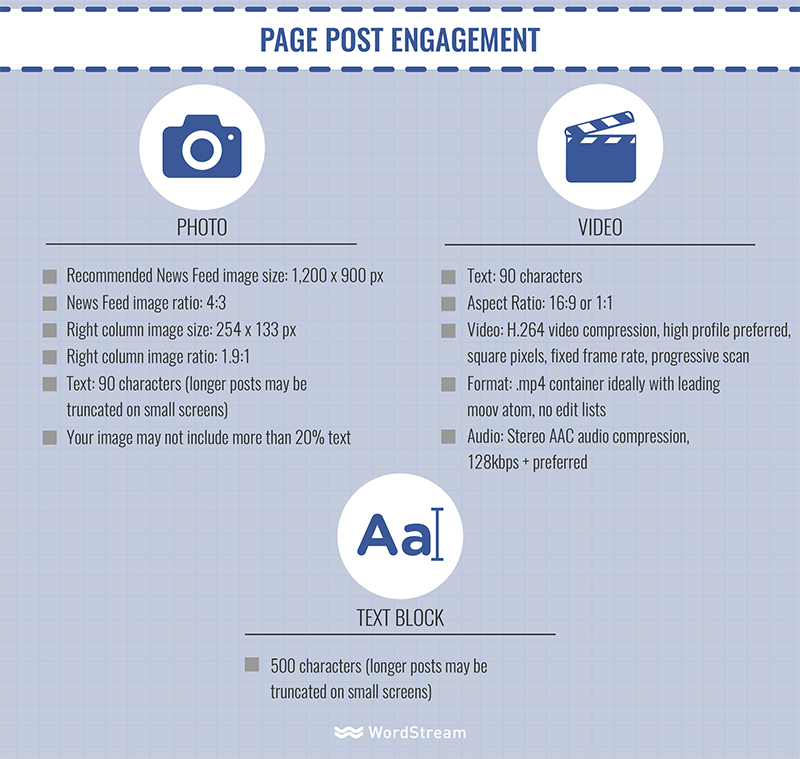
Page Post Engagement
This ad type focuses on driving interactions with your posts, such as comments, shares, and reactions. By boosting engagement, your page can extend its reach to a wider audience, including friends of your followers. With upcoming changes to Facebook’s News Feed, this ad format is likely to become even more valuable!

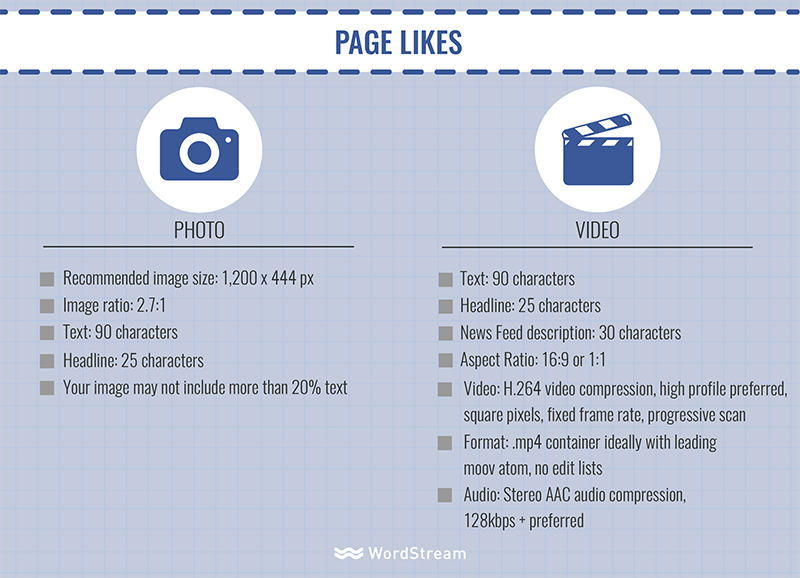
Page Likes
Similar to Page Post Engagement ads, this type aims to increase your page’s “likes” and encourage more interaction with your future posts. They are a great way to get some organic reach by leveraging the networks of your followers’ friends.

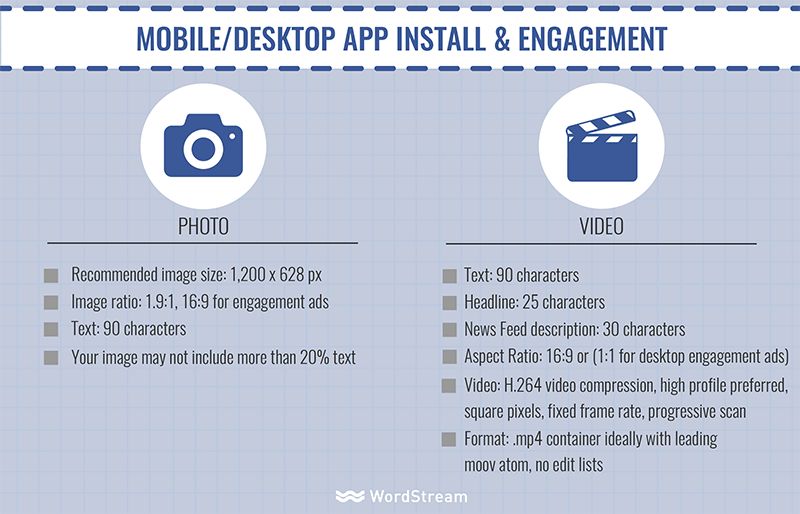
Application Ads
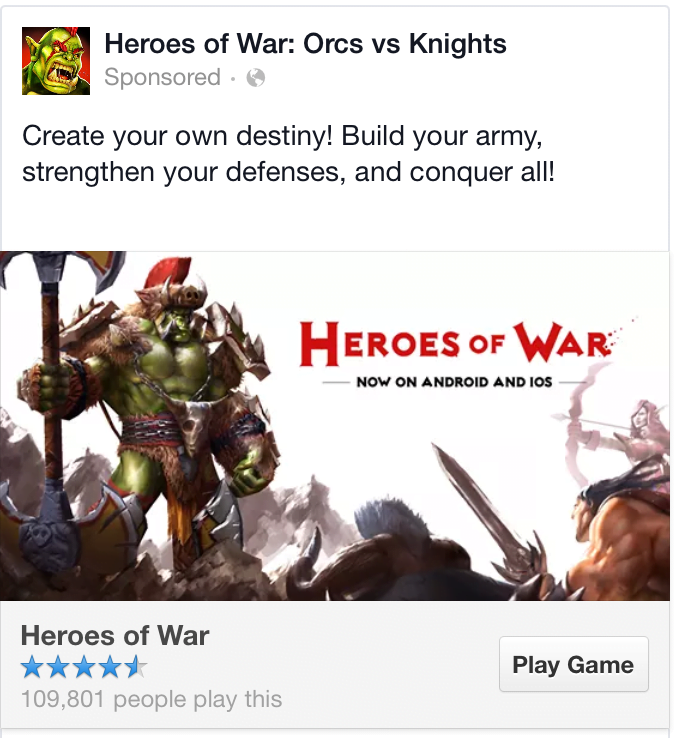
The goal here is to encourage your audience to engage with or install your business app, whether on mobile or desktop. If your app is designed for mobile, you can choose to display these ads exclusively on mobile devices. The ads will direct users to the appropriate app store or prompt them to re-engage with your app. Your app’s star rating from the App Store or Google Play Store will automatically appear in the ad.
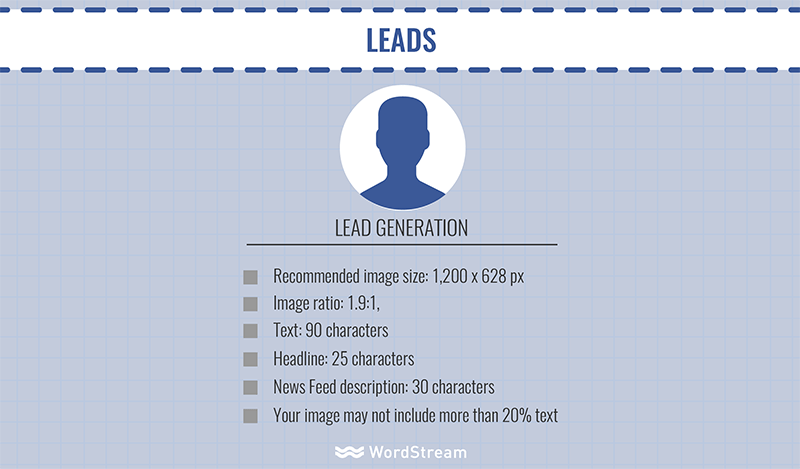
Facebook Ad Types: Leads
Facebook Lead Ads are designed specifically for lead generation campaigns on Facebook. Interested users can fill out a form within the ad, providing their contact information and allowing your business to follow up with them.
Offline Actions
These ads are perfect for promoting in-store discounts and deals or raising awareness about your business events.
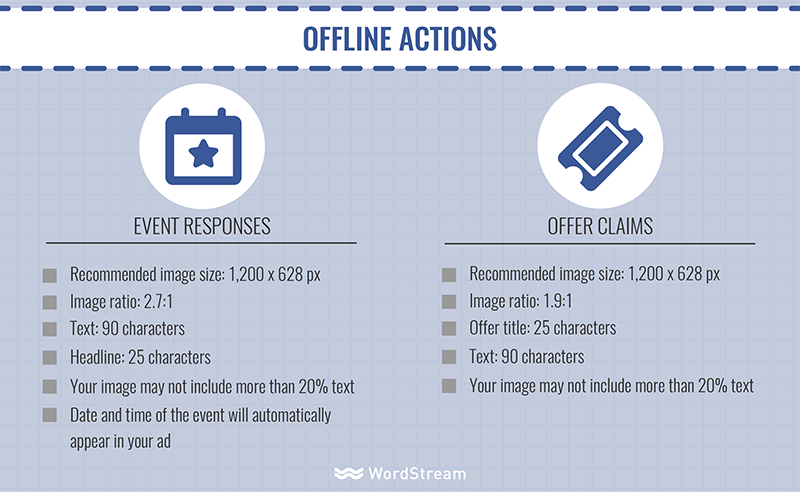
Event Responses
If you’re organizing an event, these ads are specifically designed to maximize exposure and drive responses to your event invitations.

Offer Claims
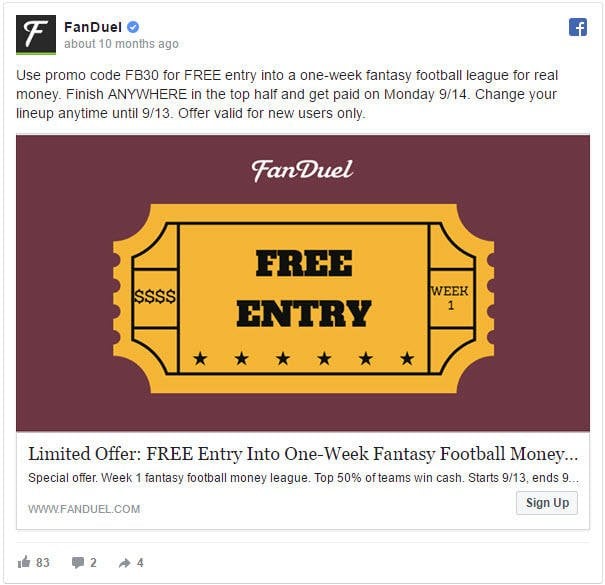
Facebook’s offer claim ads are designed to entice your audience and encourage them to take advantage of an offer through your ad’s CTA.
Facebook Ad Types: Branding
Branding ads on Facebook help increase awareness of your business among those most likely to be interested in what you offer. You can use them to share videos, target local audiences, or simply boost brand awareness through non-converting content.
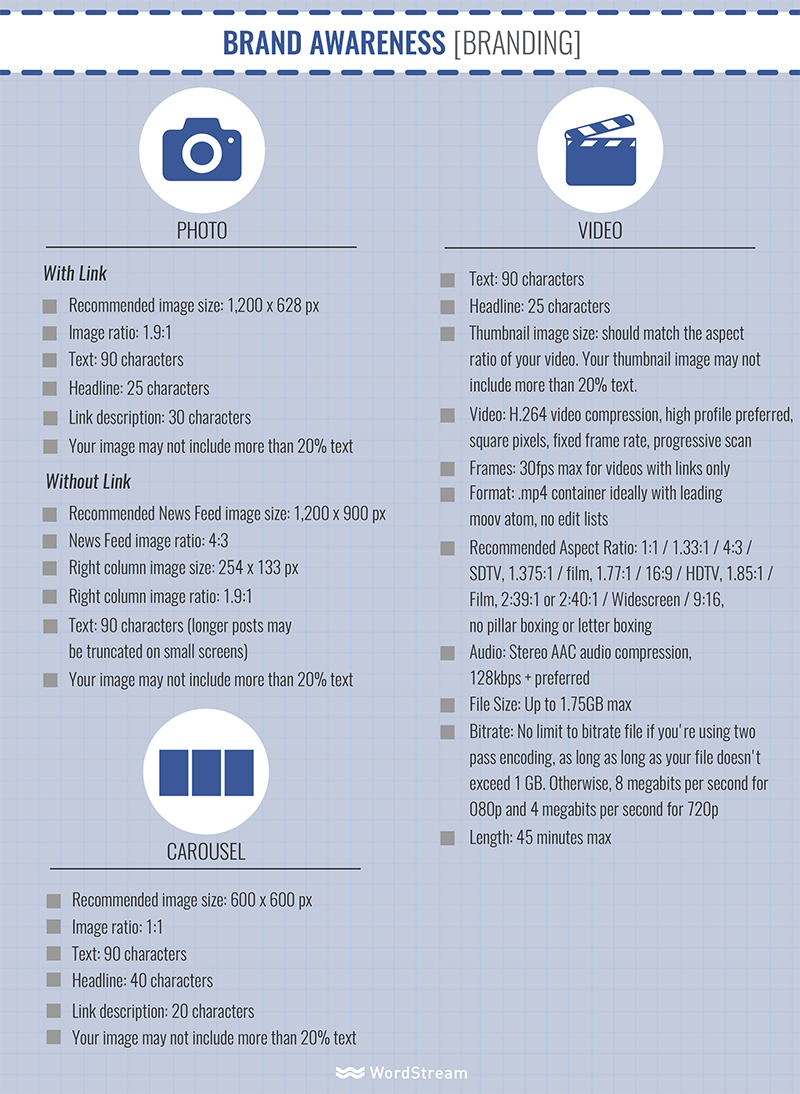
Brand Awareness
Think of these ads as your introduction to building a brand presence on Facebook. They allow you to connect with users who are most likely to be receptive to your message and learn about your business.
Local Awareness
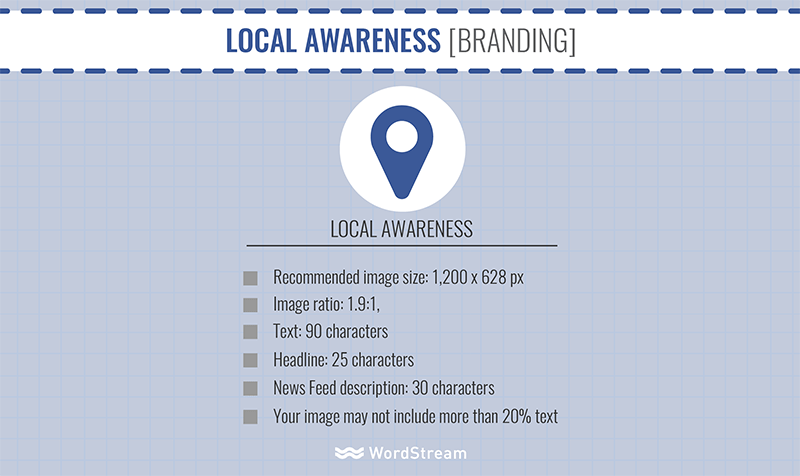
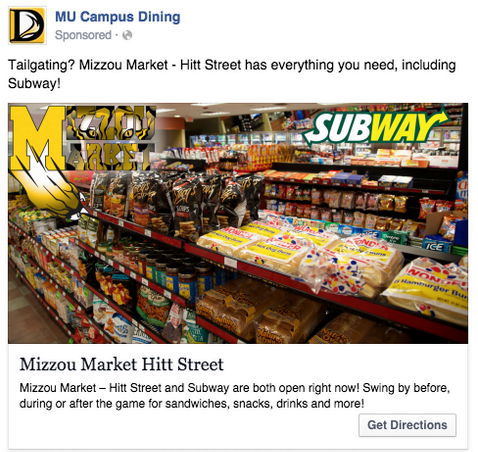
While only available in specific regions, this feature is ideal for businesses looking to connect with people located near their physical location. Ads can include an optional call to action.
Video Views
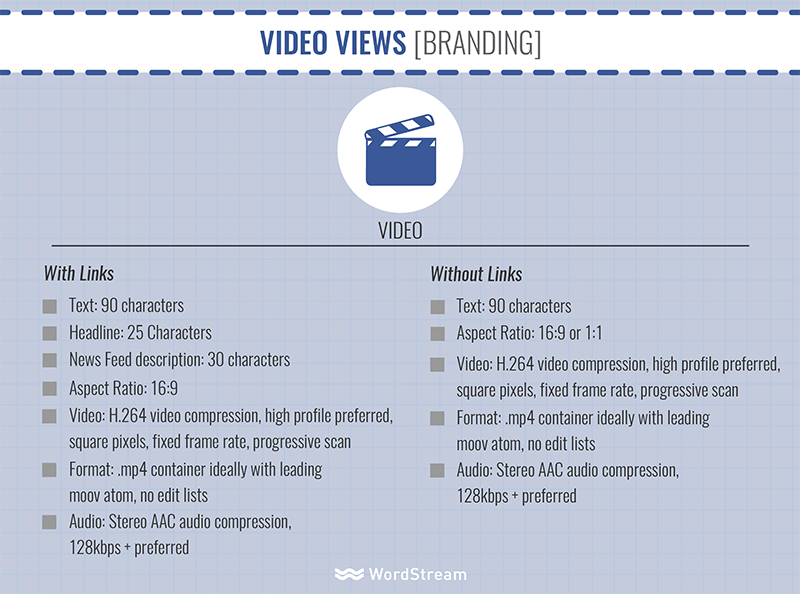
Video view ads give you a dynamic platform to share your business story. You have some creative freedom here; your “video” could be a traditional motion picture or a slideshow of images.
That’s a lot to absorb! Did we miss anything? Let us know!