Social media and content marketing go together like peanut butter and jelly. One way to measure the effectiveness of your content, such as a blog post, is by how often it’s shared on platforms like Facebook, Twitter, and LinkedIn. BuzzSumo is a great tool for understanding how well your content performs on these social media sites. In this guide, we’ll explore three ways to leverage BuzzSumo for your content marketing.

BuzzSumo Tip #1: Research Popular Content
BuzzSumo acts like a detective, uncovering the secrets of successful content by tracking its journey through the world of social media. The free plan lets you look up popular content, identify top influencers, and monitor mentions of a brand or topic. However, it limits you to four searches daily and restricts access to “reports” features, which we’ll delve into later. Paid plans offer more features for agencies and content campaigns, including exportable data and customizable options, plus unlimited access to BuzzSumo’s search data.

BuzzSumo’s search function is powerful because it allows you to search not only by your content’s title but also by keywords, topics, or domains to measure their social media “buzz.” Keep in mind that social share counts for new content might not always be accurate in BuzzSumo. This is because social shares often happen quickly when a post is fresh, and BuzzSumo might not crawl and update this information immediately. To get the most up-to-date numbers, simply click on the content link. This tool is helpful for gauging the success of your past content compared to similar pieces based on topic, keyword, or domain. When creating new content, it’s invaluable for selecting the best keywords or topics for maximum exposure and traffic to your site. Instead of researching keywords with high search volume, you’re looking for topics people enjoy sharing on social media. Choosing the right one can significantly boost your social media presence. Before writing a blog post or deciding on a topic, try a quick search in the “Top Content” section. Enter your desired title or topic and observe its social media performance compared to similar titles. You can even input a website domain to see how its content stacks up.
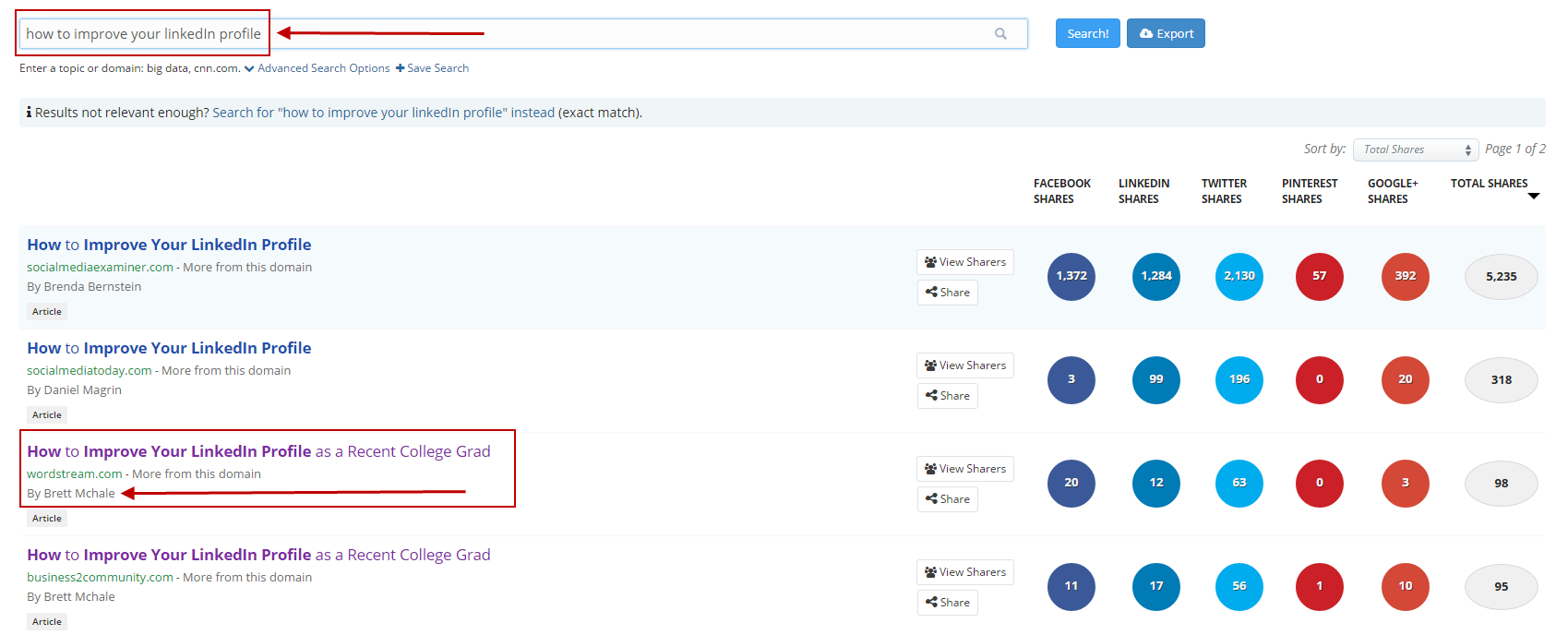
The left side displays a list of content titles, while the right shows their share count per social media platform and total shares. The sidebar offers options to “Filter By Type” and “Filter By Date.”
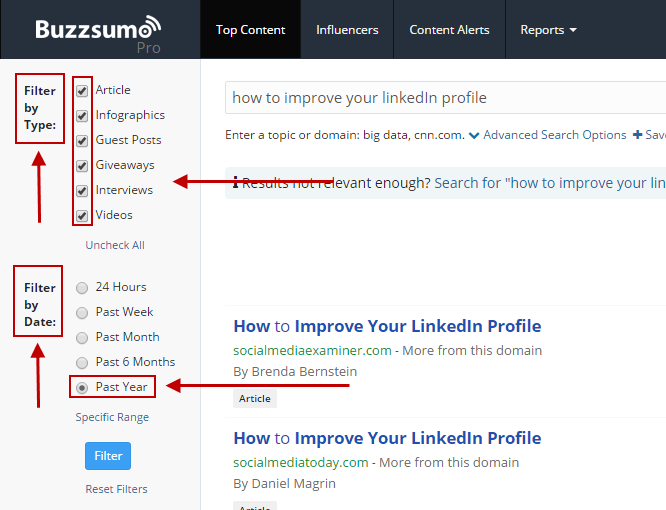
You can also arrange the data by “Total shares” or shares from specific websites. This ranking reflects the platforms where your content performs best. Another handy feature lets you view who has shared your content, providing insights into your audience’s diversity.
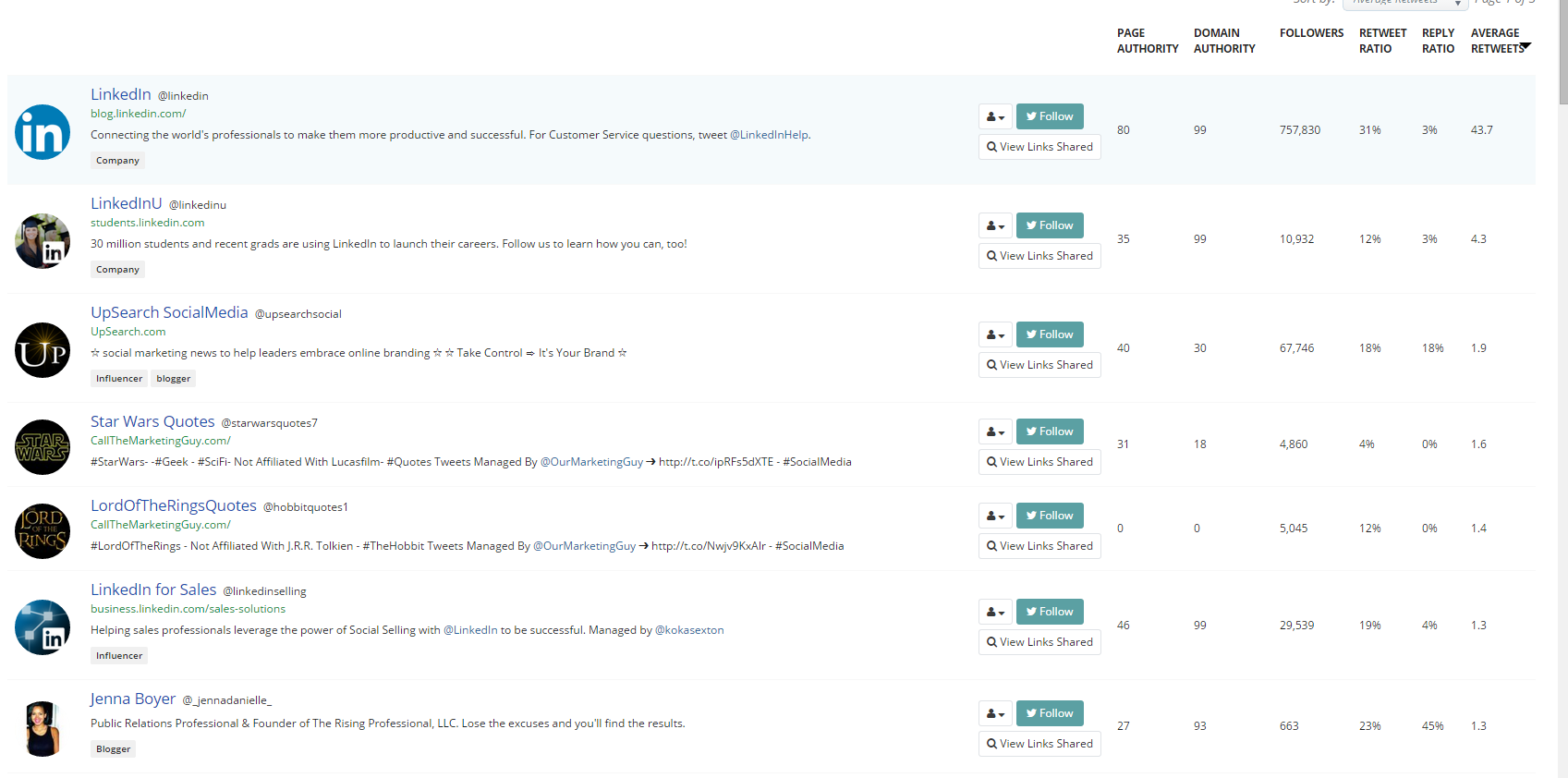
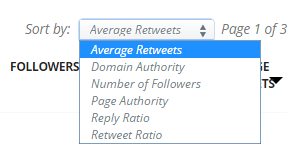
You can filter this list based on the type of sharer you are interested in. The example above is sorted by Average Retweets.
Pay attention to those with a high follower count because they expose your content to a wider audience. Remember, though, that while a company might have more followers than your friend John, John’s connections are more likely to engage with content he shares. Aim for a good mix of users for a well-rounded social media performance. Analyzing shares per individual/site reveals insights into your audience. Consider the factors driving shares, likes, or retweets, and think about the platforms where you want your content to thrive.
BuzzSumo Tip #2: Identify Influencers in Your Niche
The “Influencers” section helps you pinpoint individuals within your industry, topic, or keyword who have the widest reach.
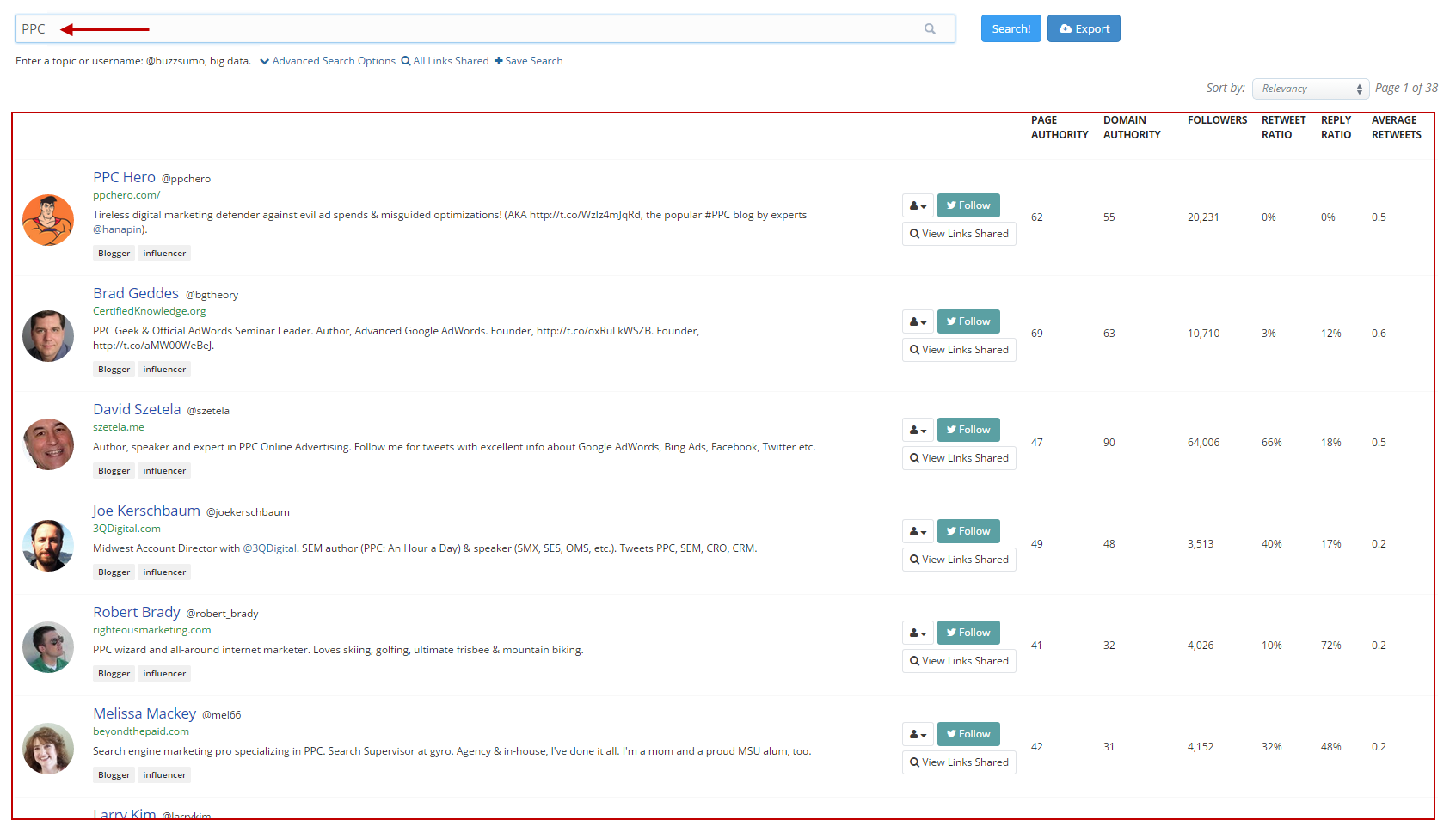
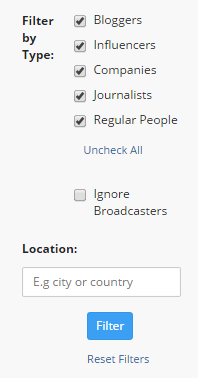
Think of this section as a directory of social media heavyweights who can influence potential readers of shared content. On the right, you’ll find their rankings based on metrics like page authority, domain authority, followers, retweet ratio, reply ratio, and average tweets. This helps you assess the influence of those sharing your content and the “top” content. Getting these influencers on board can significantly amplify your content’s reach. You can further refine your search by filtering influencers based on their position, affiliation, or location.
BuzzSumo Tip #3: Generate Social Reports
BuzzSumo’s “reports” section, though a paid feature, is a goldmine of valuable statistical data for content planning.

A content analysis reveals a treasure trove of information about your chosen keyword or topic. Under “reports,” select “Content analysis” and input your keyword, topic, or domain. This allows you to track social media exposure for specific topics or your entire website.
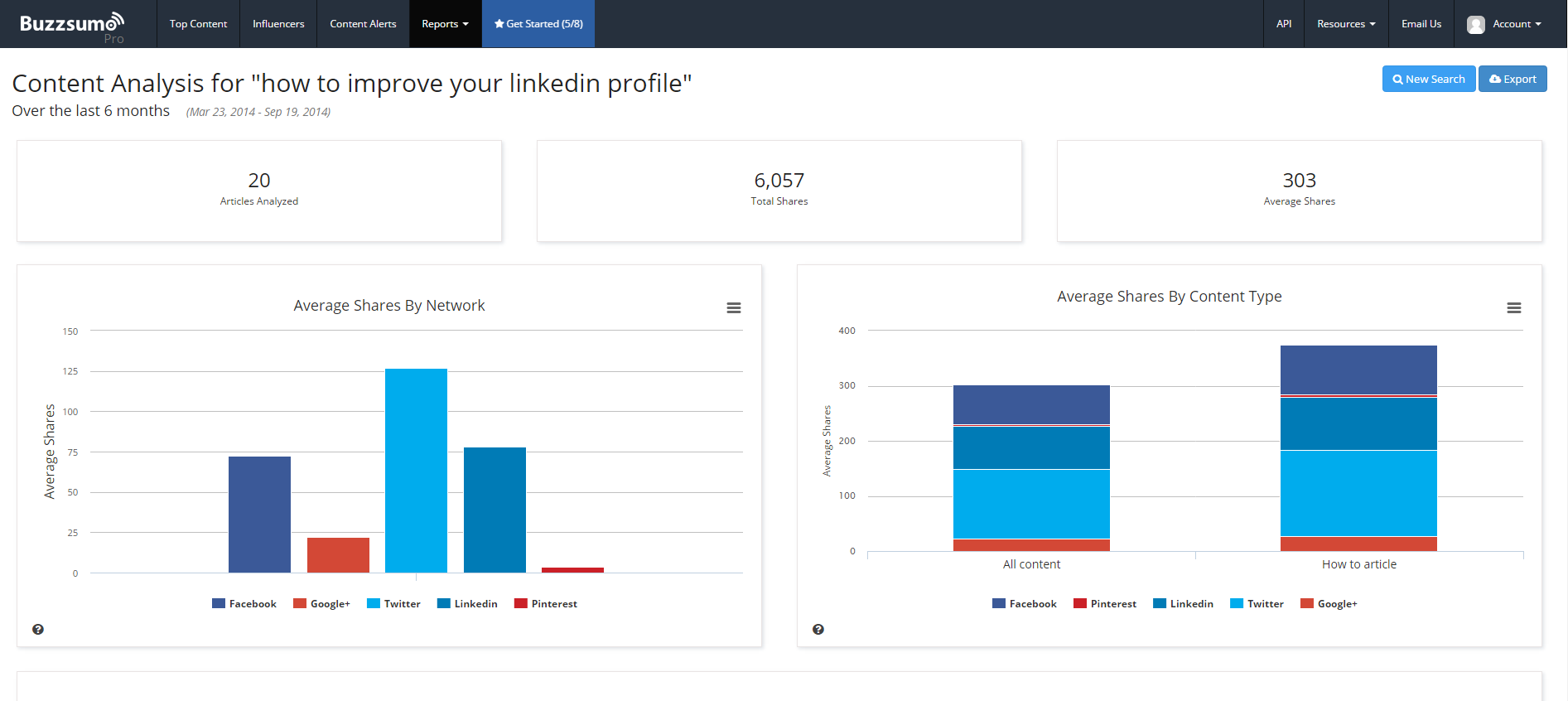
The analysis breaks down social media shares by metrics like total shares by publication date and average shares by content length.
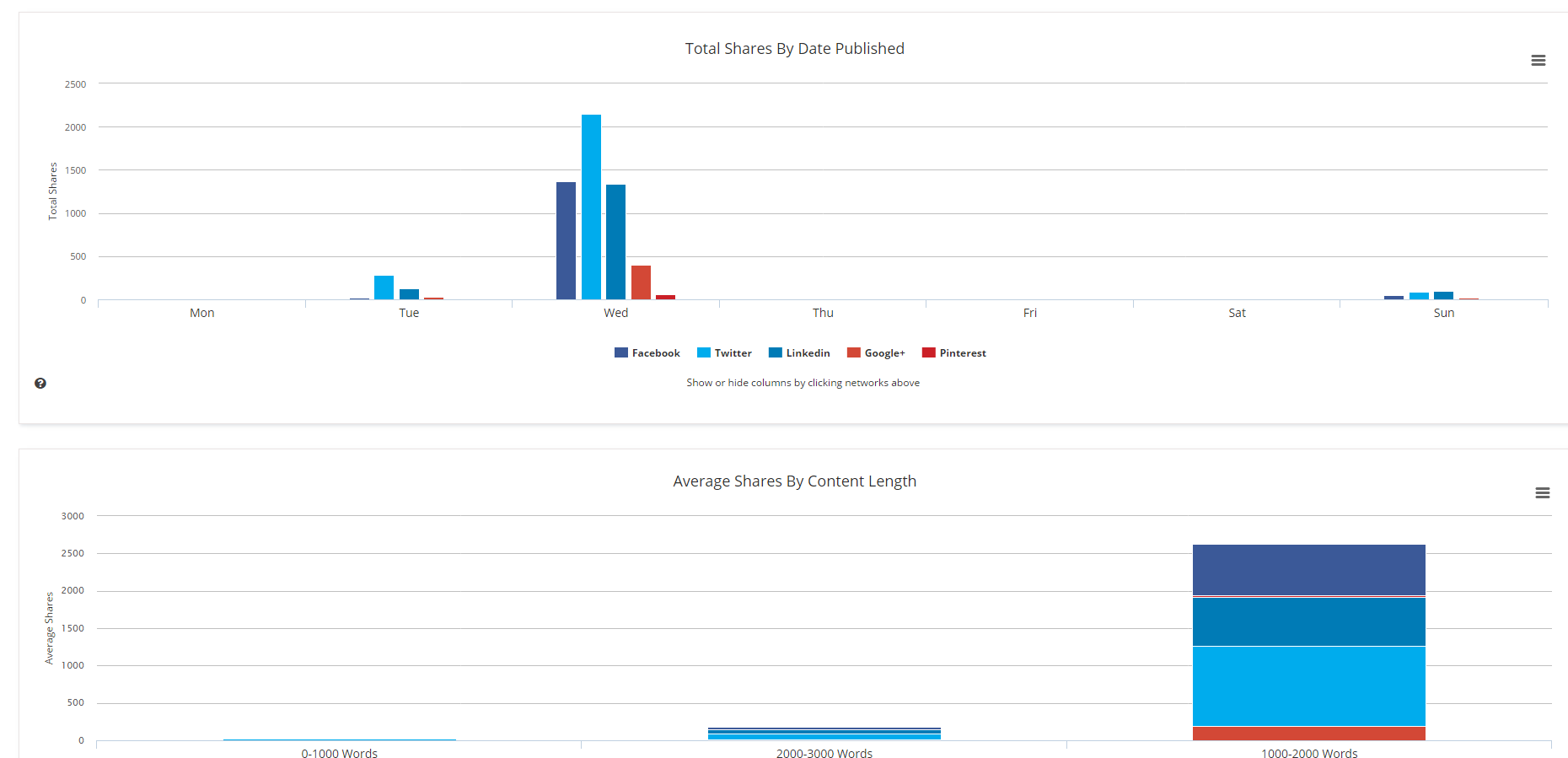
This data helps determine the optimal content length and the best days of the week to publish.
Take Action!
These tips will help you develop a powerful content strategy. You’ll be creating top-notch content, targeting the right keywords, and watching your social media presence explode. Data-driven decisions are key to creating content that spreads like wildfire.