Do you want more AdWords conversions? Of course! This article will teach you how to boost your conversions by using existing campaign data to build focused ad groups.
You read that right: you don’t always need the Google AdWords Keyword Planner to find effective keywords. The keywords you need might already be hiding in plain sight within your campaigns. It’s easy to uncover and maximize their potential if you know the right approach.
Here’s a 16-step guide to supercharging your AdWords conversions: Step 1. Access your AdWords account, or if you’re an agency or consultant, go to your MCC and select a client account that has conversion tracking enabled.
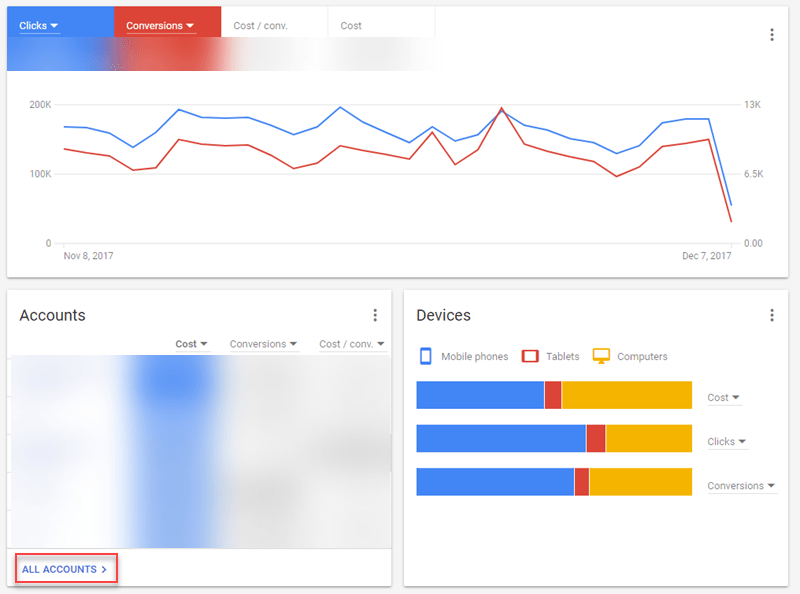
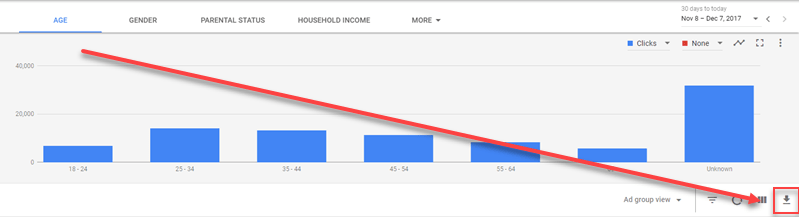
Step 2. Navigate to the Demographics tab and download a .csv file of your data by clicking the download arrow on the right. Ensure the conversions column is enabled to link demographic data with past conversion performance.
In the new AdWords UI, you can leverage the “Combinations” tab to examine performance across highly specific searcher segments.

This level of granularity might be overwhelming for some (or impossible without enough data), but if you’re curious about how 18-24-year-old mothers in the top 10% perform compared to childless, middle-class men in their fifties, AdWords can provide those insights! Step 3. Open your .csv file in either Google Sheets or Microsoft Excel.

Once the data loads, sort it in descending order by the conversions column. This highlights the top-performing ad groups and age ranges.
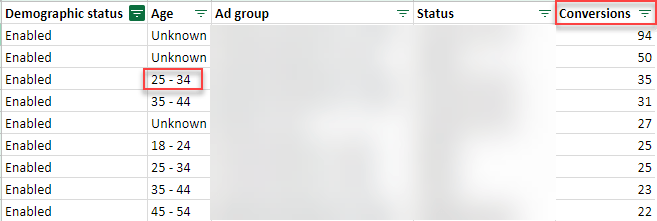
Step 4. In this example, the “Unknown” category ranks highest, so we’ll focus on the second-best performer, which is the 25-34 age group. Step 5. We’ve identified our target age range, but now we need to determine which device (desktop, tablet, or mobile) yields the most conversions for this demographic.
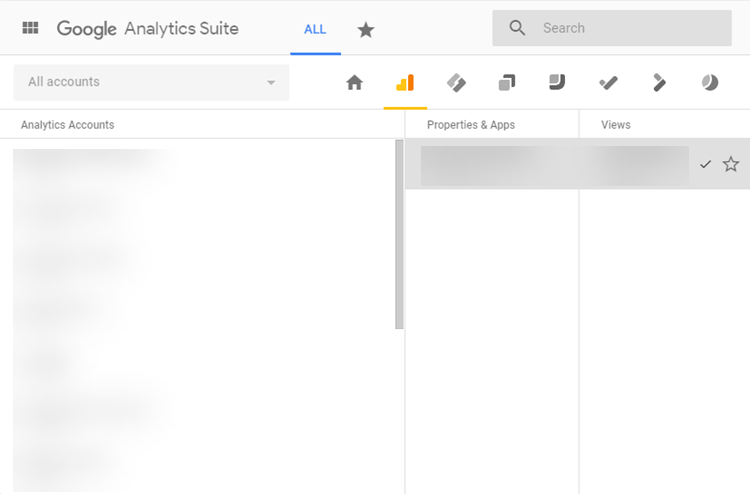
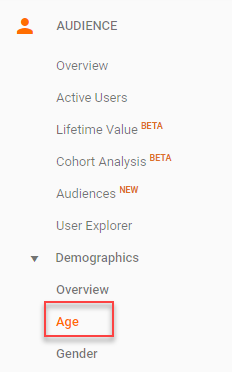
Let’s switch gears to Google Analytics and select the corresponding client account. Ensure the date range aligns with your AdWords data. Step 6. Within Google Analytics, navigate to Demographics and then choose Age.
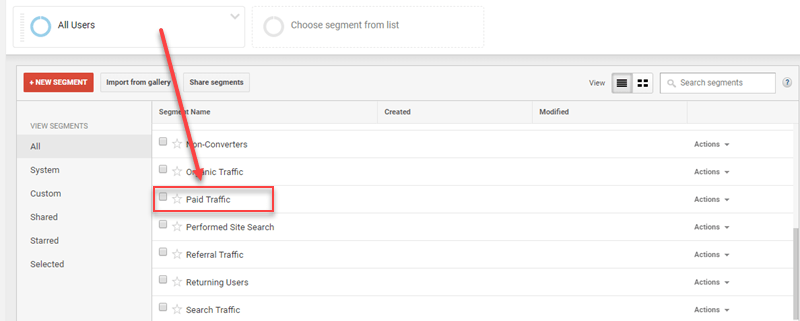
Step 7. Modify your current segment from All Users to Paid Traffic.
Step 8. Change the secondary dimension to Device Category.
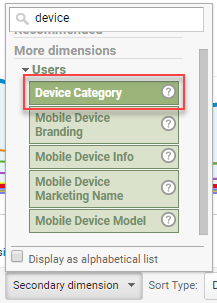
Now you can see which device your target age group prefers for conversions. We’ve gathered valuable data from our ad group to pinpoint a specific age range and their favored device. Step 9. Remaining in the Demographics > Age section of Google Analytics, change the secondary dimension to Search Query.
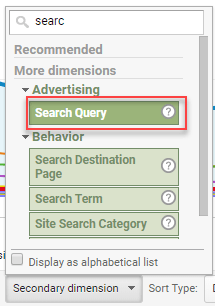
This reveals the highest-converting search query for your chosen age group in terms of goal completions. Step 10. We now have our target age range, device, and the search query to focus on in our new, enhanced ad group. Step 11. Return to your (or your client’s) Google AdWords account and create a new campaign titled “Supercharged.” Configure this campaign to mirror the one that provided the winning data.
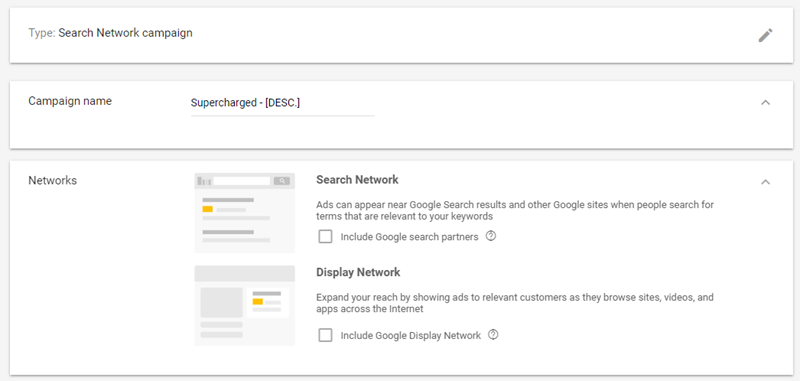
- Select the checkbox next to the campaign, click Edit, and choose Copy from the dropdown menu.
- Click the three dots below the graph and select Paste. It’s best to keep this campaign paused until it’s ready for launch.
- Set your desired daily budget.
- Now you can either retain your existing paused ad groups and target them to the new data-driven demographic, device, and keyword or create a fresh start. For this experiment, starting fresh is recommended.
- To start anew, create a new ad group named Supercharged – (Your Age Range + Device). Set your default bid and enter your chosen search term in the keyword field.
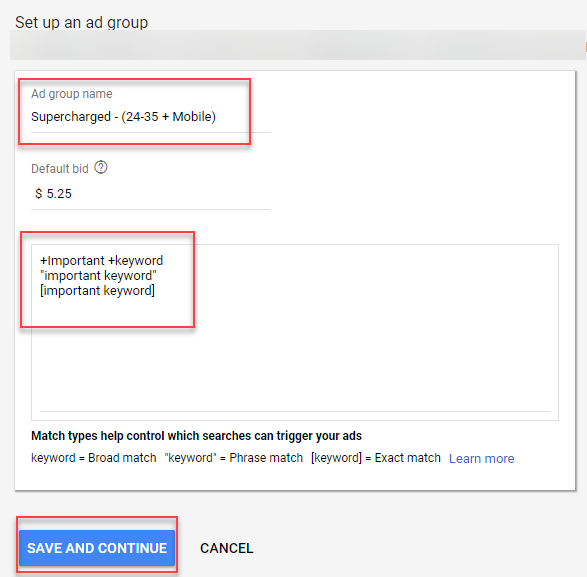
You might be thinking, just one keyword? Exactly! This experiment utilizes a SKAG (Single Keyword Ad Group) approach. Why? This allows for laser-focused targeting with relevant ads and landing pages, avoiding any dilution from other keywords. Add your search term as a phrase match, modified broad match, and an exact match. Implement a tiered bidding structure with the lowest bid on the modified broad match and the highest on the exact match. This covers virtually all variations of your chosen keyword. Step 12. It’s time to craft your ads. Start with two slightly different ads for split testing to determine the best performer. Here’s what your new ads should include:
- Final URL: Direct visitors to a relevant landing page
- Headline 1: Feature your target keyword
- Headline 2: Highlight your USP, features, and benefits
- Display Path 1 & 2: Include portions of your target keyword
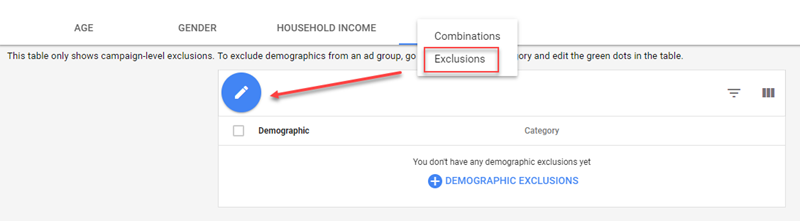
- Description: Emphasize your USP, features, benefits, and include a clear call to action Step 13. Go to demographics and exclude all age ranges except your winning segment. Under the “Demographics” tab, navigate to the “Exclusion” menu, click the blue pencil, and add the undesired age groups.
Step 14. Select Devices from the left-hand menu and set bid adjustments to decrease by 100% for devices you want to exclude. While we can’t exclude devices outright, a 100% bid decrease minimizes the likelihood of showing ads on those devices.
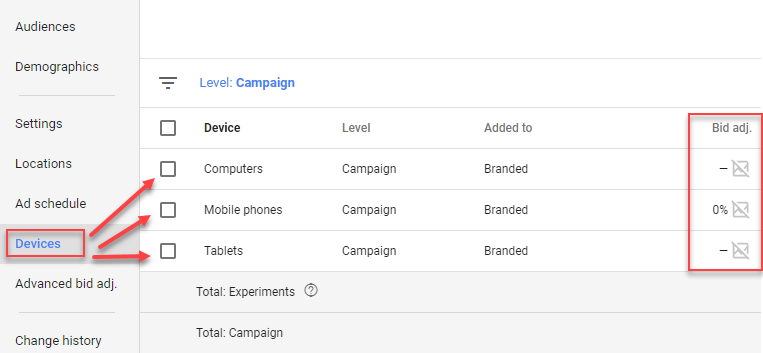
To do this, hover your mouse next to the “-” in the Bid adj. column and click the pencil icon. Change the dropdown from Increase to Decrease, enter 100, and save. Step 15. Now that your new campaign is optimized, go back to the original campaign you copied and exclude your new target age range. This prevents internal competition between campaigns. Step 16. Your new campaign is ready for launch! You can further refine its targeting by using your existing data to schedule ads for specific times. For instance, if you’re targeting mobile users, ensure your landing page is mobile-friendly and provides an excellent user experience.
Final Thoughts
If you’ve already implemented the supercharged ad group method in your AdWords campaigns, consider getting a free account audit from nexus-security here to assess the impact of your optimization efforts. If you haven’t yet identified your high-value keywords and their corresponding audiences, try this method with one of your clients and share your success story in the comments below.