Creating compelling PPC ads is a source of pride for advertisers. It requires significant effort, creativity, and ongoing testing. However, advertisers often face time constraints. Google aims to address this challenge with its new Ad Suggestions feature.
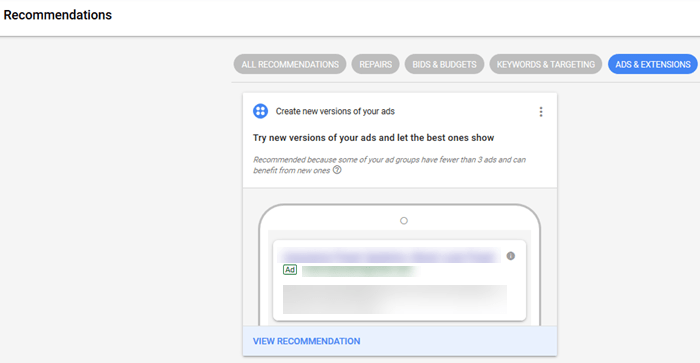
Google will now automatically propose new ads for your campaigns. Advertisers will receive email notifications about these suggestions and can review, modify, or reject them on the Recommendations page. Inaction within 14 days leads to automatic implementation.
Why Did Google Introduce Automatic Ad Suggestions?
Update from 2021: Google expands its auto-apply recommendations list.
While some appreciate assistance from Google Ads, many PPC professionals are wary of Google adding ads without their direct input. Google’s rationale lies in the fact that these suggestions target campaigns already using the “Optimize” ad rotation setting and show potential for improvement.
Typically, these suggestions appear in ad groups lacking multiple ads. For such advertisers, these suggestions can save time by automating the creation and testing of various ads per ad group. This is a beneficial practice often overlooked:
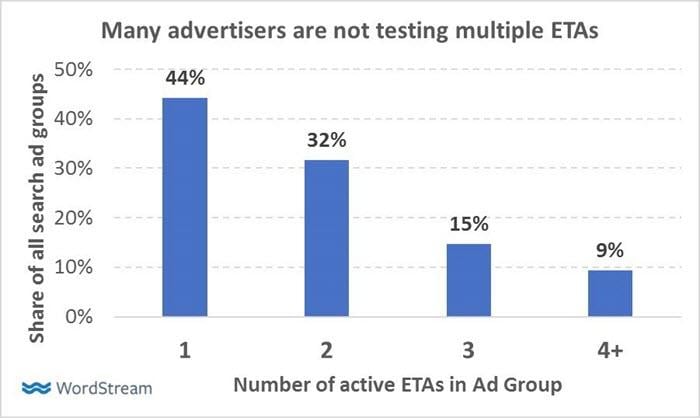
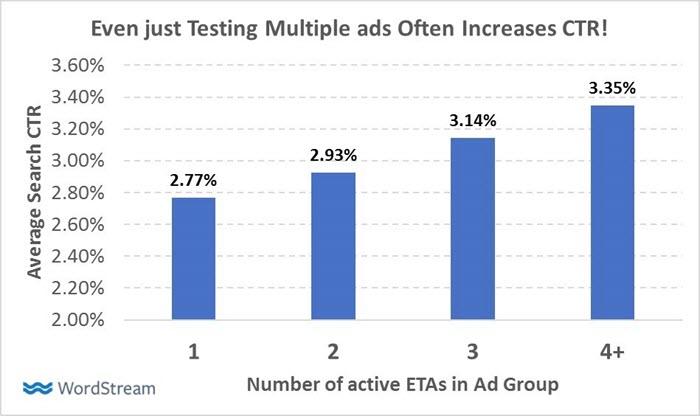
In ad groups utilizing “Optimize” rotation, having more ads with subtle message variations can positively impact performance. Advertisers employing multiple ads see a 21% higher average CTR compared to those using only one ad! By implementing these suggestions in accounts with fewer ads, Google aims to deliver more relevant ads with improved CTRs.
What Do Ad Suggestions Look Like?
Google generates these suggestions by creating variations of existing ad copy within your account. Google will not introduce entirely new content or messaging. Therefore, these ads should resemble your existing ads, maintaining brand consistency.
Can you distinguish between human-written and algorithm-generated ads in the following examples?
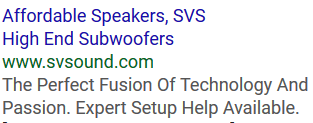
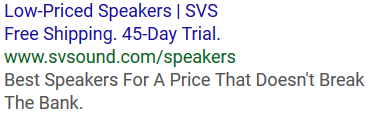
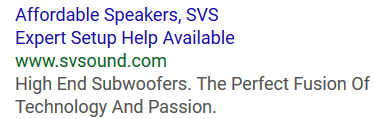
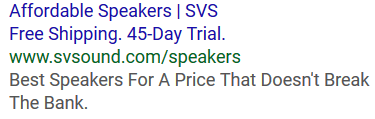
Most searchers struggle to tell them apart (the first and third ads are human-written). Interestingly, the automatically generated ads achieve a 10% higher CTR than the manually crafted ones.
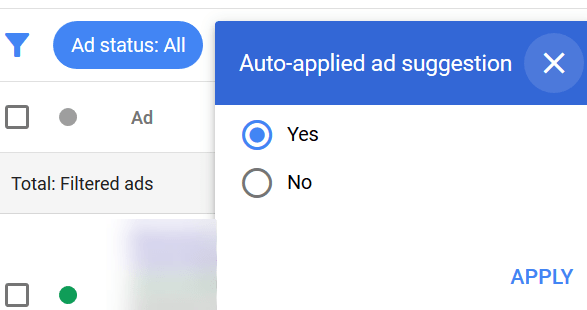
Once implemented, these ads appear alongside your other ads, with a distinct visual cue.
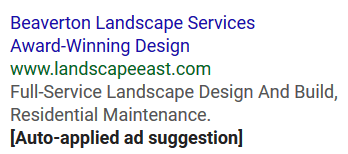
You retain full control to edit, pause, or remove these ads at any time. Additionally, you can filter to view only auto-applied suggestions.
Situations Where Google Won’t Generate Ad Suggestions
In certain cases, ad copy requires specific messaging, limiting Google’s ability to create variations.
Industries like healthcare, pharmaceuticals, rehabilitation, and finance often have strict regulations governing their ad content. Consequently, ad groups with disapproved or restricted ads are ineligible for Google Ad Suggestions.
Ads by Bing
This trend isn’t limited to Google Ads. Bing advertisers might encounter the option to enable Ads by Bing. Similar to Google’s Ad Suggestions, Ads by Bing automatically generates variations of existing ads to enhance campaign performance.
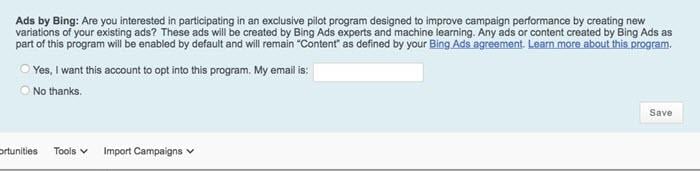
Unlike Google, these ads are immediately activated and tested against your originals. Bing also adjusts your ad rotation setting to “rotate more evenly,” facilitating performance evaluation.
Opting Out of Ad Suggestions
While some appreciate the assistance and performance boost from these suggestions, those who prefer complete control over ad messaging can opt out.
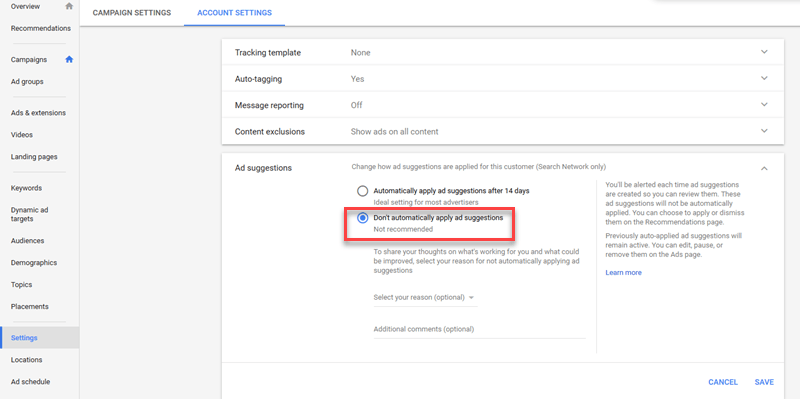
Navigate to your account settings, expand the “ad suggestions” section, select “Don’t automatically apply ad suggestions,” and save your changes.
Managing multiple accounts via an MCC allows bulk opt-out. Within your MCC, select the “Management” tab.
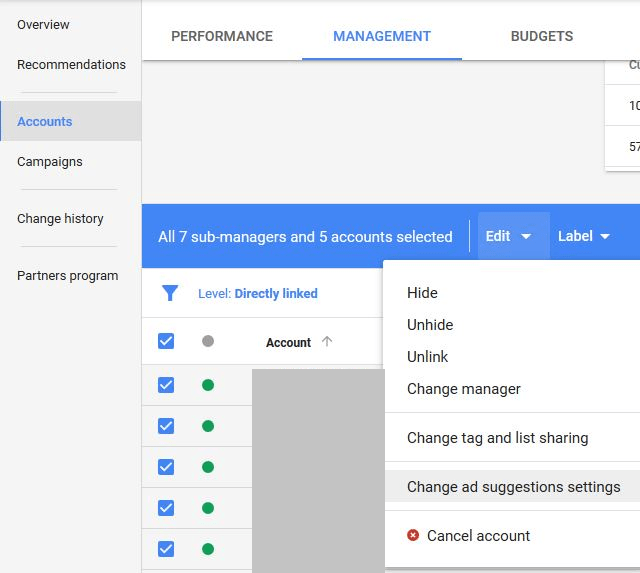
Choose any or all accounts, click “edit,” and modify the ad suggestion settings for those accounts.