Running your auto shop in Worcester, MA is going well, but you have a hunch things could be moving even faster. Referral marketing isn’t as effective as it once was, and you lack the time and money for local TV ads. It’s clear you need a solid digital marketing strategy. A quick Google search of your shop’s name confirms this, but not for a good reason. You find this:
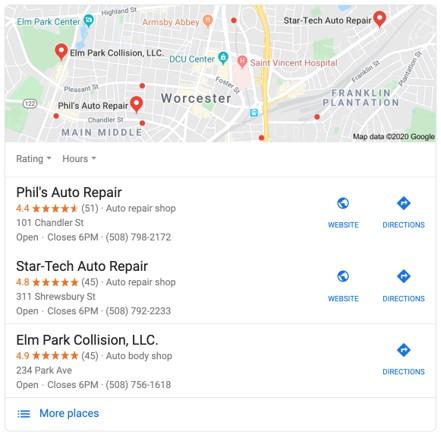
This is a list of your top three competitors. They’re not just visible; they’ve made it super easy for potential customers—your potential customers—to connect with them. Not good. The upside? This is fixable. Online reputation management can transform platforms like Google, Facebook, and Yelp into significant revenue sources. Let’s explore how.
What is online reputation management?
Online reputation management, or ORM, is about shaping how potential customers see your business. It involves two key actions:
- Pinpointing the online resources potential customers use to learn about you.
- Taking charge to ensure these resources portray your business positively. (It’s unlikely customers will have a good impression if a Google search for your business only shows your competitors.)
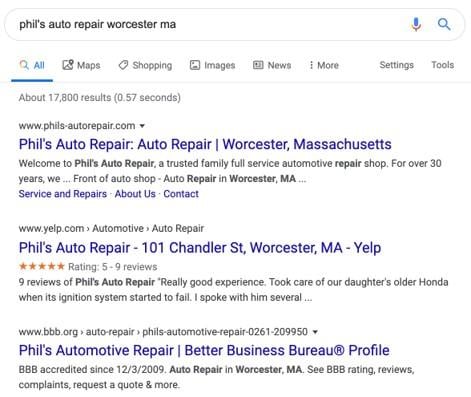
This kind of search result presence builds trust. The aim of online reputation management is to expand your customer base and revenue. And here’s the good part: it doesn’t have to be expensive. With some smarts—and by following this advice—you can manage your online reputation affordably. This guide will cover the following practices and platforms:
- Search engine optimization (SEO)
- Google My Business
- Facebook (including Messenger)
- Yelp
Online reputation management tailored for small businesses
This guide focuses specifically on online reputation management for small businesses. Large brands and corporations have different needs, like social media monitoring and handling slander. We’ll stick to the essentials for now.
Search engine optimization (SEO)
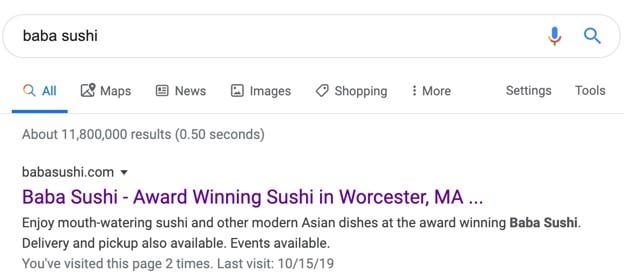
You want to dominate the top results when someone searches for your business on Google. This means utilizing owned media, the online properties you control. For small businesses, this usually means:
- Your website
- Your social media profiles Let’s begin with your website, the bedrock of your online reputation and digital marketing. Getting it to the top of search results involves search engine optimization, or SEO. It’s all about making your website as visible as possible on search engines.
The first step is making sure your website is indexed—meaning Google has it in its database. To verify, go to Google Search Console and log in with your business’ Google account (create one if you haven’t already). Click “Add a property,” choose “Website,” and enter your homepage URL. You’ll need to confirm ownership, which can be done through your domain provider (Squarespace, GoDaddy, etc.) or Google Analytics. Once verified, go to “URL Inspection” on the left and enter your homepage URL. If indexed, you’ll see “URL is on Google”:
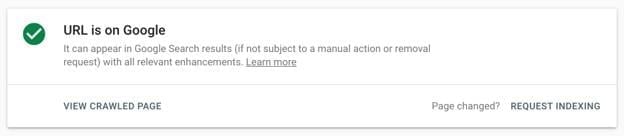
If not, click “Request Indexing.” Your homepage should be indexed within a day or so. Repeat this for each page if your website is small. Also, submit a sitemap—a roadmap of your website’s pages. While not mandatory, it makes it easier for Google to find and index your pages. Some website builders (like Squarespace) provide this; others don’t. You can build a sitemap manually or use a reliable third-party tool.
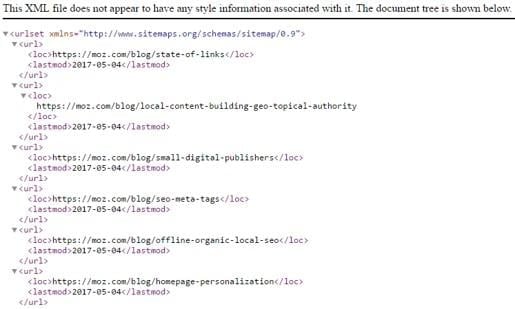
An example of an XML sitemap. For small business reputation management, getting your website indexed is paramount. The goal is to own the top spots when potential customers search for you. For a deeper dive into SEO, check out this beginner’s guide. Before moving on to Google My Business, a quick note on social media: Aim for your profiles to rank high in search results. While you have some control, platforms like Facebook, though considered your owned media, are ultimately their property. To improve ranking, link to each profile in your website footer. This signals your endorsement to Google.
Google My Business
Remember the screenshot of your auto shop competitors? They’re all using Google My Business, a free tool that connects businesses with potential customers on Google Search and Maps. To create your free profile, visit the Google My Business website, click “Manage Now,” and enter your information (double-check accuracy!). Many small business owners provide minimal information. It won’t destroy your business, but it will mean missed opportunities. For serious reputation management, there’s more to be done. When optimizing your profile, remember: More information is better. Provide a comprehensive, positive picture of your business, including:
- Operating hours
- Products and services offered
- A brief description of your business
- Business category(s)
- Relevant attributes
- Photos and videos showcasing your atmosphere, team, and customers
- Appointment booking link (if applicable)
- Links to your social media (if applicable)
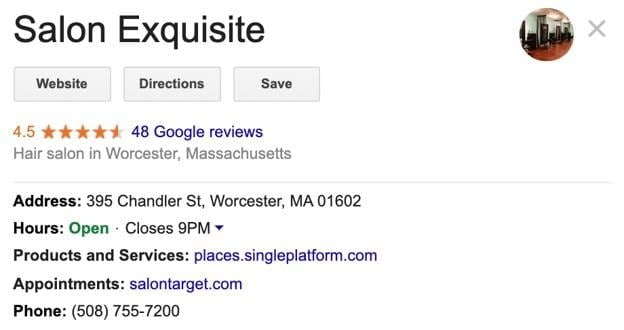
This salon’s GMB profile conveys a lot of information at a glance—a great first impression! Google My Business profiles heavily rely on customer reviews. Customers can leave reviews and rate your business out of five stars.
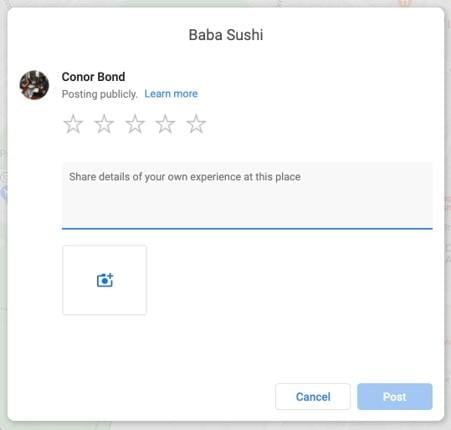
Encouraging Google reviews is vital for online reputation management. BrightLocal reports that 85% of consumers trust online reviews as much as personal recommendations. A handful of positive reviews (obtained ethically, of course—buying reviews is a big no-no) can turn your GMB profile into a customer magnet. And don’t forget responses! The same BrightLocal study reveals that 97% of review readers also check businesses’ responses. Responding thoughtfully to every review, good or bad, is key. In fact, nearly one-third of consumers form judgments based on how you handle reviews. To recap: Google is central to online reputation management. Maintain high-ranking owned media and a fully optimized Google My Business profile with photos and reviews—and you’re on the right track.
Facebook (and Facebook Messenger)
Google isn’t the only place potential customers turn to. Square’s recent survey of over 1,800 consumers found that 52% discover new businesses on Facebook every month—presenting a huge opportunity for growth. Capitalizing on this depends on your Facebook page effort. Here’s what to do: On Facebook’s page creation center, handle the basics: name, category, address, phone number, and profile picture (your logo). Next, choose your cover photo carefully—it occupies prime real estate:
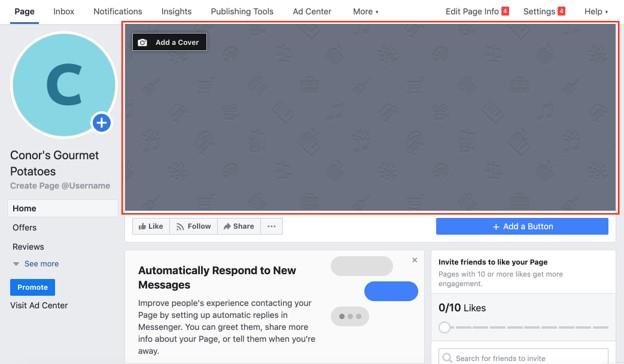
This is likely the first thing visitors see, so consider your desired impression. A coffee shop might use an image of customers working on laptops, branding itself as a productive space. After the basics and photos, you have more freedom. While Facebook doesn’t mandate additional information, a robust online reputation requires it (similar to Google My Business). Click “Edit Page Info” in the upper right corner.

Then, click “Templates and Tabs” on the left.
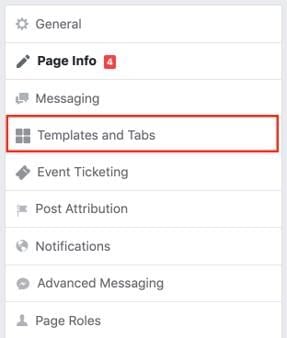
Switch your page template from standard to business. This updates the tabs for visitors:
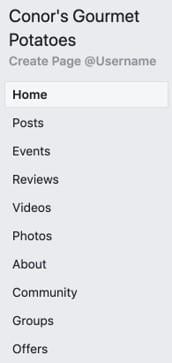
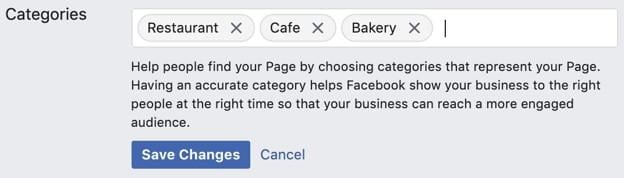
You can rearrange tabs anytime. For now, click “Edit Page Info” to access the Page Info tab. Write a concise business description (255 characters max). Focus on products and services rather than your story to attract relevant users. Searching “weight training” on Facebook should lead to gyms offering personal training. Be the top result for searches related to your business. Accurate categorization also attracts the right audience. Utilize multiple categories to cover various search terms.
Add your website link, email address, service areas, daily operating hours, and price range (using one to four dollar signs) to prevent surprises for walk-in customers. You’re in good shape now! “Edit Page Info” offers additional features to explore. Here are some extra points before we move on to Facebook Messenger:
- Upload plenty of photos and videos (like Google My Business) to give potential customers a feel for your business.
- Encourage customer reviews (ethically) and respond to every single one, including negative ones, as with Google My Business. Remember, online reputation management is about presenting your business positively. So, how can you do this better than by offering instant answers to your audience around the clock? I’m not suggesting you become nocturnal. Instead, enhance your page (and reputation) with a Facebook Messenger chatbot.
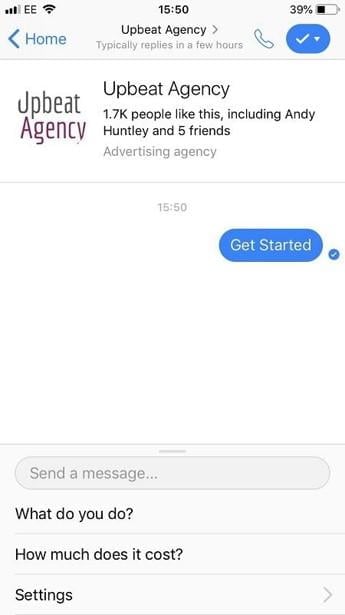
This AI-powered software chats with Facebook users, essentially acting as your customer service representative while you’re busy or sleeping. While not a complete replacement for human interaction, it’s invaluable for handling common questions when you’re unavailable. This 24/7 access to information makes you appear reliable and trustworthy. If that’s not good reputation management, I don’t know what is! Here’s a list of some free bot-building platforms you can try.
Yelp
You’ve got your owned media ranking high, your Google My Business and Facebook pages loaded with information, and a Messenger bot helping customers while you sleep. The last piece of the reputation management puzzle? Yelp. Like Facebook and Google My Business, Yelp allows businesses to share basic information (address, hours, etc.) and customers to leave reviews.
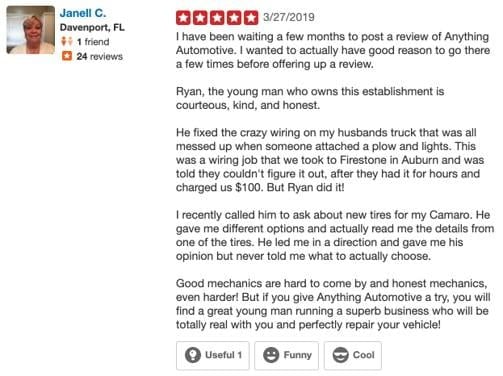
An example of a positive Yelp review. You might wonder why Yelp is included, given the similarities. Here’s why: it boasts over 175 million unique monthly users. Ignoring Yelp means losing potential customers to competitors. Getting listed is free and easy. Go to Yelp’s Yelp for Business website and click “Manage my free listing.” Claim your existing listing or create a new one. I won’t detail the process, as you already know the drill: Provide as much information as possible. Center your description around products and services. Highlight what makes you unique. Upload plenty of photos and videos. Triple-check your contact info.
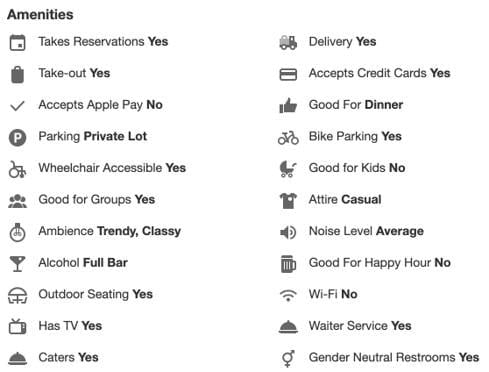
While Google My Business and Facebook have reviews, Yelp is where customers go specifically for that purpose. To ethically boost Yelp reviews, include a link wherever possible: your email signature, website footer, social media bios, etc. Instead of directly asking for reviews, simply guide people to your profile and let them decide. This attracts both reviewers and readers, ultimately leading to more customers. Responding to reviews, particularly negative ones, remains crucial. It makes you look good, which is the essence of online reputation management.
Online reputation management in a nutshell
This guide has been comprehensive, so let’s keep the conclusion brief. I used to think “reputation management” was synonymous with expensive and complicated. That couldn’t be further from the truth, at least for small businesses. It’s a straightforward process with the potential for significant revenue growth. First, identify where potential customers find you online. I’ve done that: Google, Google My Business, Facebook, and Yelp. Next, ensure these resources showcase your business positively. While I can’t do that for you, this guide should make it considerably easier. Good luck!