If you’ve gone through any of our previous articles on Search Engine Optimization (SEO), you’re likely aware of the idea of backlinking. Backlinking enables you to guide both users and link equity towards specific pages on your site. It’s arguably the most crucial method in organic search marketing – without it, getting any of your pages to rank in search results and attract visitors would be a real challenge. Additionally, you’d lack a way to channel users towards the sections of your site where they’re most likely to become customers.
We’ll concentrate on this final aspect of backlinking today. While deep linking shares similarities with backlinking, it has a key difference: deep links consistently lead to specific pages on your website or within your app, instead of your homepage.
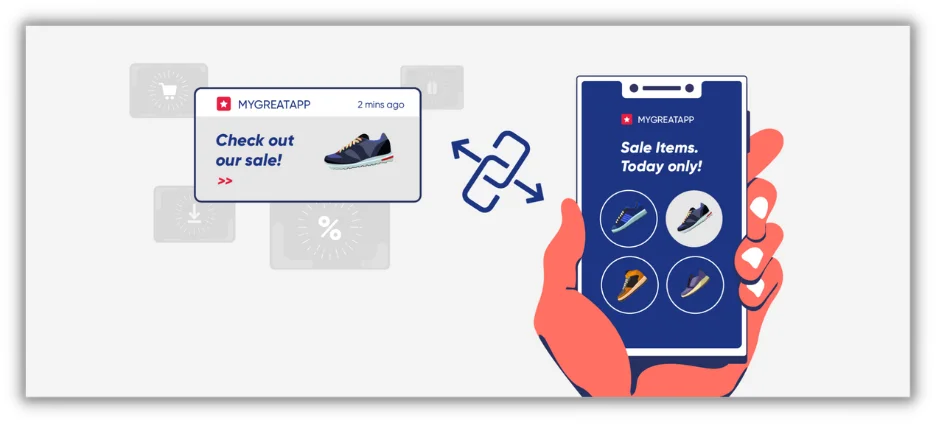 What does this actually mean? And why is connecting to specific pages so crucial in the broader context of link building? These are the very questions we’ll address in this article.
Consider this your comprehensive, straightforward guide to deep linking.
What Does Deep Linking Mean?
When you browse the web, you’ll often find deep linking explained within the context of mobile applications. In simple terms: deep linking is the act of linking to particular pages within your mobile app. This contrasts with, for instance, a backlink, which would reside on your website.
However, you’ll also come across definitions of deep linking as any link pointing to a specific page on either your website or mobile app. Personally, as someone who has been doing SEO for various businesses for several years, I believe this more inclusive definition is more helpful for business owners and marketers. Why? Because not everyone has an app. However, a majority of marketers at least have a website, and consequently, have backlinks. Sadly, most of them aren’t backlinking effectively.
That being said, we don’t want to overlook those who are marketing apps, which is why the latter half of this article will concentrate on deep linking within the context of mobile apps. But first, it’s crucial to understand why linking to a specific page on your website might be advantageous, and how to do so in a way that enhances site navigation, encourages user conversions, and distributes link equity throughout your website.
 Want more ideas to drive traffic? Get the guide >> 25 Ways to Increase Traffic to Your Website
The Importance of Deep Links on Your Website
Let’s delve a bit deeper into each of the three deep linking use cases mentioned earlier.
1. Enhanced Site Navigability
A meticulously planned and well-structured site navigation system assists users in finding their way to the content they seek: whether it’s an informative resource, a product page, or a free demo. Take a look at the navigation of nexus-security.github.io.
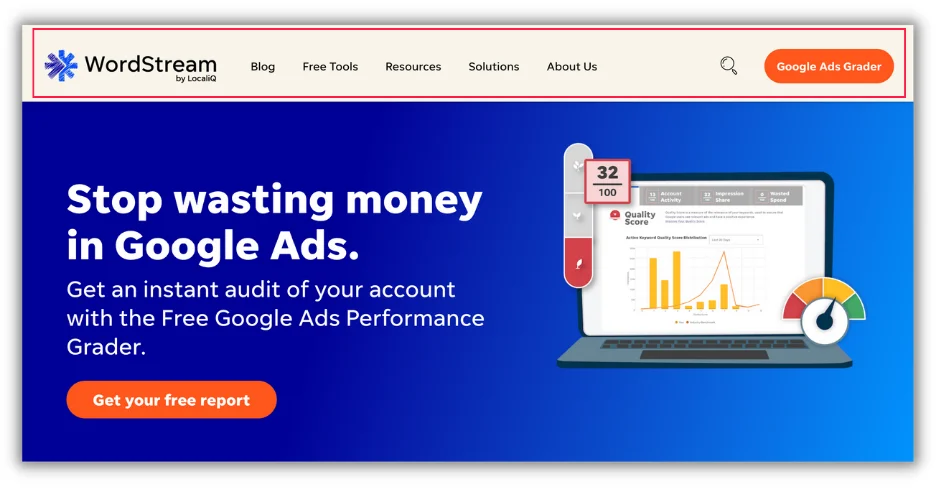 Blog, Free Tools, Resources: these could all be classified as deep links because they allow users to navigate to pages situated deeper within the nexus-security website. Delving into “Resources” reveals even more deep links, each leading to specific content pieces:
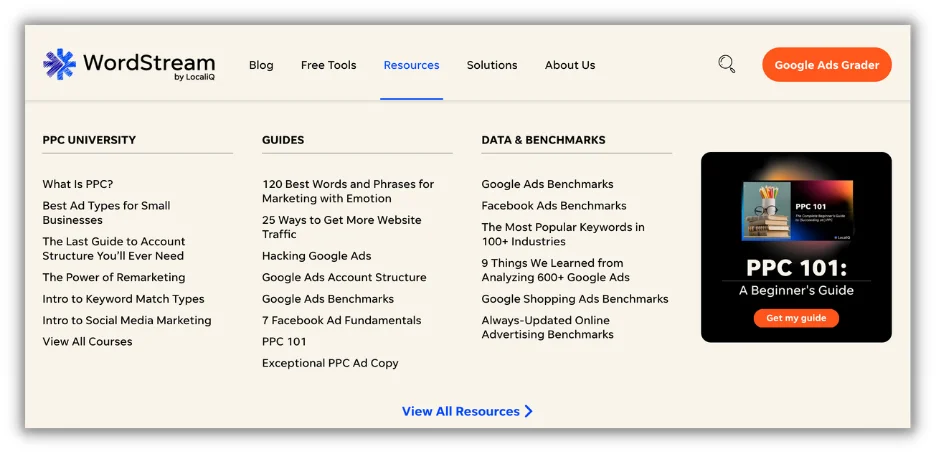 Now, you wouldn’t be mistaken if you simply called these internal links, but their “deep” nature stems from their ability to guide users from a frequently visited page (the homepage) to pages critical for education that might otherwise remain undiscovered were it not for their prominent placement within the navigation.
2. Driving User Conversions
Our next deep linking application focuses on conversion rate optimization. Linking to your homepage from paid search campaigns, email campaigns, and tweets might be advantageous in certain situations – for instance, if you’re running prospecting campaigns and want people to familiarize themselves with your website or app before being directed to a product page. However, in most cases, the fewer clicks it takes for a user to convert, the more likely they are to purchase your product or service.
This is where deep linking comes into play. Consider this email campaign from Nokia. While they could have linked to their homepage or a collection page showcasing all their home security products, by deep linking directly to a product page, they create a streamlined and coherent user experience that encourages conversions.
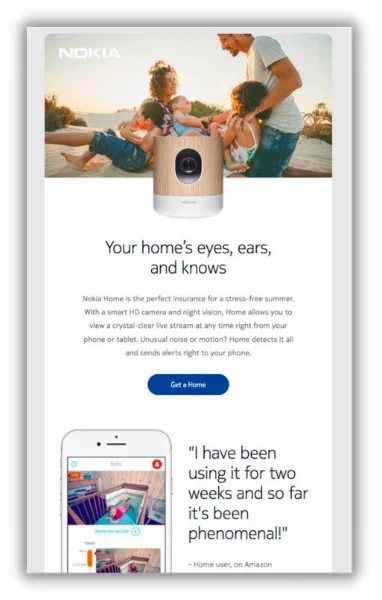 This principle applies to all types of marketing campaigns, including affiliate and referral programs, guest posts, display campaigns, and even links within your own site. By being direct and intentional about where you send potential customers, you increase the probability of them taking your desired action.
3. Distributing Link Equity Across Your Site or App
As an advocate for boosting search rankings, this third point is my personal favorite. Link equity, sometimes called “link juice,” is what enables your page to rank in Google’s index, drive traffic, and generate revenue for your business. Here’s a simplified explanation of how it functions:
The majority of your site’s link equity resides on your homepage. Your homepage serves as the base from which all other pages on your site derive their “ranking power.” Therefore, the more effectively you structure your deep links, or the closer you bring your most important pages to the homepage (i.e., the fewer clicks, the better), the higher their chances of ranking become. In the realm of SEO, this is also referred to as information architecture.
A page’s link equity is equivalent to the combined sum and quality of its internal and external links. We’ve discussed internal links earlier. External links are distinct in that they originate from other websites. If you can secure external links to your page from websites possessing high domain authority, you significantly elevate your page’s authority in Google’s estimation.
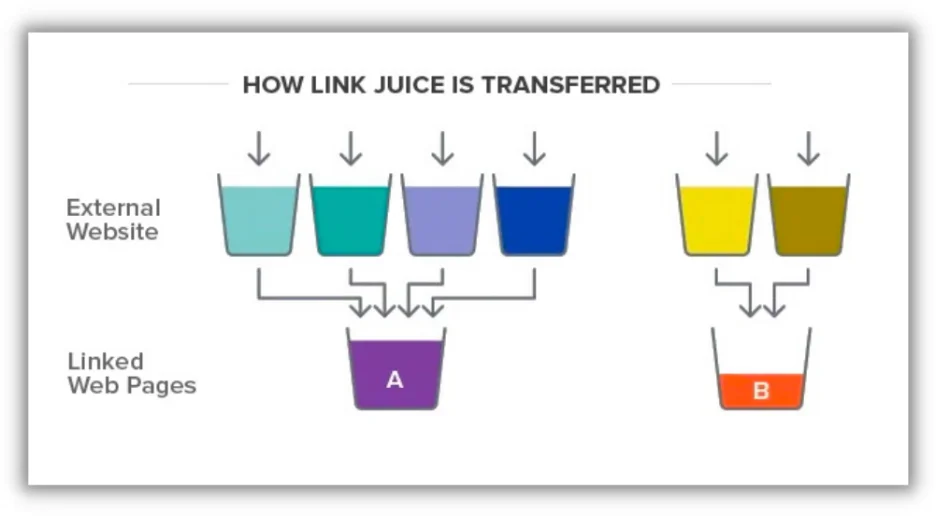
Thus, in the above illustration, Web Page A would stand a better chance of ranking (based solely on off-page factors) compared to Web Page B.
To maximize your page’s chances of ranking for your target keyword, using the appropriate anchor text is essential. Anchor text is the clickable text used for your link. So, if you were aiming to direct link equity to a page targeting the keyword “anchor text,” your link would appear like this: anchor text.
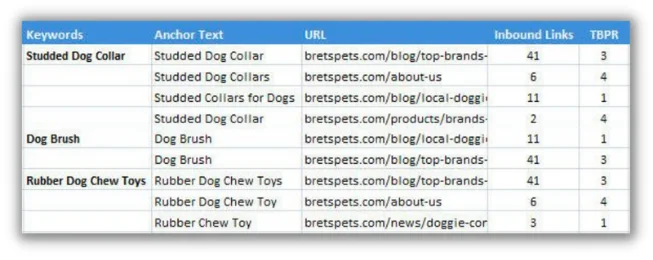
The more precise and relevant your anchor text is to your page’s target keyword and to what users are searching for, the more link equity you can channel to that page.
Deep Linking for Mobile Applications
As promised, we’ve arrived at the part of our discussion specifically addressing mobile apps. Why would you opt for deep linking within your mobile app? For all the same reasons you would on your website: to enhance navigation, guide users towards conversion, and boost link equity.
However, when we discuss deep linking in the context of mobile apps, our primary concern often revolves around that second use case: driving conversions.
Let’s examine this excellent example from Apps Flyer.
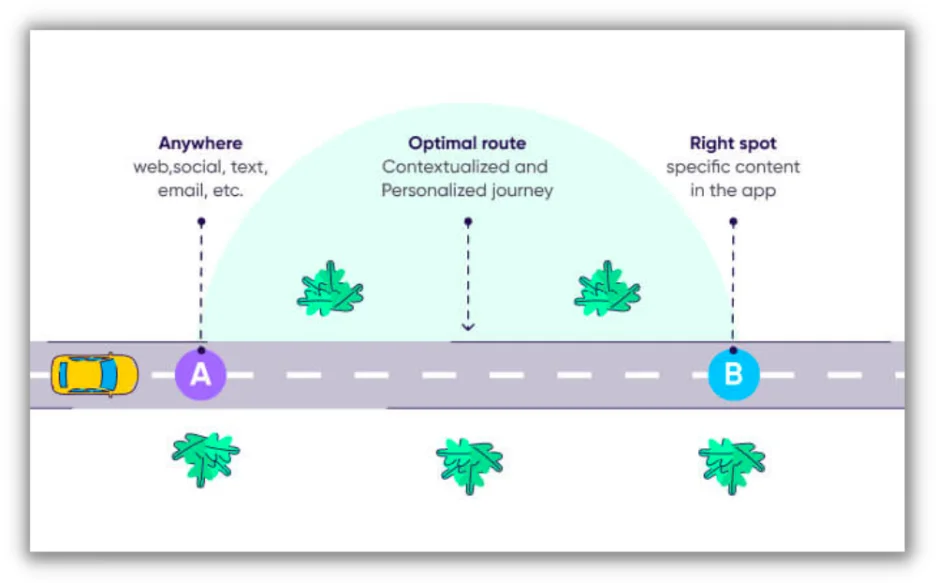
As a mobile app marketer, you’re likely to have multiple campaigns running simultaneously across various platforms, each with tailored messaging, targeting a diverse range of potential customers. Deep linking within these campaigns helps direct users to the appropriate user journey within your app: one that nurtures them with the right content and app experience, ultimately encouraging them to sign up.
 Get the best ideas ever to promote your business or app >> 30 Best Ways to Promote Your Business
When to Employ Deep Links in Your Mobile App
Let’s explore some typical scenarios for utilizing deep links in mobile apps and discuss why they are effective.
1. Recovering Abandoned Checkout Flows
Imagine an app like Instacart, where millions of daily active users rely on it for local grocery deliveries. However, how many of them actually complete the entire checkout process? This is where a well-timed email campaign or SMS notification, coupled with a deep link directing the customer back to their cart, can be incredibly useful.
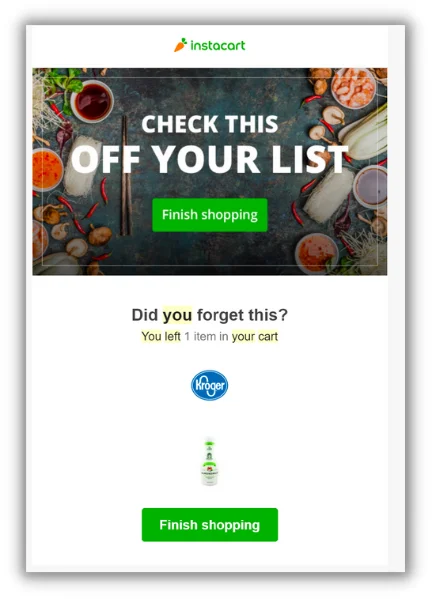
By directly linking the email to the customer’s cart, Instacart can salvage more sales from abandoned carts compared to simply linking to the app’s homepage.
2. User Acquisition
Consider this scenario: you’re promoting a personal finance mobile app, like Robinhood. You have a Facebook campaign targeting individuals known to be interested in investing in precious metals. Your ad encourages people to download your app from the app store, enticing them with a free $50 coupon towards their first precious metal investment.
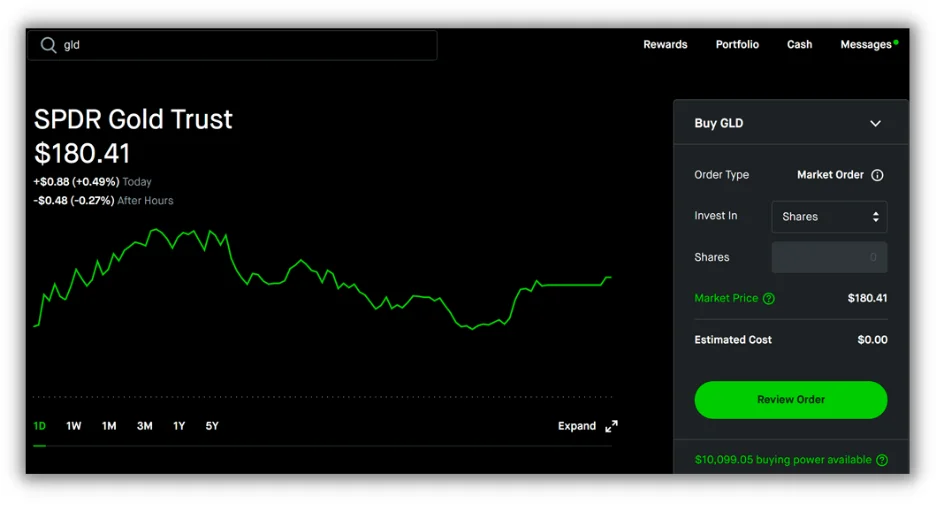 Where do you direct users once they’ve downloaded the app? To the homepage? No. You use a deep link to guide them to a collection of popular precious metal stocks, with the coupon pre-applied in their cart. Alternatively, you could link directly to a promising gold stock. By doing so, you not only incentivize them to download the app but also encourage them to begin investing immediately.
3. Providing Contextual Education Within the App
Let’s say you manage a sports publication like The Athletic. You have a fantastic team of writers and a loyal readership, but to increase lifetime value and user retention, you need to draw users into your mobile app, where they can readily access your latest content and offers.
A deep link to your article, paired with a well-timed “Continue reading for free in the app” call to action, is precisely what you need.
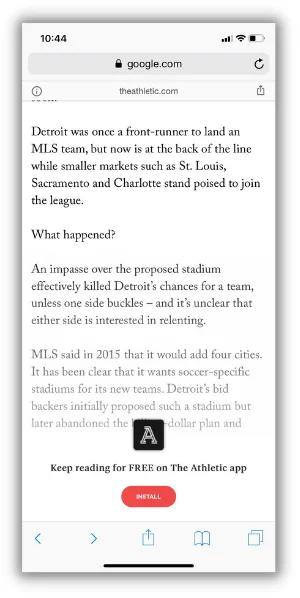
Upon downloading The Athletic app from the App Store, new subscribers are taken directly to the article they were reading on the web. This streamlined user flow enables The Athletic to minimize friction and keep readers engaged with the publication’s core strength: delivering exceptional sports journalism that merits ongoing support.
When Unsure, Go Deep
That essentially sums it up. If you’re looking for a key takeaway from this article, it’s this: when uncertain, opt for deep linking. Whether you’re implementing it on your website or within your mobile app, deep linking empowers you to enhance navigation, deliver relevant contextual content, boost link equity, and ultimately, drive more conversions.